







AV over IP for Esports, Command Centers, and Mission-Critical Environments
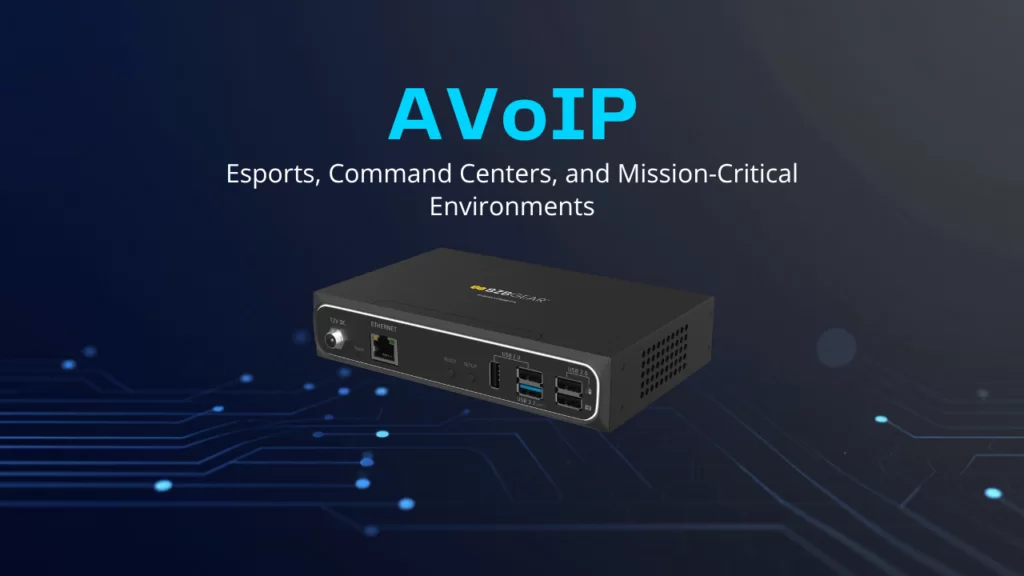
When a Counter-Strike final is on the line, a city's 911 dispatch floor is tracking a live incident, or a utility's control room is watching the grid, the video on those screens isn't just nice to have. It's the job. A frozen feed, a half-second of lag, or a source that won't route to the right display can turn a smooth operation into a scramble. So the question isn't whether these rooms need rock-solid video distribution — it's how to build it.
For a long time, the answer was a big HDMI or SDI matrix switcher. And matrixes still have their place. But esports arenas, command centers, and mission-critical operations centers are exactly the environments where AV over IP (often shortened to AVoIP) tends to win. Let's break down why that is, and then walk through how you'd actually architect one of these systems.
What Makes These Rooms Different
Esports venues, command centers, and mission-critical control rooms don't look alike, but they share a DNA. Each one needs to take a lot of video sources and put any of them on any display, instantly, with operators who expect to grab a feed and go. Each one runs for hours or days without a reset. And in each one, downtime is expensive — sometimes dangerously so.
That combination of scale, flexibility, and uptime is the thing to keep in mind. It's the lens for every decision that follows.
Why AV over IP Fits
At its core, AV over IP does exactly what it sounds like: it moves audio and video across a standard network instead of through dedicated point-to-point cabling. An encoder turns a source — a gaming PC, a camera, a workstation — into a network stream. A decoder pulls that stream back off the network and sends it to a display. The network switch in the middle does the routing.
Here's why that matters for these environments specifically.
It scales without a ceiling. A traditional matrix switcher is boxed in by its chassis. A 16x16 matrix routes sixteen sources to sixteen displays, and the day you need a seventeenth, you're buying a bigger box. With AVoIP, adding a source means adding an encoder and a network port. Your "matrix" is as big as your switch fabric, which means a command center can grow from twenty screens to two hundred without ripping anything out.
It's any-to-any by design. Because every source is just a stream on the network, any decoder can subscribe to any encoder. One feed can hit one display or fifty at the same time. For an esports broadcast, that means the same player-cam can land on the stage video wall, the production booth, and the streaming encoder simultaneously, no signal splitter required.
It carries more than video. Many AVoIP systems carry USB and keyboard/mouse data right alongside the picture — that's KVM, keyboard-video-mouse extension. In a command center, an operator can sit at one desk and control workstations racked in a server room down the hall. In esports, it lets you keep gaming PCs locked away and cooled while players compete on extended peripherals.
It builds in redundancy. Networks are good at rerouting around failures. With the right design, a dead switch port or a cut cable doesn't take down the room — traffic finds another path. For mission-critical work, that resilience is often the whole reason to make the switch.
How to Architect One
The mental shift is this: in an AVoIP system, the network is the matrix. Once that clicks, the design falls into a few clear layers.
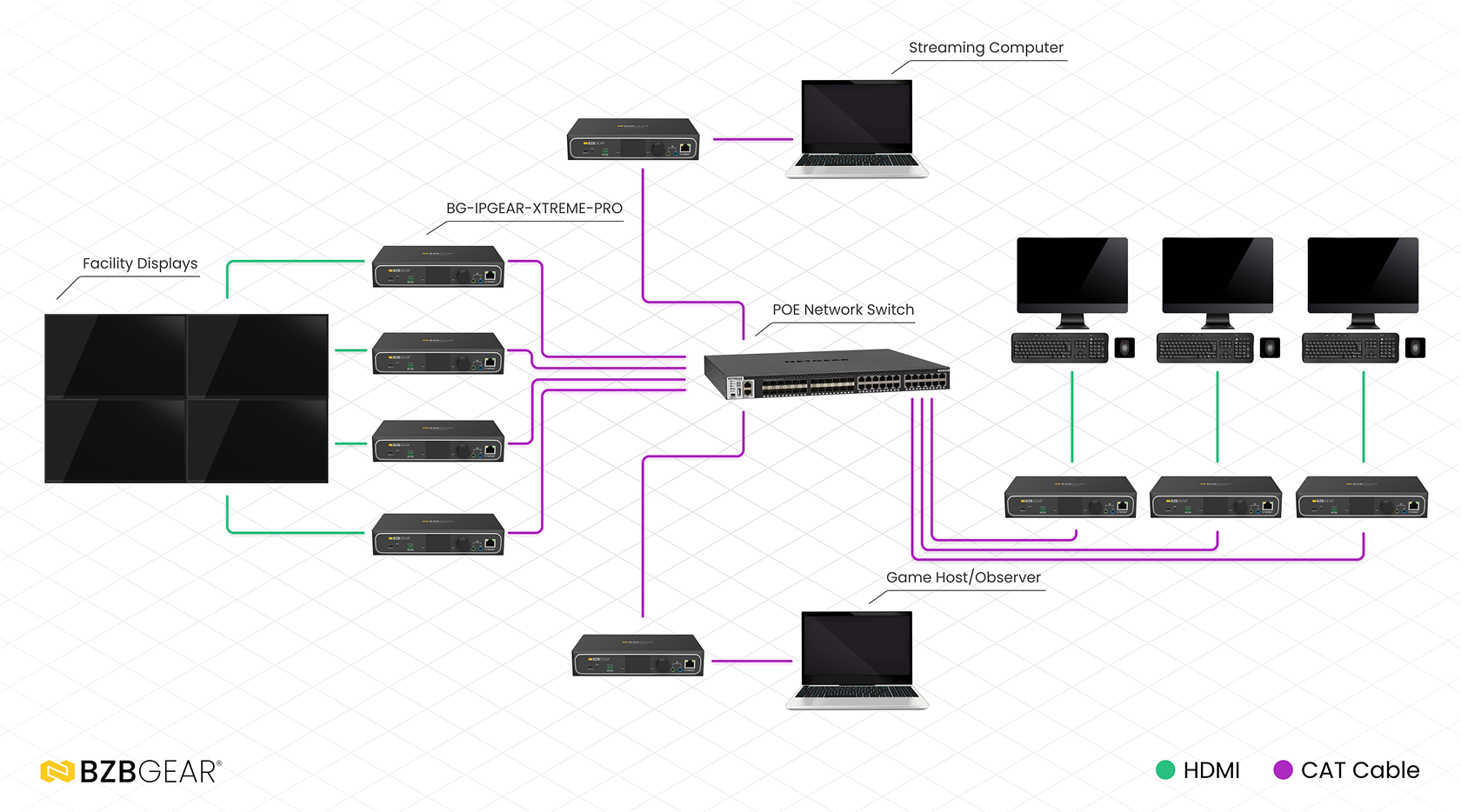
Sources and encoders. Every input — PC, camera, console, capture device — connects to an encoder. The encoder compresses the signal and puts it on the network. Pick your compression based on how latency-sensitive the room is, which we'll get to.
The network. This is the heart of the system, and it's where AVoIP projects succeed or fail. You'll want managed switches with enough bandwidth for your stream count, IGMP snooping enabled (so multicast streams only go where they're subscribed, instead of flooding the whole network), and ideally a dedicated AV VLAN so video traffic isn't fighting your office data. For mission-critical rooms, build redundant switch paths from the start.
Decoders and displays. Each display gets a decoder that subscribes to whatever stream the operator selects. Video walls are just a group of decoders working together, each rendering its slice of the larger image.
Control. A control layer — a software interface or a hardware controller — is what lets an operator actually route feeds without touching a config file. This is the part that makes a powerful system usable under pressure, so don't treat it as an afterthought.
Latency planning. This is the one spec to be honest about. Heavily compressed streams (H.264/H.265) are bandwidth-friendly and great for monitoring, signage, and most command-center views. For an esports stage where players react to single frames, you want a system rated for low, predictable latency and visually lossless quality. Match the tool to the stakes.
BZBGEAR Highlight
BZBGEAR builds an AVoIP line aimed squarely at these use cases. The BG-IPGEAR-ULTRA is a 4K UHD HDMI 2.0b multicast transceiver — a single unit that works as either an encoder or a decoder — with seamless matrix switching, video wall, multiview, and KVM support built in. The multiview and video-wall features make it a natural fit for a command center that needs many sources tiled on big screens, and the integrated KVM and SFP fiber slot give you reach and control across a large facility.
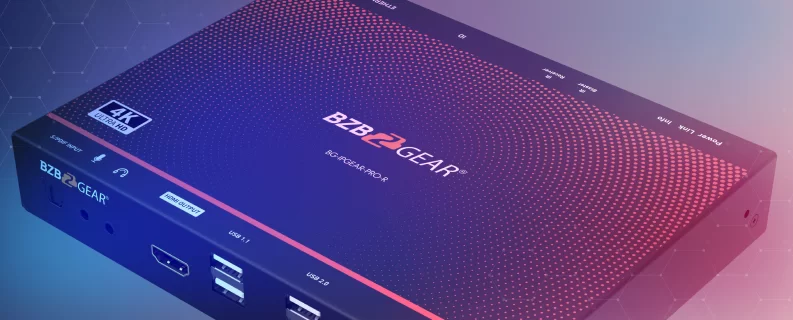
For straightforward transmitter-and-receiver deployments, the BG-IPGEAR-PRO-T transmitter and BG-IPGEAR-PRO-R receiver deliver 4K60 4:4:4 over a standard network with video wall and KVM support and ultra-low latency — low enough for live, interactive use. Both PRO and ULTRA series pair with a smart controller (the BG-IPGEAR-PRO-C and BG-IPGEAR-ULTRA-C) so operators route feeds from a clean interface instead of wrangling the network by hand. And when the task is pure streaming or remote monitoring, the BG-STREAM-E encoder and BG-STREAM-D decoder handle H.264/H.265 IP delivery.
Building Your System
Whether you're wiring an esports arena, standing up a 24/7 operations center, or upgrading a mission-critical control room, AVoIP gives you the scale, flexibility, and resilience these environments demand — as long as the network underneath is designed with the same care as the AV gear on top of it. Nail the switch fabric, plan your latency honestly, and give your operators a control layer they can trust, and the rest gets a lot easier.
If you're mapping out a project like this and want help matching the right encoders, decoders, and controllers to your room, reach out — we're happy to talk through it. To explore the full AVoIP lineup, visit BZBGEAR.com.


8.00 a.m. - 5.00 p.m. (PST)
10.00 a.m. - 3.00 p.m. (PST)
(by appointment only)


