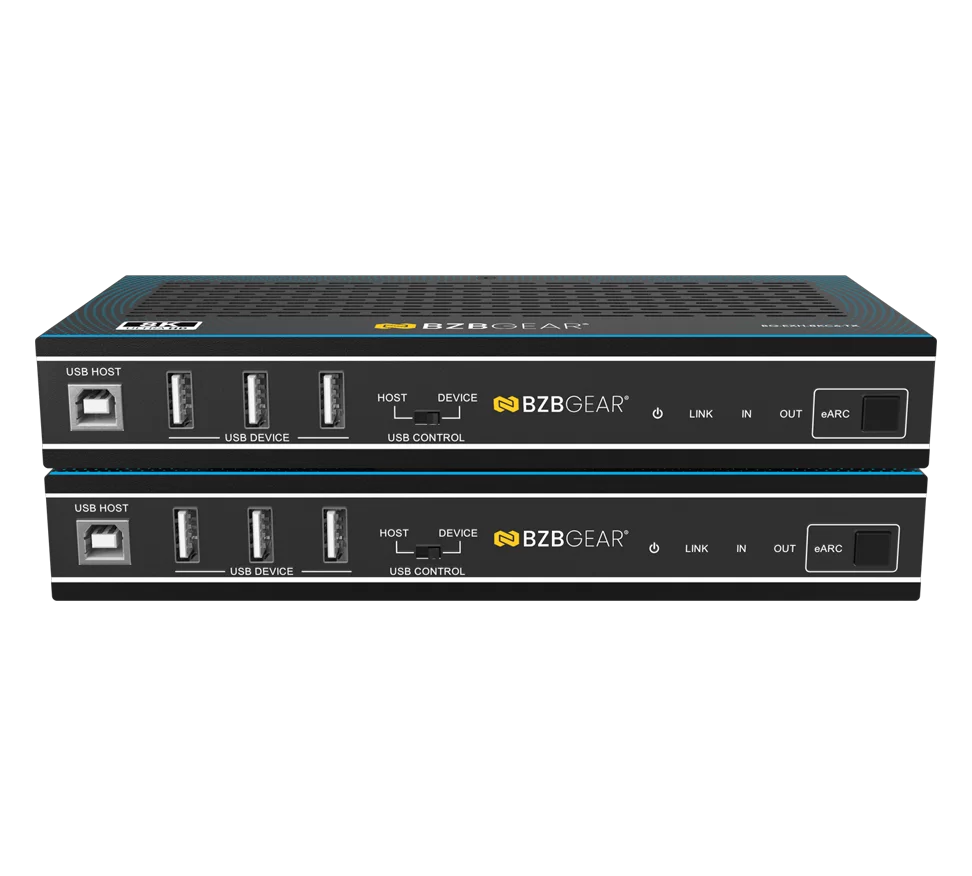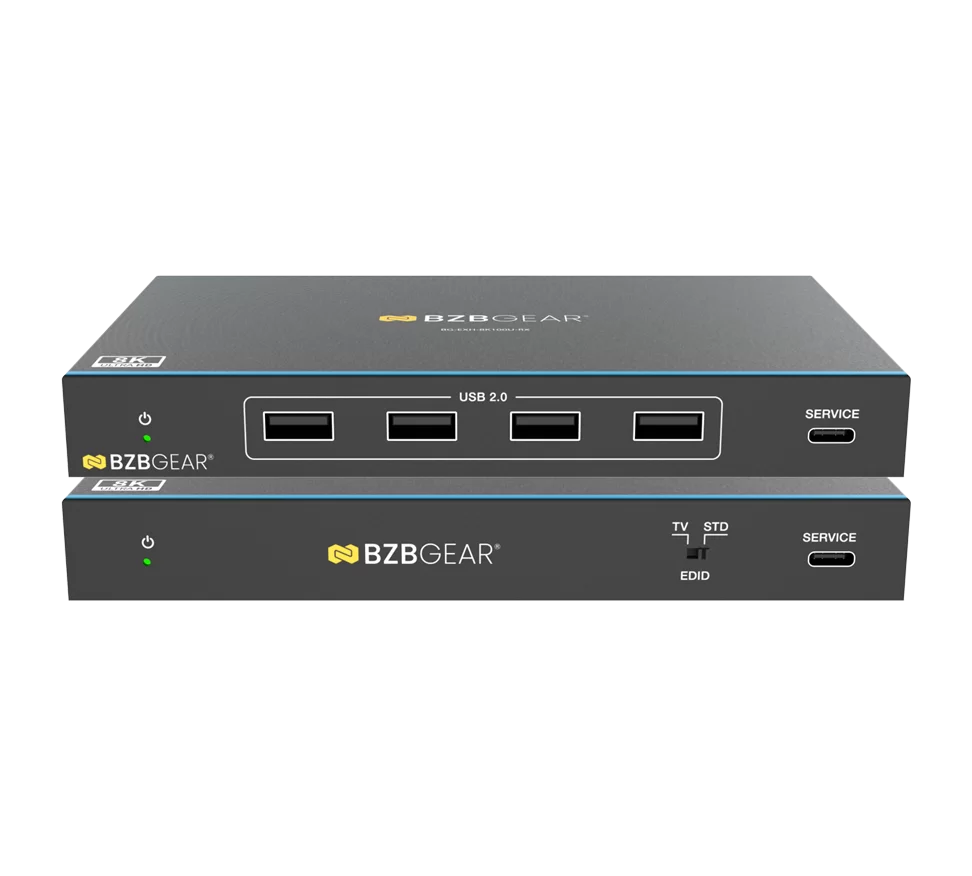







4K120 UHD HDMI 2.1 Extender with IR/eARC/ARC/PoC/RS-232/Ethernet/USB/KVM/Balanced Audio up to 560ft



Overview
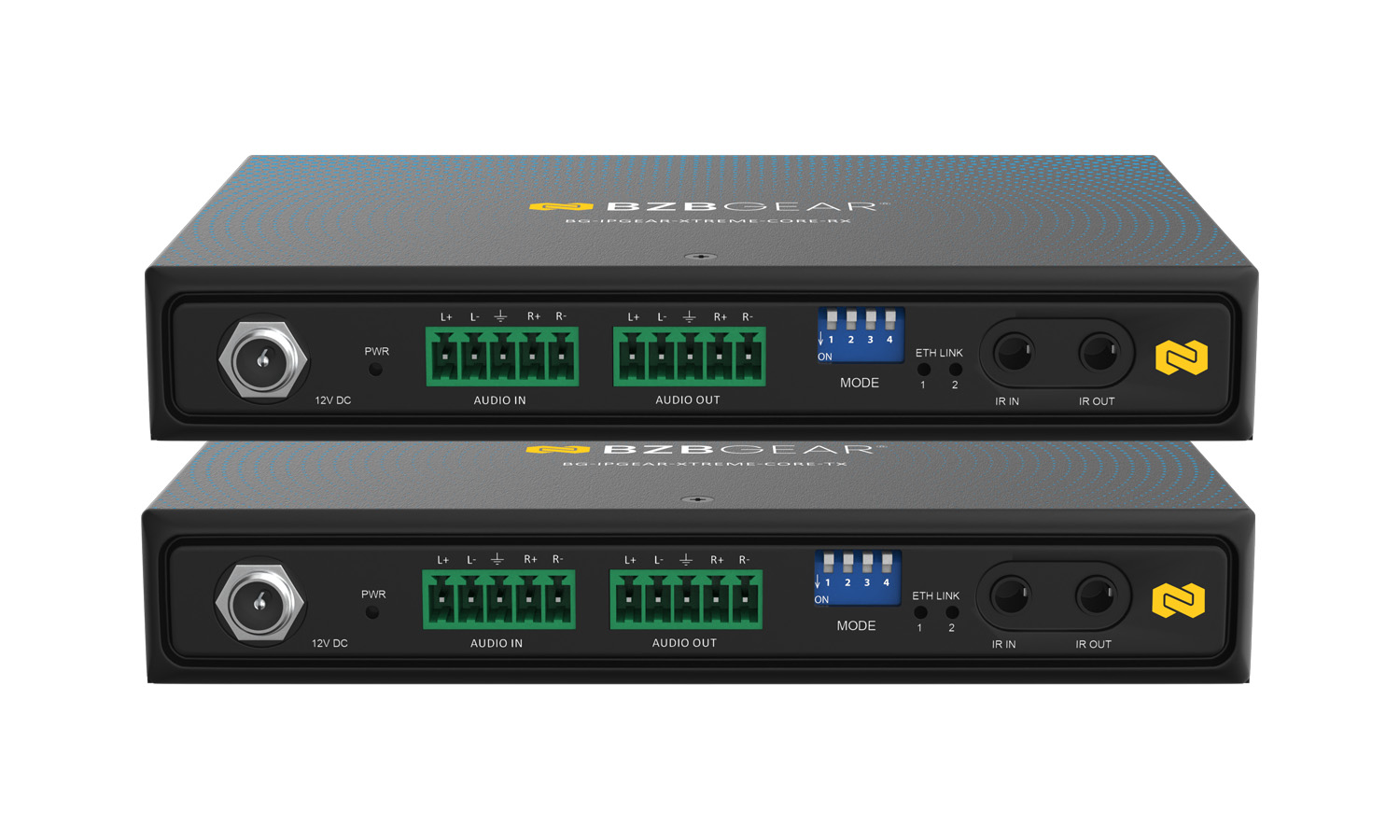
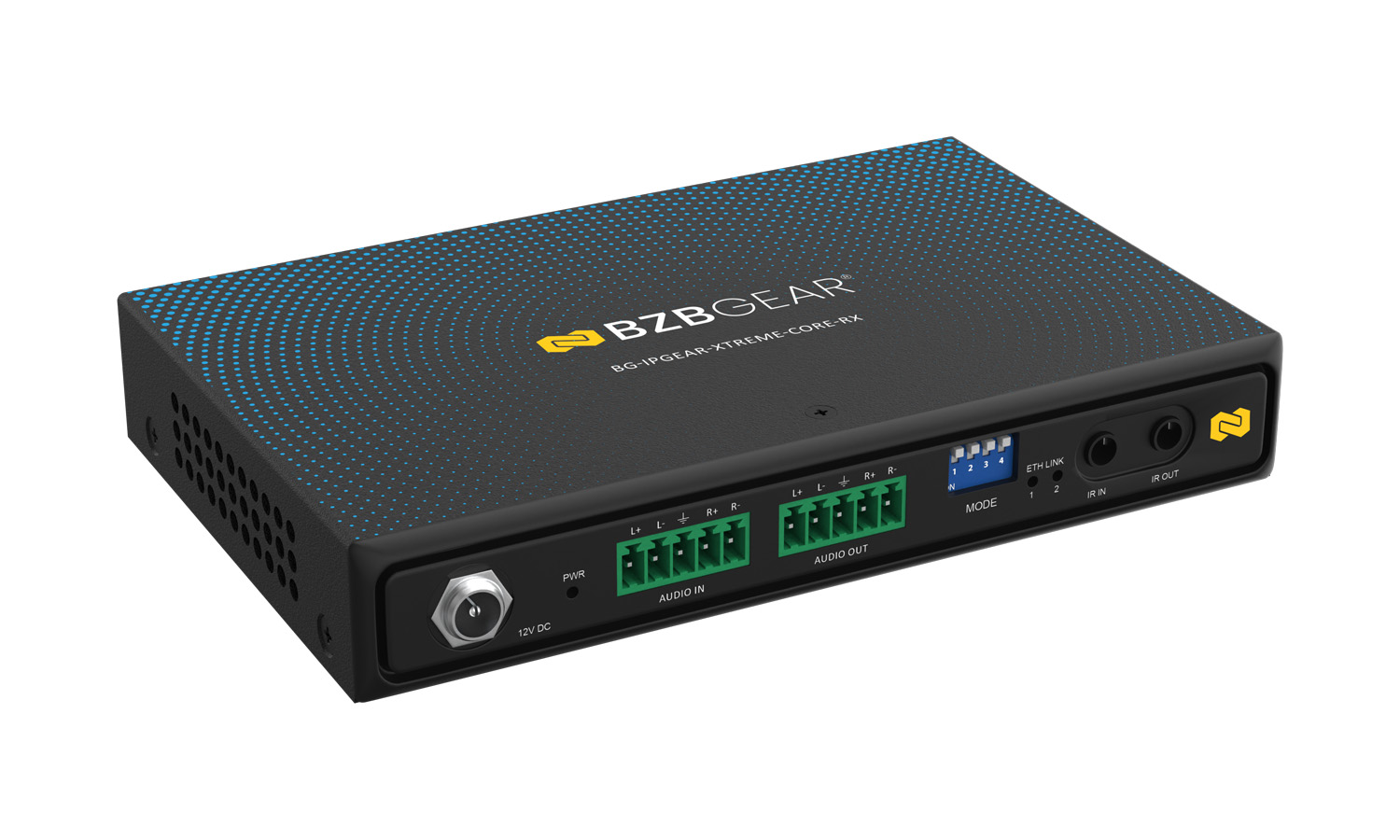
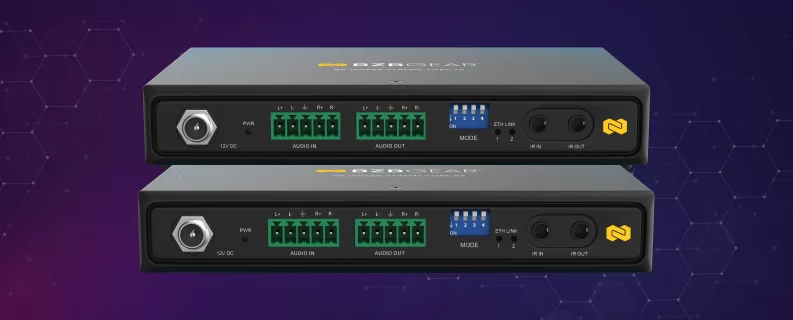
The BG-IPGEAR-XTREME-CORE delivers high-performance 4K@120Hz video along with USB, Ethernet, balanced audio, RS-232, and IR control up to 560ft (170m) over a single Cat 5e, Cat 6, or Cat 7 cable. Designed for demanding professional AV and KVM applications, it provides a convenient way to extend high-bandwidth HDMI sources and connected USB peripherals over long distances while maintaining flexible connectivity at both ends.
The transmitter and receiver are included as a set, providing everything needed for point-to-point signal extension. With Power over Cable (PoC), the system simplifies installation by allowing power to be delivered between the transmitter and receiver, reducing the number of power connections required. USB-C connectivity provides compatibility for USB peripherals and PC connections, while Ethernet pass-through, balanced audio I/O, RS-232, and IR provide the connectivity and control capabilities required for professional installations.
Features In-Depth
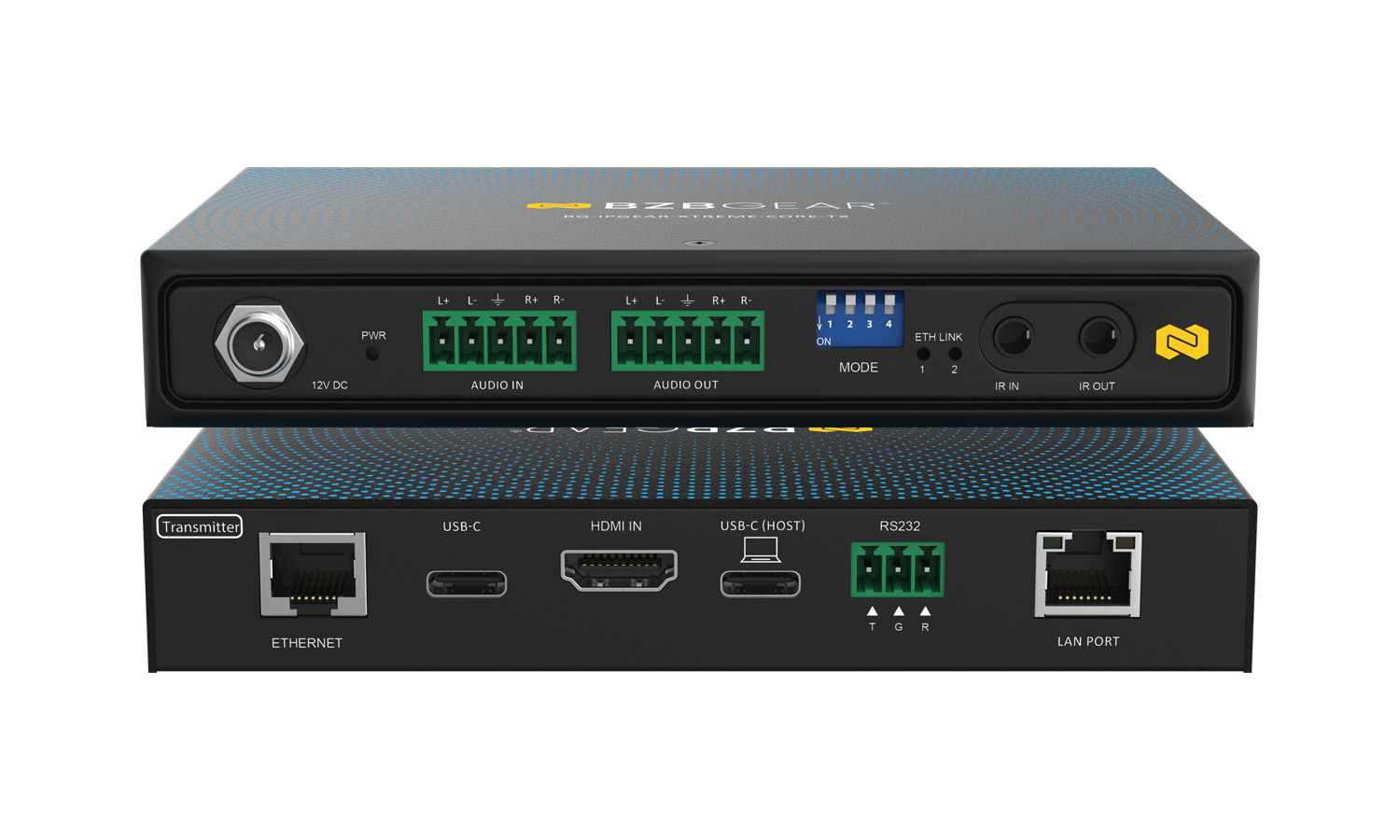
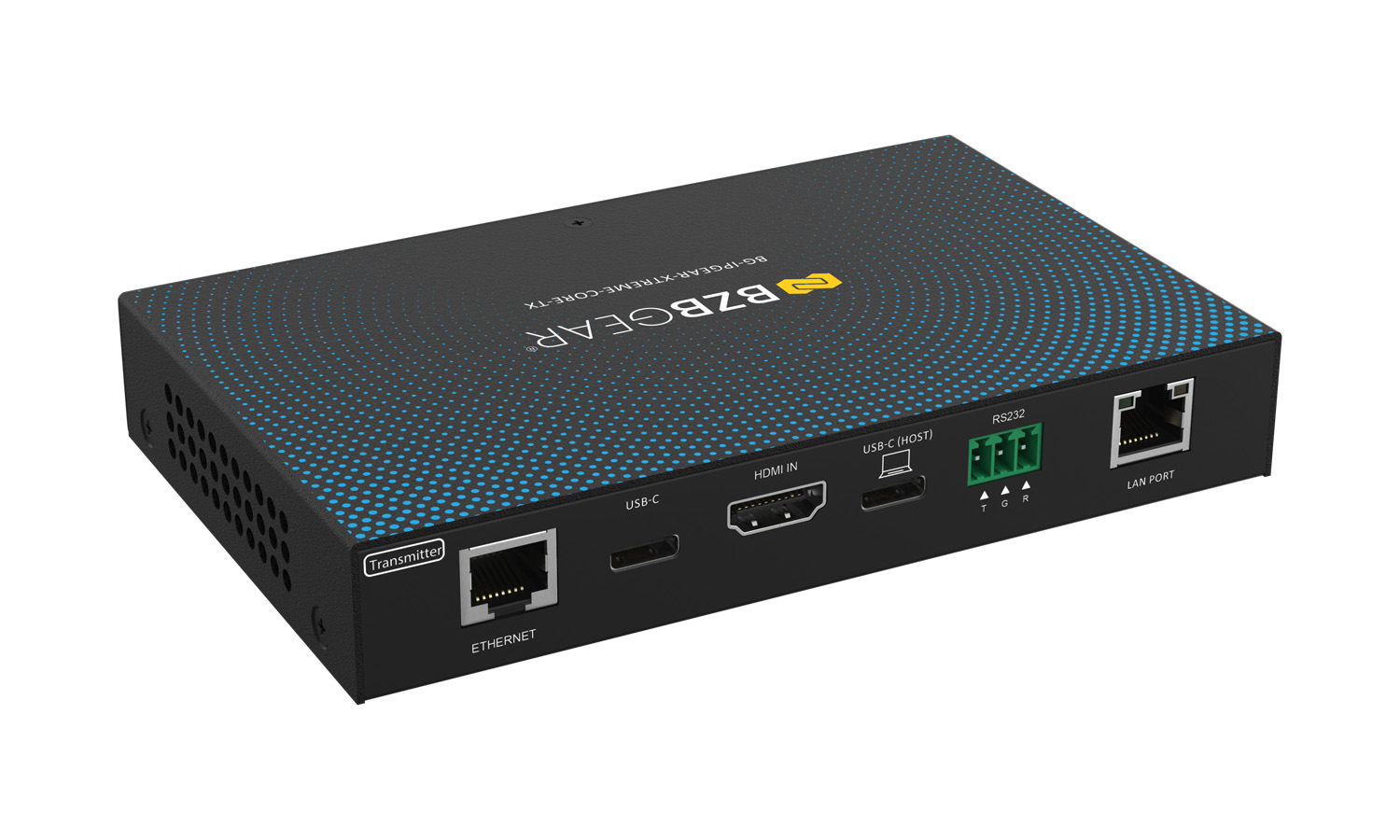
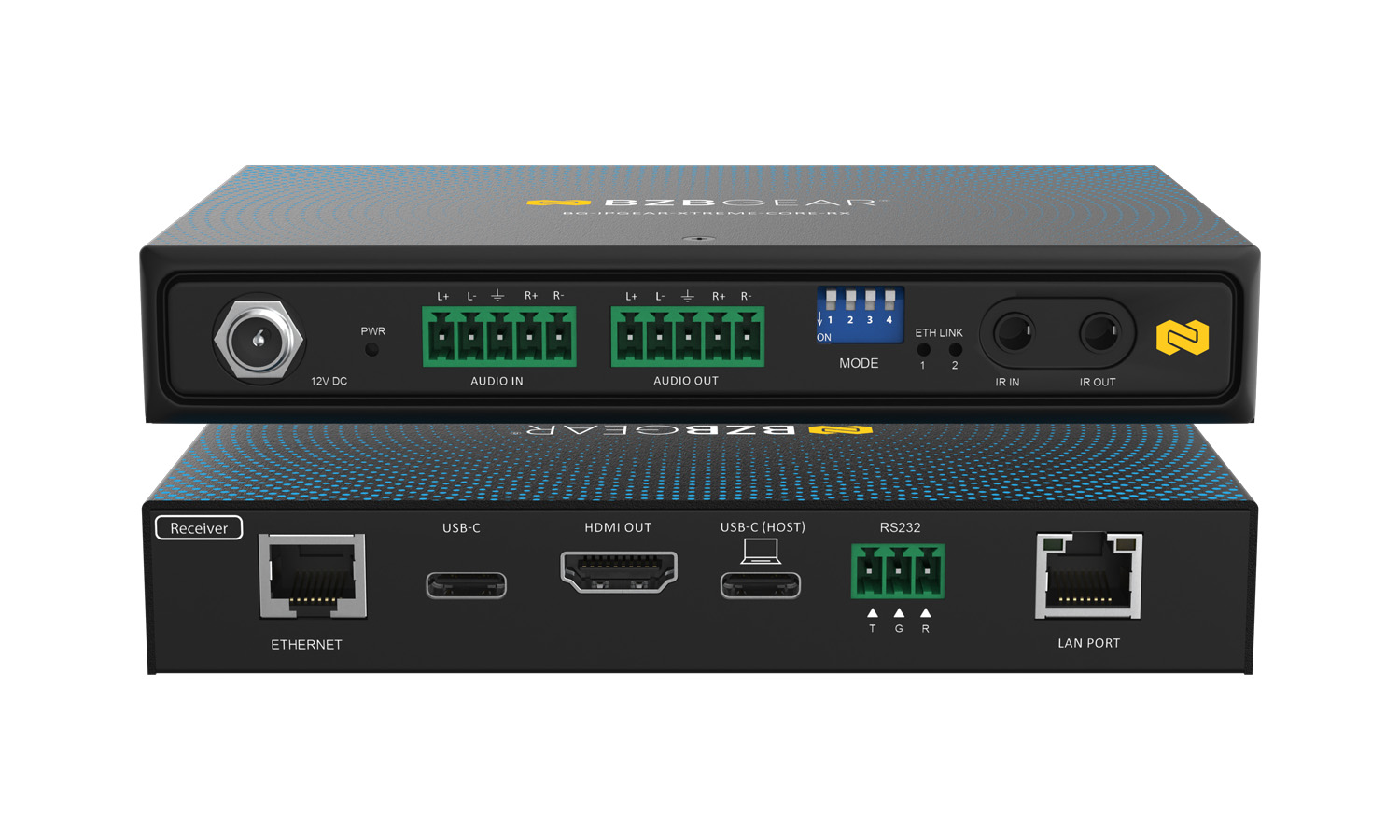
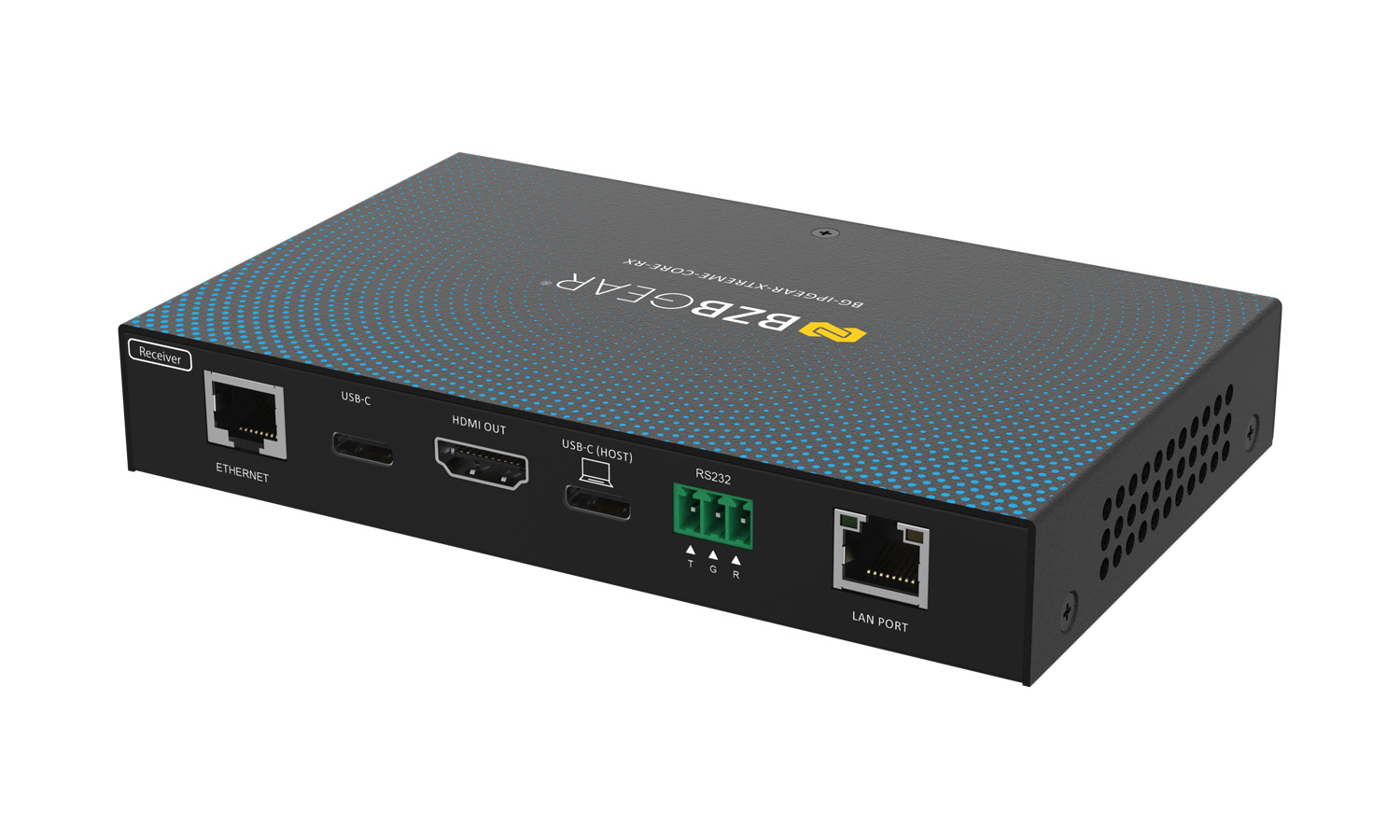
Engineered for high-performance, long-distance video distribution and extension, the system supports 4K@120Hz transmission at distances up to 560 ft (170 m) over Cat 5e, Cat 6, or Cat 7 cabling, while extending USB connectivity, control signals, audio, and network access alongside the HDMI signal. The transmitter features an HDMI input for connecting a source device, USB-C ports for USB peripherals and PC connectivity, and a 1G copper link with PoC for connection to the receiver. The receiver provides an HDMI output for the display while maintaining corresponding USB-C, Ethernet, audio, RS-232, and IR interfaces.
With an extension range of up to 560 ft (170 m), the BG-IPGEAR-XTREME-CORE is well suited for installations where source equipment and displays must be located far apart. Compatibility with Cat 5e, Cat 6, and Cat 7 cabling provides installation flexibility and allows the system to utilize commonly available structured cabling infrastructure.
The integrated USB connectivity makes the system well suited for applications where a computer needs to be operated remotely from the display location. USB connectivity supports connected peripherals and PC connections, making the system ideal for KVM, interactive, conferencing, control room, and professional AV applications requiring remote access to USB devices.
Ethernet pass-through allows compatible network connectivity to be extended alongside the AV signal, helping reduce additional cabling in installations where internet or network access is required at the remote location.
Power over Cable (PoC) further simplifies installation by allowing power to be delivered between the transmitter and receiver through the primary extension connection. This reduces power cabling requirements and provides greater flexibility when installing equipment in locations where access to electrical outlets may be limited.
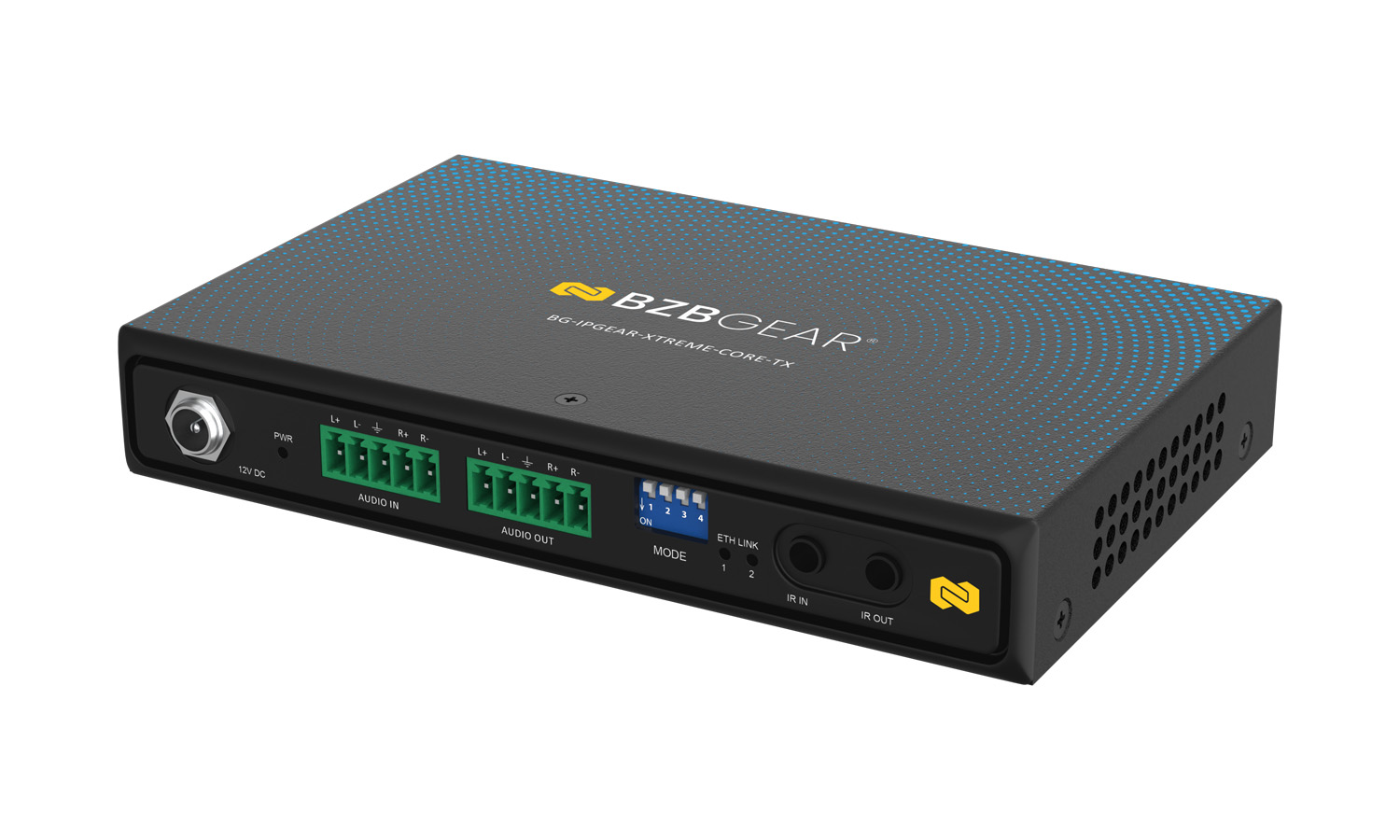
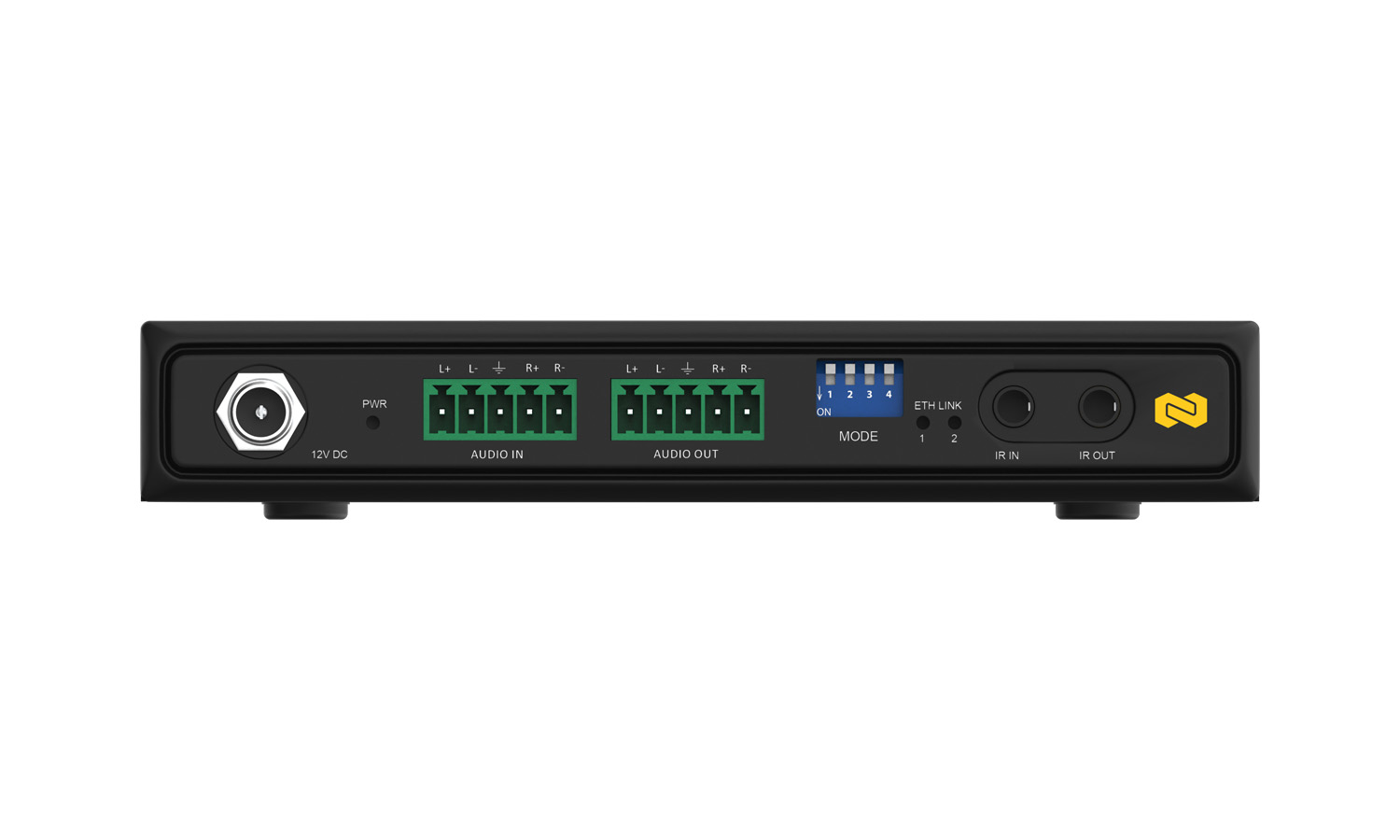
Professional integration is further supported by balanced audio I/O, RS-232 control, and IR extension. The balanced audio interface supports a nominal 600Ω specification of 3.975 Vrms / 12 dBV, providing compatibility with professional audio environments. IR receiver and blaster ports enable remote control signal extension, while RS-232 is provided through a 3-pin terminal block with TX, RX, and GND connections. The system also supports firmware update mode and configurable Ethernet pass-through through the onboard DIP switches.
Features
-
![4K]() 4K@120Hz up to 560 ftExtend 4K@120Hz video up to 560 ft (170 m) over Cat 5e/Cat 6/Cat 7
4K@120Hz up to 560 ftExtend 4K@120Hz video up to 560 ft (170 m) over Cat 5e/Cat 6/Cat 7 -
![bi_usb-c]() USB ExtensionExtend USB devices for KVM and remote applications
USB ExtensionExtend USB devices for KVM and remote applications -
![Power Over Cable (POC)]() Power over CablePoC reduces power and cabling requirements
Power over CablePoC reduces power and cabling requirements -
![mdi_check-network-outline]() Ethernet Pass-ThroughExtend network connectivity over the same link
Ethernet Pass-ThroughExtend network connectivity over the same link -
![Audio Support]() Balanced AudioProfessional balanced audio input and output
Balanced AudioProfessional balanced audio input and output -
![IR-PASS-THROUGH]() RS-232 & IRExtend control signals for remote device operation
RS-232 & IRExtend control signals for remote device operation


- Long-distance signal extension up to 560 ft (170 m)
- Compatible with Cat 5e, Cat 6, and Cat 7 cabling
- Supports video resolutions up to 4K@120Hz
- HDMI source-to-display extension
- USB extension for KVM and peripheral applications
- USB-C connectivity
- Power over Cable (PoC)
- Ethernet pass-through
- Balanced 5-pin terminal block audio I/O
- RS-232 control via 3-pin terminal block
- IR receiver and IR blaster ports with 3.5mm connectors
- Configurable Ethernet pass-through mode
- Dedicated firmware update mode
- Power and LAN status indicator LEDs
- 12V DC power input with interlocking power jack
- Elevated bottom-mount brackets included

Effortlessly control and
manage your video system
with our user-friendly app!



Tech Specifications
| Technical Specifications | |
| HDMI Compliance | HDMI 2.1 |
| HDCP Compliance | HDCP 2.3 |
| Maximum Video Bandwidth | Up to 48Gbps (FRL 6) |
| Maximum Resolution | Up to 4K@120Hz 4:4:4 |
| Transmission Distance | Up to 170 m (560 ft) over Cat5e/6/6a/7 |
| Network Interface (AV) | Integrated 1GbE (RJ-45) |
| Network Requirements | Managed 1GbE switch with IGMP Snooping (for multicast) |
| Distribution Modes | Point-to-Point, Point-to-Many, Multicast |
| Video Latency | < 1 frame |
| Video Processing | Proprietary multi-encode / decode |
| Audio Formats | Uncompressed 7.1ch HDMI, Dolby TrueHD, DTS-HD Master Audio |
| ARC / eARC Support | Yes |
| VRR / ALLM Support | Yes |
| EDID Management | Supported |
| HDCP / CEC Bypass | Supported |
| IR Pass-Through | Bi-directional (20 kHz – 60 kHz) |
| RS-232 Control | Full-duplex, up to 115,200 bps |
| Connectivity | |
| USB Support | USB Connector Type: USB-C USB Standards: USB 2.0/3.0 |
| Ethernet Pass-Through | 10/100 Mbps (Point-to-Point mode only) |
| Audio Connectivity | Balanced Audio Level: 3.975 Vrms / 12 dBV (600Ω) Audio Connector: 5-pin terminal block (Balanced In / Out) |
| HDMI Connector | Type-A (19-pin female) |
| USB Connector | USB Type-A, USB Type-C |
| RS-232 Connector | 3-pin terminal block |
| IR Connector | 3.5 mm (IR Blaster / IR Receiver) |
| Mechanical Specifications | |
| Housing | Metal enclosure |
| Mounting | Wall-mountable |
| Power Supply | 12V DC, PoC |
| Operating Temperature | 32°F to 104°F / 0°C to 40°C |
| Storage Temperature | -4°F to 140°F / -20°C to 60°C |
| Operating Humidity | 20% to 90% RH (non-condensing) |
| ESD Protection | ±15kV (air), ±8kV (contact) |
| PCB Construction | 4-layer board, impedance controlled |
Resources


PACKAGE CONTENTS
- 1x BG-IPGEAR-XTREME-CORE Transmitter (TX)
- 1x BG-IPGEAR-XTREME-CORE Receiver (RX)
- 2x 12V / 1A DC Power Adapter (US Plug)
- 1x IR 3.5 mm TX Cable (150 cm)
- 1x IR 3.5 mm RX Cable (150 cm)
- 2x 3-Pin Terminal Block (3.5 mm, 90°)
- 4x Bottom-mount Brackets (Elevated Type)
- 8x M3 × 4 mm Black Screws
- 4x M4 × 20 mm Flat Head Screws
- 1x User Manual
Interfaces
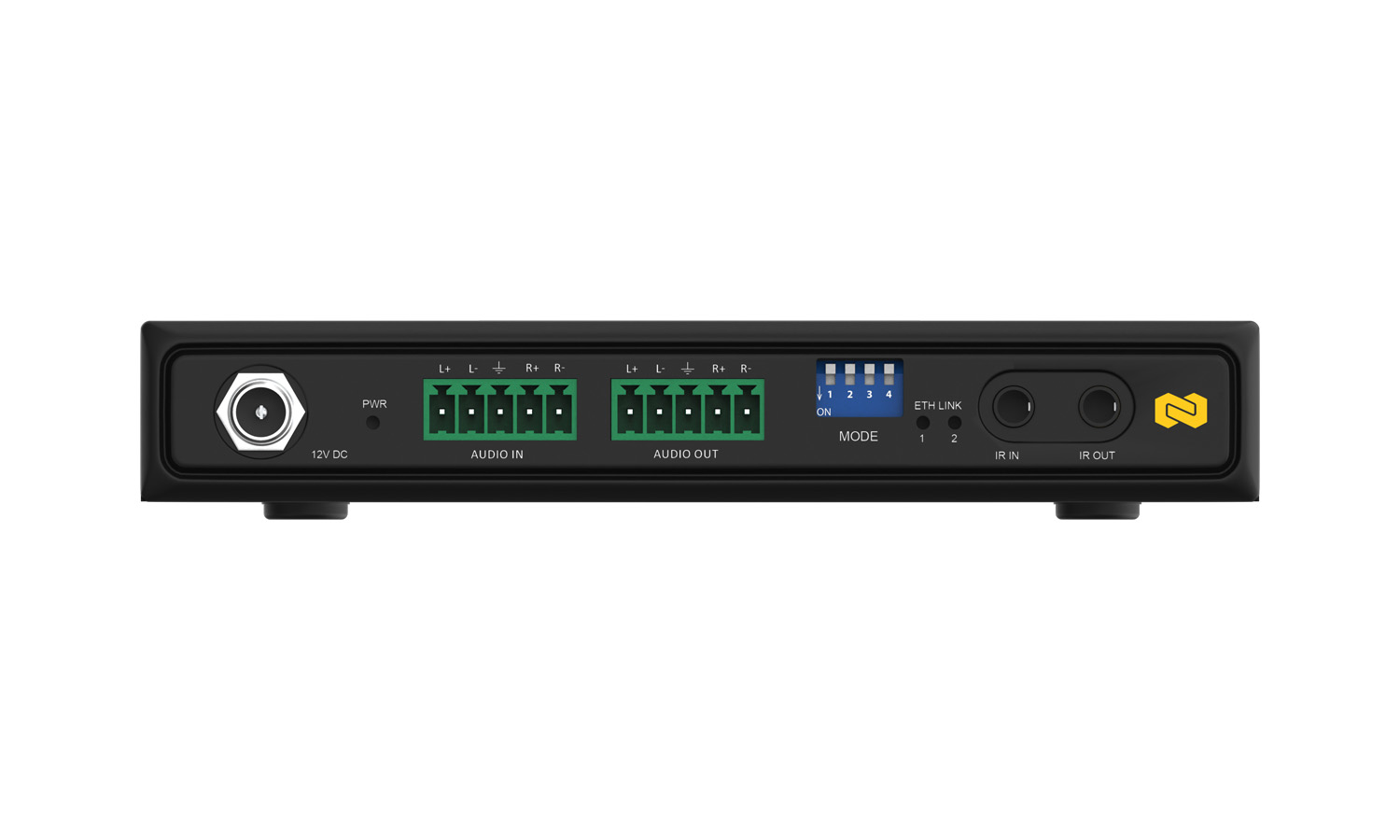
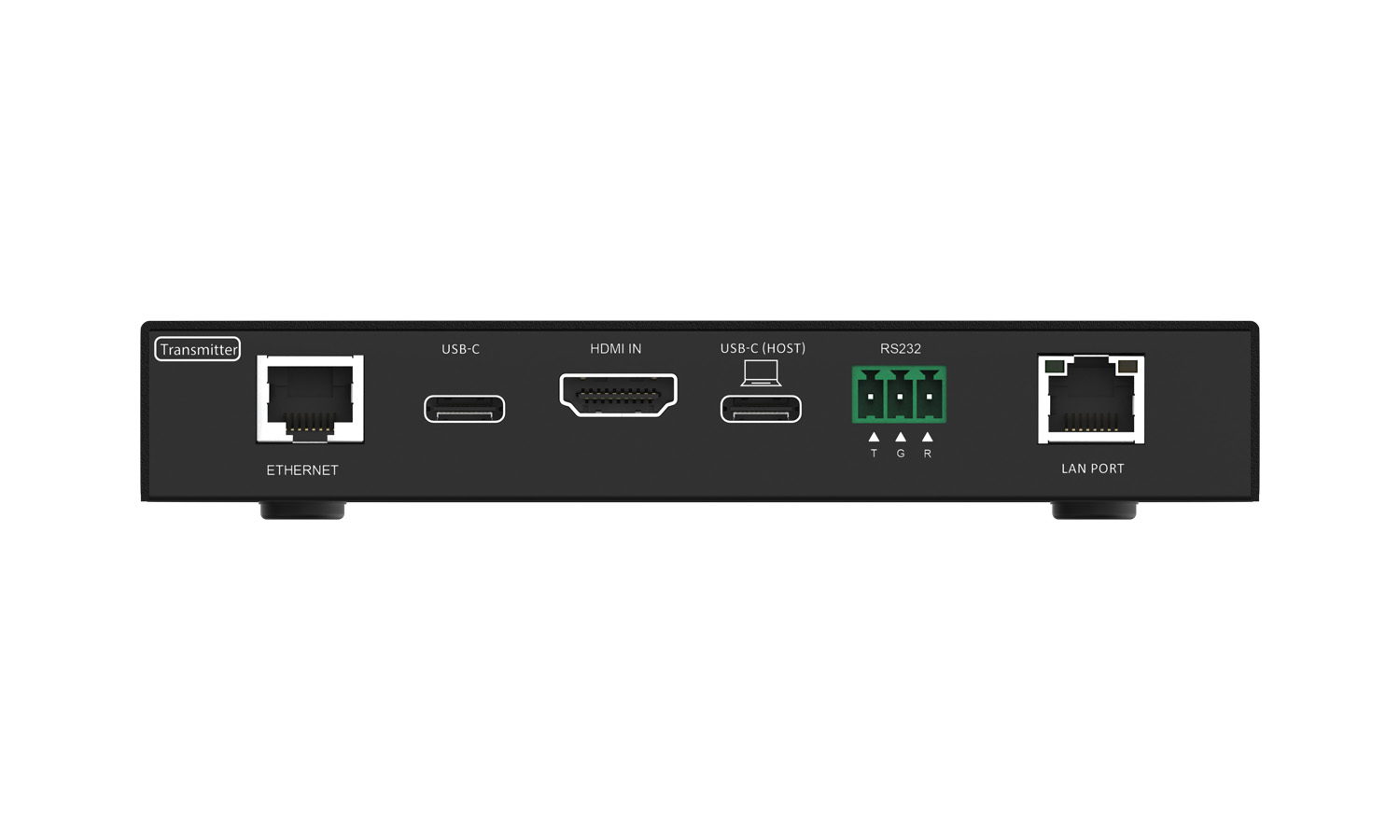
Transmitter
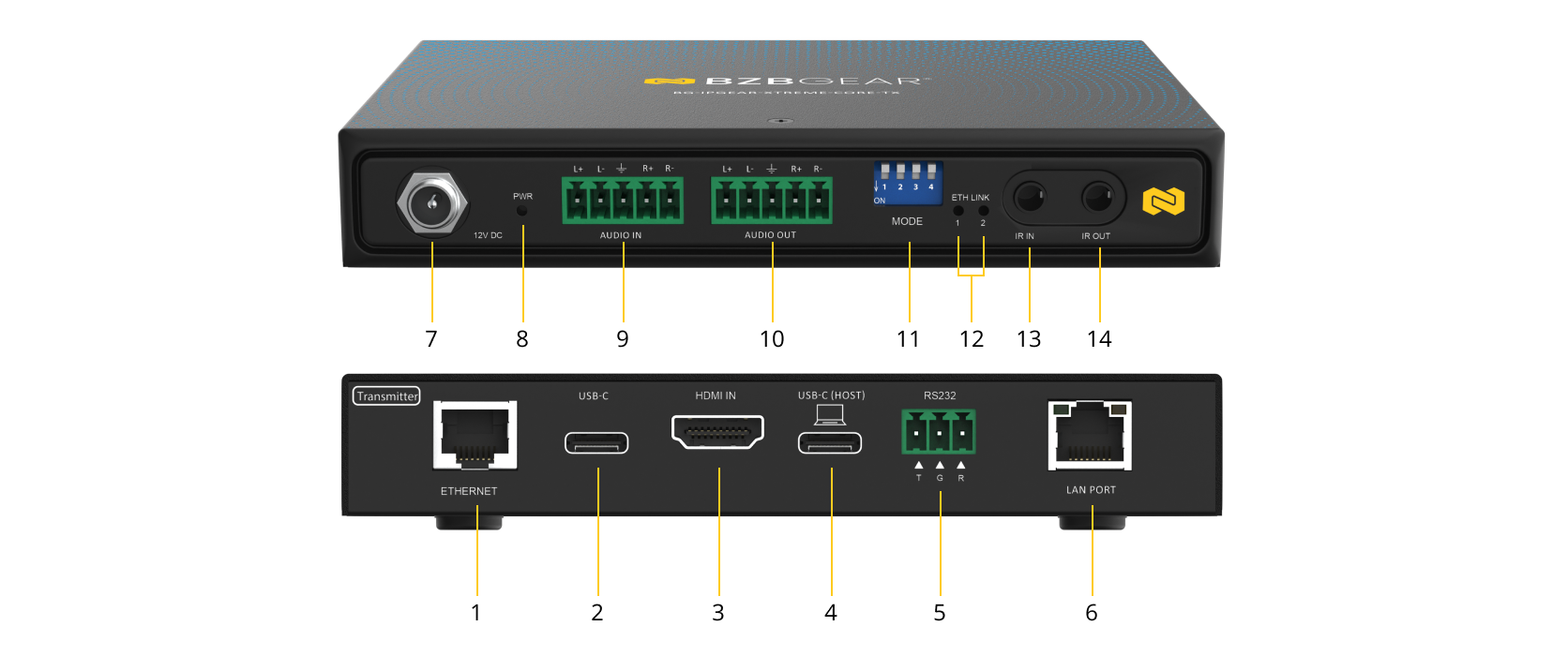
- 1G Ethernet (PoC / AV OUT): Connect a Cat5e or higher cable to link the transmitter to the receiver directly or to a managed 1GbE network switch for IP-based AV distribution. Supports Power over Cable (PoC).
- USB 2.0/3.0 (USB-C): Connect USB peripheral devices for extension to the receiving unit.
- HDMI IN: Connect an HDMI source device such as a PC, media player, or gaming console.
- USB 2.0/3.0 (USB-C): Connect to a host PC for high-speed USB extension.
- RS-232 Terminal Block: 3-pin terminal block for serial control. Pin order (left to right): TX / RX / GND.
- Ethernet Pass-Through (10/100 LAN): Provides Ethernet pass-through for network or internet access at the remote endpoint (supported in point-to-point mode only).
- 12V DC Power Input: Interlocking power jack for connection to the supplied 12V DC power adapter.
- Power LED Indicator: Illuminates when the transmitter is powered on.
- Audio IN (Balanced, 5-Pin Terminal Block): Balanced analog audio input for external audio sources.
- Audio OUT (Balanced, 5-Pin Terminal Block): Balanced analog audio output for routing audio to external equipment.
- DIP Switch: Used for system configuration, including Ethernet pass-through and firmware update mode selection.
- LAN Status LED: Indicates Ethernet link status and activity.
- IR Receiver Port (3.5 mm): Connect the IR receiver to capture infrared control signals from a remote control.
- IR Blaster Port (3.5 mm): Connect the IR blaster to transmit infrared control signals to the source device.
Receiver
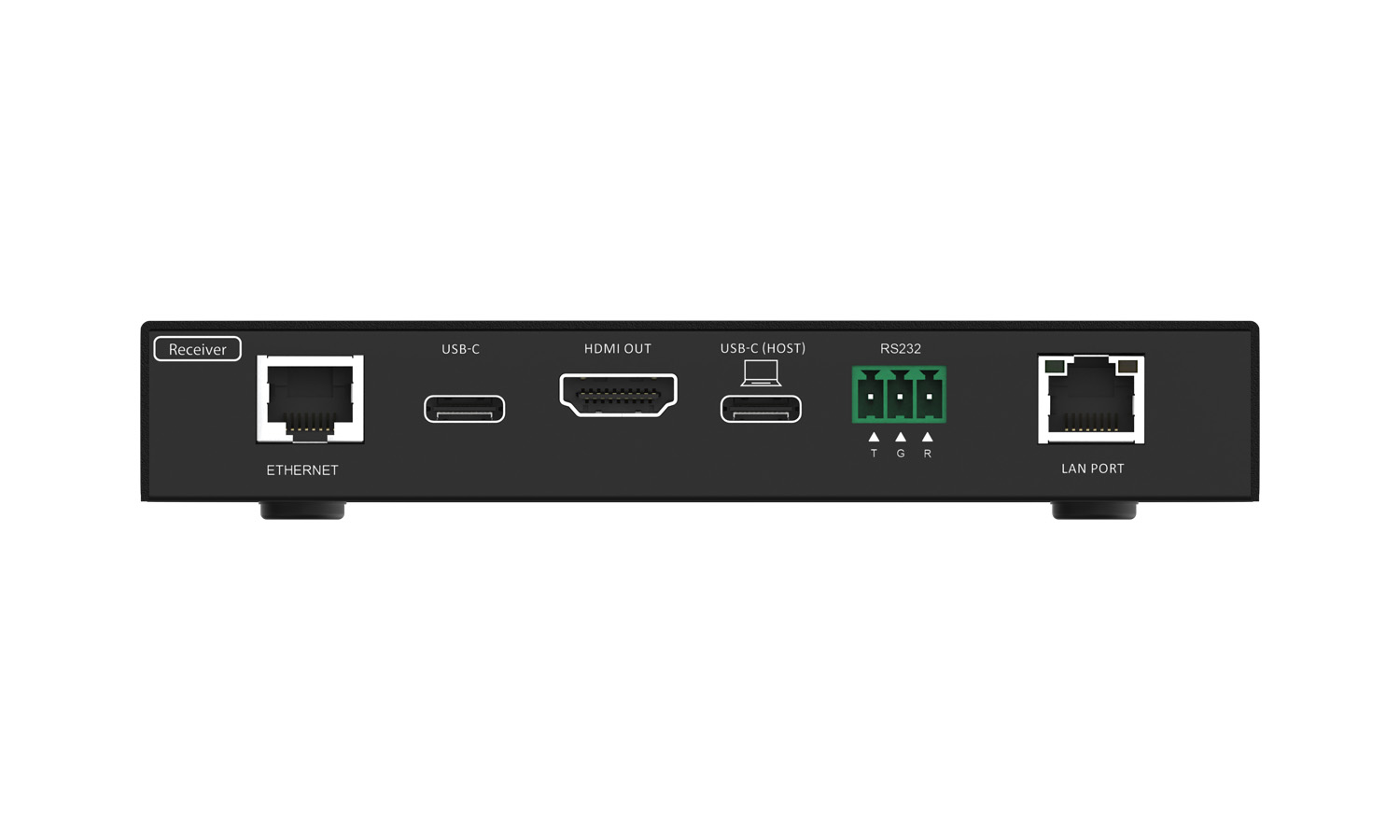
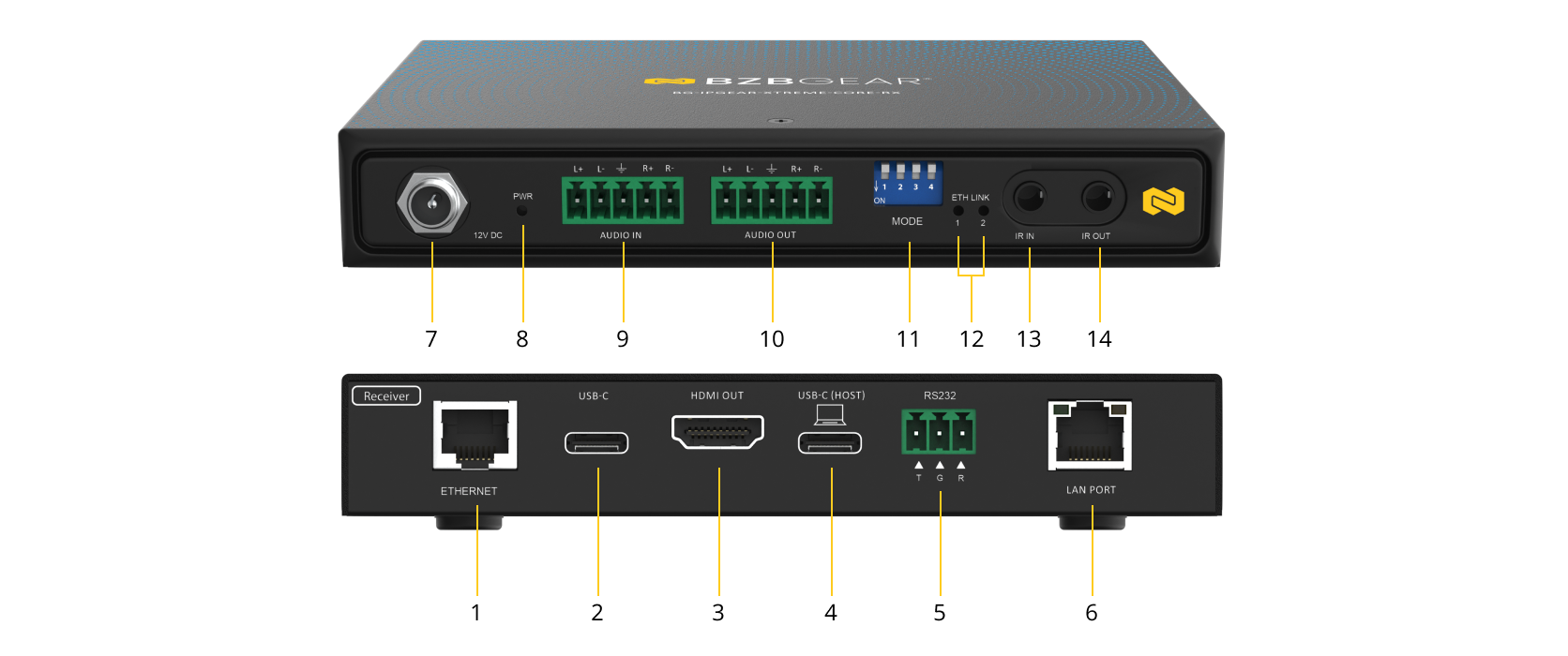
- 1G Ethernet (PoC / AV IN): Connect a Cat5e or higher cable from the transmitter or a managed 1GbE network switch. Supports Power over Cable (PoC).
- USB 2.0/3.0 (USB-C): Connect USB peripheral devices for extension from the transmitting unit.
- HDMI OUT: Connect to an HDMI display such as a monitor, TV, or projector.
- USB 2.0/3.0 (USB-C): Connect to a host PC for high-speed USB extension.
- RS-232 Terminal Block: 3-pin terminal block for serial control. Pin order (left to right): TX / RX / GND.
- Ethernet Pass-Through (10/100 LAN): Provides Ethernet pass-through for network or internet access at the receiver (supported in point-to-point mode only).
- 12V DC Power Input: Interlocking power jack for connection to the supplied 12V DC power adapter.
- Power LED Indicator: Illuminates when the receiver is powered on.
- Audio IN (Balanced, 5-Pin Terminal Block): Balanced analog audio input for external audio sources.
- Audio OUT (Balanced, 5-Pin Terminal Block): Balanced analog audio output for connection to powered speakers, mixers, or amplifiers.
- DIP Switch: Used for system configuration, including Ethernet pass-through and firmware update mode selection.
- LAN Status LED: Indicates Ethernet link status and activity.
- IR Receiver Port (3.5 mm): Connect the IR receiver to receive infrared control signals from the display-side location.
- IR Blaster Port (3.5 mm): Connect the IR blaster to transmit infrared control signals to the display or controlled device.
Recommended Products