








and engineering support


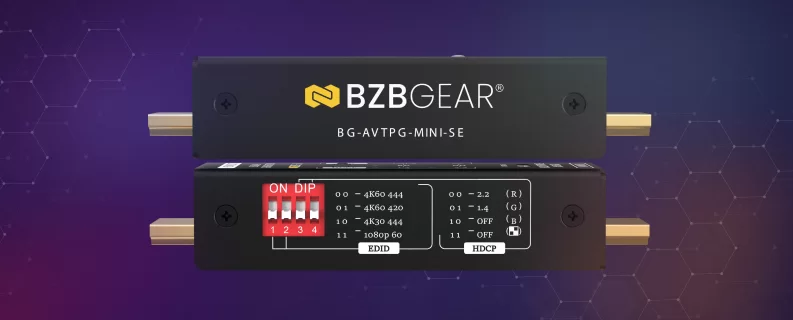
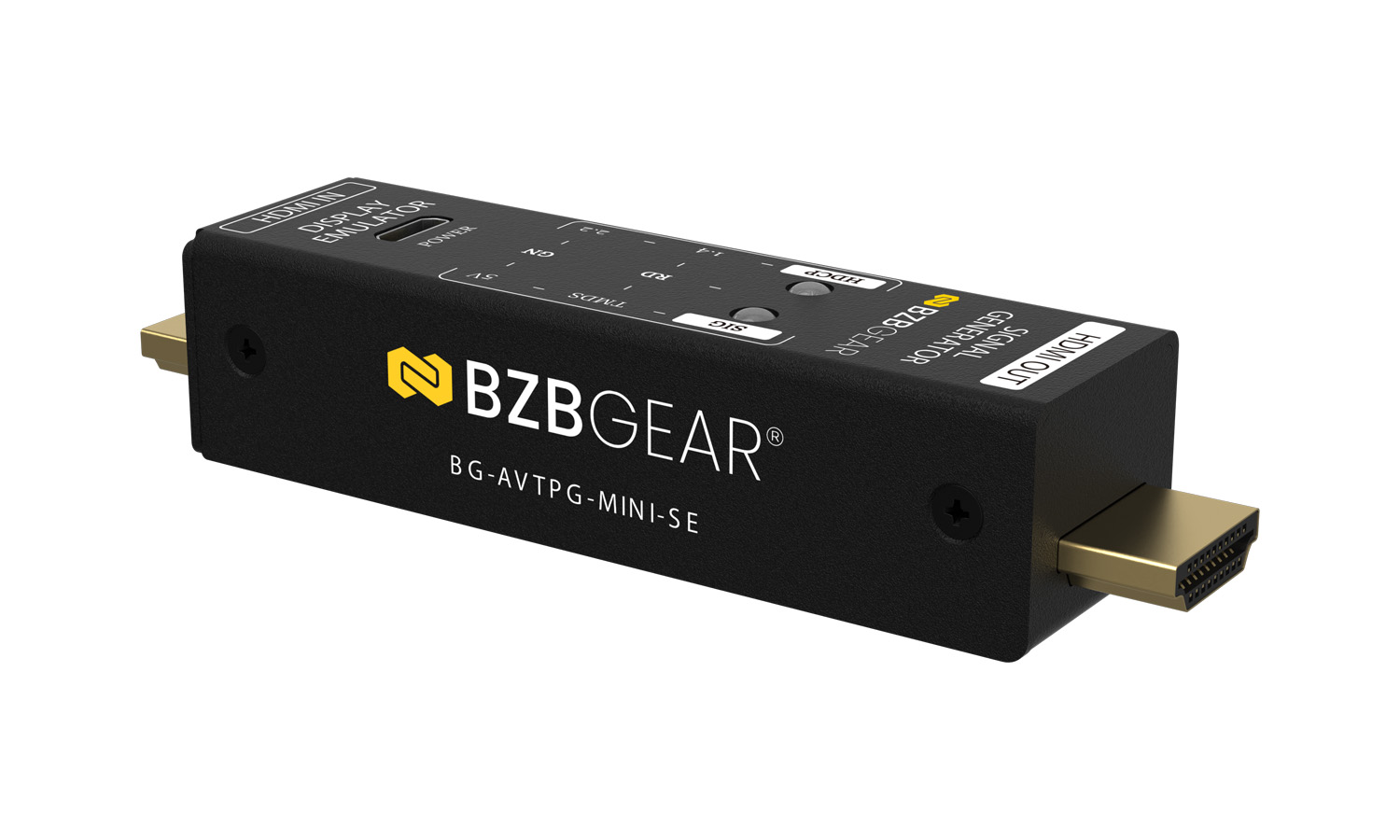
The BG-AVTPG-MINI-SE is a highly portable, pocket-sized HDMI 2.0 signal generator and display emulator meticulously engineered for field testing, system validation, and on-site troubleshooting of commercial and residential AV installations. Designed to eliminate guesswork during installation and maintenance, this dual-function tool allows system integrators and field technicians to quickly verify signal path integrity, analyze HDMI source output behavior, and confirm HDCP compliance without lugging around heavy equipment. By combining essential pattern generation and active signal analysis into a single lightweight chassis, it serves as an indispensable diagnostic device for resolving complex handshake issues, testing cabling performance, and ensuring seamless source-to-display communication.
Features in Depth
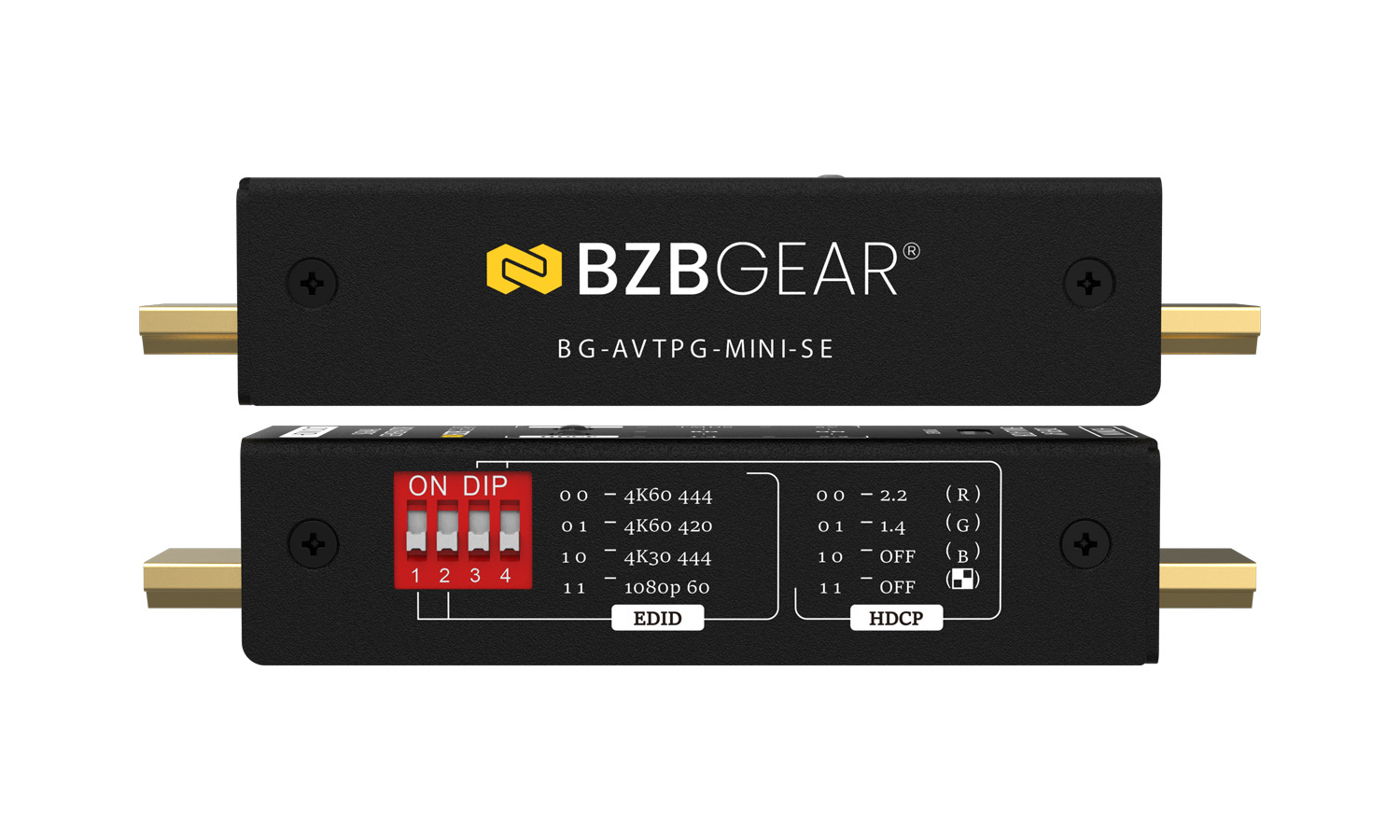
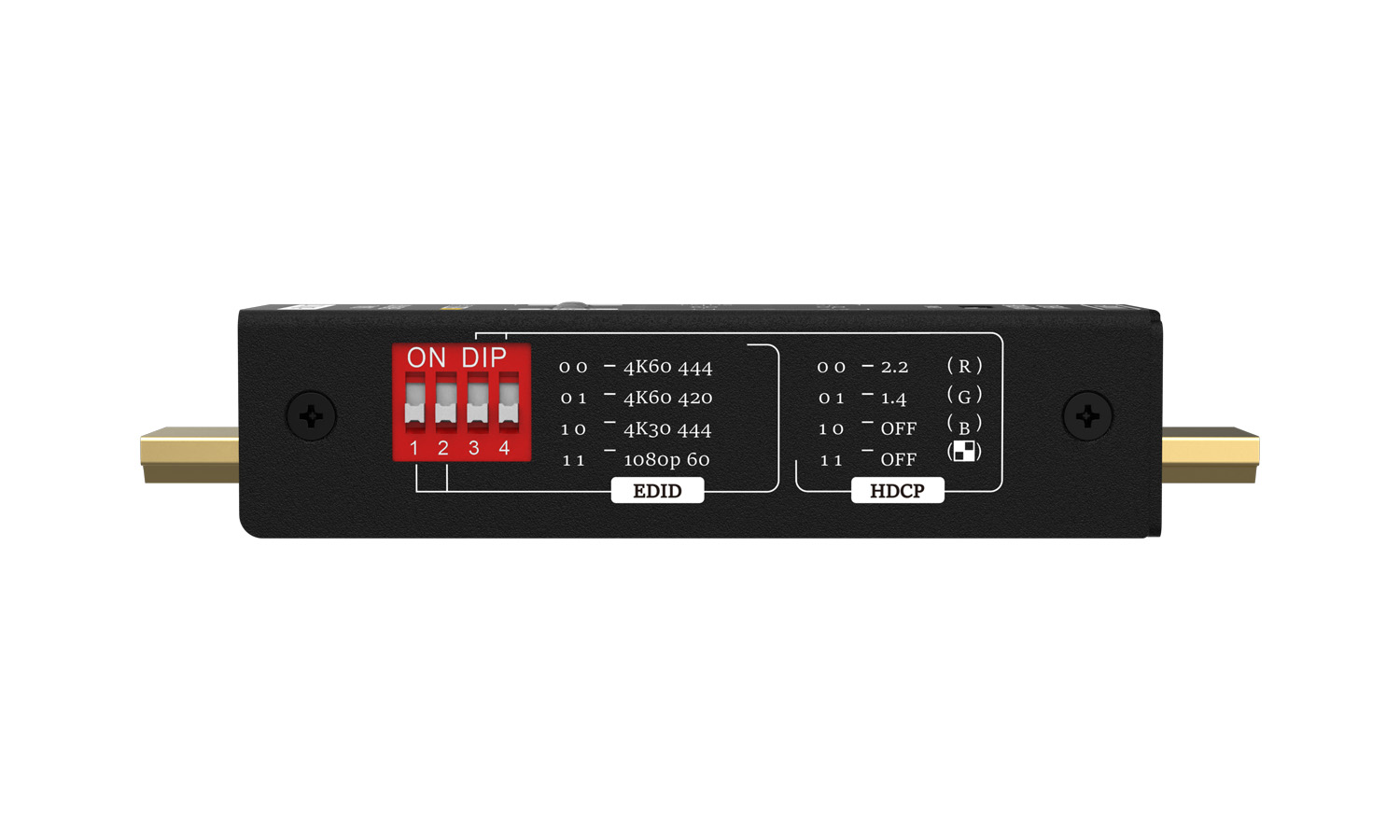
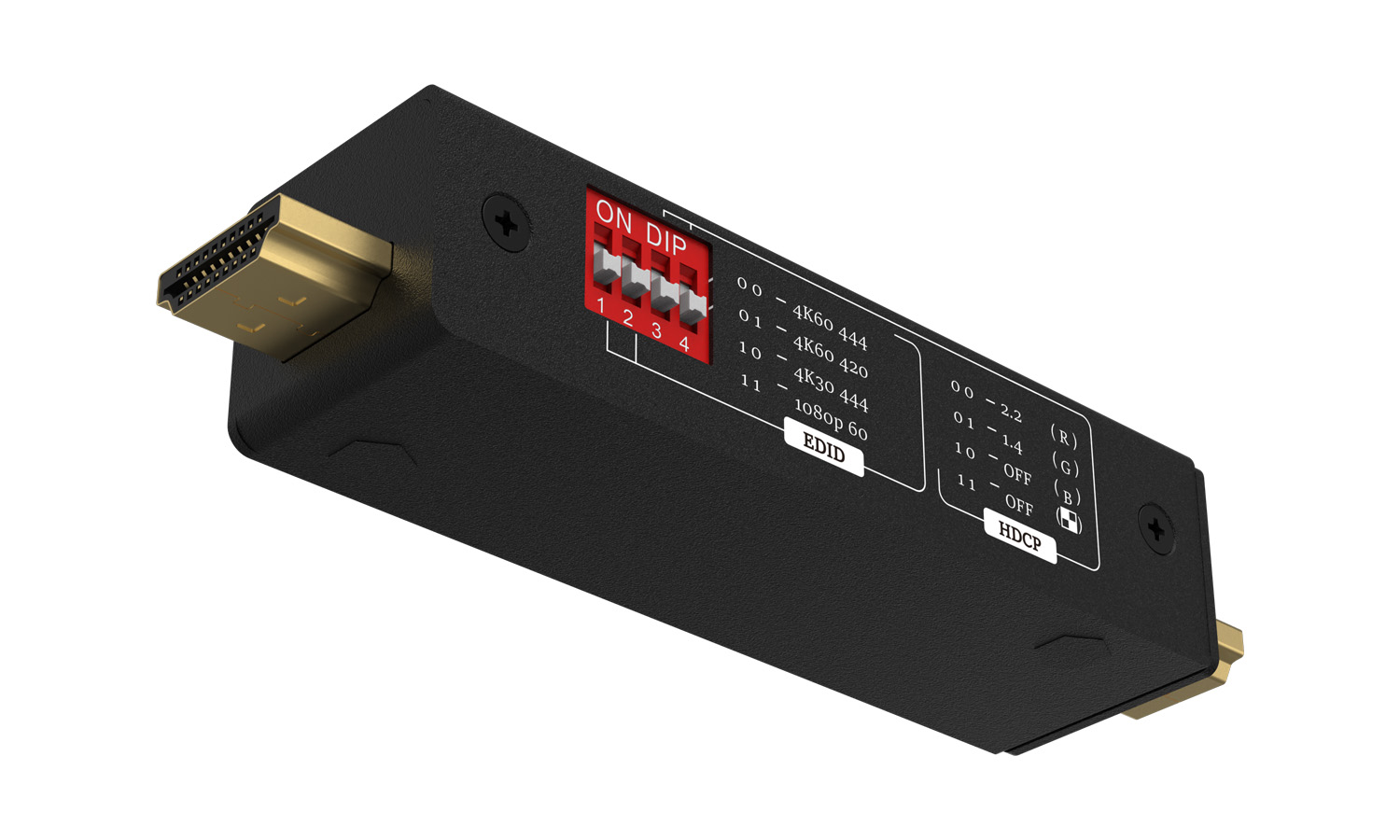
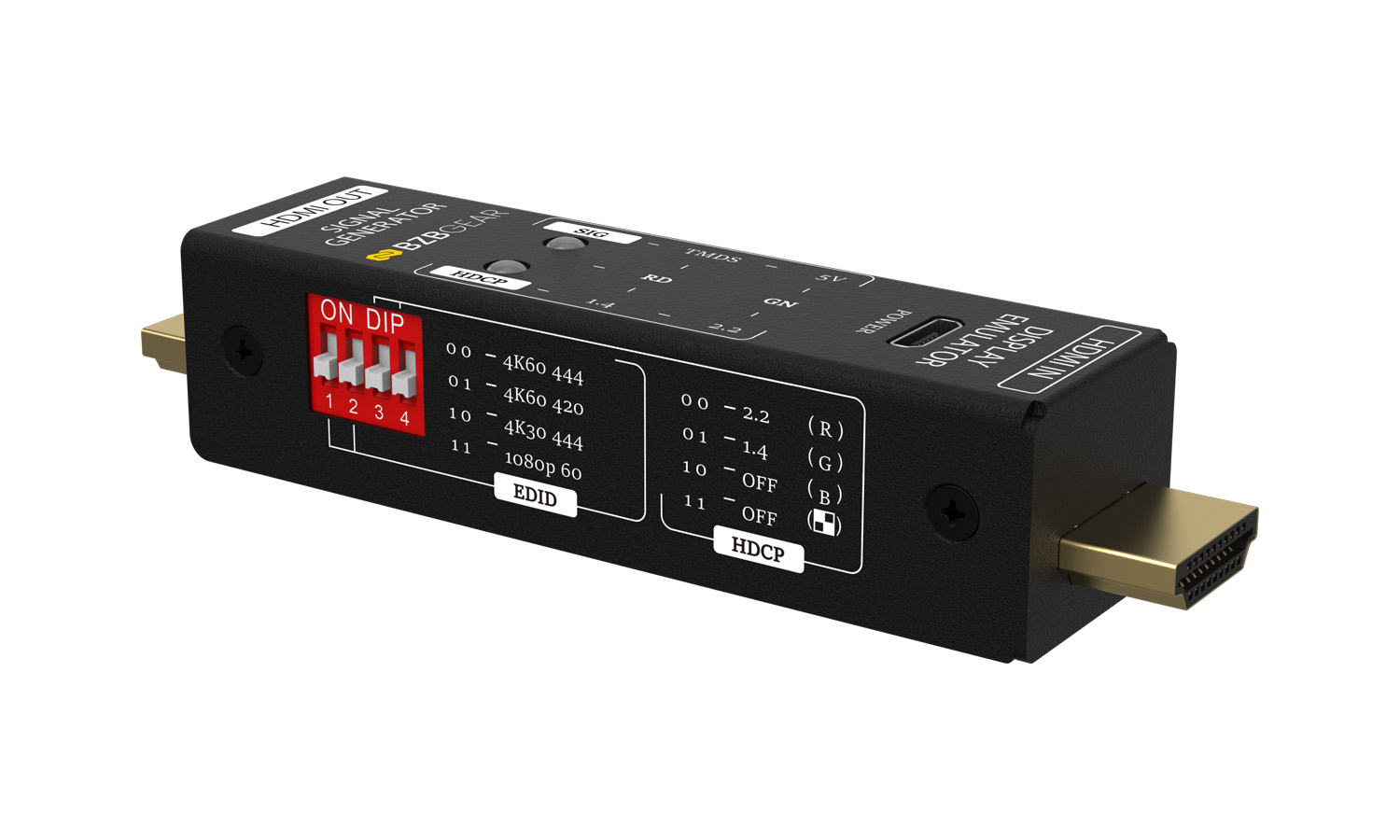
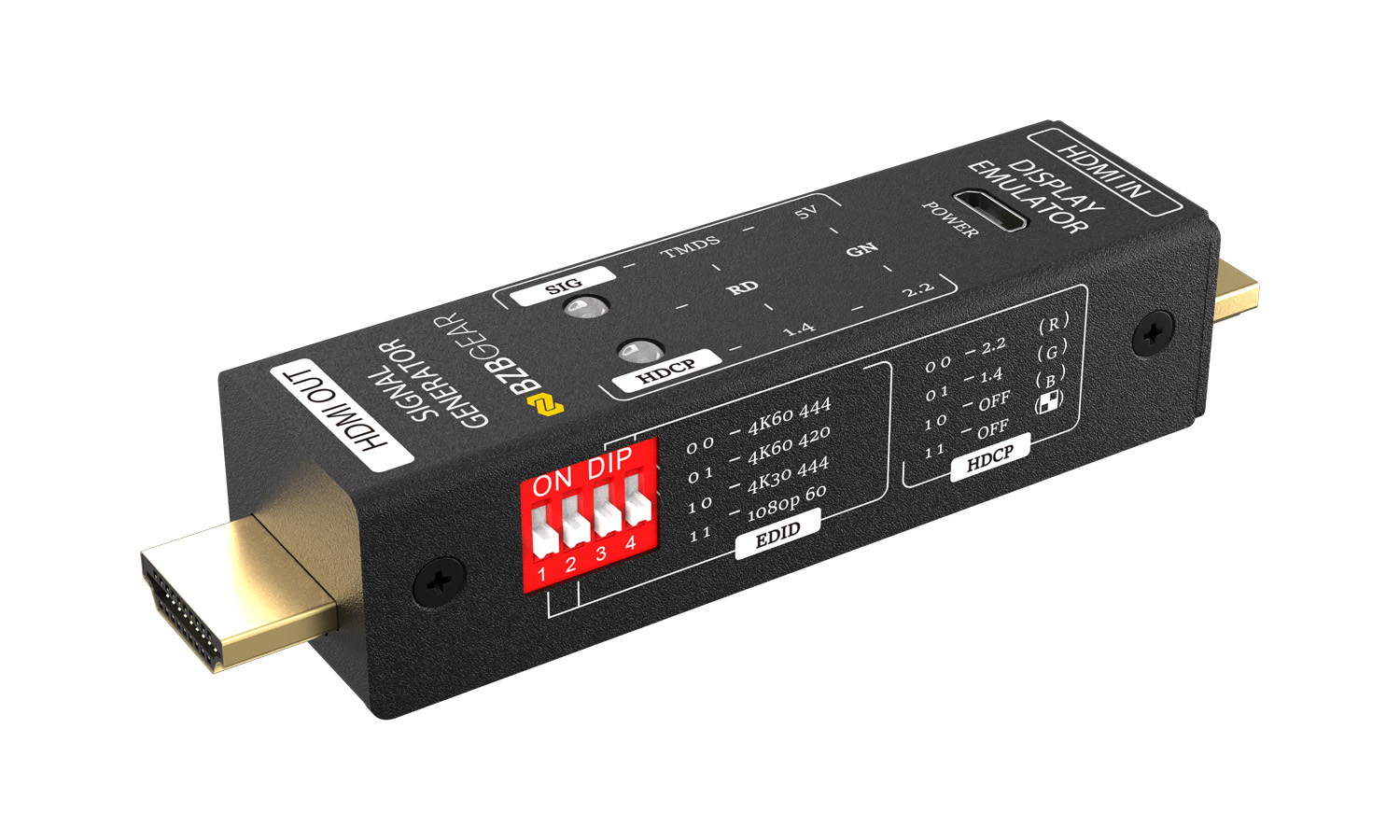
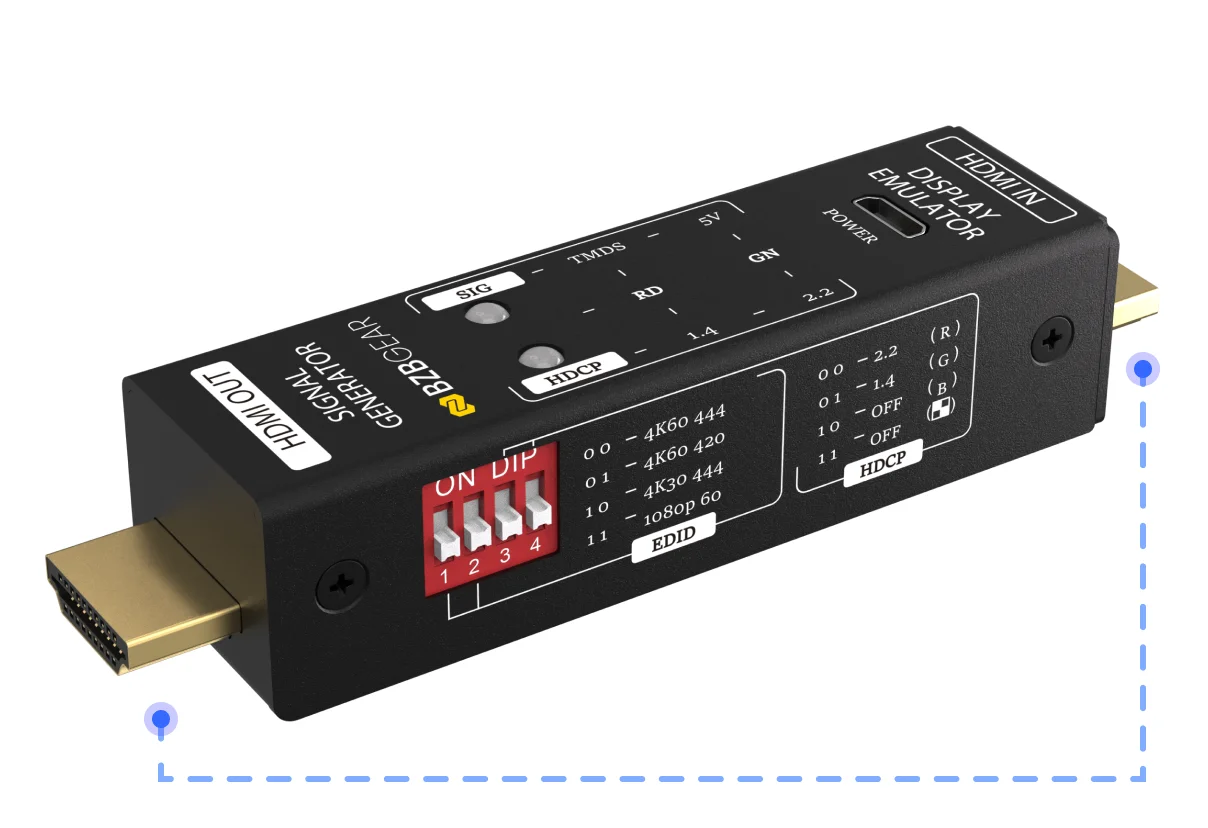
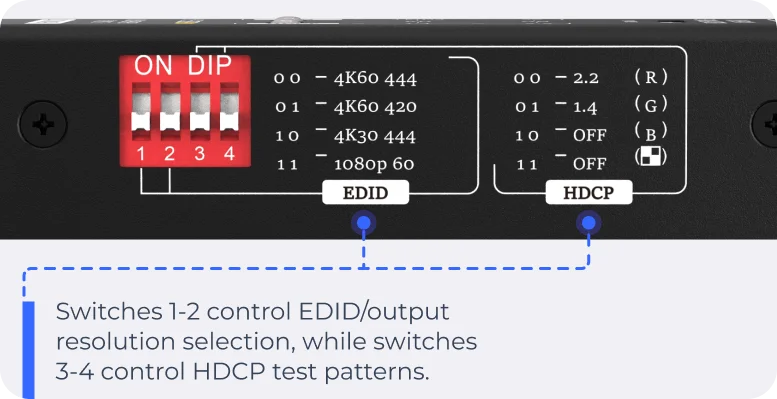
Operating in two distinct functional modes, the unit serves as both a full-featured video test pattern generator and an inline display emulator or signal analyzer. When set to generator mode, users can effortlessly configure HDMI video output resolutions including 4K@60Hz 4:4:4, 4K@60Hz 4:2:0, 4K@30Hz 4:4:4, and 1080p@60Hz alongside selectable HDCP test modes through a top-mounted 4-pin DIP switch.
This hardware switch logic delivers instant control over EDID configurations and diagnostic screen patterns, such as solid red, green, blue, and alternating black-and-white grid displays, without requiring complex software setups, network setup, or external computers.
Switching to display emulator mode enables the device to passively analyze incoming signals through its HDMI IN port, evaluating essential source characteristics including the presence of the 5V power rail, active TMDS clock or data channels, and the precise HDCP encryption version being transmitted.
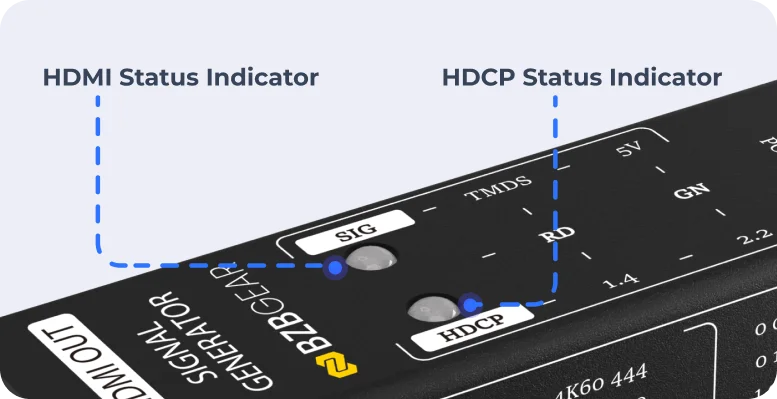
Real-time status feedback is delivered instantly via dedicated multi-color SIG and HDCP LED indicators on the panel, allowing technicians to diagnose handshake errors, power dropouts, and signal failure at a glance.
Powered through a standard Micro-USB port for stable output during generator mode or optional auxiliary power during emulation of low-power sources, the compact chassis combines complete portability with reliable, continuous operation during demanding system deployments.
Features
-
![bi_hdmi]() Dual FunctionalityFunctions as both an HDMI test pattern generator and signal analyzer
Dual FunctionalityFunctions as both an HDMI test pattern generator and signal analyzer -
![Bzbgear image]() 4K@60Hz SupportOutputs selectable resolutions up to 4K@60Hz 4:4:4 and 1080p@60Hz
4K@60Hz SupportOutputs selectable resolutions up to 4K@60Hz 4:4:4 and 1080p@60Hz -
![material-symbols_shield-lock-outline]() HDCP VerificationTests HDCP 2.2, HDCP 1.4, and HDCP OFF compatibility
HDCP VerificationTests HDCP 2.2, HDCP 1.4, and HDCP OFF compatibility -
![Control Options]() DIP Switch ControlEasily change resolution and HDCP modes without software
DIP Switch ControlEasily change resolution and HDCP modes without software -
![LED Indicator light]() LED IndicatorsProvides real-time feedback for 5V power, TMDS, and HDCP status
LED IndicatorsProvides real-time feedback for 5V power, TMDS, and HDCP status -
![Micro USB]() Micro-USB PoweredUltra-compact, lightweight design ideal for field diagnostics
Micro-USB PoweredUltra-compact, lightweight design ideal for field diagnostics


- Monitors incoming 5V power and TMDS signal activity in emulator mode
- Includes distinct color and grid test patterns for HDCP diagnostic modes
- Features direct male HDMI Type-A connectors for quick inline testing
- Supports external USB power assistance for weak HDMI source signals
- Plug-and-play operation requires no software drivers or complex configuration
- Highly efficient design with power consumption under 2W
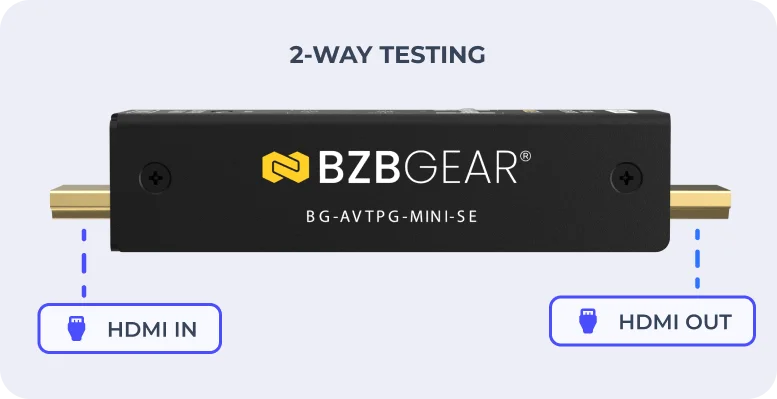
Dual-Function HDMI Testing
Combines HDMI test pattern generation and signal emulation to help technicians troubleshoot signal paths and verify AV system performance.
DIP Switch Configuration
Easily select resolution and HDCP modes using onboard DIP switches, allowing quick configuration without a computer or software.
Software-Free Status Monitoring
Built-in LED indicators provide at-a-glance feedback on 5V power, TMDS signal activity, and HDCP status for convenient on-site HDMI diagnostics.
Videos
Tech Specifications
| Technical Specifications | |
| Product Type | HDMI Signal Generator & Display Emulator (Signal Analyzer) |
| HDMI Version | HDMI 2.0 |
| Input Interface | 1x HDMI IN (19-pin Type-A male) |
| Output Interface | 1x HDMI OUT (19-pin Type-A male) |
| Control Method | 4-pin DIP switch |
| Video Output Resolutions | 4K@60Hz 4:4:4, 4K@60Hz 4:2:0, 4K@30Hz 4:4:4, 1080p@60Hz |
| Max Input Resolution | Up to 4K@60Hz 4:4:4 8-bit |
| HDCP Support | HDCP 1.4, HDCP 2.2, HDCP OFF |
| Test Pattern Support | 4 selectable HDCP test patterns |
| Status Indicators | SIG LED, HDCP LED |
| Power Input | 5V DC (Micro-USB) |
| Power Consumption | ≤2W (Max) |
| Operating Temperature | 23°F to 131°F / -5°C to +55°C |
| Storage Temperature | -13°F to +158°F / -25°C to +70°C |
| Relative Humidity | 10% to 90%, non-condensing |
| Dimensions (W x H x D) | 2.95 x 0.87 x 0.75in [75 x 22 x 19 mm] |
| Net Weight | 0.14 lb [65 g] |
Resources


PACKAGE CONTENTS
- 1x Mini HDMI Signal Generator / Display Emulator Unit
- 1x USB Power Cable (Micro-USB)
- 1x Carrying Cloth Bag
- 1x User Manual
Interfaces
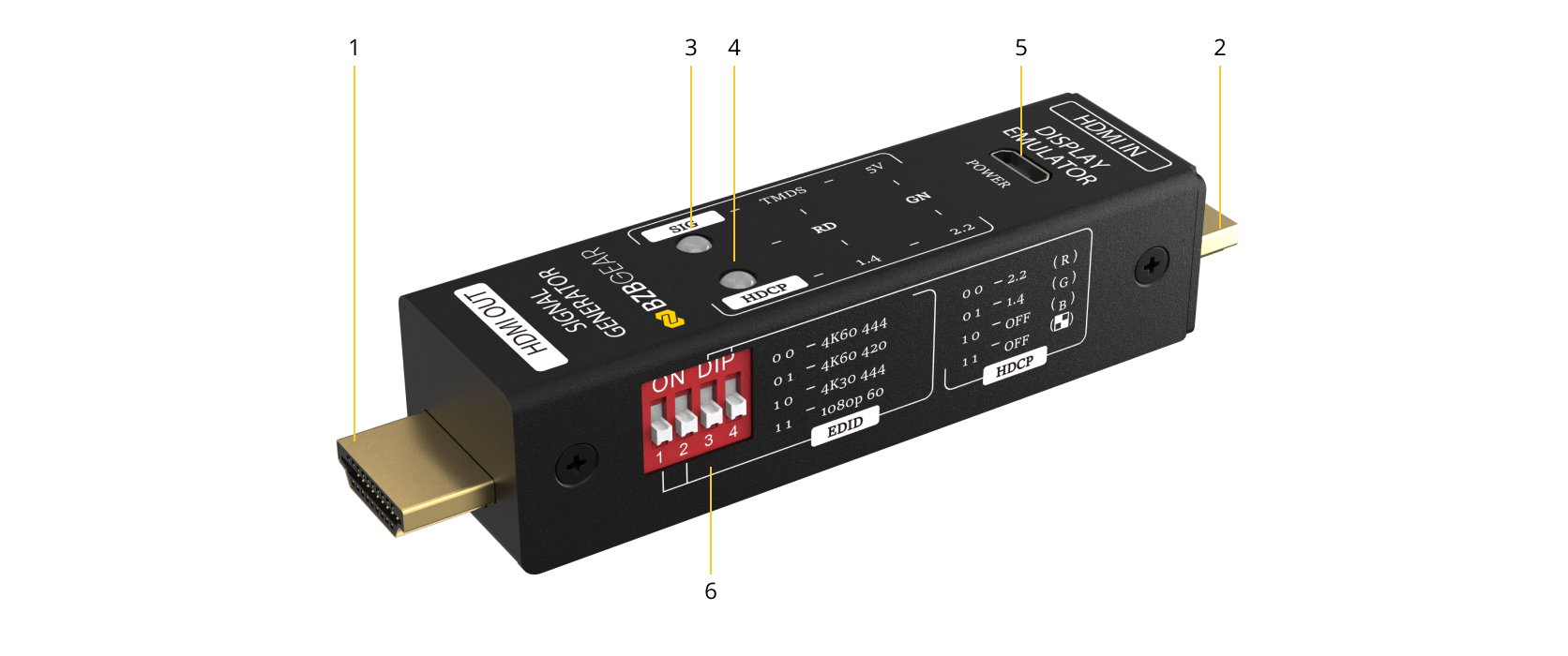
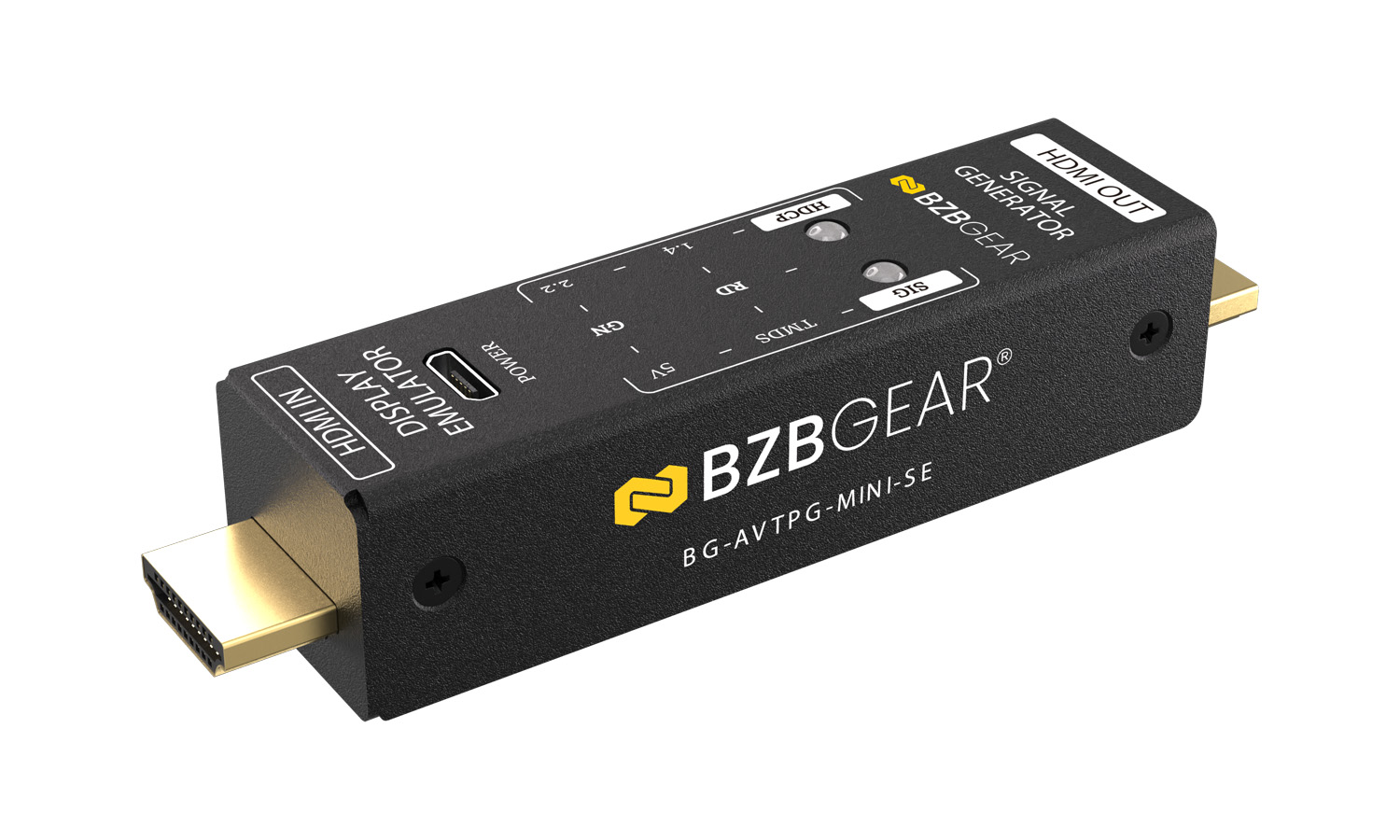
- HDMI OUT (Output Port): Used when the unit operates in signal generator mode. Connects to a display device to output generated HDMI test signals including resolution and HDCP test patterns selected via DIP switch.
- HDMI IN (Input Port): Used when the unit operates in display emulator mode. Connects to an HDMI source device to analyze incoming signal status, including 5V power, TMDS activity, and HDCP version detection.
- SIG LED (Signal Status Indicator): Indicates HDMI signal status depending on operating mode. In generator mode, it lights red when an HDMI signal is being output. In emulator mode, it shows green when only 5V is detected, red when both 5V and TMDS are active, and off when no signal is present.
- HDCP LED (HDCP Status Indicator): Indicates HDCP status based on either DIP switch configuration (generator mode) or detected source (emulator mode). Green indicates HDCP 2.2, red indicates HDCP 1.4, and off indicates HDCP disabled or no HDCP signal.
- POWER (Micro-USB Port): Provides 5V DC power input for generator mode operation. In emulator mode, the device can be powered through the HDMI source; however, external USB power may be required if the source does not supply sufficient power, in which case LEDs may blink to indicate unstable power.
- DIP SWITCH (4-Pin Configuration Switch): Used to configure video resolution and HDCP settings in generator mode. Switches 1–2 control EDID/output resolution selection, while switches 3–4 control HDCP test patterns.
Recommended Products