







What Is Zero-Latency AV over IP and Why Does It Matter?
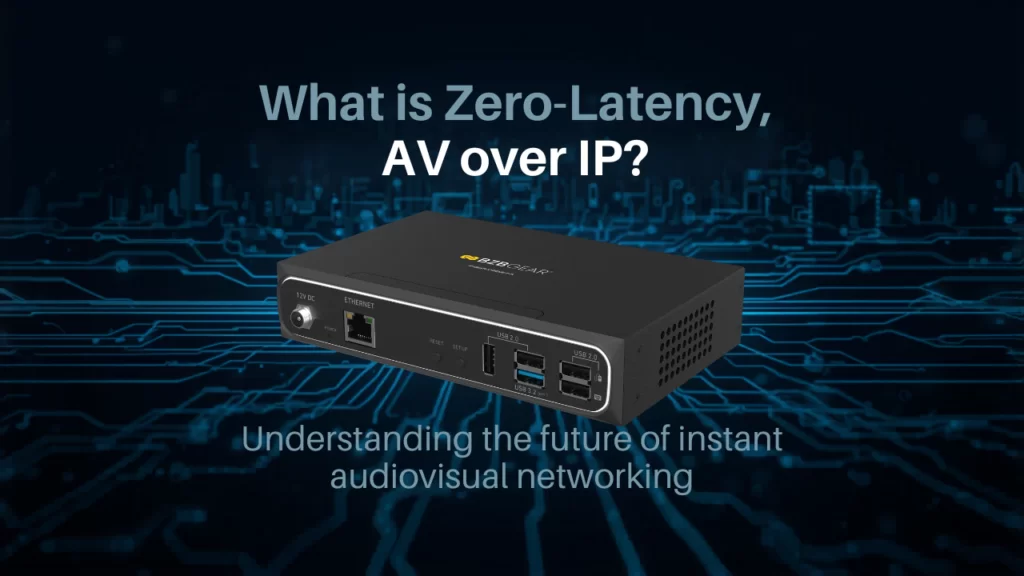
A question that comes up almost every time someone starts planning an AV-over-IP system is, "How much delay should I expect?" And that's a fair thing to ask. Once you start sending video over a network instead of point-to-point HDMI or SDI, latency becomes a real consideration — sometimes the most important one.

The phrase you'll see thrown around constantly is "zero-latency." But what does that actually mean in the real world? And why does even a few extra milliseconds matter so much for some installations and barely register for others? Let's break it down.
What Zero-Latency Actually Means
In a strict engineering sense, there's no such thing as truly zero latency. Any time you send a signal anywhere — even through a copper cable — there's some delay. When AV pros say "zero-latency AV over IP," they really mean sub-frame latency: delay so small that a human can't perceive it, typically measured in microseconds rather than milliseconds.

For reference, a single frame of video at 60Hz lasts about 16.7 milliseconds. Anything under one frame is generally considered "zero-latency." One to two frames (16–33 ms) is considered low-latency and works fine for most viewing-focused applications. Once you climb past three or four frames, you start seeing lip-sync issues, sluggish KVM control, and that uncanny "wait, did the speaker actually do that?" feeling on a video wall.
So "zero-latency" is shorthand for "the delay is small enough that it doesn't get in your way" — and where exactly that line falls depends entirely on what you're doing.
Where Latency Comes From
When video travels across a network, every step adds a little time:
- Encoding — compressing the video at the transmitter
- Buffering — temporarily holding frames to smooth out network jitter
- Network transit — the actual hop across switches and cabling
- Decoding — reconstructing the image at the receiver
Heavily compressed codecs (like H.264 or H.265) can introduce noticeable buffering delay because they reference multiple frames at once. Lightweight codecs (like JPEG XS) or near-uncompressed approaches (like SDVoE) keep that overhead tiny — often under 100 microseconds end-to-end. That's the difference between a system that feels instant and one that feels just a beat off.
Why It Matters for Your Project
Here's the thing — latency tolerance depends entirely on what you're doing. Streaming a corporate town hall to a few overflow rooms? A few frames of delay is fine. Running a live broadcast control room, a KVM operator station, or a sports venue with a giant video wall directly above a live court? That's a different conversation.
Latency really matters when:
- Operators interact with what they see — KVM users, control room staff, and remote camera ops need their inputs to register instantly.
- Multiple displays must stay in sync — video walls and multi-room installs look broken when one tile lags another.
- Live audio and video must align — a few extra frames is the difference between professional and amateur on a live event.
- Esports and gaming venues are involved — competitive gameplay is unforgiving when feedback lags.
- Telemedicine and command centers depend on accuracy — decisions get made on what's on the screen right now.
For these scenarios, picking a system with the right latency profile isn't a nice-to-have — it's the spec that makes or breaks the install.
How BZBGEAR Builds for Low Latency
The BZBGEAR AV-over-IP lineup is designed around this reality. Each product line targets a different mix of resolution, bandwidth, and latency so you can pick the right tool for the job without overpaying.
The entire BZBGEAR AV-over-IP family runs on standard 1G (gigabit) Ethernet — no need for the costly 10G switching infrastructure that competing platforms like SDVoE require. That alone makes deployment dramatically more affordable.
For 4K HDMI distribution where two frames of delay is acceptable, the BG-VOP-MT transceiver and the BG-IPGEAR-PRO-T / BG-IPGEAR-PRO-R transmitter/receiver pair both deliver 4K@60 4:4:4 over standard 1G networks with a maximum latency of 2 frames (33 ms) — low enough for signage, classroom, conference, and most video wall installs. Both lines support video wall, KVM, USB, IR, RS-232, and PoE so a single gigabit drop handles everything.
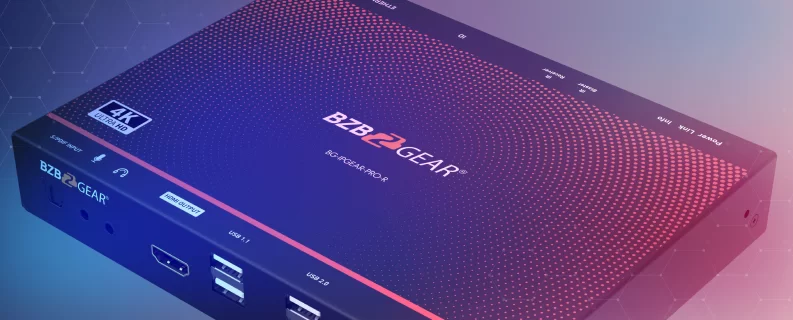
When you need seamless matrix switching and multiview on top of that, the BG-IPGEAR-ULTRA is a 4K HDMI 2.0b transceiver running H.264/H.265 over a 1G Base-T network (with an SFP fiber slot for longer runs). It handles 18 Gbps video bandwidth and lets any source land on any display — ideal for command centers, control rooms, and houses of worship.
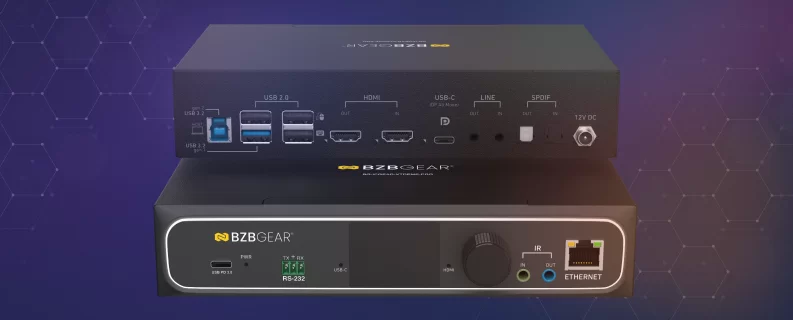
When you're pushing the resolution ceiling, the XTREME series steps up to HDMI 2.1. The BG-IPGEAR-XTREME handles up to 4K@120 4:4:4 with FRL 5 bandwidth (40 Gbps) and USB 3.1 KVM. The BG-IPGEAR-XTREME-PRO is the 8K transceiver — up to 4K@144 4:4:4 or 8K@60 4:2:2 DSC at FRL 6 (48 Gbps) with seamless matrix switching, video wall, multiview, and USB 3.0 KVM. For long runs or EMI-heavy environments, the BG-IPGEAR-XTREME-F carries 8K HDMI 2.1 over fiber, and the BG-IPGEAR-XTREME-W puts a 4K wall-plate encoder/decoder at every endpoint when aesthetics matter.
The common thread across the lineup is straightforward: predictable low-latency transport on standard 1G Ethernet, real HDMI 2.0 or 2.1 compliance, and the control features (KVM, video wall, multiview, PoE) that pro AV installs actually need.
The Bottom Line
Zero-latency AV over IP isn't a marketing buzzword — it's a real performance target that determines whether your install feels professional or just functional. Once you know how latency stacks up and where it matters most, picking the right system becomes a lot easier.
If you're planning an AV-over-IP deployment and trying to figure out which lineup fits your project, the BZBGEAR team is happy to help you sort it out. Explore the full AV-over-IP family — or reach out, and we'll point you toward the right solution for your space.


8.00 a.m. - 5.00 p.m. (PST)
10.00 a.m. - 3.00 p.m. (PST)
(by appointment only)


