







Video Wall Controllers: What You Actually Need (And What You Don't)
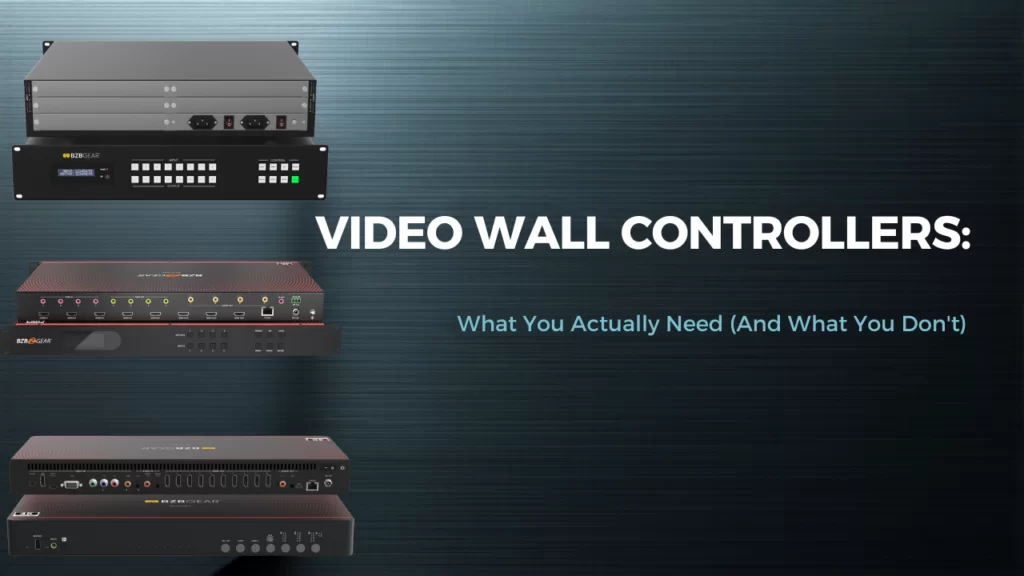
A question I get a lot when a client first walks into a video wall project is, "How big does the controller need to be?" And almost without fail, the answer is smaller than what they were quoted somewhere else.
Video wall controllers are one of the easiest pieces of AV gear to overbuy. The category is full of impressive-sounding boxes — sixteen inputs, thirty-two outputs, blended edges, IP overlays — and it's tempting to spec the largest one in the catalog "just in case." But in case of what? Most installs we see in the field are using maybe 30% of what they paid for.
Let's break it down.
What a Video Wall Controller Actually Does

At its core, a video wall controller does two jobs. It stretches a single image across multiple displays so they read as one big canvas, and it switches which sources show up on which displays. Some controllers also let you create windows — a "picture-in-picture" overlay so you can show four sources on one wall at once.
That's the whole job. Stretch, switch, window. Anything beyond that is icing.
The trick is knowing which of those jobs your install actually needs. A sports bar with one big 3x3 wall behind the bar wants stretching with occasional switching. A corporate lobby running a single brand video wants stretching and almost no switching. A network operations center running ten dashboards wants heavy switching and windowing. Three very different jobs, three very different price points.
The Overbuying Trap
Here's where it goes sideways. A client says "I want a 2x2 video wall," and the integrator quotes a 16x16 combination unit because it can technically do a 2x2.
It can. But you're paying for fifteen extra outputs, twelve extra inputs, and a feature set built for command centers — to drive a four-screen wall behind a reception desk. That's not future-proofing. That's just expensive.
The questions to ask before you spec anything:
- How many displays in the wall right now? Not "what might we add someday." Today.
- How many sources actually need to land on it? A laptop, a media player, and a cable box is three. That's a 4-input box, not a 16.
- Does the wall need to switch fast? A digital signage wall that changes content once a day doesn't need seamless switching. A live broadcast monitor wall does.
- How far is the controller from the displays? Short cable runs are HDMI. Long runs need HDBaseT or fiber, and that changes the box you buy.
If you can answer those four questions honestly, you almost always end up with a smaller, cheaper, simpler controller than you started with. And it'll do the job better, because you didn't bury it under features it'll never use.
Scaling vs. Switching — Two Different Jobs
Here's the confusion that trips up the most projects. People hear "video wall controller" and think it's one thing. It's really two jobs glued together, and depending on your install you may only need one of them.
Scaling is what stretches one image across multiple displays. The controller takes a single source, divides it into tiles, and feeds each display the right slice. This is the job in any "wall as one big screen" install — digital signage, lobby branding, a sanctuary IMAG wall.

Switching is what routes any source to any display. This is the matrix side of the box. A 4x4 matrix means any of four inputs can go to any of four outputs, in any combination, on the fly.
A pure scaler is cheaper and simpler than a switcher. A pure matrix is great at routing but doesn't necessarily stretch one image across multiple displays. Some products combine matrix switching, scaling, and multiviewing in a single chassis — call them combination units — and those are the sweet spot for installs that actually need all three jobs at once.
But the labels don't tell you that on their own. "Video wall controller" sometimes means scale-only. "Seamless matrix" sometimes means switch-only. Read the spec sheet, not the category name — and look specifically for video wall mode, custom multiview layouts, and per-output scaling if you need them.
And if your wall genuinely is one source painted across four screens forever, an HDMI splitter with built-in 2x2 video wall mode is a fraction of the cost of a full combination unit and does the job perfectly.
Real Deployment Examples
Four real-world scenarios that walk up the ladder of complexity. Notice how the right answer changes at every step — and how often the simpler box is the correct one.
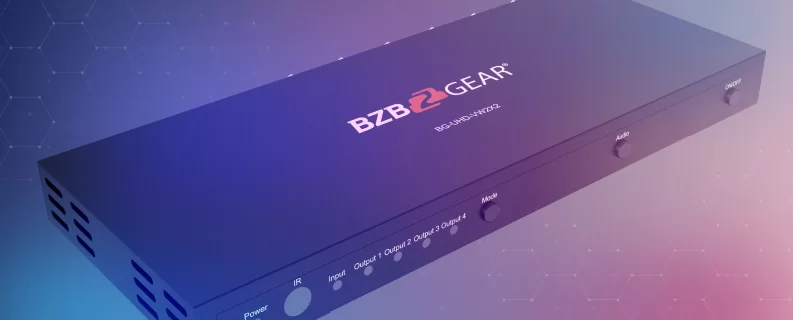
The corporate lobby with a 2x2 brand video. Four displays, one media player, one looping brand reel that never changes. No switching, no windowing — just one image stretched cleanly across four screens. This is a BG-UHD-VW2x2 job. It's a dedicated 2x2 video wall controller — one HDMI input, four scaled outputs, audio de-embedding, done. Putting a full combination unit on this install would be paying for a dozen features the wall will never use.

The sports bar with a 2x2 wall over the bar. Same four displays, but now you have a cable box, a streaming device, and an occasional laptop for trivia night. You need to switch which source is on the wall. That bumps you up exactly one rung — to a BG-UHD-VW24, a 2x2 video wall processor with built-in input switching, IP, and RS-232 control for up to four TVs. Still no full seamless matrix. Still no multiviewer. Right-sized.
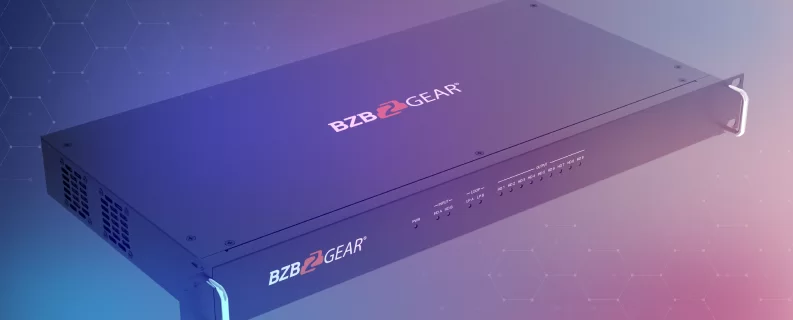
The house of worship with a 3x3 IMAG wall. Nine displays stretching the camera feed across the sanctuary, plus a switchable lyrics-overlay source and a service-intro graphic. That's where the BG-UHD-VW29 earns its keep — a 3x3 video wall processor with input switching, IP, and RS-232, built for exactly this kind of single-wall, multi-source workload. Still not a full combination unit, because the install doesn't need one.
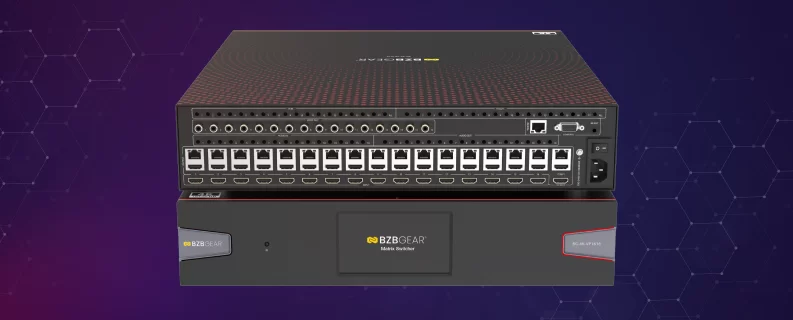
The corporate NOC with a wall of dashboards. Six to twelve sources on the wall at once, custom layouts, independent windows, source assignments changing all day, and a separate set of operator monitors that need their own routing. Now the BG-4K-VP1616 earns the price tag — seamless matrix switching, custom multiview layouts, IP and RS-232 control, scaling on every output. This is the install where the combination unit is justified, because the workload genuinely demands all three jobs at once.
The point of walking up the ladder this way is simple. Three of these four installs do not need a full combination unit. They need a wall controller that does the actual job — and saves the budget for somewhere it'll matter.
A Quick BZBGEAR Highlight
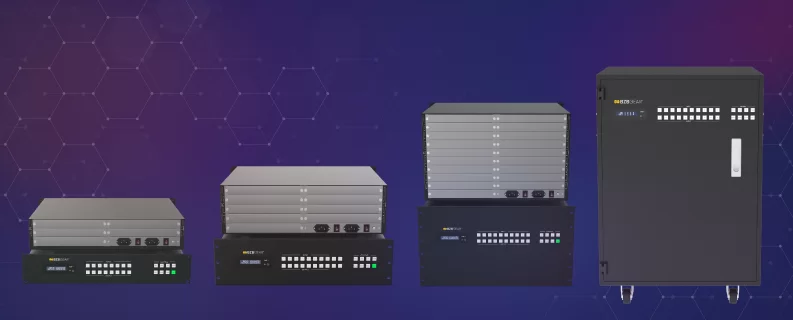
If you want one chassis that grows with you instead of three different boxes for three different installs, the BG-MC Series modular matrix is worth a look. It scales from 8x8 to 36x36 with interchangeable HDMI, HDBaseT, fiber, and SDI cards, and it includes video wall and multiviewer modes out of the box. You buy what you need today and add cards later — which neatly solves the "but what if we expand?" worry without overbuying on day one.
The Bottom Line
A video wall controller should match the wall, not impress the spec sheet. Count the displays, count the sources, measure the cable runs, and be honest about how much switching the install actually needs. Nine times out of ten, the right controller is smaller, simpler, and a lot less expensive than the one in the original quote.
If you're trying to right-size a video wall and aren't sure which controller actually fits the job, reach out to the BZBGEAR team — we'll walk through the four questions above and help you land on the box that does what you need without the parts you don't.


8.00 a.m. - 5.00 p.m. (PST)
10.00 a.m. - 3.00 p.m. (PST)
(by appointment only)


