







Inside a Modern Conference Room: Technologies That Improve Collaboration

Walk into a well-designed conference room in 2026 and you probably won't notice the technology at all — and that's exactly the point. The camera finds whoever's talking, the audio sounds clean whether someone's at the head of the table or leaning back in the far corner, and the person joining from a laptop three time zones away can share their screen without hunting for the right cable or dongle. When a room works like that, meetings just happen. When it doesn't, you spend the first ten minutes troubleshooting instead of collaborating.
So what's actually going on behind the scenes to make a room feel that effortless? Let's break it down piece by piece.
The Camera: Seeing Everyone in the Room
The camera is where most collaboration wins and losses happen. A cheap webcam bolted to the top of a display gives remote participants a wide, static shot of a table full of tiny faces — nobody can tell who's speaking, and everyone feels a little disconnected.
Modern conference cameras solve this with auto-tracking and auto-framing. Instead of a fixed wide shot, the camera intelligently detects who's in the room and adjusts the frame so everyone is visible and appropriately sized. Some go further and follow the active speaker, panning and zooming to whoever's talking the way a human camera operator would.
Think of it like the difference between a security camera and a director. One just records the room; the other tells the story of the conversation.
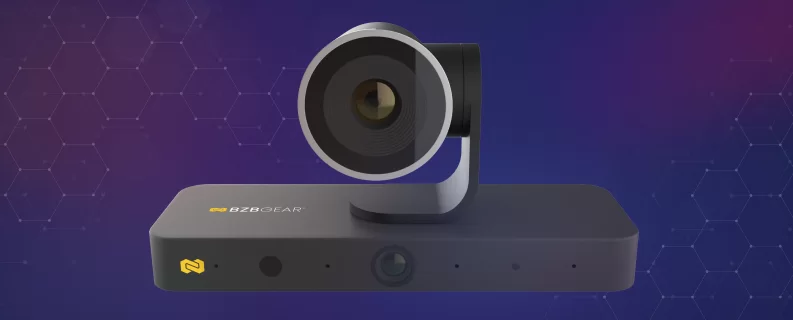
For rooms that want that director-level intelligence, the BZBGEAR BG-AVENTO-4K is built for exactly this moment. It's a 4K AI-enabled dual-lens NDI PTZ conference camera, and the dual-lens design is what makes it special. One lens captures an 8MP main image with 3x optical zoom, while a second panoramic lens keeps the whole room in view at all times. The AI decides how to use them: it can auto-frame the group, follow the active speaker, lock onto a presenter, or even build an individuals gallery that gives each participant their own tile. A built-in four-microphone array handles the voice detection that drives the tracking, so the camera knows where to look. The result is that remote participants get both the context of the full room and a close, detailed shot of whoever's talking — at the same time.
For education and mid-size meeting spaces where the priority is a clean, simple install, the BG-EPTZ-UH4K offers 4K ePTZ framing over HDMI and USB 3.0. There are no moving parts to maintain, yet its Sony 4K sensor and 130° lens still deliver a sharp, professional image.
Audio: The Part People Notice When It's Wrong
Here's the thing about meeting audio — nobody compliments it, but everybody complains about it. Muffled voices, echo, and a mic that only picks up the two people sitting closest to it are the fastest way to lose a remote participant's attention.
Good conference audio does a few things at once. It captures voices clearly from across the room, cancels the echo that comes from the room's own speakers, and suppresses background noise like HVAC hum or a laptop fan. When all of that works together, remote attendees hear a natural conversation instead of a distant, hollow recording.
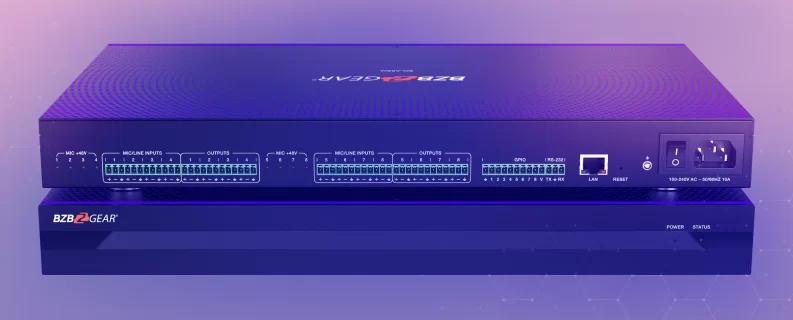
This is why audio processing matters as much as the microphones themselves. A dedicated audio processor with acoustic echo cancellation (AEC), automatic noise suppression (ANS), and an automatic mixer can take several ceiling or table mics and blend them into one clean, balanced feed. The BZBGEAR BG-A88M is an 8x8 digital audio matrix built exactly for this — it handles AEC, ANS, AGC, and auto-mixing so voices stay clear no matter who's speaking or where they're sitting.
The All-in-One Approach: Video Bars
Not every room needs a rack of separate components. For huddle rooms and small-to-medium spaces, an all-in-one video bar combines the camera, microphones, and speakers into a single device that mounts above or below the display.
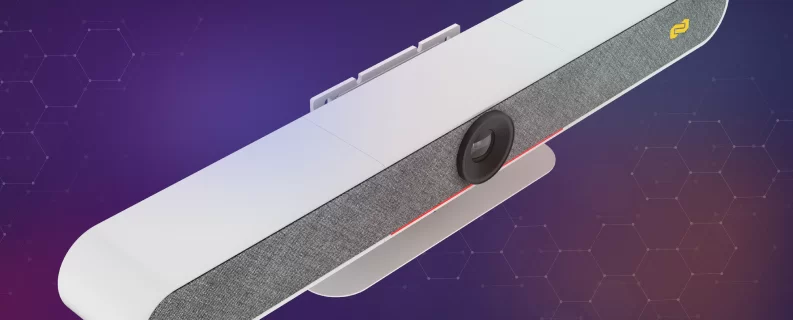
The appeal is simplicity. One unit, one or two cables, and the room is ready — no separate audio processor to configure, no ceiling mics to install. The BZBGEAR BG-CYCLOPS-4K packs a 4K auto-tracking camera, six MEMS microphones, and dual 10W speakers into one bar, connecting over HDMI or USB-C. It picks up voices out to six meters, closes a privacy cover automatically when it's not in use, and even doubles as a Bluetooth speakerphone — a lot of room for a single device.
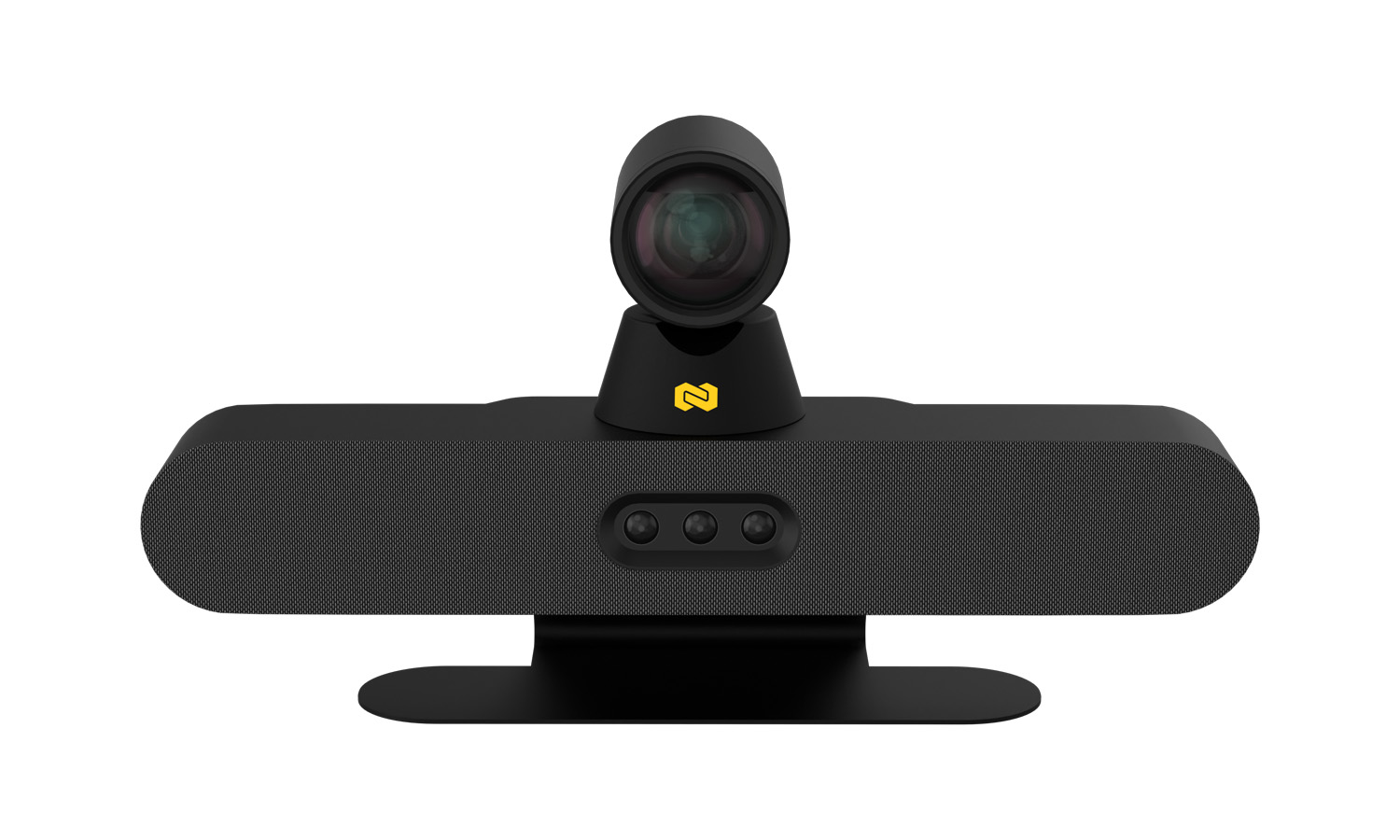
When the space gets bigger, the BG-CYCLOPS-PRO is the one to reach for. It carries a dual-lens system — a 120° 4K panoramic camera paired with a true 12x optical-zoom PTZ lens — so it can pull a tight, detailed shot of someone across a large boardroom without the pixelated look of digital zoom. Its AI handles auto-framing and speaker tracking, six beamforming microphones capture the room with pro-grade clarity, and built-in Wi-Fi adds wireless presentation and BYOM (bring your own meeting) support right out of the box. For rooms that need reach and polish in one device, it's hard to beat.
Whether you're outfitting a two-person huddle space or a full boardroom, the all-in-one route keeps the install clean and the operation dead simple.
Wireless Presentation: Share Without the Scramble
We've all watched a meeting stall while someone digs through a drawer of adapters trying to get their laptop on the screen. Wireless presentation makes that moment disappear.
The idea is straightforward: instead of plugging into the display, participants share their screen over the network from whatever device they brought. A good BYOD (bring your own device) solution supports the protocols people already use — AirPlay for iOS and Mac, Miracast for Windows, and Chromecast for Android — so there's nothing to install and no cable to find.
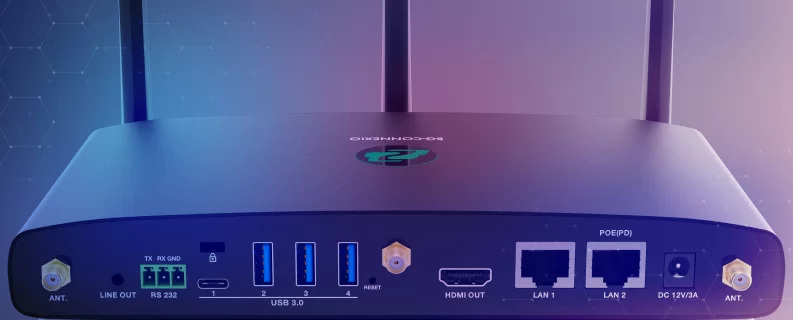
The BZBGEAR BG-Connexio is a 4K wireless presentation and collaboration solution designed around exactly this. It supports AirPlay, Miracast, and Chromecast, letting anyone in the room put their content on the main display without hunting for a dongle. It even handles up to 16 connected devices with four sources on screen at once — handy when a meeting turns into a side-by-side comparison. It's the kind of small convenience that quietly saves a few minutes at the start of every meeting.
Bringing It All Together
A modern conference room isn't one magic product — it's a handful of technologies working in concert. A smart camera so remote participants feel included, clean audio so nobody has to ask "can you repeat that," an all-in-one bar or a full component stack depending on the room's size, and wireless sharing so content gets on screen without friction. Get those four things right and the technology fades into the background, which is right where it belongs.
If you're planning a new room or upgrading one that's fighting you, we're happy to help you figure out which pieces fit your space and your budget. Explore the full lineup of conferencing solutions at BZBGEAR.com, or reach out and let us know what you're building — we'll help you get it right.


8.00 a.m. - 5.00 p.m. (PST)
10.00 a.m. - 3.00 p.m. (PST)
(by appointment only)


