







CEDIA Expo 2026 Recap: What We Heard on the Show Floor
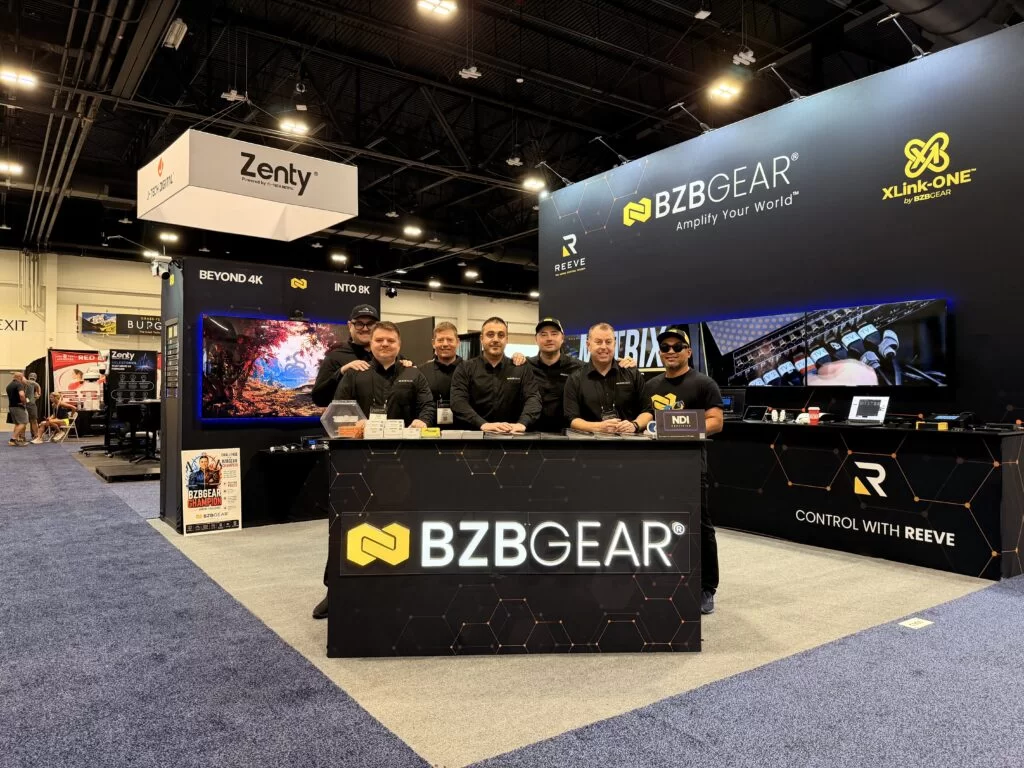
REEVE™ took home two awards in Denver — and five conversations kept repeating at Booth C900.
Three days in Denver, a lot of concrete under our boots, and one Mortal Kombat 1 station later, we're back.
The awards were a great way to end the week, and we'll get to them. But the thing that actually stuck with us is how many integrators walked up to Booth C900 and described the same handful of problems. Different states, different client budgets, same five conversations — over and over, all three days.
So instead of a highlight reel, here's what we heard on the floor, and what we showed people when they asked.
REEVE™ Debuted — and Won Twice
We brought REEVE™ to CEDIA as a debut, with no booth signage promising anything it couldn't do live. Visitors watched it get configured in real time and then walked a working multi-zone system themselves.
It came home with two awards, and the pair of them tells you more than either one would alone.

CE Pro BEST Award — Best Installer App/UI. The BEST (Best Electronic Systems Technologies) Awards judge entries on innovation, functionality, competitive advantages, and benefit to the installer. That last criterion is the one we care about most, and the category is an installer-facing one. Winning it means the people evaluating REEVE™ were asking whether it makes your job easier, not whether it demos well.

TWICE Best of Show. TWICE, Residential Systems, and What Hi-Fi? each run a Best of Show program off a shared entry pool, judged on value, impact, and how unique a product is to the market. REEVE™ took the TWICE award, which is judged from a consumer-electronics retail perspective — essentially, the client's side of the equation.
So one panel looked at REEVE™ as a tool for the person installing it, and another looked at it as a product for the person living with it. Both said yes. For a control system, that's exactly the split you want, because control is the one category where those two audiences usually disagree.
Here's what REEVE™ actually is, since "control system" covers a lot of ground. It's one interface for every screen, source, and zone in a space, plus scenes and compatible connected devices. It runs locally on a tablet — no rack, no server PC — and it's organized by zones, the way clients actually describe a house. It keeps working when the internet doesn't. And it controls BZBGEAR gear alongside third-party displays, sources, audio, climate, cameras, lighting, and shades.
It comes in three parts: Studio is the visual design tool where you build zones, controls, scenes, and device logic. Playeris the interface your client touches every day. Cloud delivers configuration, updates, and remote support across every site from one portal — over the air, without a truck roll.
REEVE™ software is included with compatible BZBGEAR products, with no software license and no activation fee. The tablet is sold separately. Additional availability details will be announced.
"Do I Have to Rebuild the Network?"
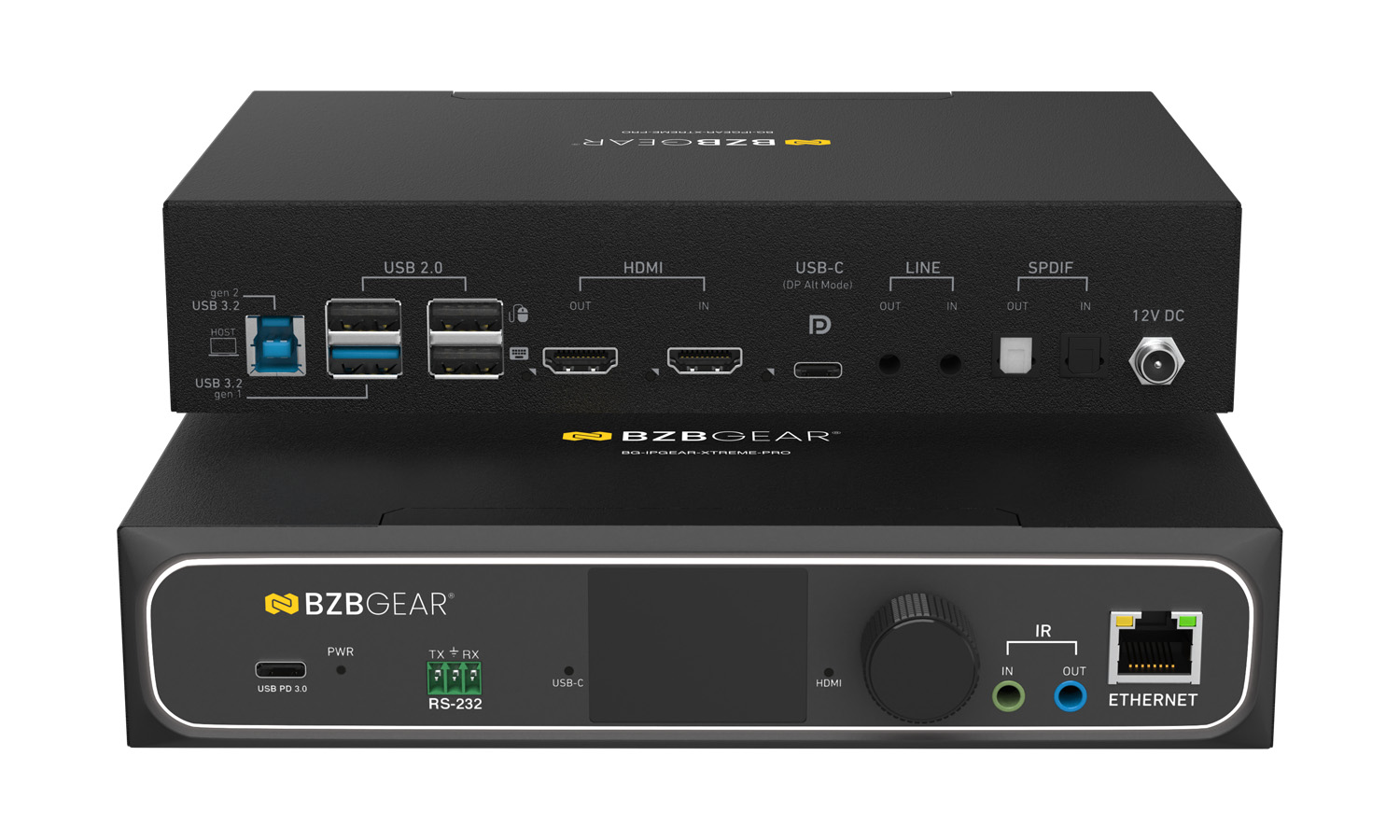
This was the first question at nearly every AV-over-IP conversation, and it's the right one to ask. AV-over-IP has been slow to reach residential for exactly one reason: on a lot of platforms, the network bill arrives before the value does.
XLink-ONE is built to run on standard gigabit networking with a managed switch — IGMP snooping and 802.1Q VLAN support, the kind of infrastructure a well-built home already justifies — rather than a ten-gigabit rebuild.
The part that landed hardest at the booth was the buying model. Because endpoints are purchased one at a time instead of as a fixed chassis, you size the system to phase one. When the guest house shows up in year three, it costs a box, not a whole new frame.
The other thing worth knowing is that XLink-ONE is a family, not a single box, and the models are separated by the job rather than by tier:
- The XTREME is the volume endpoint — a multicast transceiver over 1GbE with USB 3.1 for KVM.
- The XTREME-PRO is built for larger homes and estates: 48Gbps HDMI 2.1, 4K120, video wall and multiview modes, and transmission up to 170 meters (560 feet) over Cat5e — enough to reach a detached pool house or garage that a 100-meter budget can't touch.
- The XTREME-CORE carries a spec we've frankly under-marketed: two 5-pin terminal blocks on both the transmitter and the receiver, giving you one balanced audio input and one balanced output at each end. If you've ever had to bolt an audio path onto a video system after the fact, that's the detail worth circling.
- The XTREME-W puts an endpoint behind a wall plate, for the room where a box in the closet was never the plan.
The credentials came up more than we expected, too. The XTREME-PRO took AV Technology Best of Show at IBC 2025, and the XLink-ONE family took Best of Show at InfoComm 2026.
The VP Series: One Box Doing Three Jobs
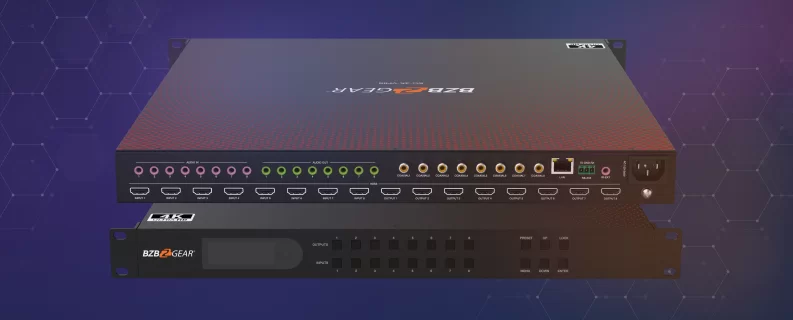
If XLink-ONE is the answer when the signal has to travel, the VP Series is the answer when it doesn't — the media room, the clubhouse, the bar, the room where everything lives in one closet.
What makes these worth a section of their own is that each one is genuinely three products at once. Take the BG-4K-VP44: it's a seamless 4K60 4:4:4 matrix with no black frame on transitions, a video wall processor with seven modes, and a multiviewer that puts four sources on a single output. Add EDID management with eight stored scenes, scaling, audio de-embedding, and control from the front panel, IR, RS-232, IP, a web GUI, or the BZBGEAR Switch Control app.
And it's a desktop box drawing 23 watts. In a residential equipment closet, not needing a rack is the entire argument.
From there the line scales on the same idea rather than a different one. The VP88 takes it to 8x8 in 1U. The VP99PRO is a 9x9 that ships with nine Cat receivers, so the extension is built into the product instead of bolted on. And the VP1616brings the same seamless-matrix-plus-video-wall-plus-multiviewer combination to 16x16 in a single chassis, with a mirrored Cat output path that extends signals up to 70 meters (230 feet) without external extenders.
That's the pitch we made all three days: before you quote a processor and a separate video wall controller and a separate multiviewer, check whether one VP chassis already does all three.
"What About the Display I Can't Pull Cable To?"
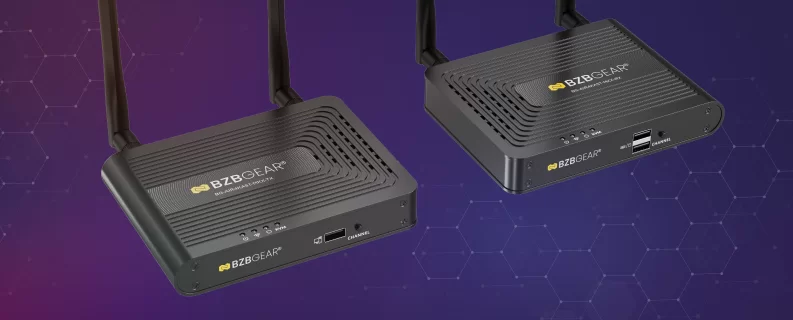
Every integrator has this job. The plaster wall nobody's allowed to open. The outdoor TV. The projector across a room with no path to it.
The AIR4KAST wireless HDMI line answers it, and the three models are separated by latency and fan-out — not by picture quality. The base kit is the retrofit workhorse. The MKX sends one transmitter to as many as four receivers, which is the game room or the bar with four screens and no home run to any of them. The AIR4KAST-PRO runs 16 to 48 milliseconds, and sub-50 milliseconds is the threshold where a wireless link stops being playback-only and becomes usable for something a person is actually interacting with.
Now the part we said out loud at the booth, because it matters more than the spec sheet: wireless is a fixed link for a display. It is not a backbone. It doesn't solve a twelve-zone distribution problem, and the base model's latency is right for content and wrong for anything interactive. That's precisely why the Pro is a separate product instead of a spec bump.
A category earns trust by naming its own limits. Every integrator who got burned by wireless got burned by someone who wouldn't. (We went deeper on how to test this yourself in our recent piece on wireless HDMI latency — worth four seconds and a mouse.)
The Job Nobody Quotes
Right-sizing came up constantly, and it cuts both ways. Most residential jobs are over-specified, and it usually isn't greed — the big products get the marketing, so they're what comes to mind. The everyday reality is often four sources and two or three displays, and there's an entire ladder of product built for exactly that which nobody puts on a booth wall. So we brought the small stuff on purpose, right alongside the VP chassis. The most expensive mistake in a residential rack isn't the wrong brand. It's three times the matrix, because that's what was on the show floor.
Then there's KVM, which sounds like a data center product — and that's exactly why it's under-sold. The home office stopped being temporary. What's in most of them now is two computers, a work machine the client doesn't control and a personal one, plus one good display they'd rather not duplicate. That's textbook KVM, and most residential integrators have never quoted it because the category name sounds like somebody else's business.
Worth noting the two ideas connect: KVM isn't only a standalone box. The XLink-ONE endpoints carry USB for KVM as part of the distribution system, which means the home office can be a zone rather than an island.
Flawless Victory
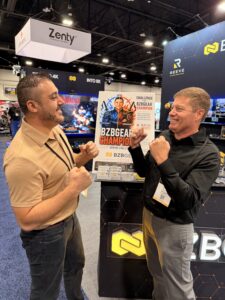
We also put a fighting game in the middle of the booth, and it worked better than we hoped.
The reasoning was simple and we were happy to say it out loud: the best AV conversations start relaxed. A controller in someone's hands is a better icebreaker than a badge scan, and the demo stations were three feet away when the round ended. That last part is the whole trick — more than a few serious system conversations started with a rematch and ended in front of a running XLink-ONE zone.
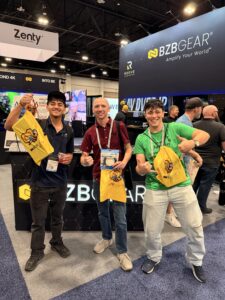
Everyone who played walked away with swag, win or lose, plus an entry into that day's drawing. Three winners every day, all three days. Congratulations to everyone who took home an AIR4KAST-MKX kit, a Bluetooth speaker, or a set of HDMI cables — and to the handful of you who beat our team on the sticks, we're practicing.
Here's the part we want you to hold us to: this isn't a one-show gimmick. The tournament did exactly what we built it to do, so we're planning more of it — more booth activations, more giveaways, and more excuses to hang out with the people who actually install this gear. If you have a game you think would wreck us, tell us. We're taking suggestions seriously.
Missed Us in Denver?
If you didn't make it to Booth C900, or you had a demo cut short by the drawing, we're happy to pick it up where it left off. Bring an actual job — a media room that needs one chassis instead of three, a whole-home distribution plan, a retrofit with no cable path, or the home office nobody's quoting — and our team will talk specifics rather than spec sheets.
To learn more about REEVE™, visit reeve.bzbgear.com. For the full lineup, head to bzbgear.com, or reach out and we'll help you size the right system for the room you're actually building.


8.00 a.m. - 5.00 p.m. (PST)
10.00 a.m. - 3.00 p.m. (PST)
(by appointment only)