







The Future of USB-C in Professional AV
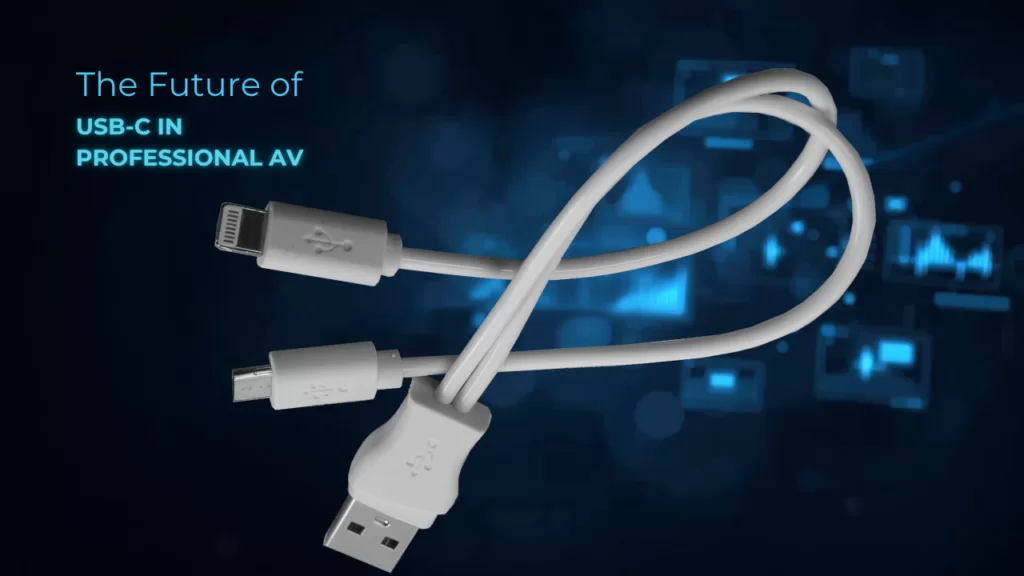
Take a look at the back of almost any laptop, tablet, or camera made in the last few years and you'll spot the same little oval port staring back at you. USB-C has quietly become the connector we all carry around in our pockets and bags. And that's the interesting part — a plug that started life charging phones is now showing up on the spec sheets of serious Pro AV gear. So what does that actually mean for your next installation? Let's break it down.
One Connector, Many Jobs
The reason USB-C keeps spreading is simple: it does more than one thing at a time. A single USB-C cable can carry video, audio, USB data, network traffic, and power all at once. That's a big departure from the way AV has traditionally worked, where you'd run one cable for video, another for USB peripherals, and a power brick for anything that needed juice.
Think of the old approach like a kitchen where every appliance needs its own dedicated outlet. USB-C is more like a single smart hub that everything plugs into. For a huddle room or a hot-desking setup, that means a presenter can walk in, connect one cable to their laptop, and instantly get their screen on the display, their webcam and mic working, and their battery charging — all in one motion.
Here's the thing, though: not every USB-C port is created equal. That's where things get a little tricky, and where knowing the trends really pays off.
What Makes USB-C Work for Video

The magic that lets a USB-C port push video is called DisplayPort Alternate Mode, or DP Alt Mode. In plain terms, it lets the connector temporarily reassign some of its high-speed data lanes to carry a video signal instead. The USB-C plug has four data lanes inside it, and DP Alt Mode can borrow two of them for 4K video while leaving the other two for USB data, or grab all four for maximum video bandwidth when you don't need fast data alongside it.
That flexibility is why the same port on a laptop can drive a monitor one minute and move a giant file the next.
Bandwidth is climbing fast, too. Older USB 3.2 connections move data at 10 to 20 Gbps, while the newer USB4 standard jumps to 40 Gbps, and USB4 Version 2.0 pushes all the way to 80 Gbps. For AV, more bandwidth means higher resolutions, faster refresh rates, and less compression — exactly the direction professional video keeps heading.
Power Over the Same Cable
The other half of the USB-C story is power. Through a feature called USB Power Delivery (PD), that same cable can deliver serious wattage. The latest PD 3.1 spec bumped the ceiling up to 240 watts, which is enough to run not just a laptop but many displays and monitors directly.
Picture a conference room where the display, the camera, and the presenter's laptop all share power and signal through tidy USB-C runs instead of a rat's nest of adapters and power supplies. That's the kind of clean, simple install USB-C is making possible, and it's a big reason the connector is winning over integrators who used to see it as strictly a consumer thing.
The Catch: Distance and Quality
Now for the reality check. USB-C was designed for short hops between devices sitting on the same desk. Push a high-speed signal down a passive USB-C cable much beyond a meter or two and it starts to fall apart. In a professional space where the display might be thirty feet from the source, that's a real limitation.
This is exactly the gap Pro AV manufacturers are stepping in to fill. At industry shows like ISE, a growing number of extenders now take a USB-C input and carry the video, USB, and power across long HDBaseT or fiber runs to a receiver at the display. So you get the one-cable convenience at the desk and the distance you actually need for the install.
There's a quality angle here as well. A cheap USB-C cable from a gas station might charge your phone fine, but it may not support the video, bandwidth, or power your AV system expects. As USB-C moves into professional rooms, the difference between a certified, professional-grade product and a generic one becomes something you can't afford to ignore.
BZBGEAR and the USB-C Shift
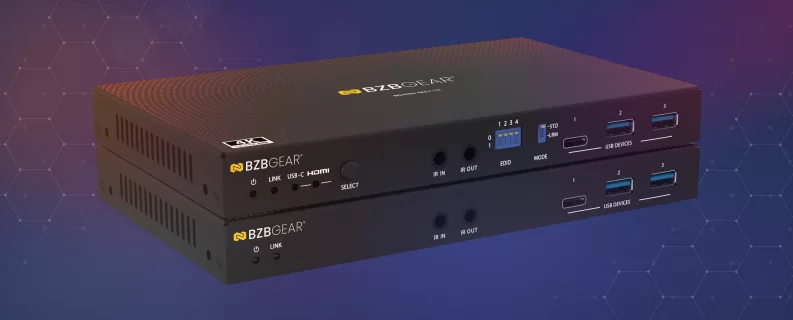
The good news is that this future is already here, and BZBGEAR has been building for it. On the extension side, the BG-EXH-4KC7 is a 4K UHD HDMI/USB-C KVM HDBaseT extender and switcher that takes a laptop's USB-C connection and carries video, USB, and control across a long cable run — bridging the exact distance gap we just talked about. It's the kind of product that gives you the one-cable convenience at the desk while still reaching the display across the room.
For spaces where you want that connection built right into the furniture, BZBGEAR also offers HDMI/USB-C wall plate transmitter and receiver kits that reach up to 230 feet. A presenter simply plugs their USB-C laptop into a clean wall plate at the conference table, and the signal travels the full distance to the display without a tangle of adapters in sight.
Where Things Are Headed
USB-C isn't going to replace HDMI, SDI, or AV-over-IP overnight — each of those still has a clear role in professional systems. But its momentum is undeniable. As laptops, cameras, and displays increasingly ship with USB-C as the default, the connector is becoming the friendly front door to the AV world: the simple, familiar plug the end user touches, backed by robust professional infrastructure doing the heavy lifting behind the wall.
For integrators, the takeaway is straightforward. USB-C is worth designing around, as long as you pair its convenience with professional-grade gear built to handle real distances and real bandwidth.
If you're planning a space and trying to figure out how USB-C fits into your signal flow, we'd love to help. Reach out to the BZBGEAR team, and explore the full lineup of extenders, switchers, and cameras at BZBGEAR.com to find the right fit for your next installation.


8.00 a.m. - 5.00 p.m. (PST)
10.00 a.m. - 3.00 p.m. (PST)
(by appointment only)