


Conference Camera vs Webcam : Key Differences

When setting up smaller conference spaces, huddle rooms, breakout rooms, or even personal offices, one of the most common questions we hear is: What’s the difference between a webcam and a conference room camera? And yes, this is a valid question!
While camera designs, specifications, and labels vary between manufacturers, the functional differences between webcams and conference room cameras are generally the same. We’ll get into the details.
Webcams: Compact and Personal
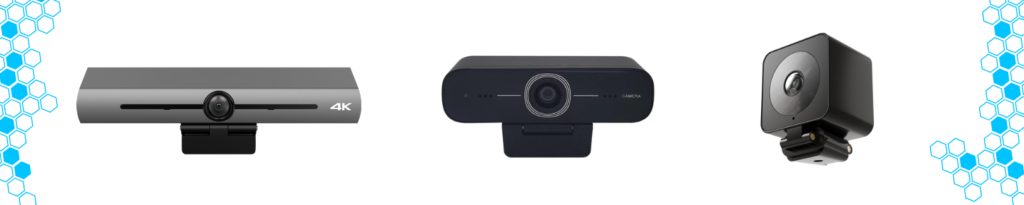
Webcams are small, lightweight, and highly portable cameras designed primarily for individual use or very small groups. They are typically USB powered (sometimes with an optional power supply) and are easy to mount on laptops, monitors, or desks. Many webcams also include integrated microphones for added convenience. And for those that don’t, the laptop/PC audio or an external audio source is typically used.
In most cases, webcams are intended to capture one to two people within the frame. Their field of view is usually narrower, though there are exceptions. For example, some advanced webcams like the BZBGEAR BG-EPTZ-UH4K offer ultra wide angles, up to 130 degrees, making them more versatile for tight spaces. Even so, webcams are best suited for personal workstations, remote employees, and small one on one meetings where simplicity and portability are priorities.
Conference Room Cameras: Built for Group Collaboration

Conference room cameras are designed for shared spaces and larger groups. One of the most common conference room types is the video bar, which combines video and audio components into a single, wall or display mounted unit.
Video bars typically feature larger camera systems that may include:
- A single PTZ or ePTZ camera
- Dual camera designs with a dedicated wide angle lens
- Another combination of those or some other assortment; overall, it varies
On the audio side, conference cameras often integrate multiple microphones and built in speakers to ensure clear voice pickup across the room.

Additional features commonly found in conference room cameras include:
- Automatic privacy lens covers
- Voice localization and speaker tracking
- Advanced autoframing and group framing
- Multiple control options (IR remote, software control, control over IP (such as a web interface or software))
- Flexible connectivity (USB, HDMI, Ethernet, and more)
With these capabilities conference room cameras are designed to comfortably capture three or more people and deliver a more polished, professional video experience, something that’s critical in business and enterprise environments
Choosing the Right Solution
The main trade-off with conference room cameras is size and portability. Compared to webcams, video bars and conference cameras take up more space and are typically installed in a fixed location. However, their wider field of view, advanced image processing, and superior audio performance make them ideal for meeting rooms where presentation quality and collaboration matter most.
In short:
- Webcams are ideal for personal use and small spaces
- Conference room cameras are built for group meetings, professional environments, and enhanced collaboration
Understanding these differences makes it easier to choose the right camera solution for your workspace and communication needs. Looking for webcams or conference cams for your space? Take a look at our camera options or reach out for assistance!


8.00 a.m. - 5.00 p.m. (PST)
10.00 a.m. - 3.00 p.m. (PST)
(by appointment only)



