




and engineering support


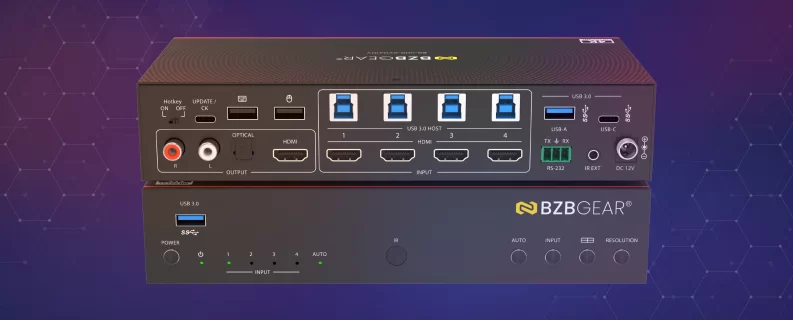
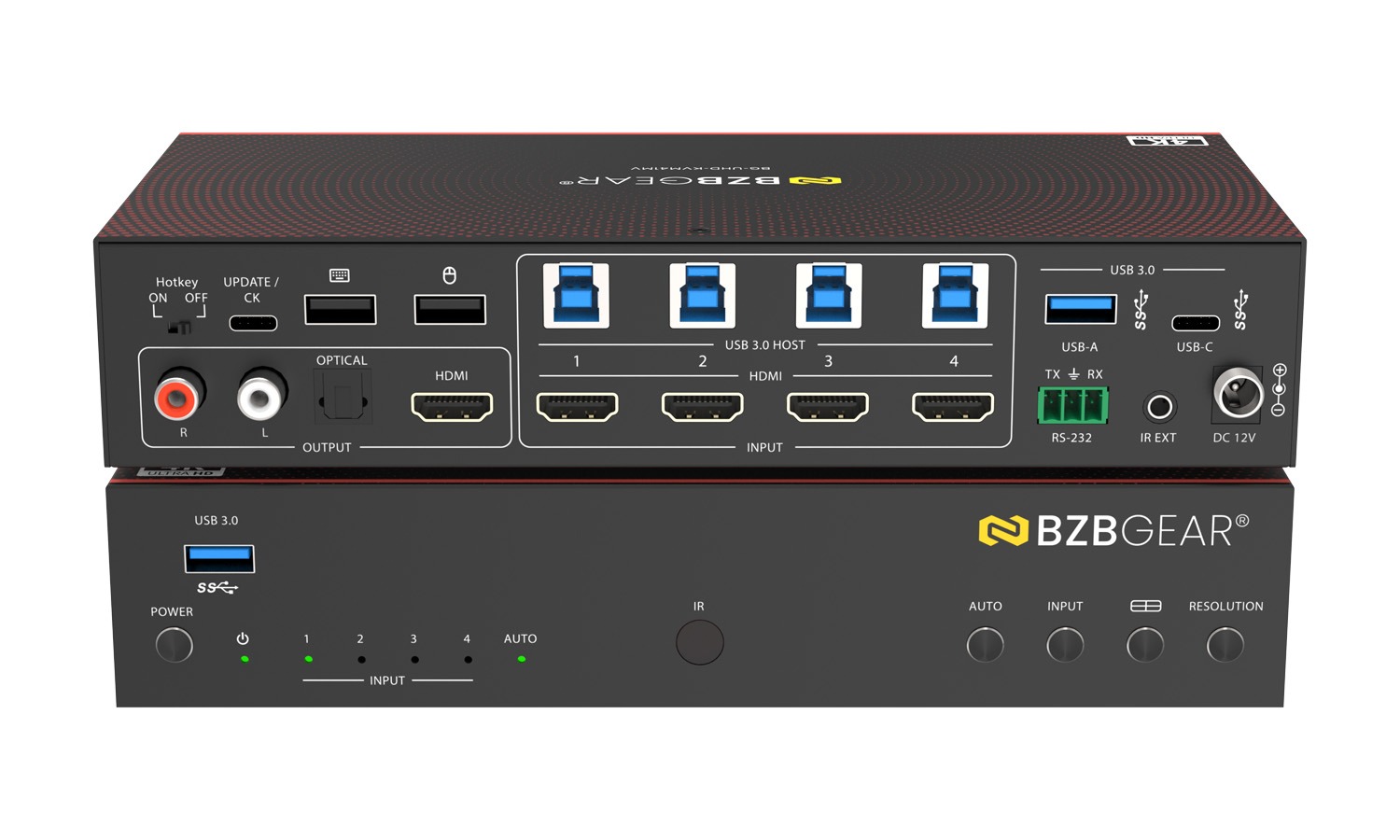
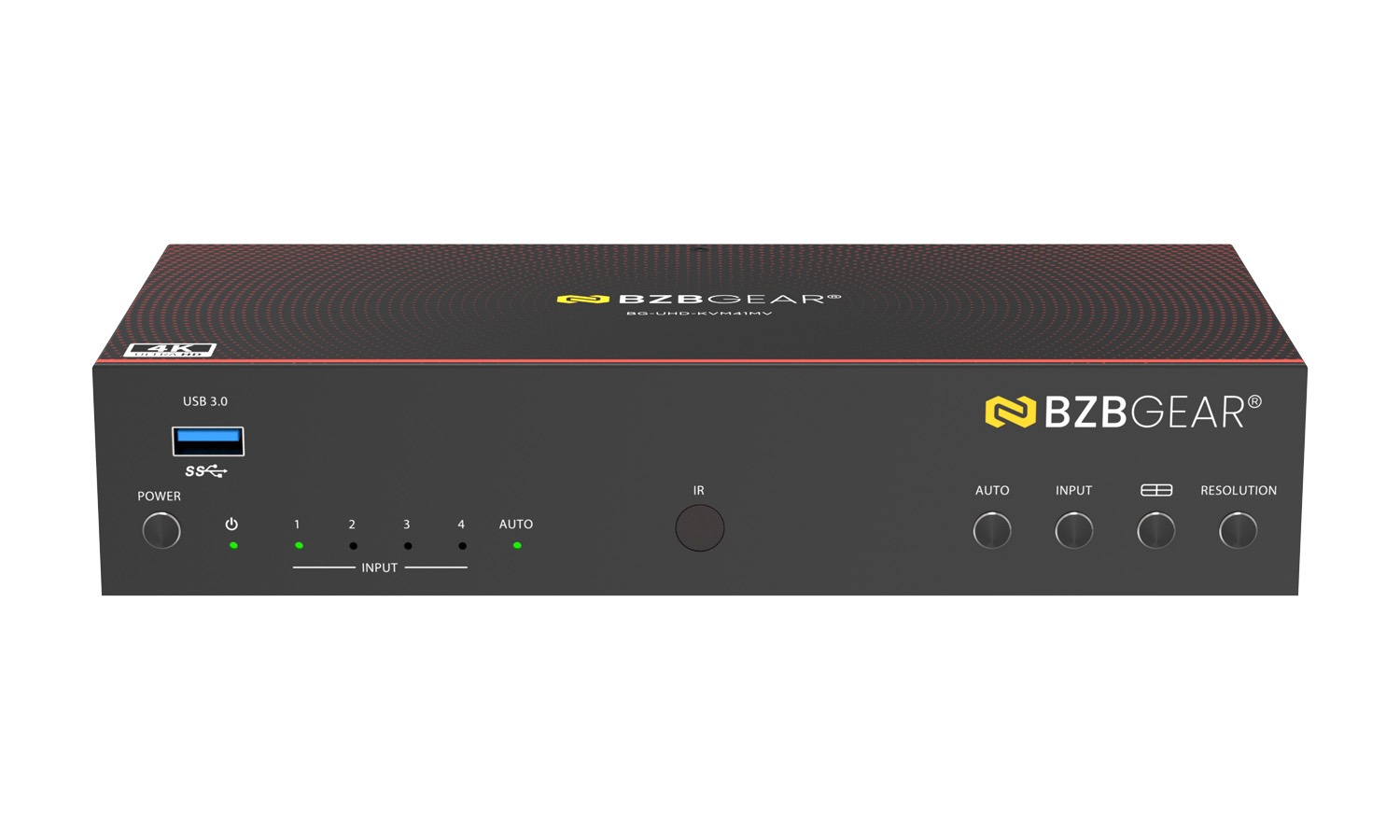
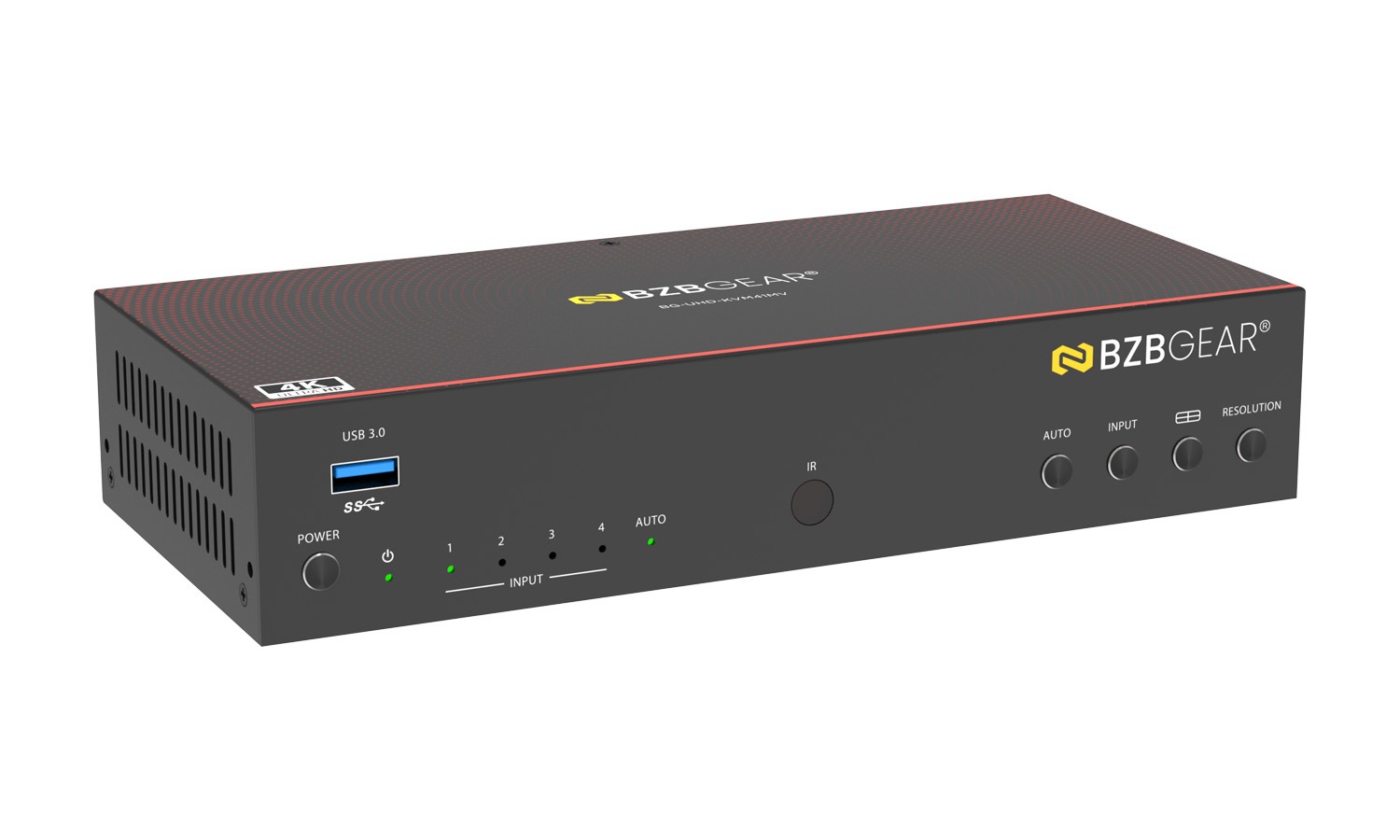
The BG-UHD-KVM41MV 4K60 4x1 Seamless UHD Video & USB 3.0 KVM Switcher allows up to four HDMI sources to be displayed and controlled on a single UHD or HD monitor at up to 4K@60Hz. It supports both single-screen and multiview layouts, letting users freely arrange, resize, and switch between inputs with smooth, seamless performance.
In addition to high-quality video switching, the unit functions as a full KVM solution, enabling one keyboard, mouse, and USB peripherals to control up to four computers via built-in USB 3.0 sharing. Audio de-embedding is also supported through analog and optical outputs for external sound systems.
The switcher offers multiple control options - including front panel buttons, IR remote, keyboard/mouse hotkeys, on-screen display (OSD), PC control software, and RS-232 - making it flexible for professional AV, control room, and workstation environments. Plug-and-play compatibility with Windows, macOS, and Linux ensures easy deployment with no drivers required.
Tech Specifications
| Technical | |||
| HDMI Compliance | HDMI 2.0b | ||
| HDCP Compliance | HDCP 2.2 / 1.x | ||
| Video Bandwidth | 18Gbps | ||
| Video Resolution | Up to 4K2K@60Hz 4:4:4 | ||
| IR Level | 5Vp-p | ||
| IR Frequency | Fixed frequency 38KHz | ||
| Color Space | RGB, YCbCr 4:4:4, YCbCr 4:2:2, YCbCr 4:2:0 | ||
| Color Depth | 8/10/12bit | ||
| Audio Formats | HDMI: PCM 2.0/5.1/7.1CH, Dolby Digital/Plus/EX, DTS, DTS-96/24, DTS High Res, DSD Analog audio [3.5mm L/R]: PCM 2.0 SPDIF (OPTICAL): Dolby Digital/Plus, DTS 5.1, PCM 2.0 Note: It does not support HBR audio. |
||
| ESD Protection | IEC61000-4-2: ±8kV (Air-gap discharge), ±4kV (Contact discharge) |
||
| Connection | |||
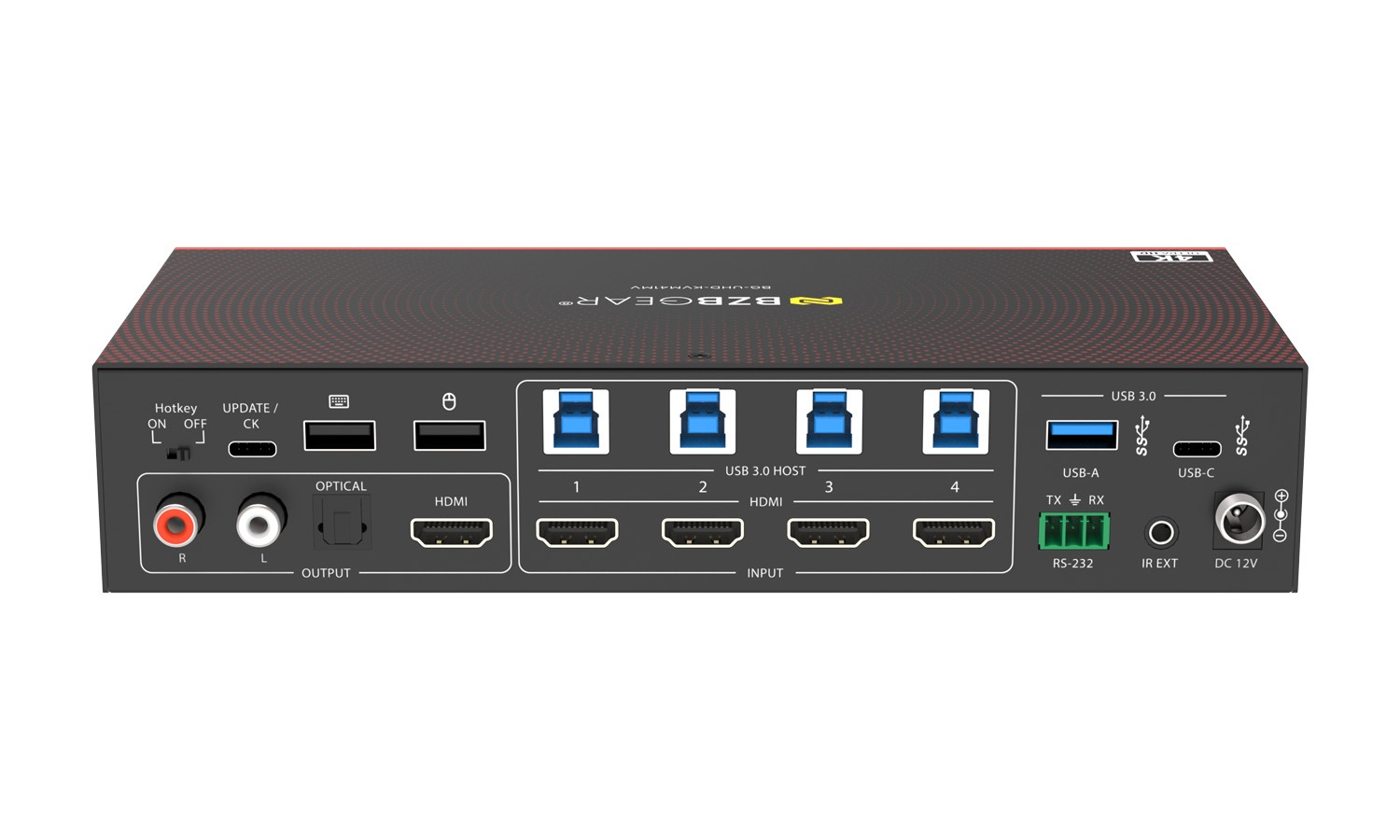
| Input Ports | 4 x HDMI IN [Type A, 19-pin female] | ||
| Output Ports | 1 x HDMI OUT [Type A, 19-pin female] 1 x L/R OUTPUT [RCA] 1 x OPTICAL OUTPUT [S/PDIF] |
||
| Control ports | 1 x RS-232 [3pin-3.81mm phoenix connector] 1 x IR EXT [3.5mm Stereo Mini-jack] 4 x USB 3.0 HOST [USB Type B] 2 x USB 2.0 DEVICE [USB Type A] 3 x USB 3.0 DEVICE [USB Type A] |
||
| Mechanical | |||
| Housing | Metal Enclosure | ||
| Color | Black | ||
| Dimensions (W x D x H) | 8.7 x 3.9 x 1.7in [220 x 100 x 44mm] | ||
| Weight | 0.98 lbs [443g] | ||
| Power Supply | Input: AC 100 - 240V 50/60Hz Output: DC 12V/2.5A (US/EU standard, CE/FCC/UL certified) |
||
| Power Consumption | 18.48W (Max) | ||
| Operating Temperature | 32 - 104°F / 0 - 40°C | ||
| Storage Temperature | -4 - 140°F / -20 - 60°C | ||
| Relative Humidity | 20 - 90% RH (no-condensing) | ||
Resources

PACKAGE CONTENTS
- 1 x 4K60 4x1 Seamless UHD Video & USB 3.0 KVM Switcher
- 1 x IR Remote
- 1 x 3pin-3.81mm Phoenix Connector (male)
- 1 x Fixed Frequency 38KHz IR Receiver Cable (1.5 meters)
- 4 x USB Cable (USB 3.0, AM to BM, 1.8 meters)
- 2 x Mounting Ears
- 4 x Machine Screws (KM3*4)
- 1 x 12V/2.5A Locking Power Supply
- 1 x User Manual
Interfaces
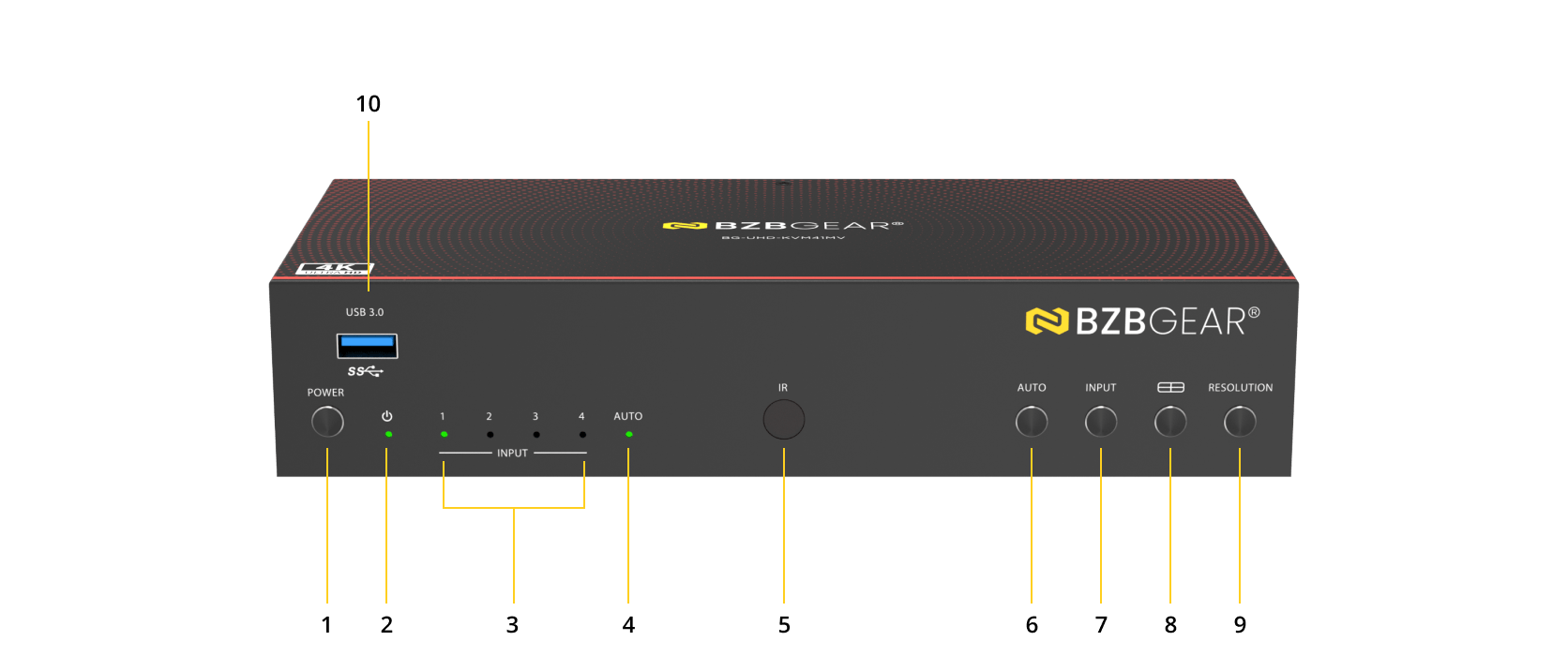
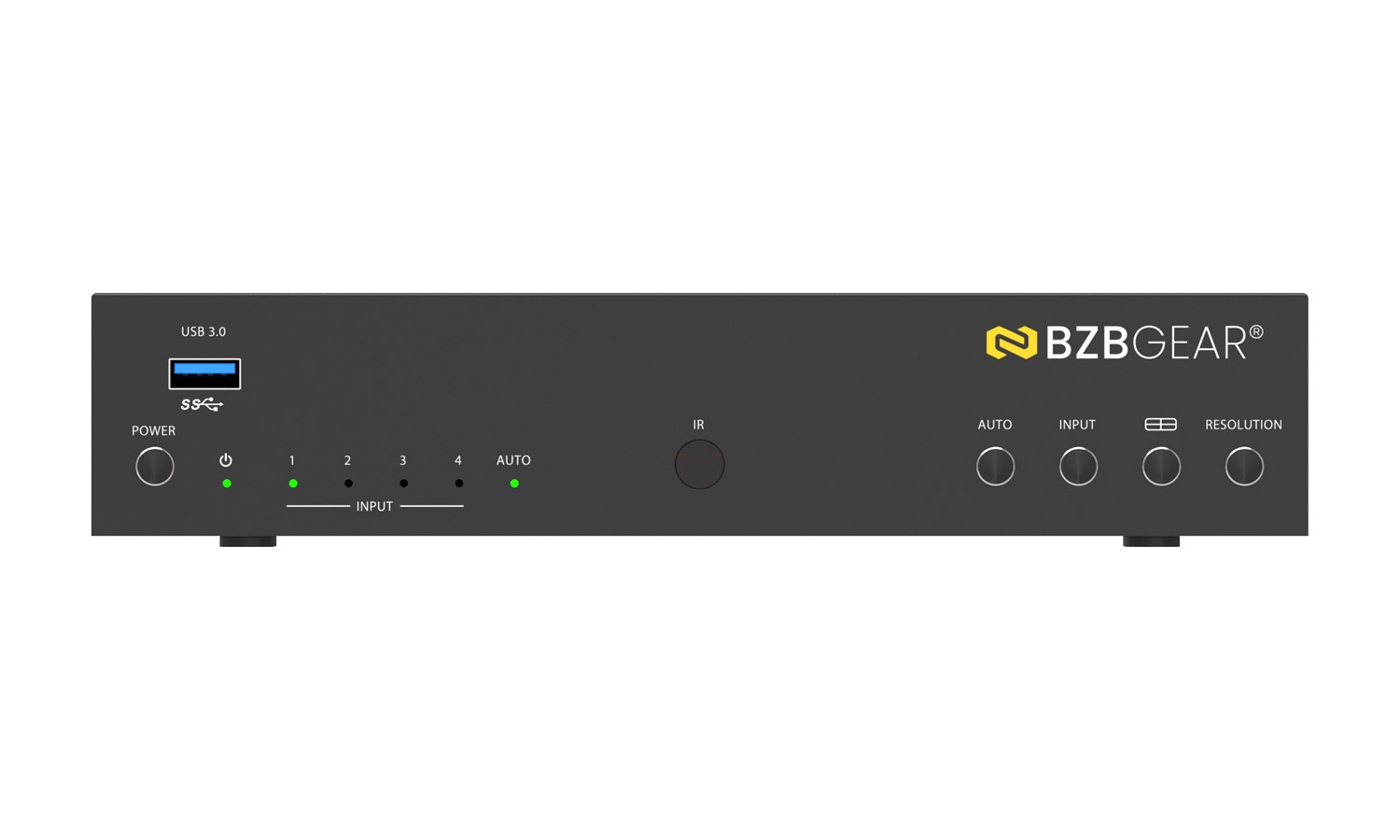
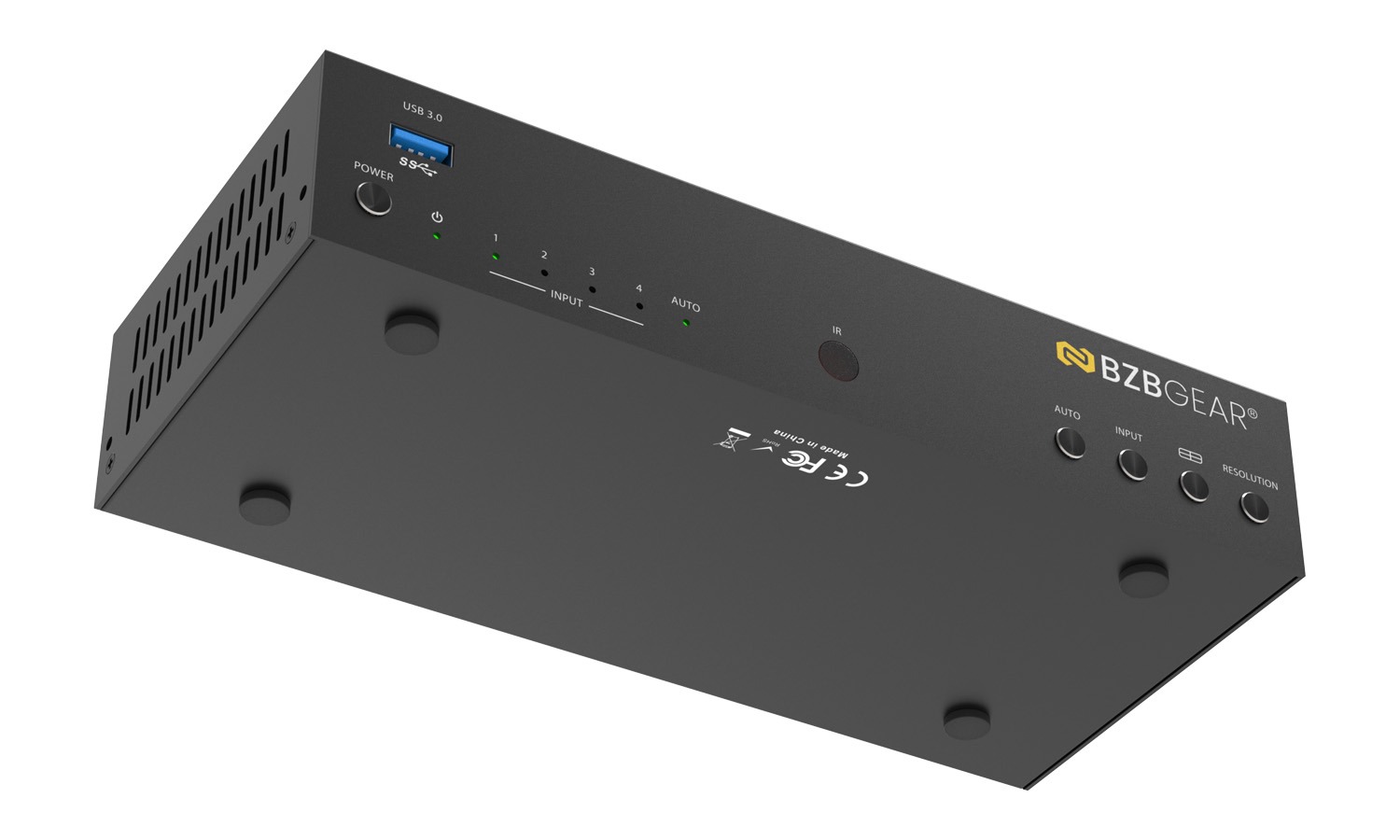
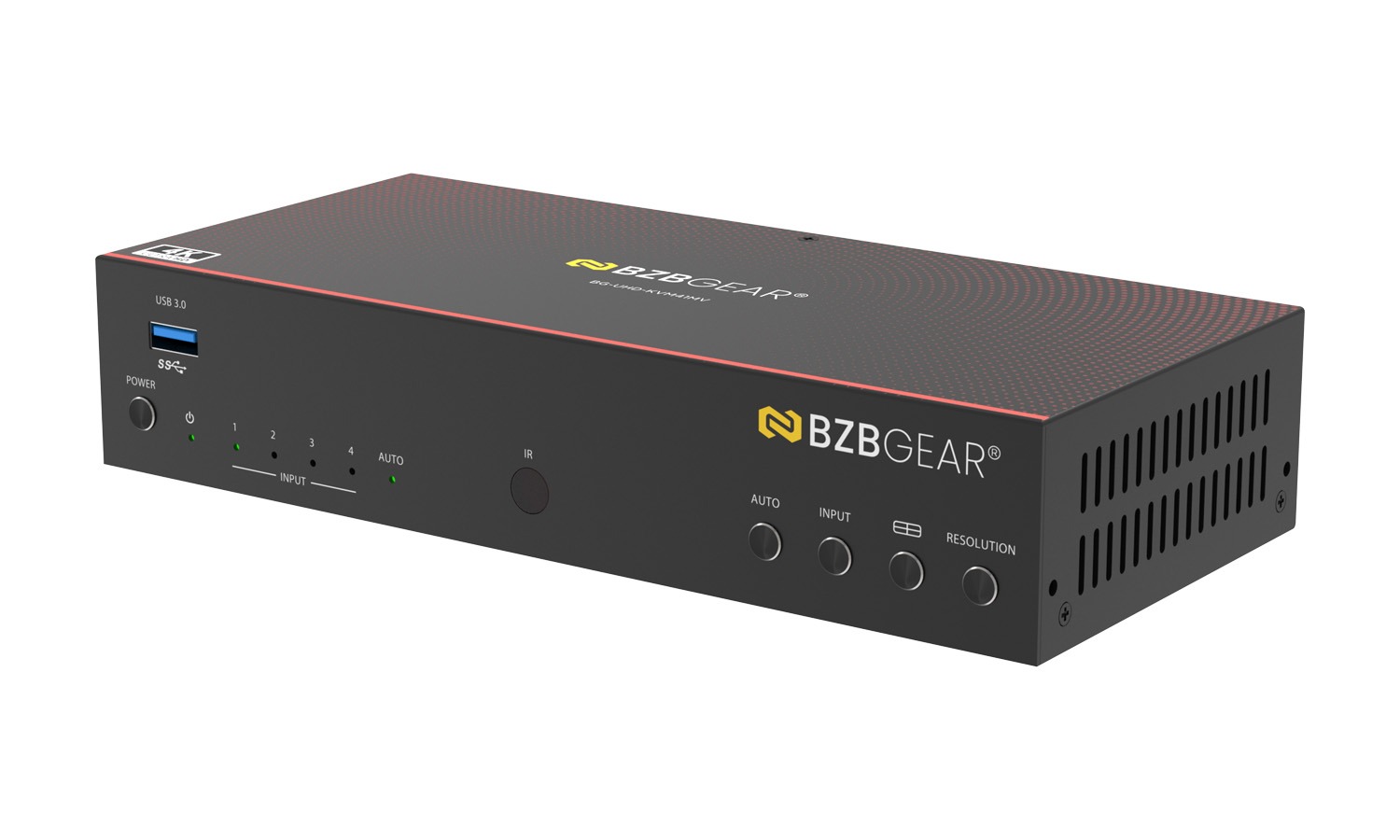
Front Panel
- Power Button: Short press this button to power on the device.
Long press this button for 1 seconds to enter the standby mode. - Power LED: The Power LED will light in green when the product is powered on, and red when the product is on standby.
- Input 1-4 LEDs: Input signal indicator lights.
In single screen display mode, when the HDMI OUTPUT port outputs the signal from the HD 1/2/3/4 port, the corresponding green LED will be on.
In multiview mode, all input signal LEDs will light in green. - AUTO LED: In single screen display mode, when the device is set to AUTO mode, the AUTO LED will light in green, and HDMI is identified automatically, that is, when the currently displayed source signal is disconnected, the switcher will automatically identify the next connected HDMI input port.
- IR Window: IR signal receiving window.
- AUTO Button: Automatic switching button, only available in single screen display mode.
- INPUT Button: In single screen display mode, short press this button to switch the input source.
In multiview mode, short press this button to display the yellow border, or when there is already a yellow border, press this button to switch it to the next window with the sequence as following:
PIP: WIN1->WIN2->WIN1 PBP: WIN1->WIN2->WIN1
Triple: WIN1->WIN2->WIN3->WIN1
Quad: WIN1->WIN2->WIN3->WIN4->WIN1
Note: The yellow border indicates the position of keyboard, mouse or USB 3.0. And it is displayed on WIN1 by default.
Long press this button, then the OSD on the window will display the corresponding input source. - Multiview Button: Multiview display mode switching button.
Short press this button to circularly select: Single - PIP - PBP (1) - PBP (2) - Triple (1) - Triple (2) - Quad (1) - Quad (2) - Single.
Long press this button for 3 seconds to select the aspect ratio (16:9/Full) for PBP (1) / PBP (2) / Triple (1) / Triple (2) / Quad (1) / Quad (2). - RES Button: Output resolution switching button.
Short press the RES button, the OSD will display the current output resolution of the HDMI OUTPUT port. Short press the RES button again before the OSD disappears to circularly switch the output resolution.
Long press the RES button for 3 seconds to switch the output resolution to 1280x720p 60Hz. - USB 3.0 Port: USB 3.0 Device input port.
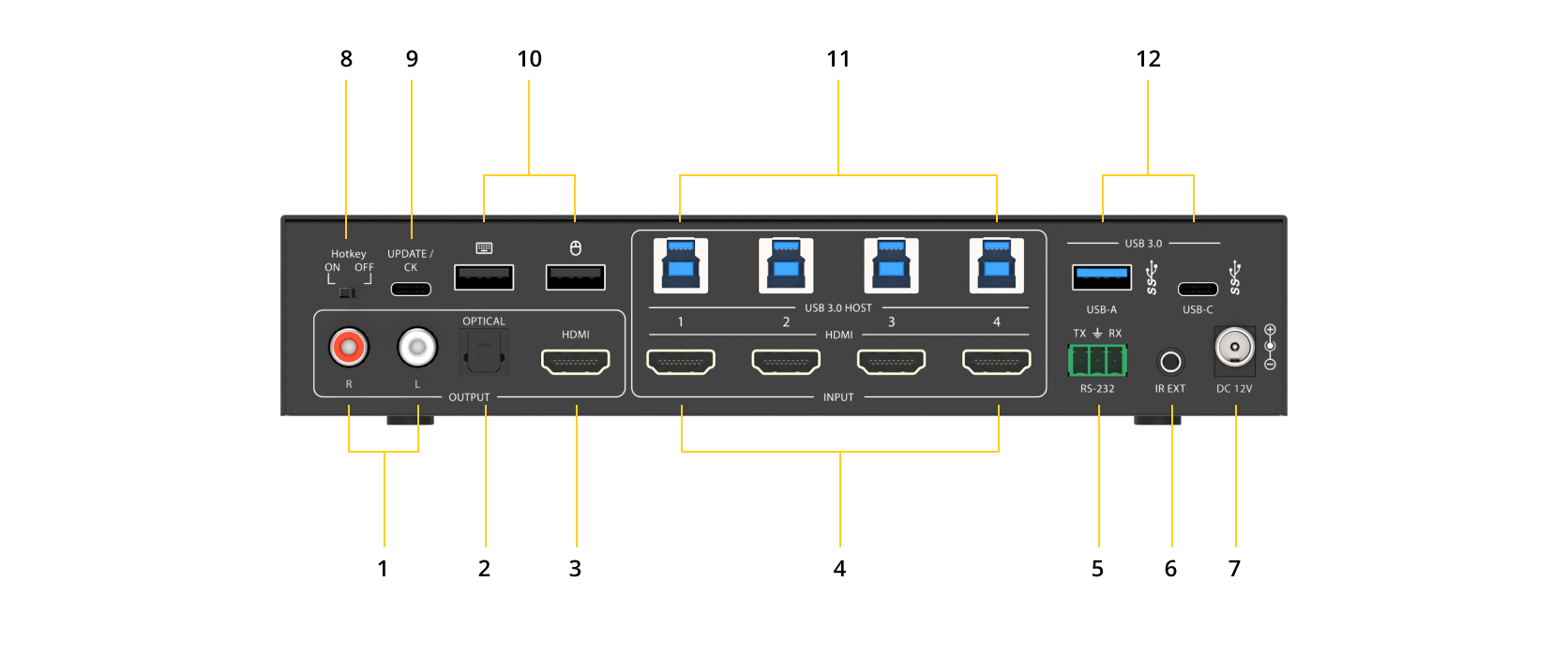
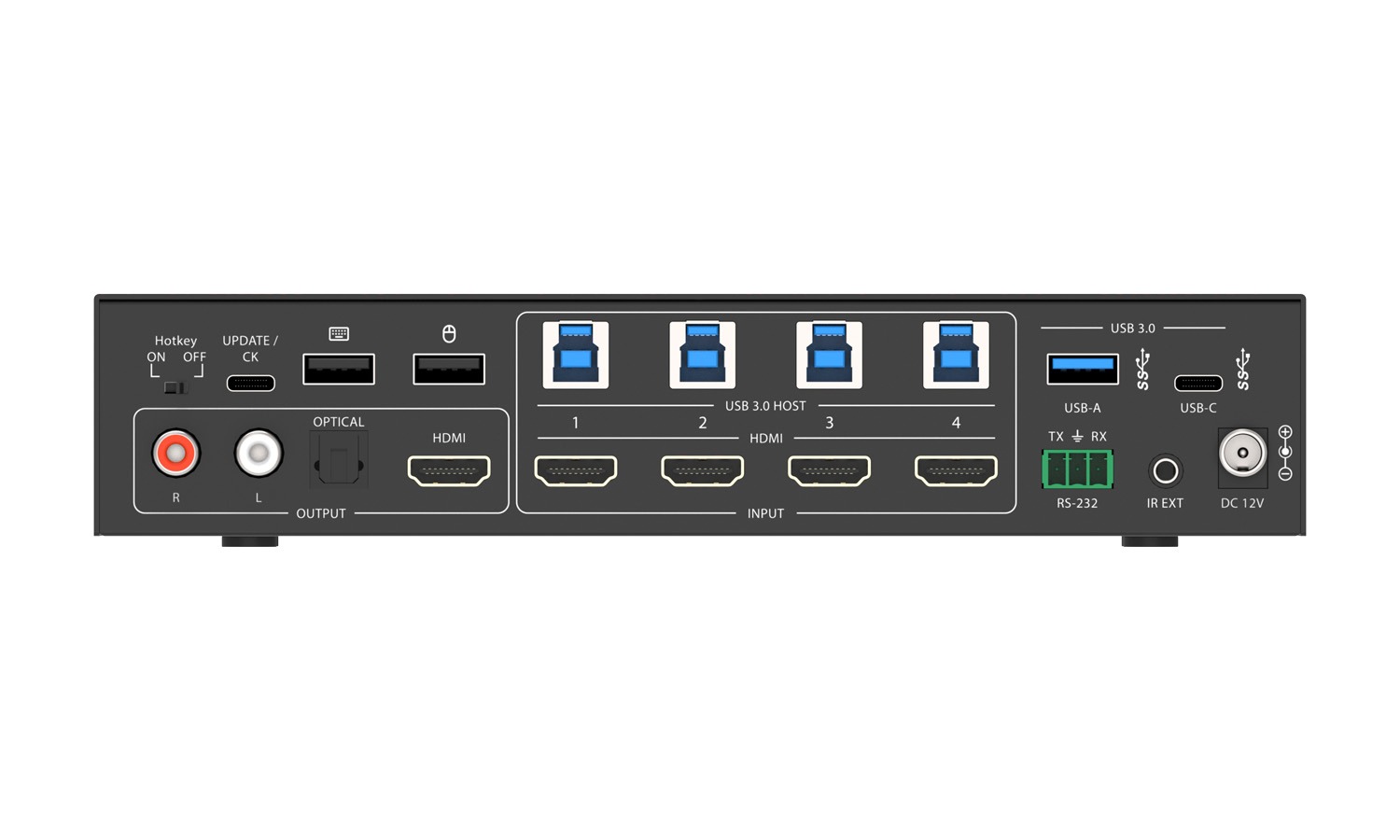
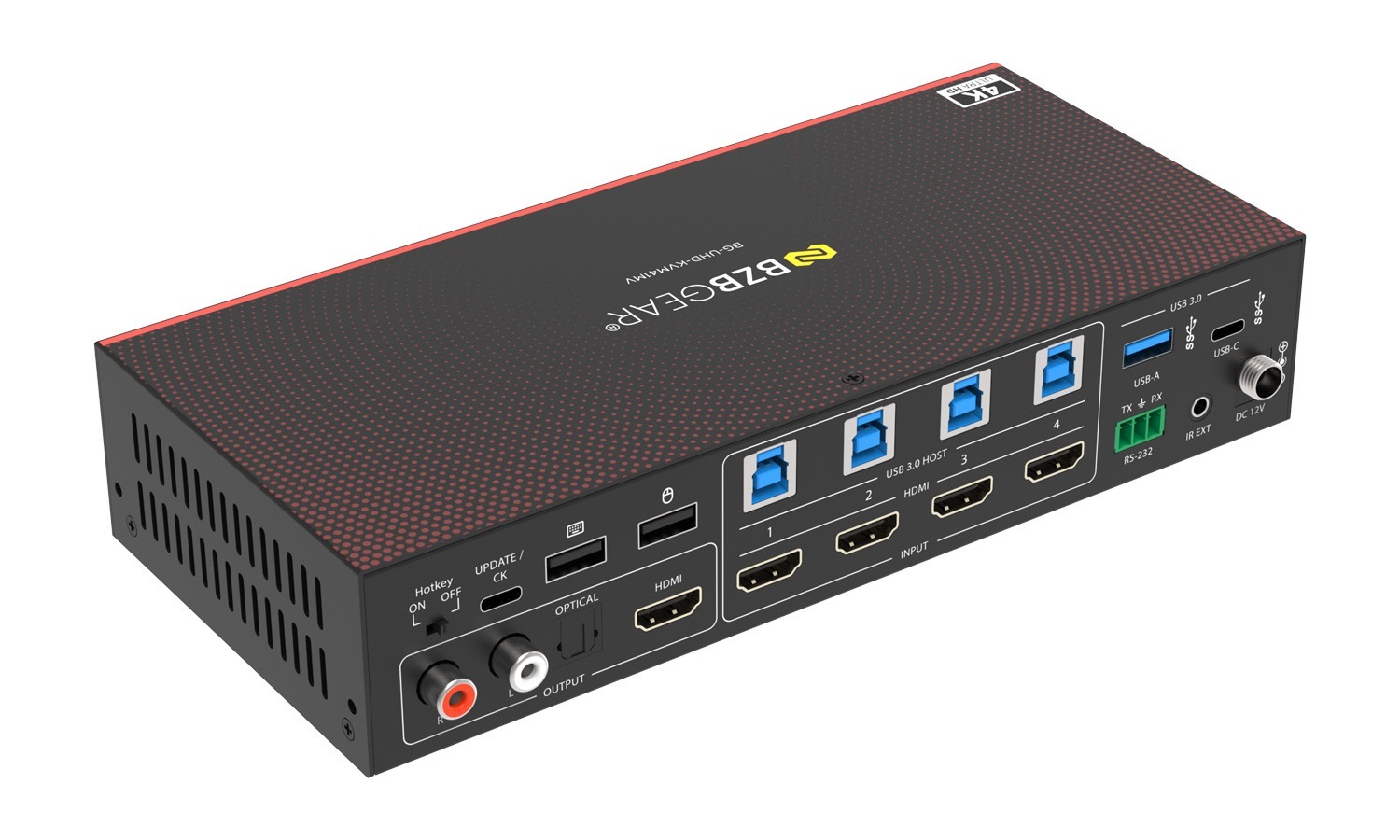
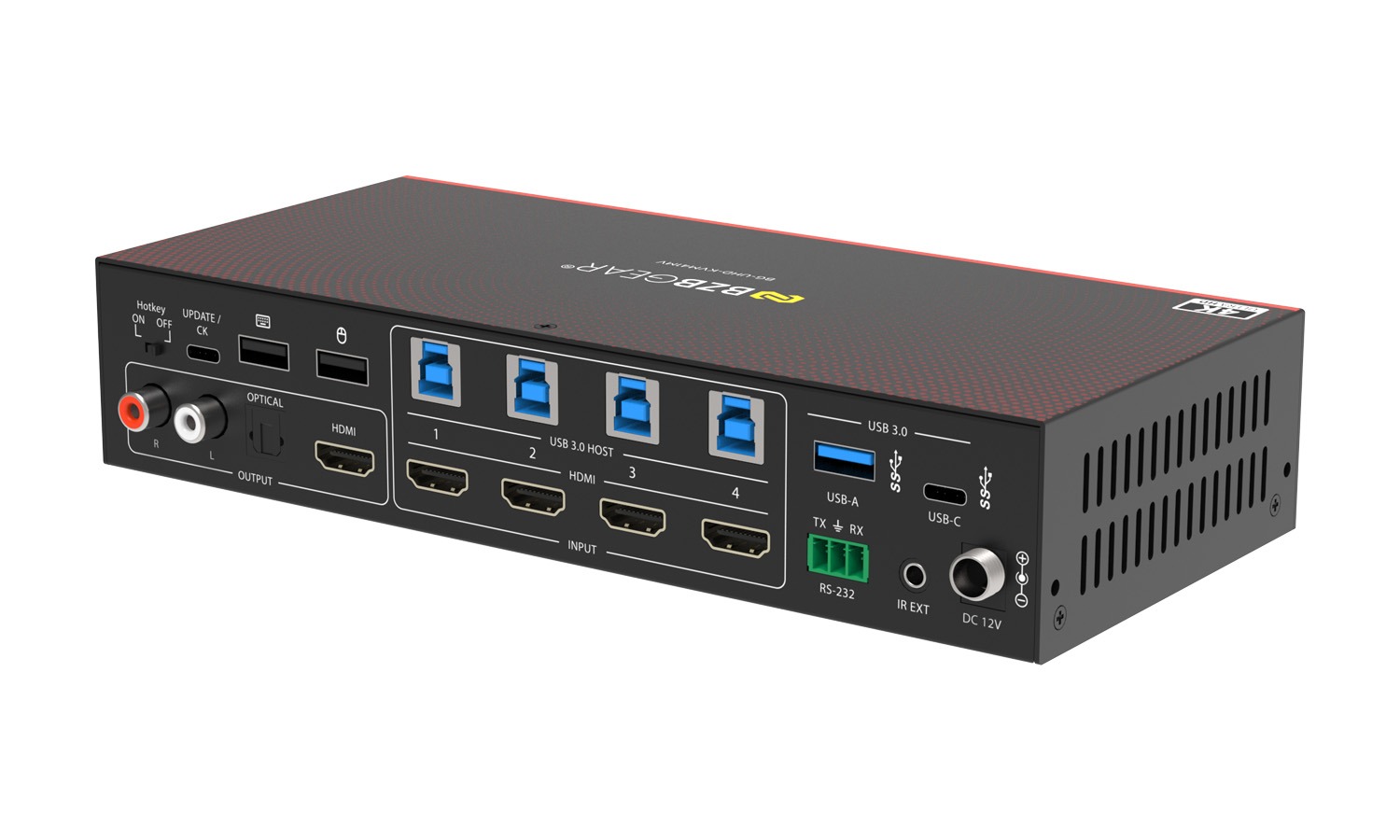
Rear Panel
- L/R Port: PCM2.0 analog audio output port.
- OPTICAL Port: Optical fiber digital audio output port.
- HDMI OUTPUT Port: HDMI signal output port, connected to HDMI display device such as TV or Monitor with HDMI cable.
- HD 1/2/3/4 INPUT Ports: HDMI signal input ports, connected to HDMI source device such as PC with HDMI cable.
- RS-232 Port: 3-pin phoenix connector, connected to a PC or control system for serial port upgrade or RS-232 command control.
- IR EXT Port: IR signal receiving port, connected with 38KHz IR Receiver cable. If the IR signal receiving window of the unit is blocked or the unit is installed in a closed area out of infrared line of sight, the IR receiver cable can be inserted to the “IR EXT” port to receive the IR remote signal.
- DC 12V: DC 12V/2.5A power input port.
- Hotkey ON/ OFF Switch: Use the switch to enable/disable the hotkey switching mode.
Switch to “ON”: The connected keyboard and mouse support hotkey mode.
Switch to “OFF”: The connected keyboard and mouse don’t support hotkey mode. - WIRE REMOTE Port: Reserved port for KVM upgrade or connecting customized keyboard.
- Keyboard and Mouse Ports: Two USB 2.0 ports for KVM keyboard and Mouse.
- HOST 1/2/3/4 Ports: Four USB 3.0 HOST ports, connected to the PC 1/2/3/4 that is connected to the HD 1/2/3/4 INPUT port respectively.
- USB 3.0 Ports: Two USB 3.1 Gen 1 device ports, connected to USB 3.0 flash disk, camera, printer etc.



