





and engineering support


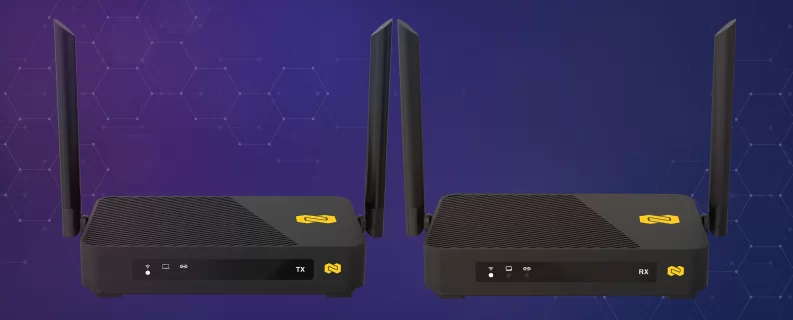
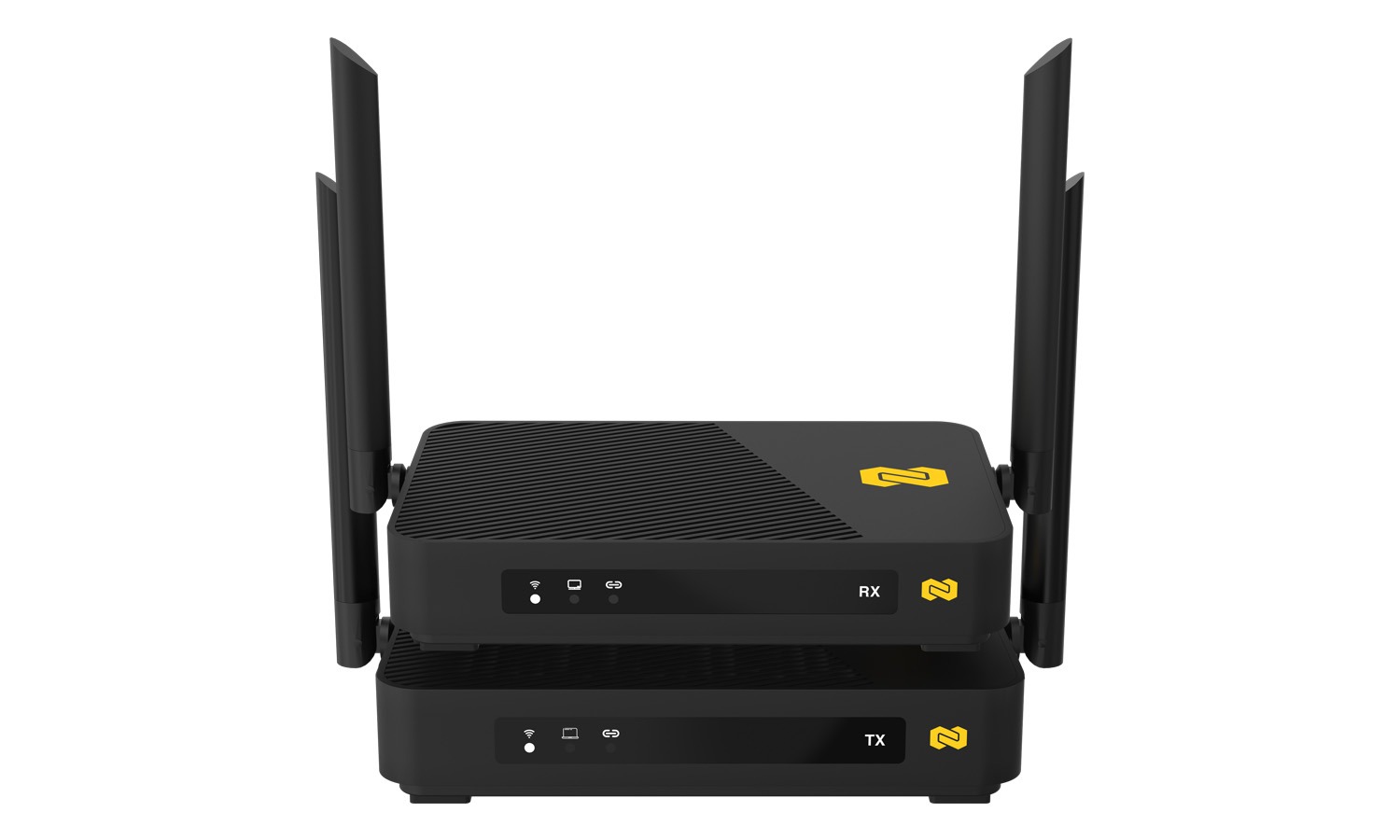
The BG-Air4Kast-Pro 4K60 Wireless HDMI Transmitter and Receiver System delivers professional-grade wireless video and audio transmission with virtually zero latency. Designed for high-performance environments, it supports 4K60 HDR10 video, 7.1-channel audio, and Dolby Atmos/DTS passthrough, providing a visually lossless and immersive audiovisual experience without the constraints of cables. With intelligent auto-pairing, USB KVM functionality, and IR control, the BG-Air4Kast-Pro makes extending HDMI signals across rooms seamless and reliable.
Perfect for business presentations, home theaters, healthcare facilities, or gaming setups, the system ensures stable, secure wireless operation even in crowded Wi-Fi environments. Its compact design, simple installation, and professional-grade features make it a versatile solution for both residential and commercial applications.
Features in Depth
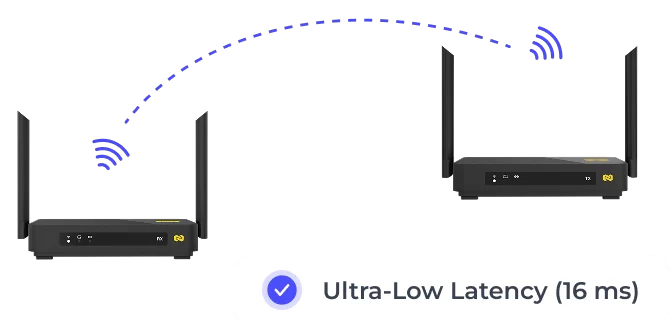
The BG-Air4Kast-Pro leverages advanced DSP codec technology alongside a proprietary low-latency wireless protocol to provide end-to-end latency as low as 16ms at 60fps, ensuring smooth, real-time transmission of high-resolution 4K60 HDR content. Built on a professional-grade 802.11ac MIMO 2T2R Wi-Fi platform, the system intelligently manages interference and channel selection to maintain stable video and audio streams, even in congested RF environments.
Supporting full 7.1-channel audio with Dolby Atmos and DTS passthrough, the transmitter and receiver preserve the original audio fidelity, making it ideal for cinematic or multi-room audio experiences. Additional features include IR extension for remote control of source devices from another room, as well as USB KVM for full keyboard and mouse operation over the wireless link.
With robust security measures, including WPA2-AES128 encryption and proprietary transmission algorithms, the BG-Air4Kast-Pro ensures that video, audio, and control signals remain secure. Its loop-through HDMI output allows local monitoring while simultaneously transmitting to a remote display, making it suitable for professional AV setups, classrooms, or multi-room entertainment systems.
BZBGEAR AWARDS



Features
-
![bi_badge-4k]() UltraHD 4K60 ResolutionSmooth, high-detail 4K60p video for a visually immersive experience
UltraHD 4K60 ResolutionSmooth, high-detail 4K60p video for a visually immersive experience -
![HDR Support]() HDR10 SupportEnhanced color, contrast, and dynamic range for stunning visuals
HDR10 SupportEnhanced color, contrast, and dynamic range for stunning visuals -
![Wireless]() Real-Time Low-Latency TransmissionEnd-to-end latency as low as 16ms, visually lossless
Real-Time Low-Latency TransmissionEnd-to-end latency as low as 16ms, visually lossless -
![Audio Formats]() 7.1-Channel Audio & Dolby Atmos/DTSWireless audio passthrough for multi-channel high-fidelity sound
7.1-Channel Audio & Dolby Atmos/DTSWireless audio passthrough for multi-channel high-fidelity sound -
![KVM]() USB KVM ExtensionFull keyboard and mouse control over the wireless link
USB KVM ExtensionFull keyboard and mouse control over the wireless link -
![solar_remote-controller-2-linear]() IR Remote Control ExtensionOperate HDMI sources from another room using standard IR remotes
IR Remote Control ExtensionOperate HDMI sources from another room using standard IR remotes


- Auto-pairing and smart channel selection for reliable wireless connection
- Professional 802.11ac MIMO 2T2R Wi-Fi architecture for high throughput and stability
- HDMI loop-out for local monitoring of the source device
- Supports 20/40/80 MHz channel widths with RF power up to 20 dBm
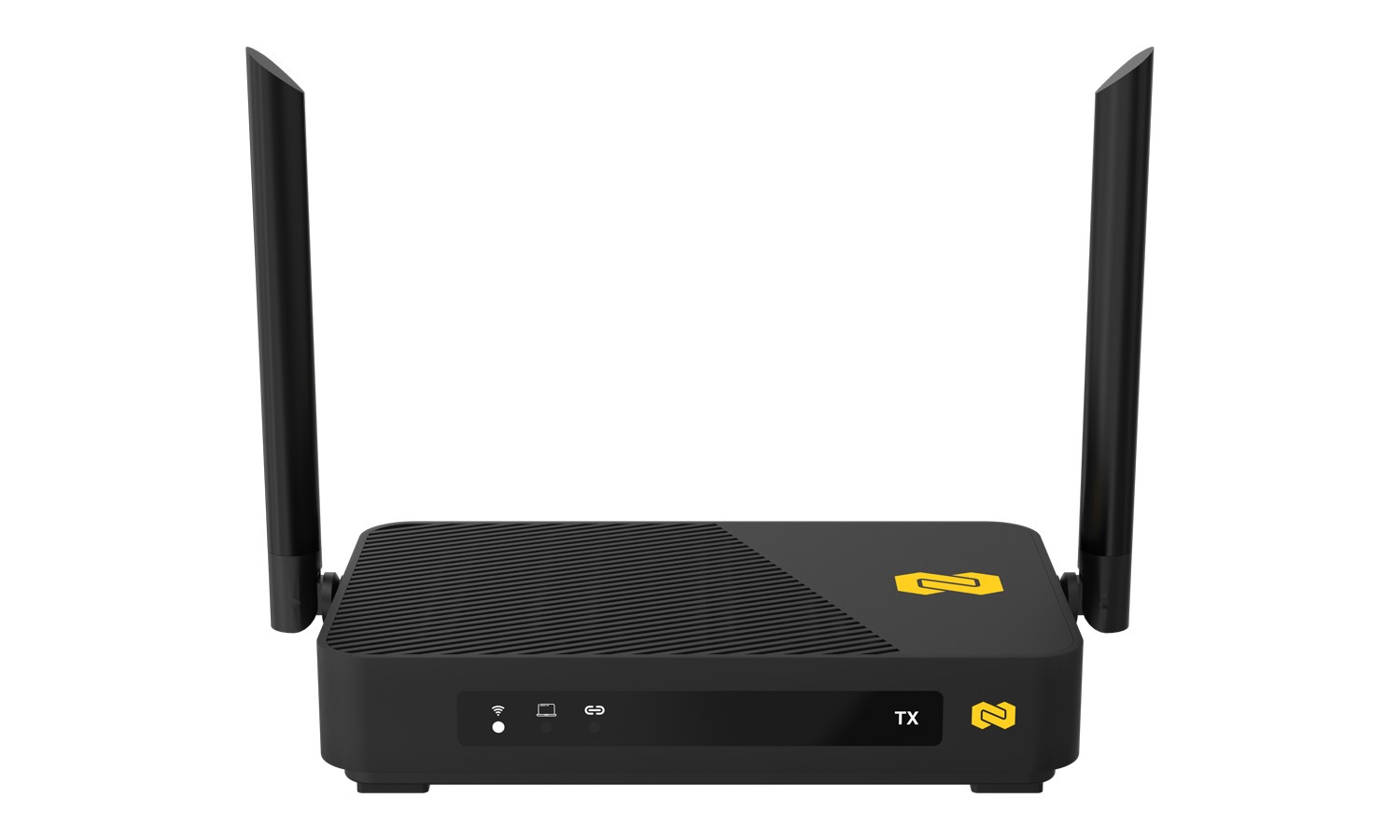
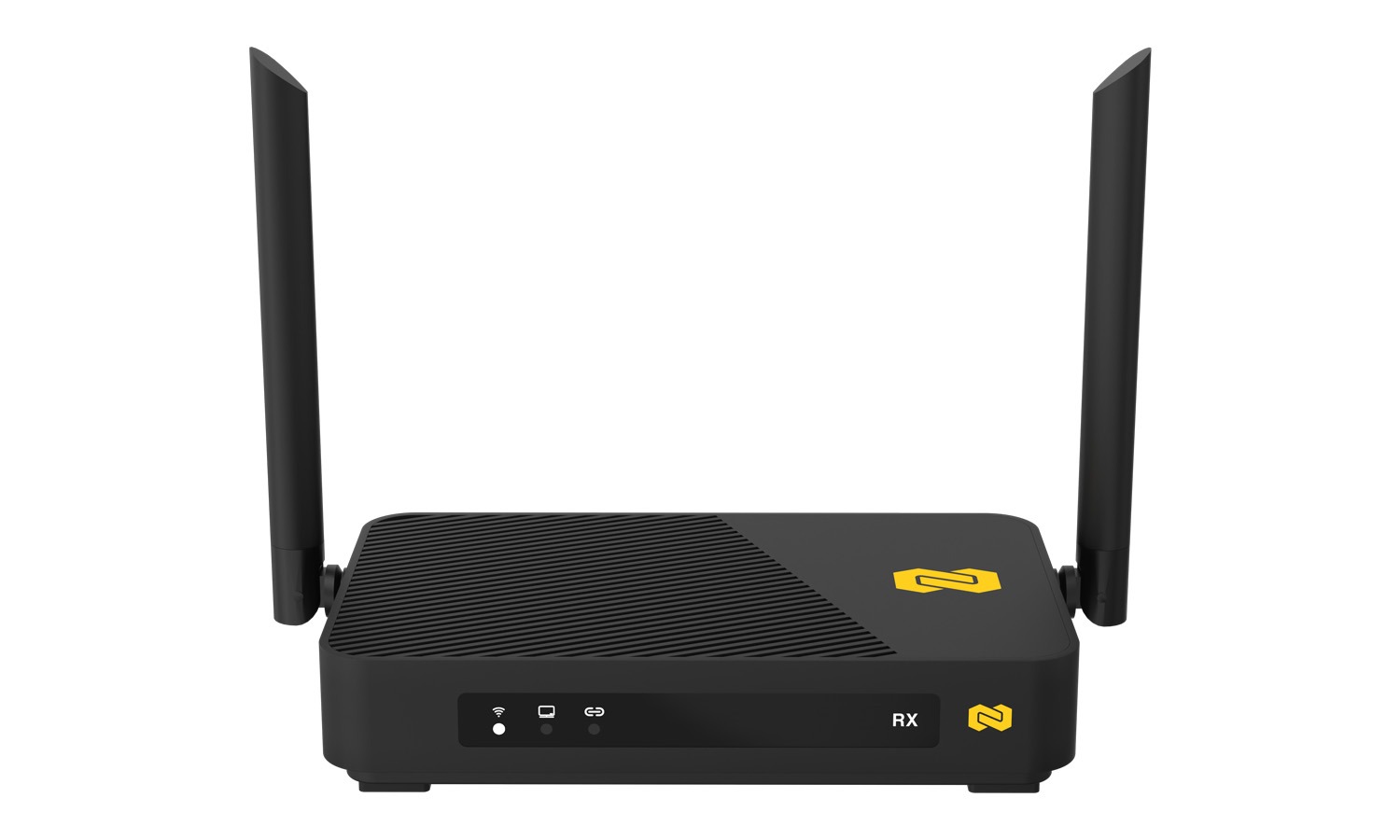
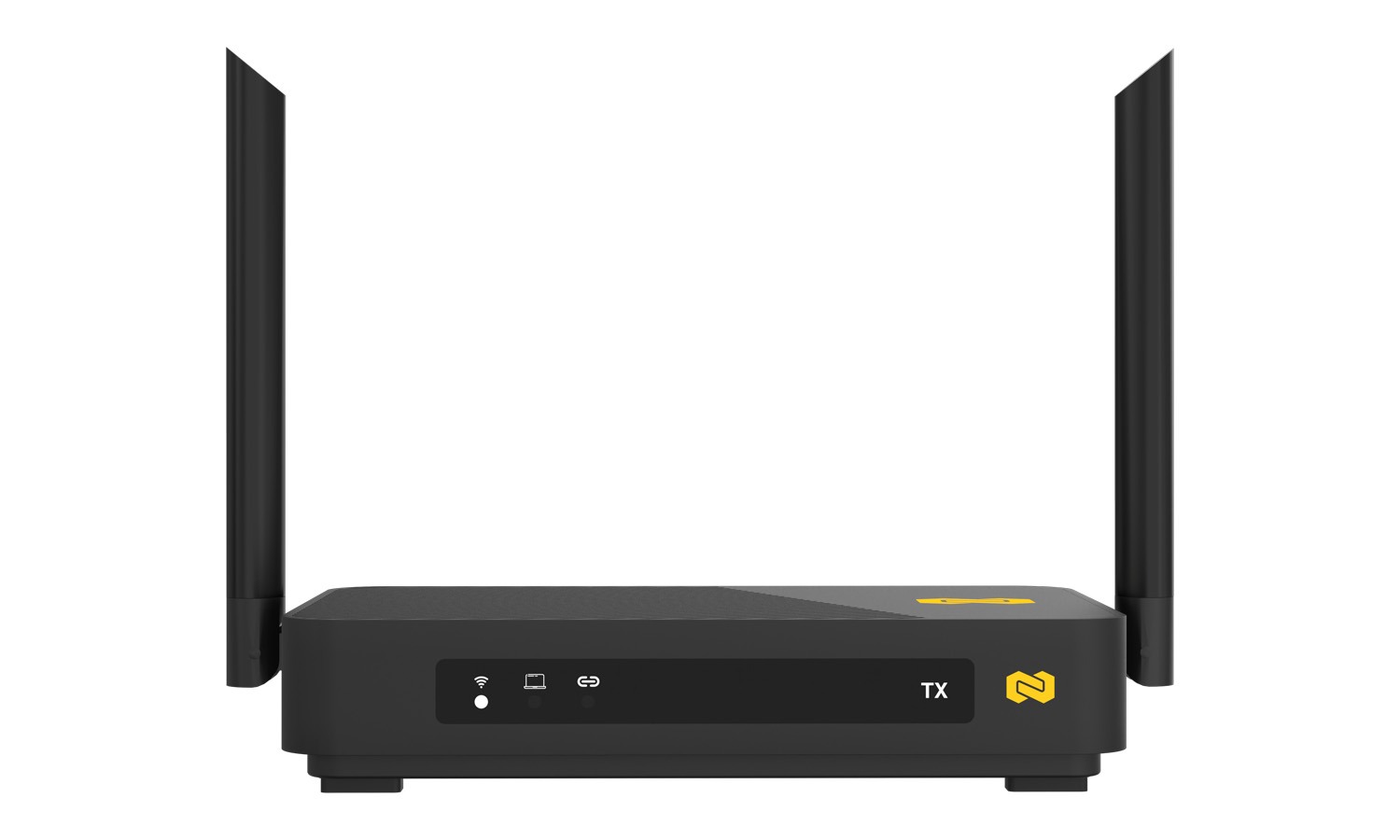
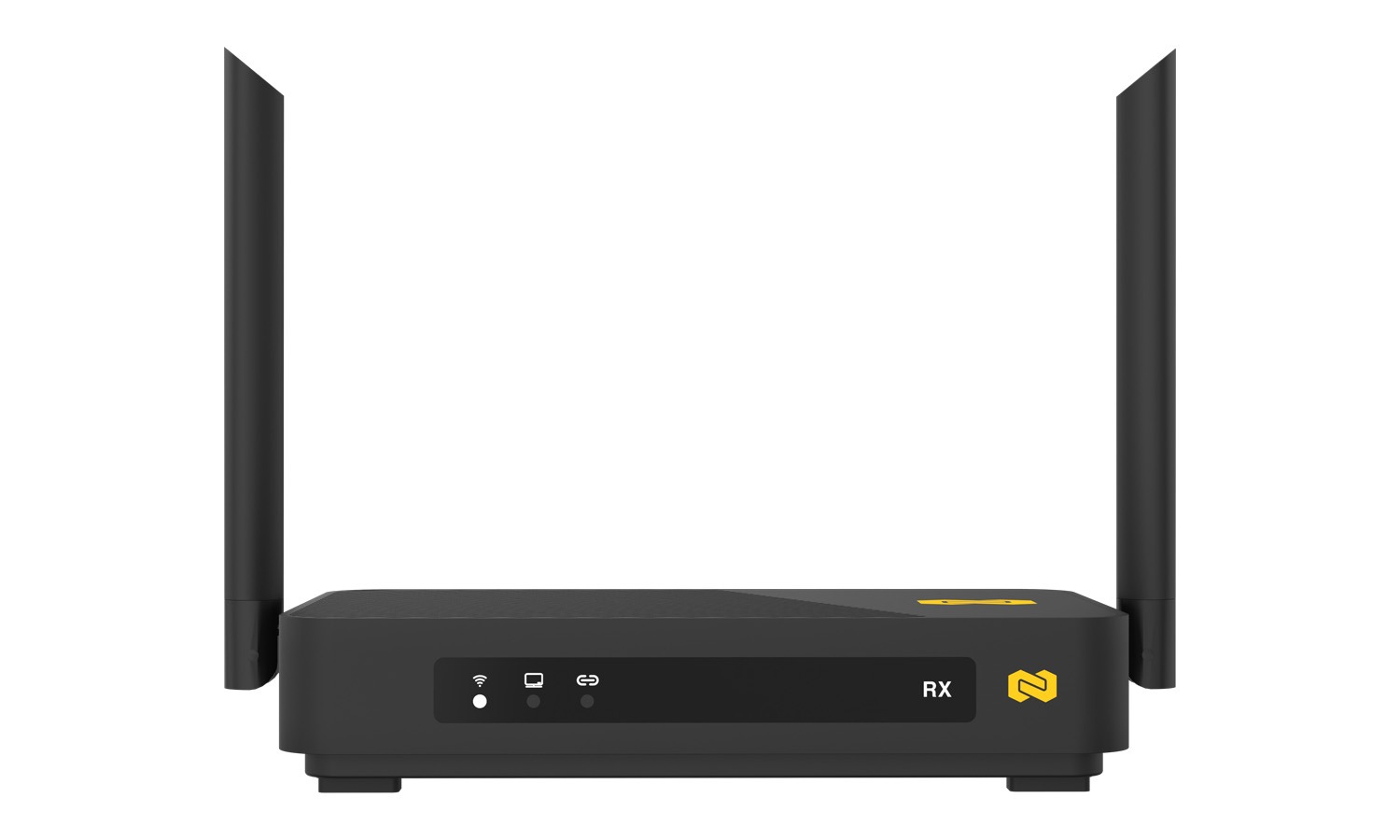
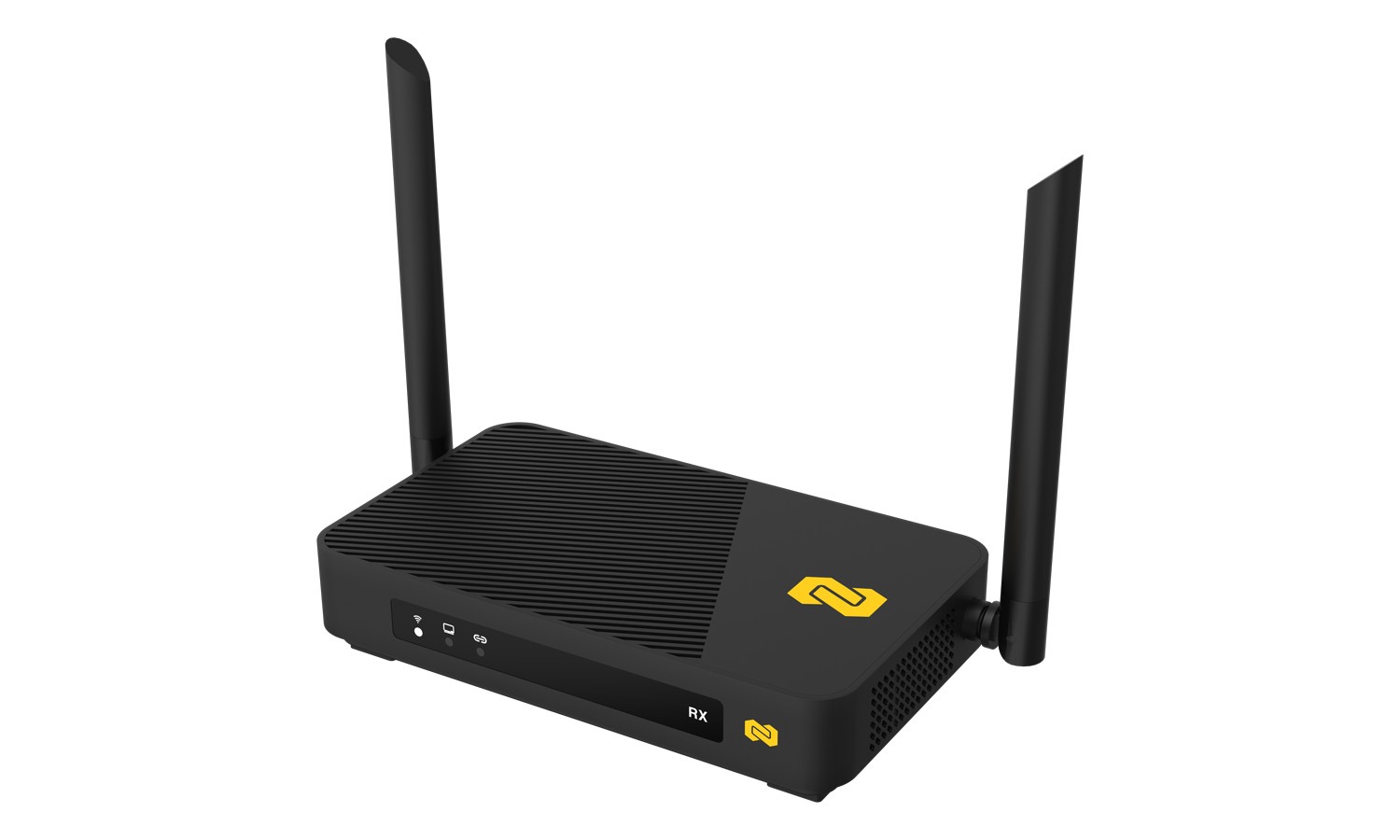
- Compact design with easy installation and LED indicators for status monitoring
- Secure data transmission with proprietary encryption protocols
 Ultra-Sharp 4K HDR Video Quality
Enjoy crystal-clear 4K UHD visuals with rich color, enhanced contrast, and exceptional detail—perfect for home theaters, presentations, gaming, and streaming.
Low-Latency Wireless Transmission
Experience smooth video without noticeable delay, ensuring responsive performance for live video, gaming, and real-time monitoring.
Plug-and-Play Operation
Simply connect power and HDMI cables—no networking expertise, apps, or complicated configuration required.
Additionally, our technical support is always one call, email, or message away!
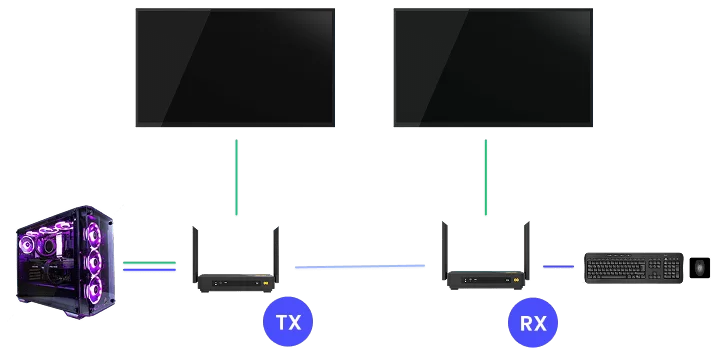
Long-Range Wireless Coverage
Stream across rooms or large spaces with strong wireless performance that maintains reliability and image quality over distance.
Flexible IR Control Support
Control your source device remotely through the wireless link, letting you operate DVRs, streaming boxes, Blu-ray players, and more from where you’re watching.
Videos

Tech Specifications
Transmitter
| Parameter | Specification |
| HDMI Input Version | HDMI 2.0 |
| HDCP Version | HDCP 2.2 |
| Supported Input Resolutions | 2160p60, 2160p30, 2160x1200/90fps, 2880x1600/90fps, 1080p120, 1080p60, 1080p30, 1080p24, 1080i50/60, 720p30/60, 480p60 |
| HDMI Loop-Out | Up to 4K60 |
| Wireless Transmission Resolution | Up to 4K60 |
| HDR Support | HDR10 (10-bit) |
| Audio Support | Up to 7.1-channel audio |
| Dolby Atmos / DTS Passthrough | Supports wireless passthrough to compatible TVs/receivers for decoding and playback |
| Latency | As low as 16ms at 60fps (typical 16–48ms depending on content complexity and Wi-Fi conditions) |
| Security | WPA2-AES128 encryption + proprietary coding and transmission algorithms |
| IR Extension | Supports 38 kHz – 56 kHz |
| USB KVM | Supports wireless keyboard/mouse control |
| Wireless Standard | IEEE 802.11a/b/g/n/ac, 5.8 GHz |
| Wi-Fi Frequency Range | 5.150 GHz - 5.825 GHz |
| Supported Frequency Bands | 5150-5350 MHz, 5470-5725 MHz, 5725-5850 MHz, 5850-5925 MHz (usage subject to regional regulation) |
| Wi-Fi Bandwidth | 866 Mbps (5 GHz) |
| Video Bitrate | Up to 270 Mbps |
| Channel Width Support | 20 MHz / 40 MHz / 80 MHz |
| RF Power Output | Up to 20 dBm |
| Antennas | 2 x 5 dBi high-sensitivity antennas |
| Transmission Distance | Up to 100 meters (clear line-of-sight) |
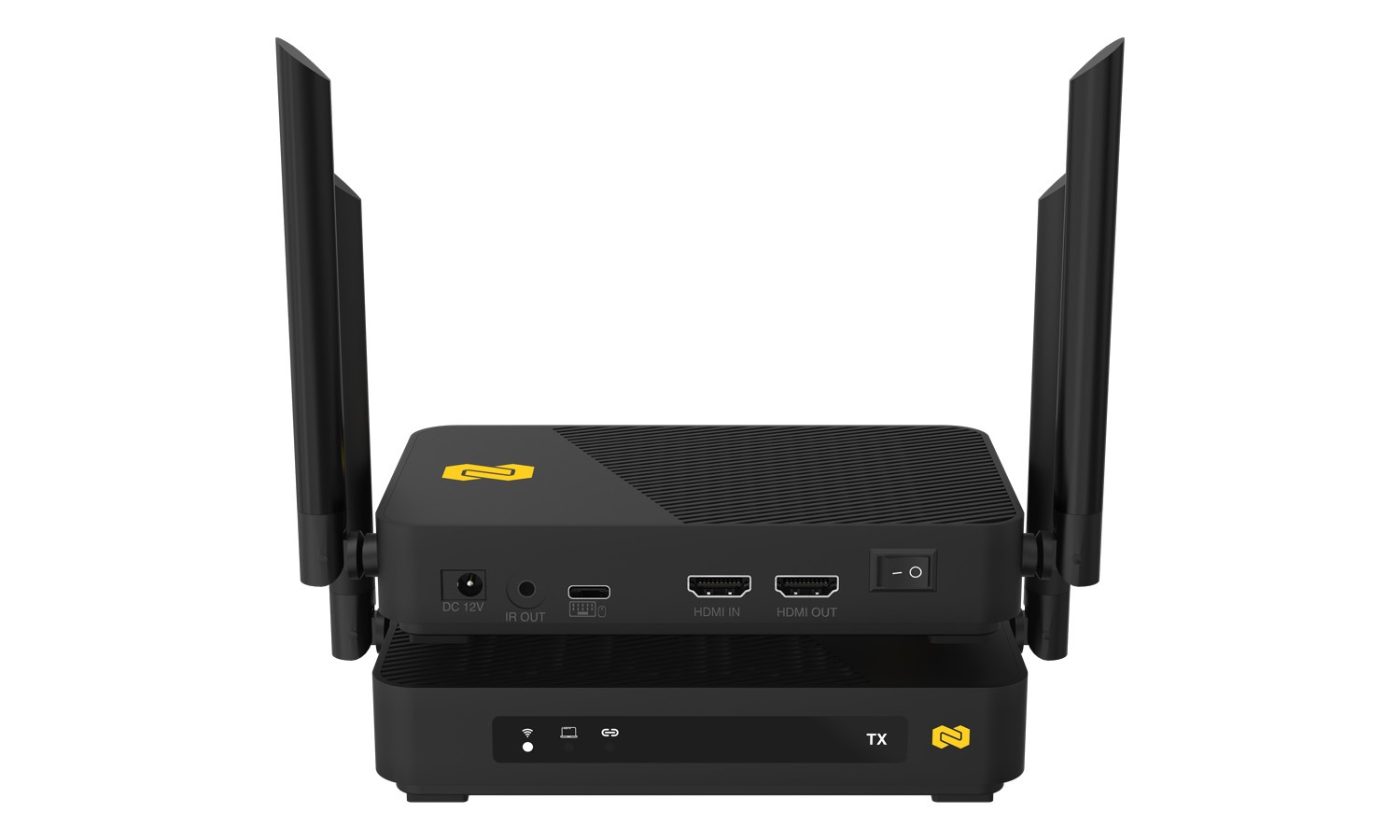
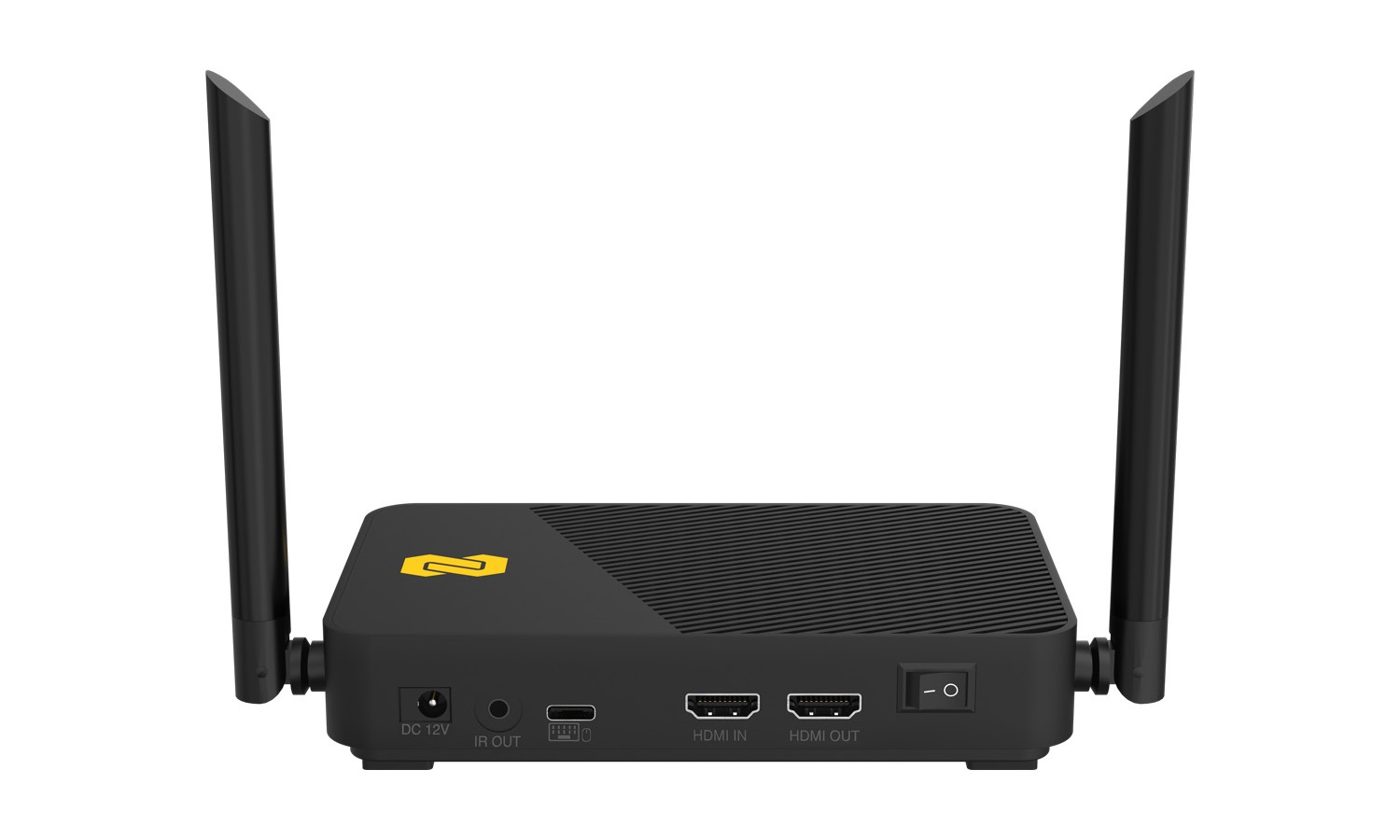
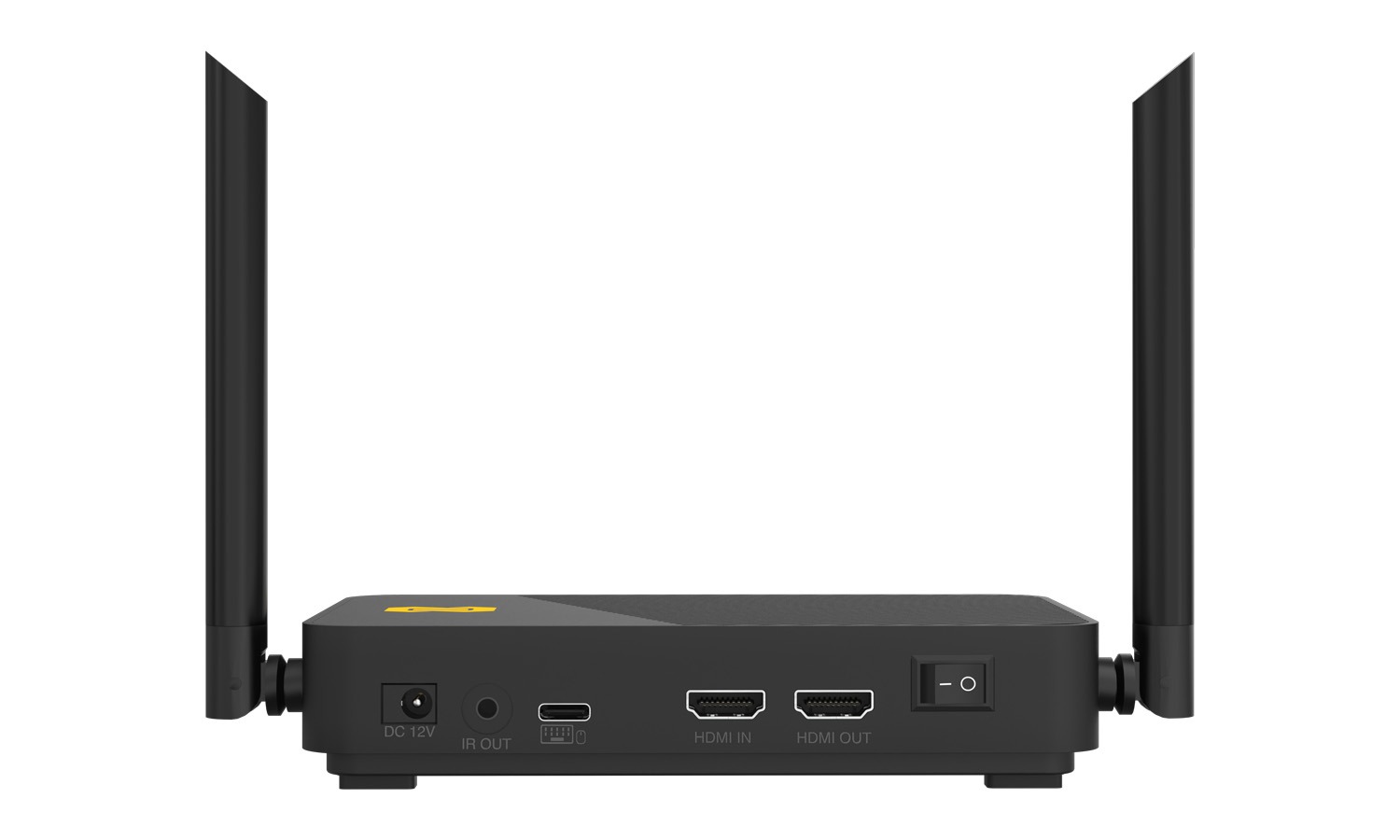
| I/O Ports | HDMI In (2.0) x1, HDMI Out (2.0) x1, USB Type-C x1, IR In x1, IR Out x1, DC Power x1 |
| Controls | Power Button |
| Indicators | 2 x Status LEDs |
| Power Supply | 12V / 1.5A |
| Power Consumption | 10W |
Receiver
| Parameter | Specification |
| HDMI Output Version | HDMI 2.0 |
| HDCP Version | HDCP 2.2 |
| HDMI Output Resolution | Up to 4K60 |
| Wireless Transmission Resolution | Up to 4K60 |
| HDR Support | HDR10 (10-bit) |
| Audio Support | Up to 7.1-channel audio |
| Dolby Atmos / DTS Passthrough | Supports wireless passthrough to compatible TVs/receivers for decoding and playback |
| Latency | As low as 16ms at 60fps (typical 16–48ms depending on content complexity and Wi-Fi conditions) |
| Security | WPA2-AES128 encryption + proprietary coding and transmission algorithms |
| IR Extension | Supports 38 kHz – 56 kHz |
| USB KVM | Supports wireless keyboard/mouse back-control |
| Wireless Standard | IEEE 802.11a/b/g/n/ac, 5.8 GHz |
| Wi-Fi Frequency Range | 5.150 GHz – 5.825 GHz |
| Supported Frequency Bands | 5150–5350 MHz, 5470–5725 MHz, 5725–5850 MHz, 5850–5925 MHz (usage subject to regional regulation) |
| Wi-Fi Bandwidth | 866 Mbps (5 GHz) |
| Video Bitrate | Up to 270 Mbps |
| Channel Width Support | 20 MHz / 40 MHz / 80 MHz |
| RF Power Output | Up to 20 dBm |
| Antennas | 2 x 5 dBi high-sensitivity antennas |
| Transmission Distance | Up to 100 meters (clear line-of-sight) |
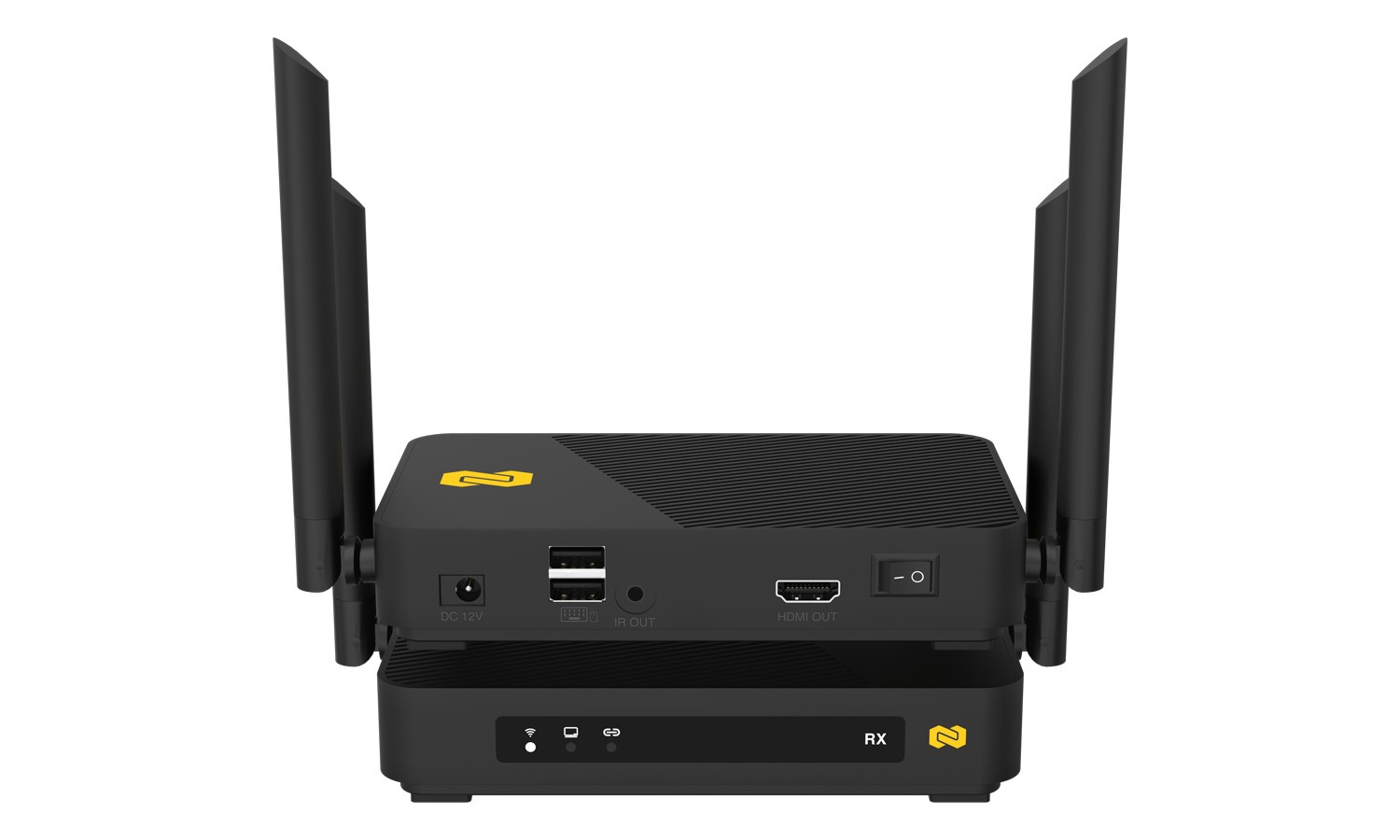
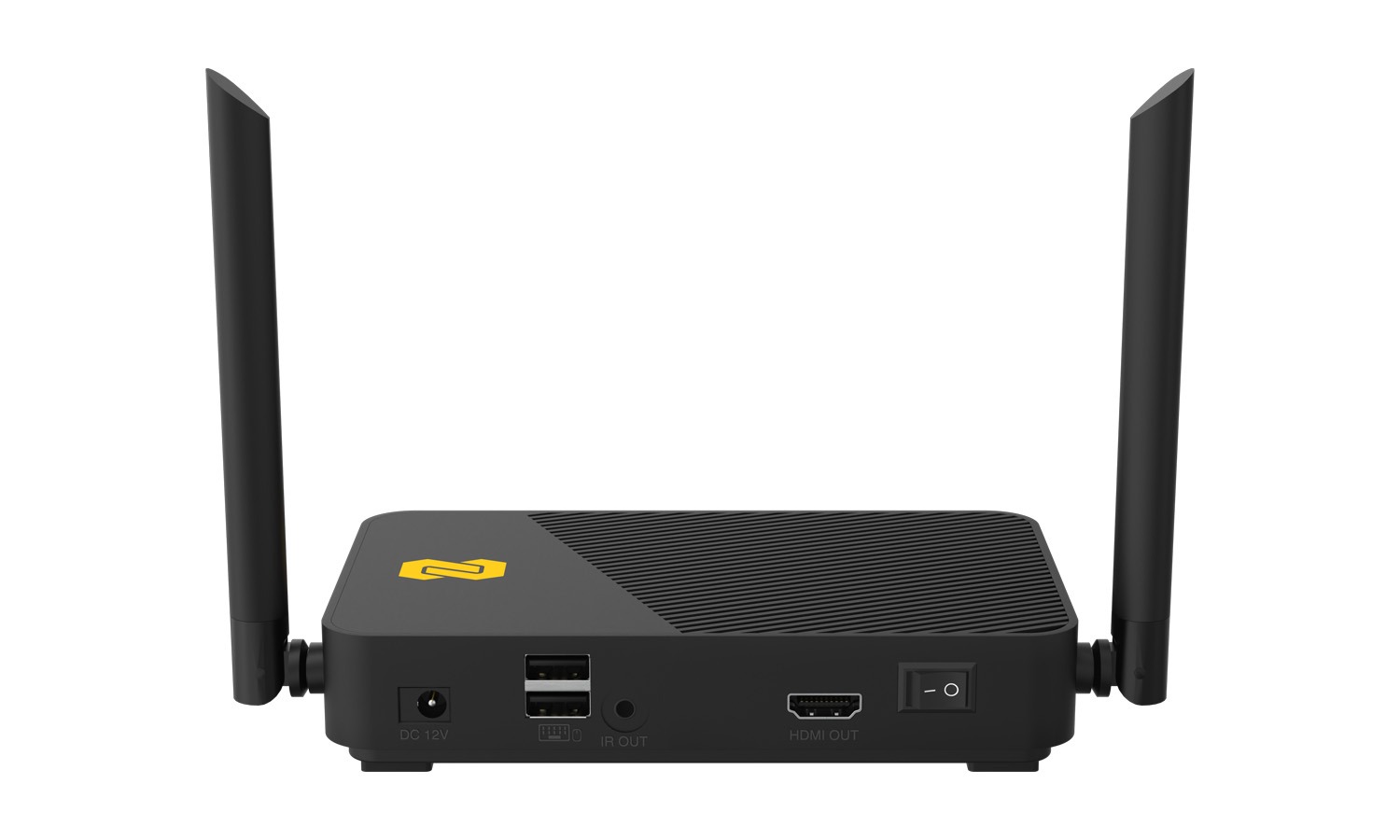
| I/O Ports | HDMI Out (2.0) x1, USB x2, IR In x1, IR Out x1, Audio Out x1, DC Power x1 |
| Controls | Power Button |
| Indicators | 2 x Status LEDs |
| Power Supply | 12V / 1.5A |
| Power Consumption | 10W |
Resources


PACKAGE CONTENTS
- 1x Transmitter
- 1x Receiver
- 2x 12V1.5A Power Adapter
- 1x Type C Cable for KVM
- 1x IR Transmitt Cable
- 1x IR Receive Cable
- 2x HDMI Cable
- 1x User Manual
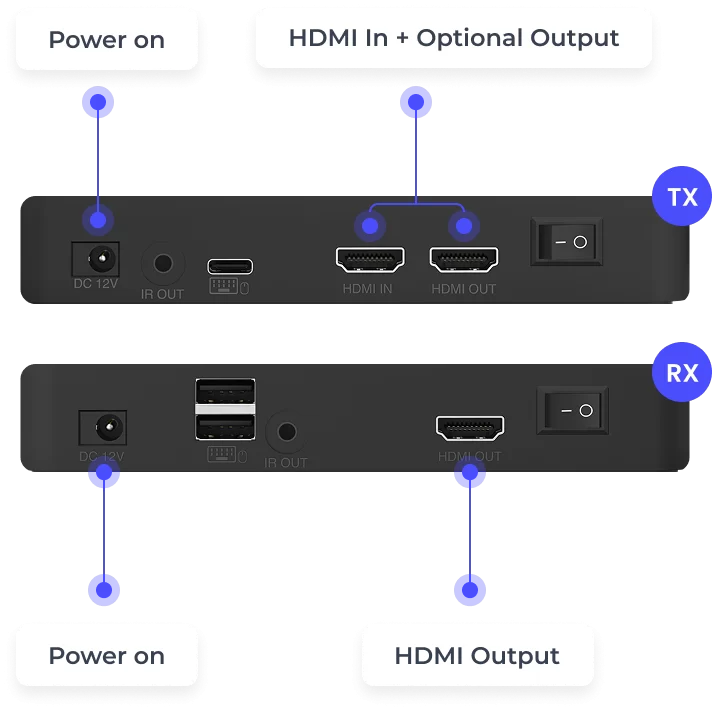
Interfaces
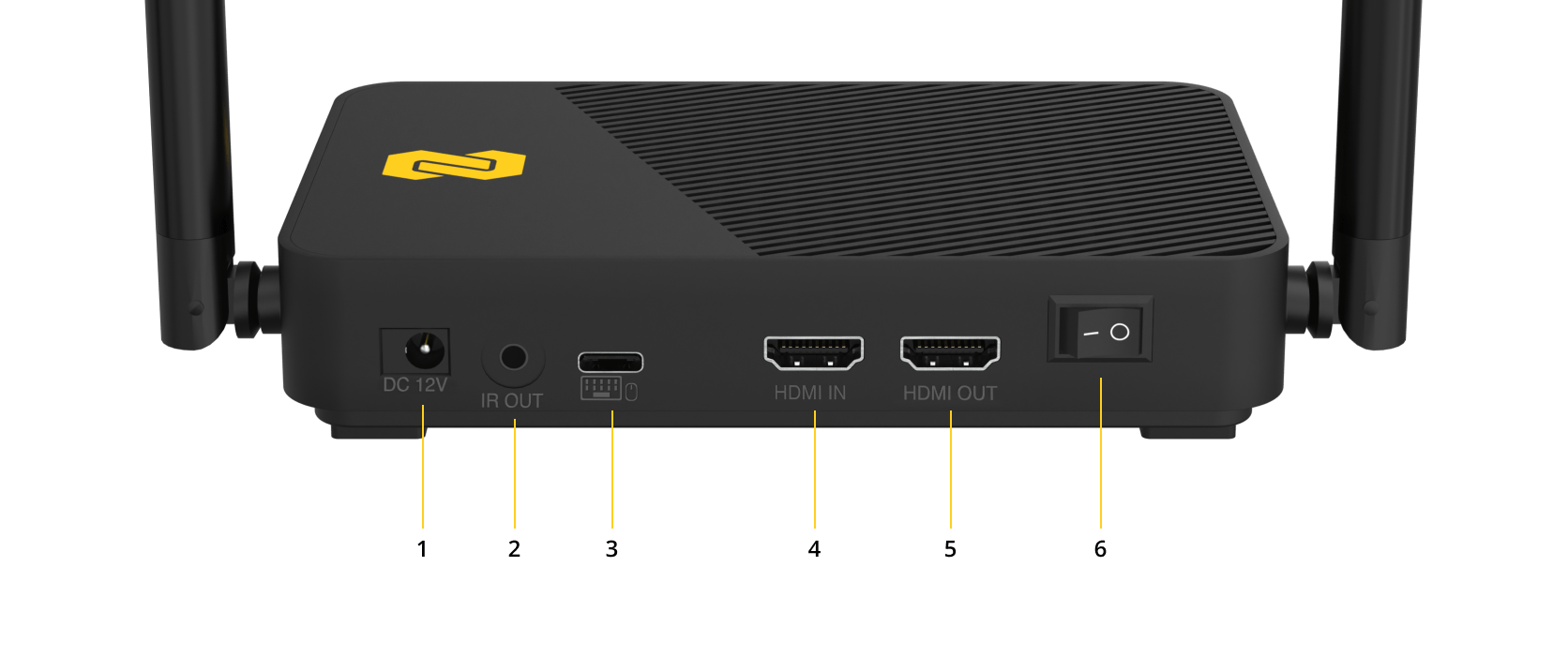
Transmitter
- DC 12V/1.5A Power Input: Connect to the included power adapter to supply power to the transmitter.
- IR In Port: Connect an IR receiver cable to enable remote control signal capture from the viewing location.
- USB Type-C Port: Connect to the USB port of the video source device to enable USB KVM keyboard and mouse control.
- HDMI Input (HDMI In): Connect to the HDMI output of the source device.
- HDMI Loop-Out (HDMI Out): Connect to a local display for direct pass-through monitoring.
- Power Switch: Turns the transmitter on or off.
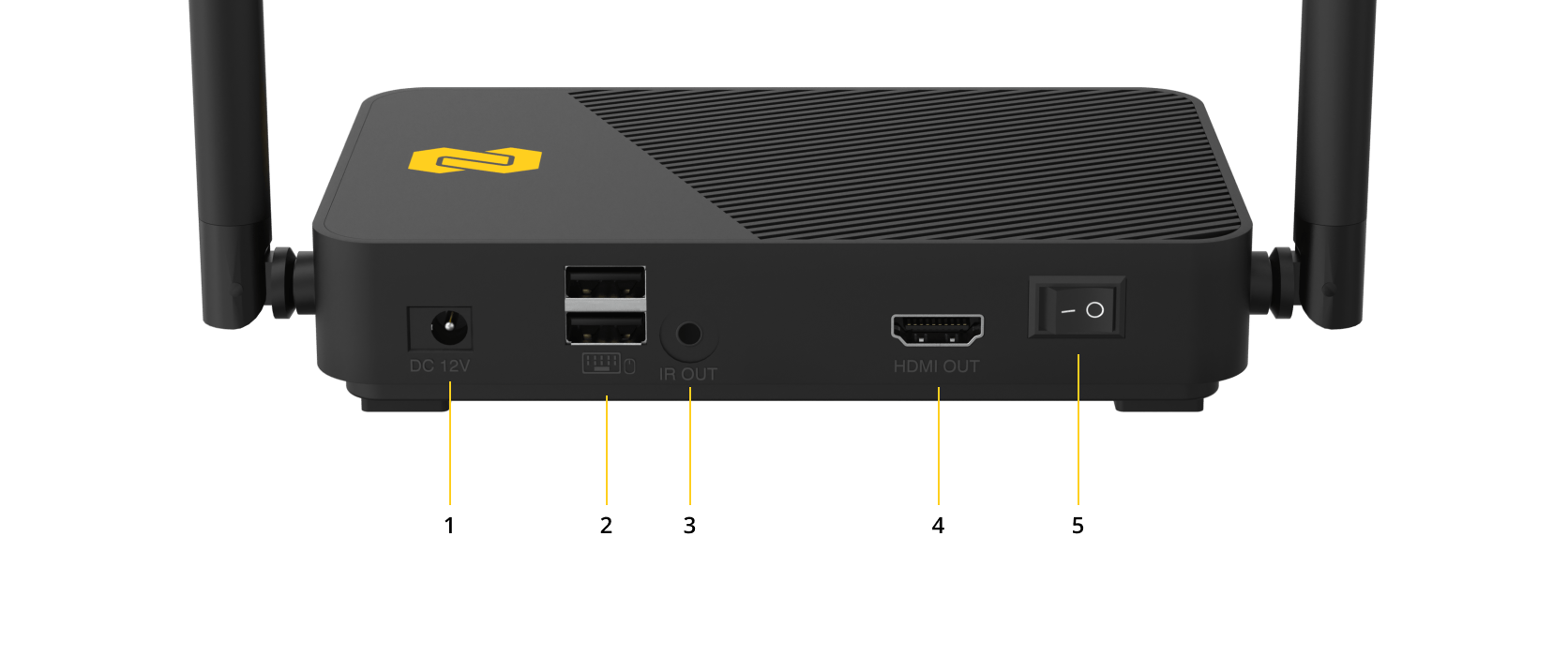
Receiver
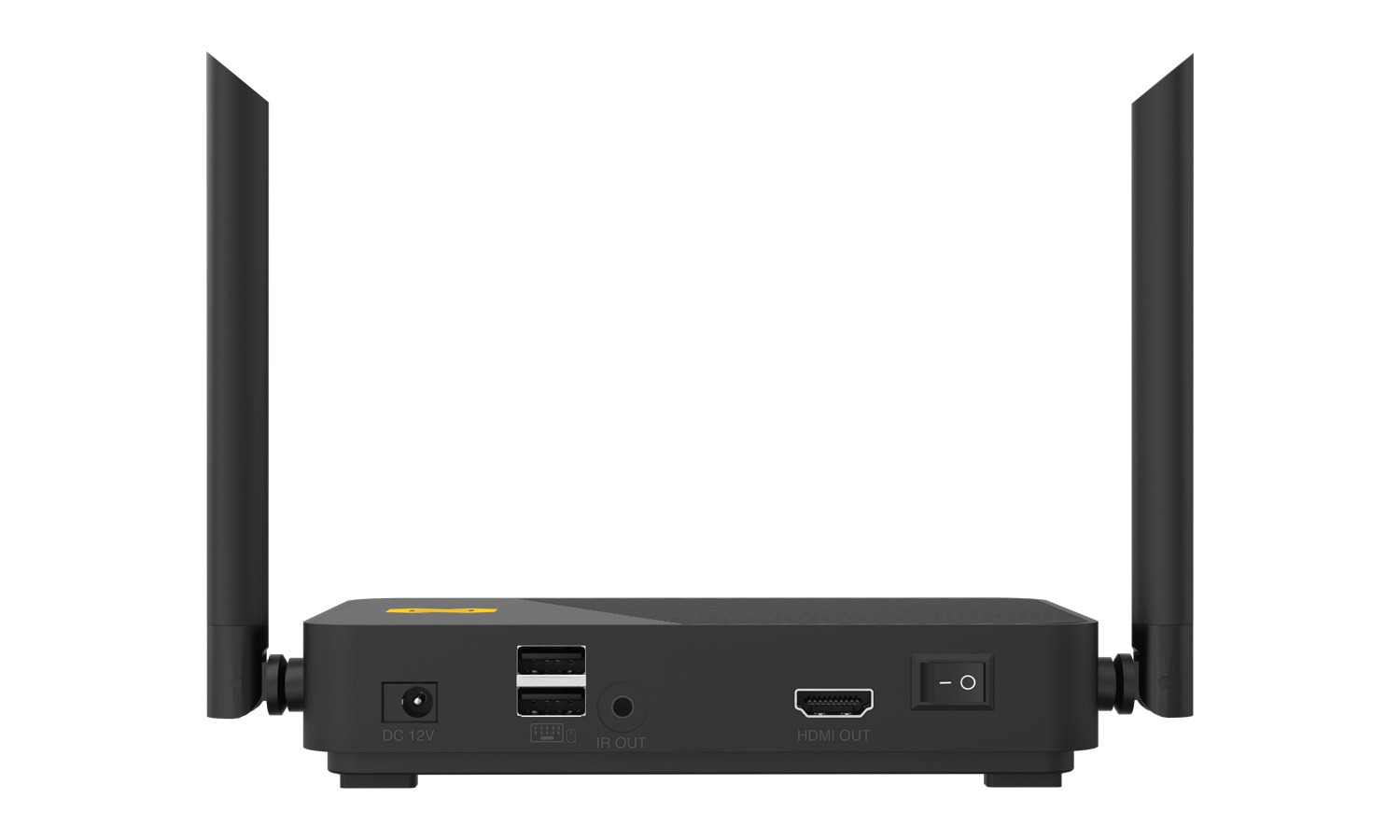
- DC 12V/1.5A Power Input: Connect to the included power adapter to supply power to the receiver.
- USB Ports (×2): Connect a keyboard and mouse for USB KVM functionality, or connect the USB port of a touch panel for touch-back control.
- IR In Port: Connect an IR receiver cable to enable remote control signal capture from the display location.
- HDMI Output (HDMI Out): Connect to a display or projector for wireless video and audio output.
- Power Switch: Turns the receiver on or off.



