




and engineering support


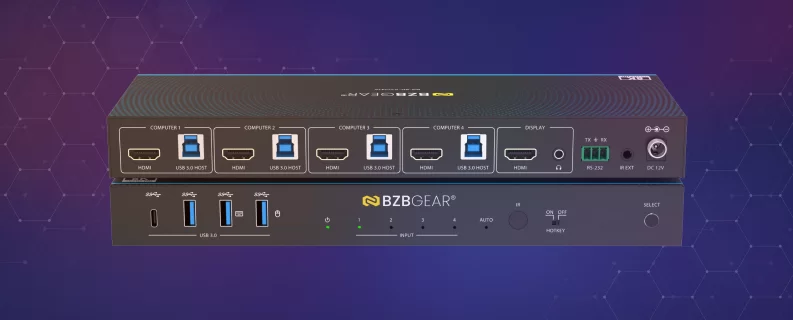
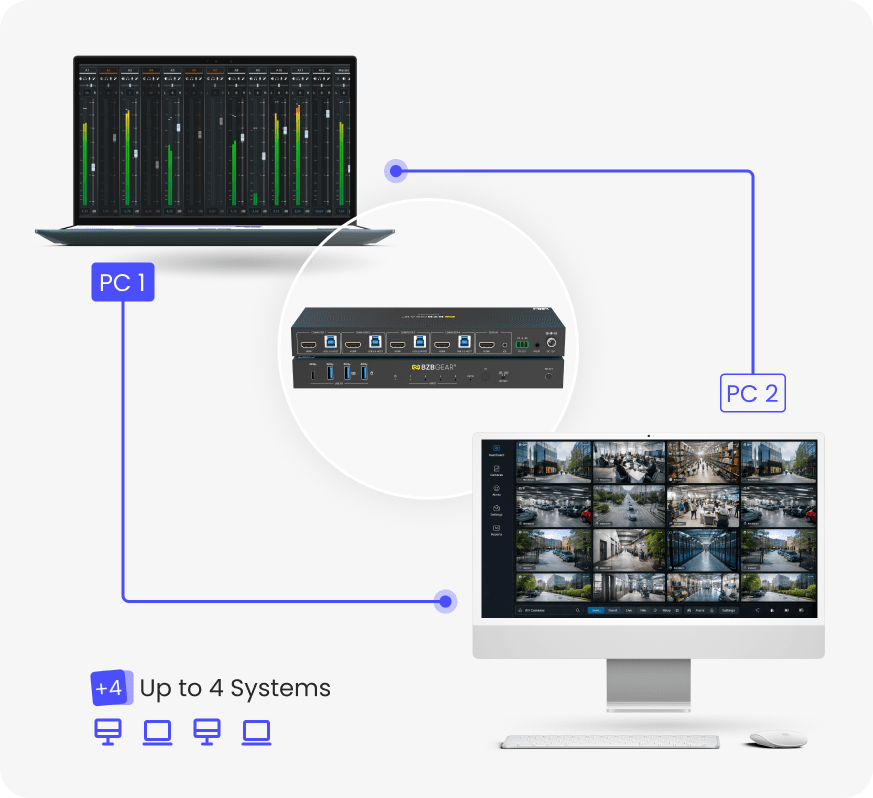
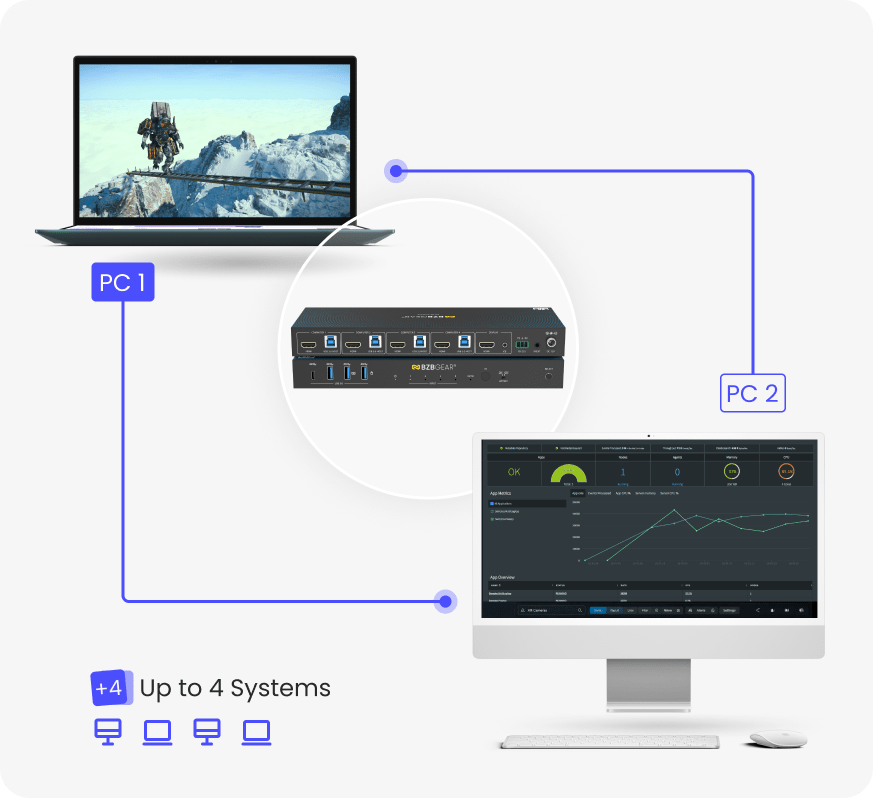
The BG-8K-KVM41A is a high-performance 8K60 4x1 KVM switch designed to simplify multi-computer control without sacrificing video quality or responsiveness. Using a single keyboard, mouse, and display, users can instantly switch between up to four HDMI 2.1 source devices while maintaining ultra-high resolutions, smooth motion, and zero latency. It’s an ideal solution for professional workstations, control rooms, content creators, and high-end gaming setups.
With support for 8K@60Hz, 4K@120/144Hz, advanced HDR formats, and USB 3.0 peripheral sharing, the BG-8K-KVM41A delivers a seamless and efficient workflow. Multiple control options - including front panel buttons, keyboard and mouse hotkeys, IR remote, and RS-232 - ensure flexible operation in both desktop and professional AV environments.
Features In-Depth
Built on HDMI 2.1 architecture, the BG-8K-KVM41A supports up to 40Gbps video bandwidth, enabling ultra-high-resolution video with full color depth and HDR pass-through. Advanced HDMI features such as VRR, ALLM, QMS, QFT, and SBTM ensure smooth, tear-free visuals and optimal performance for modern GPUs and media sources. Full HDCP 2.3 compliance guarantees compatibility with protected content across all connected devices.
Each HDMI input includes a dedicated EDID emulator, ensuring stable signal negotiation and preventing resolution or handshake issues when switching between computers. The switcher is engineered for zero video and audio latency, making it suitable for real-time applications such as live production, simulation, and competitive gaming.
For KVM functionality, the BG-8K-KVM41A integrates USB 3.0 (USB 3.2 Gen 1) ports that allow high-speed sharing of peripherals such as keyboards, mice, webcams, printers, and external storage devices at up to 5Gbps. A built-in virtual interaction feature automatically wakes connected PCs from standby, reducing switching delays and improving productivity. Broad OS compatibility - including Windows, macOS, and Linux - ensures true plug-and-play operation with no drivers required.
Features
-
![bi_badge-8k]() 8K Ultra HD PerformanceSupports resolutions up to 8K@60Hz, 4K@120/144Hz, and 1080p@240Hz with zero latency
8K Ultra HD PerformanceSupports resolutions up to 8K@60Hz, 4K@120/144Hz, and 1080p@240Hz with zero latency -
![Compliant]() HDMI 2.1 & HDCP 2.3 CompliantEnsures compatibility with the latest video sources and protected content
HDMI 2.1 & HDCP 2.3 CompliantEnsures compatibility with the latest video sources and protected content -
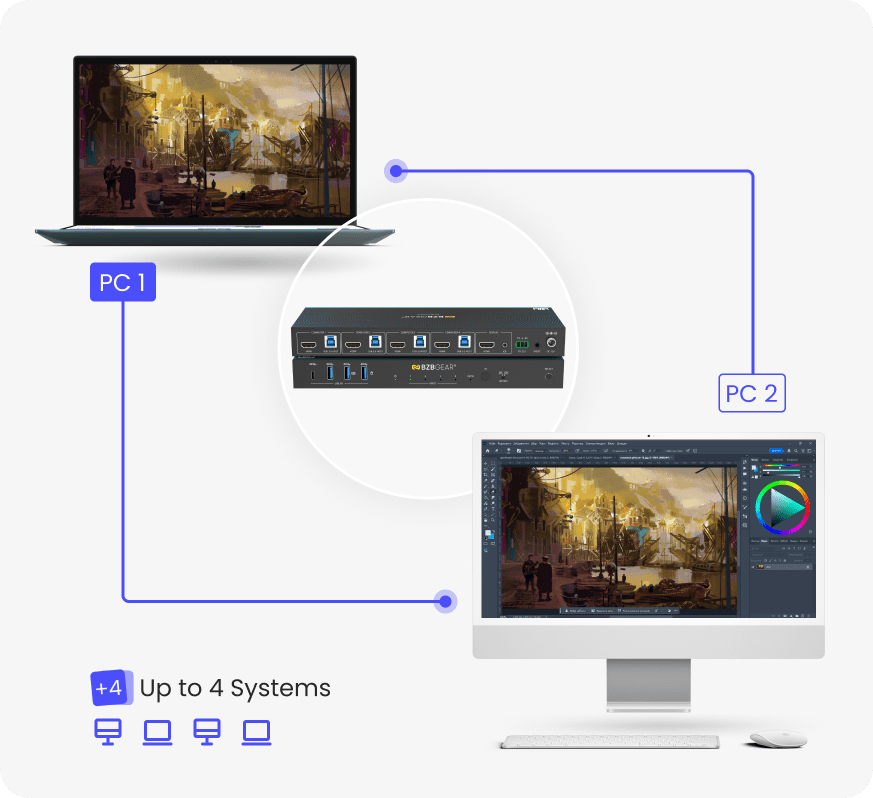
![KVM]() 4x1 KVM ControlOperate up to four computers using a single keyboard, mouse, and display
4x1 KVM ControlOperate up to four computers using a single keyboard, mouse, and display -
![bi_usb-symbol]() USB 3.0 Peripheral SharingShare USB devices at speeds up to 5Gbps for seamless KVM functionality
USB 3.0 Peripheral SharingShare USB devices at speeds up to 5Gbps for seamless KVM functionality -
![Four Control Modes]() Multiple Switching MethodsControl switching via hotkeys, front panel buttons, IR remote, or RS-232
Multiple Switching MethodsControl switching via hotkeys, front panel buttons, IR remote, or RS-232 -
![Advanced EDID]() EDID Emulation on Each InputEDID Emulation on Each Input: Guarantees stable signal output and consistent display behavior
EDID Emulation on Each InputEDID Emulation on Each Input: Guarantees stable signal output and consistent display behavior


- Supports HDR, HDR10, HDR10+, Dolby Vision, and HLG pass-through
- HDMI 2.1 gaming features including VRR, ALLM, QMS, QFT, and SBTM
- Virtual interaction auto-wake feature for connected PCs
- Auto-switching mode for active input detection
- Seamless keyboard and mouse switching
- Hotkey enable/disable switch for flexible USB behavior
- IR extension support for concealed installations
- RS-232 control with ASCII command support
- Compact metal enclosure for durability and easy installation
- Plug-and-play operation with no drivers required
- Compatible with Windows, macOS, and Linux systems
The BG-8K-KVM41A allows creators to switch instantly between up to four production systems - such as editing, color grading, rendering, and review - while maintaining full uncompressed HDMI 2.1 signal integrity. With 48Gbps bandwidth and 4:4:4 color support, visual accuracy is preserved across HDR workflows without chroma loss or scaling artifacts.
Independent EDID emulation on each input ensures every workstation retains its native resolution, refresh rate, and color profile. This enables uninterrupted production, faster reviews, and consistent visual monitoring across complex creative pipelines.
In professional AV and IT environments, operators often manage multiple systems simultaneously, each serving a different operational role. The BG-8K-KVM41A consolidates control of four computers into a single workstation without introducing latency or USB re-enumeration delays.
USB 3.0 peripheral sharing supports high-speed devices such as control panels, storage, and cameras, while virtual interaction technology minimizes downtime by waking systems automatically during switching. With RS-232 and IR control, the switch integrates seamlessly into automated and centralized control infrastructures.
Competitive gaming and simulation environments often rely on multiple dedicated systems for gameplay, streaming, analysis, and redundancy. The BG-8K-KVM41A enables instant switching between up to four systems while preserving high refresh rates and ultra-low latency essential for competitive integrity.
HDMI 2.1 gaming features such as VRR and ALLM ensure smooth, tear-free visuals and optimized frame timing across all connected sources. Flexible switching options allow players and operators to transition between systems without interrupting performance or immersion.
Tech Specifications
| Technical | |||
| HDMI Compliance | HDMI 2.1 | ||
| HDCP Compliance | HDCP 2.3 | ||
| Video Bandwidth | 40Gbps | ||
| Audio Latency | No Latency | ||
| Video Latency | No Latency | ||
| Video Resolution | Up to 8K@60Hz, 4K@120Hz/144Hz, 1080P@240Hz | ||
| IR Level | 5Vp-p | ||
| IR Frequency | Fixed frequency 38KHz | ||
| Color Space | RGB 4:4:4, YCbCr 4:4:4, YCbCr 4:2:2, YCbCr 4:2:0 | ||
| Color Depth | 8/10/12bit | ||
| HDR | HDR, HDR10, HDR10+, Dolby Vision, HLG | ||
| CEC | Support | ||
| Audio Formats | HDMI IN/OUT: LPCM, Dolby Digital/Plus/EX, Dolby True HD, Dolby Atmos, DTS, DTS-EX, DTS-96/24, DTS High Res, DTS-HD Master Audio, DTS:X, DSD L/R OUT: PCM 2.0CH |
||
| ESD Protection | IEC61000-4-2: ±8kV (Air-gap discharge), ±4kV (Contact discharge) |
||
| Connection | |||
| Input Ports | 4 x HDMI input [Type A, 19-pin female] | ||
| Output Ports | 1 x HDMI output [Type A, 19-pin female] 1 x L/R audio output [3.5mm Stereo Mini-jack] |
||
| Control ports | 1 x RS-232 [3pin-3.81mm phoenix connector] 1 x IR EXT [3.5mm Stereo Mini-jack] 2 x USB HOST [USB Type B] 4 x USB DEVICES [USB Type A] |
||
| Mechanical | |||
| Housing | Metal Enclosure | ||
| Color | Black | ||
| Dimensions (W x D x H) | 11in x 3.9in x 1.2in [270mm x 100mm x 30mm] | ||
| Weight | 1.7 lbs [756g] | ||
| Power Supply | Input: AC 100 - 240V 50/60Hz Output: DC 12V/1A (US/EU standard, CE/FCC/UL certified) |
||
| Power Consumption | Typical value: 6.26W Standby mode: 0.6W |
||
| Operating Temperature | 32 - 104°F / 0 - 40°C | ||
| Storage Temperature | -4 - 140°F / -20 - 60°C | ||
| Relative Humidity | 20 - 90% RH (no-condensing) | ||
| Recommended HDMI Cable | |||
| Video Resolution | 8K60/8K30/4K120 | 4K60 | 1080P |
| HDMI Cable Type | Ultra HDMI 2.1 cable | HDMI cable | HDMI cable |
| HDMI Cable Length (HDMI IN / OUT) |
2m/6.6ft | 5m/16ft | 10m/33ft |
| The use of “Premium High Speed HDMI” cable is highly recommended. | |||
Resources


PACKAGE CONTENTS
- 1 x 8K60 4x1 KVM Switcher
- 1 x IR Remote
- 1 x 3pin-3.81mm Phoenix Connector (male)
- 1 x Fixed Frequency 38KHz IR Receiver Cable (1.5 meters)
- 4 x USB Cable (USB 3.0, AM to BM, 1.8 meters)
- 4 x HDMI Cable (male to male, 1.5 meters)
- 2 x Mounting Ears
- 4 x Machine Screws (KM3*4)
- 1 x 12V/1A Multinational Locking Power Supply
- 1 x User Manual
Interfaces
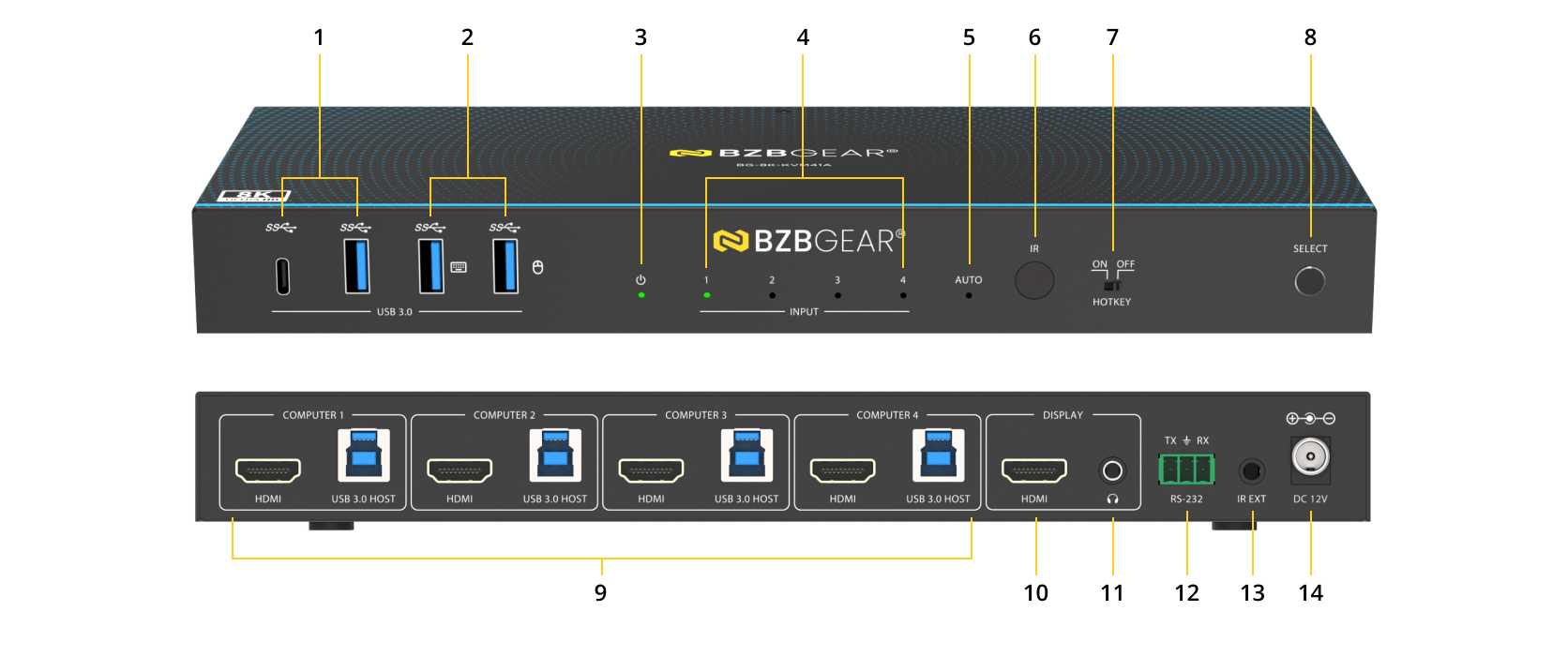
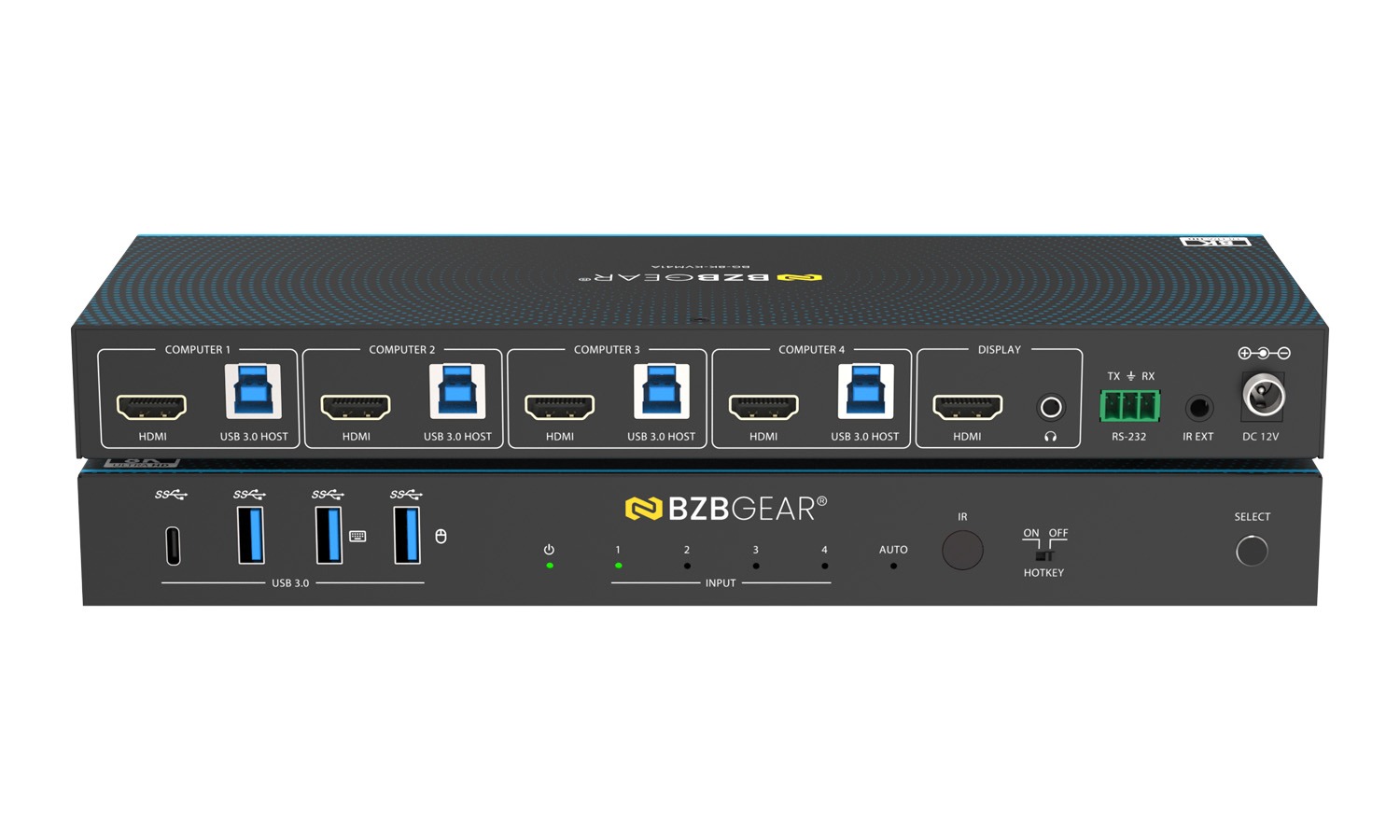
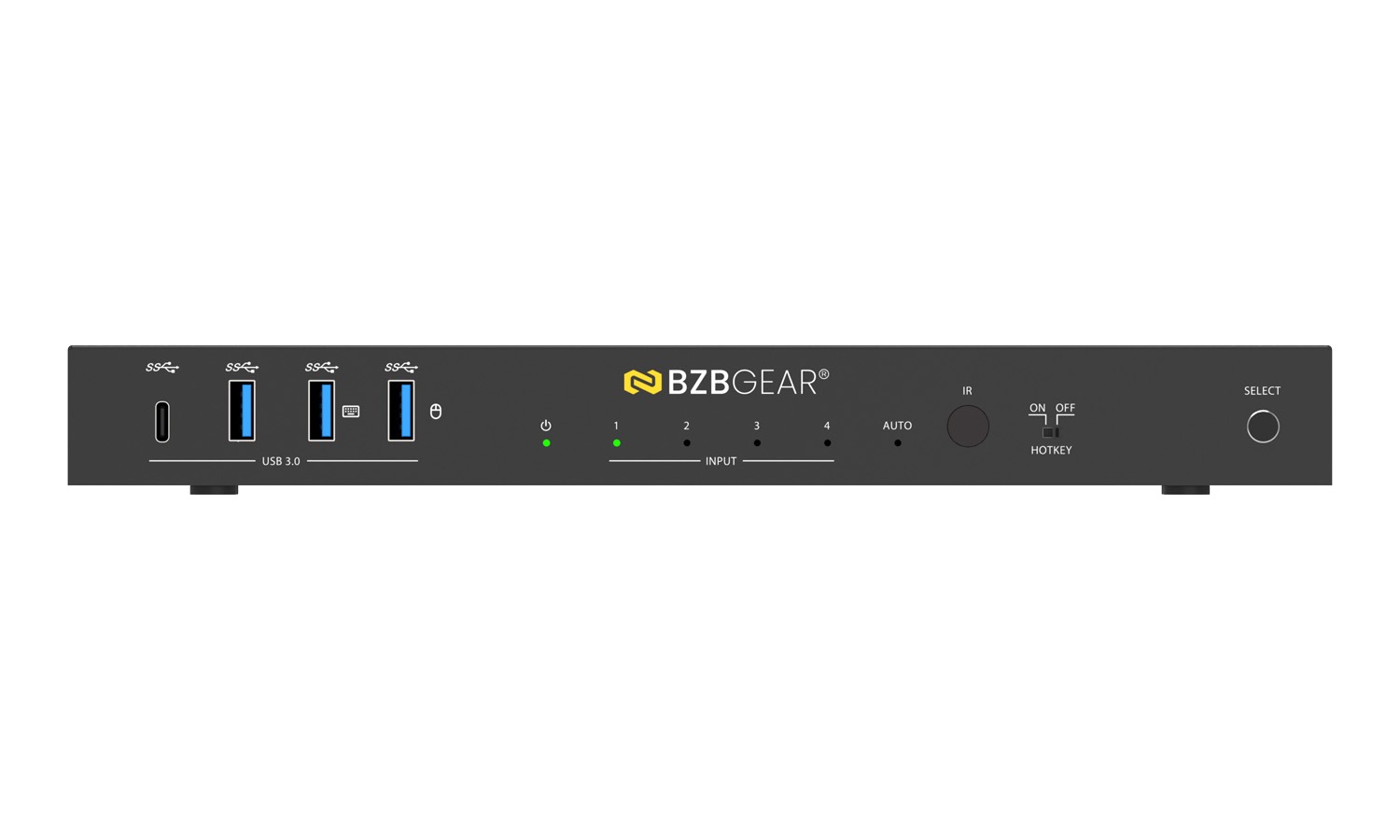
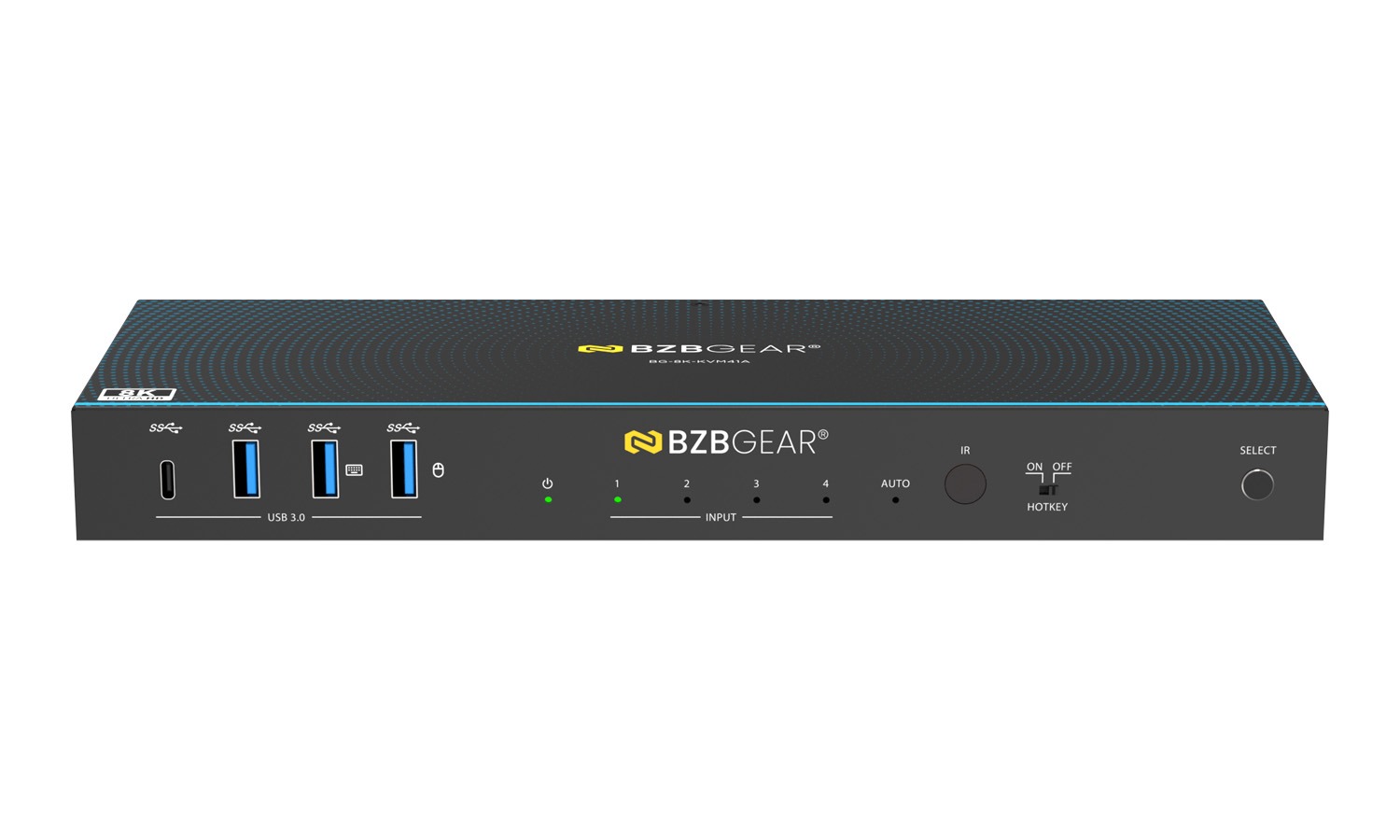
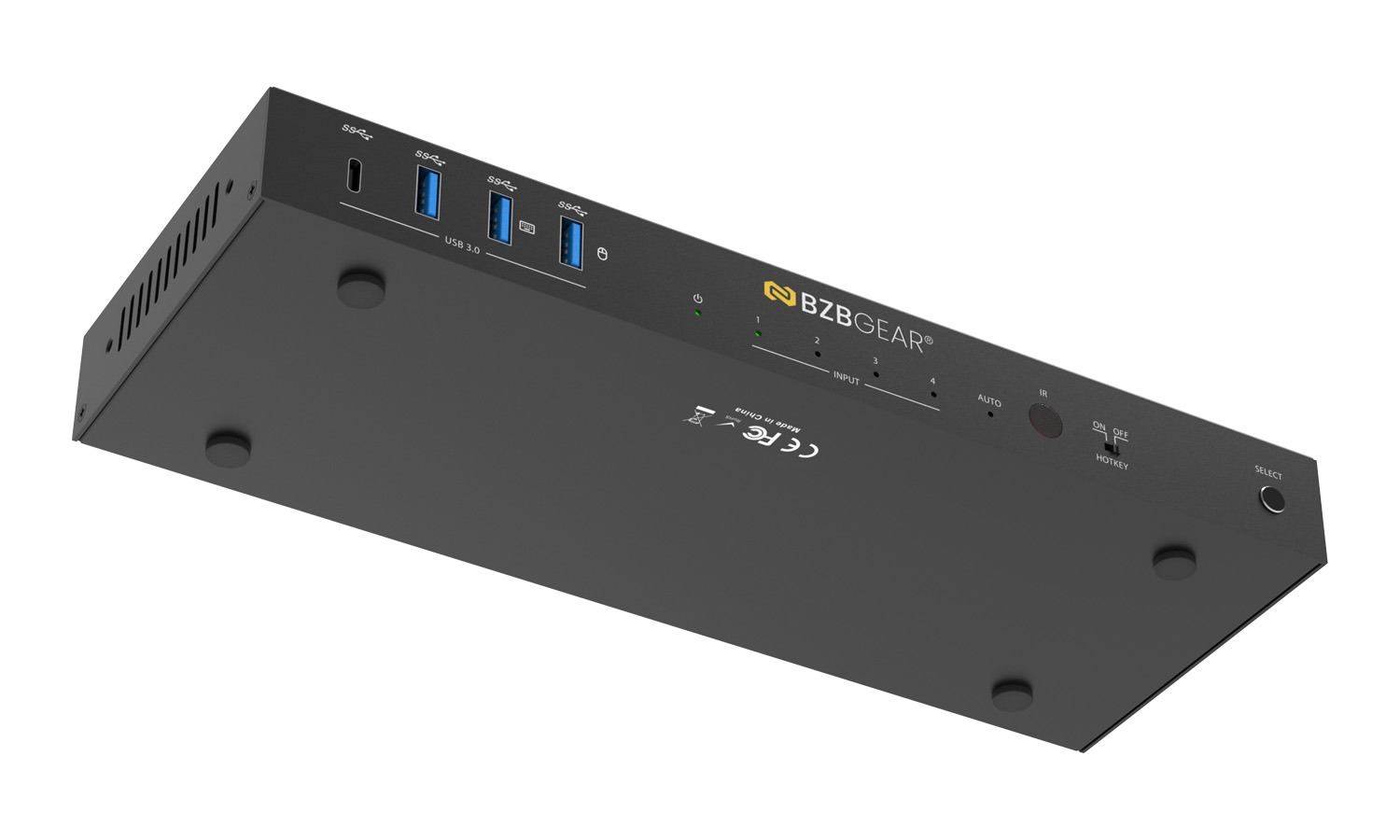
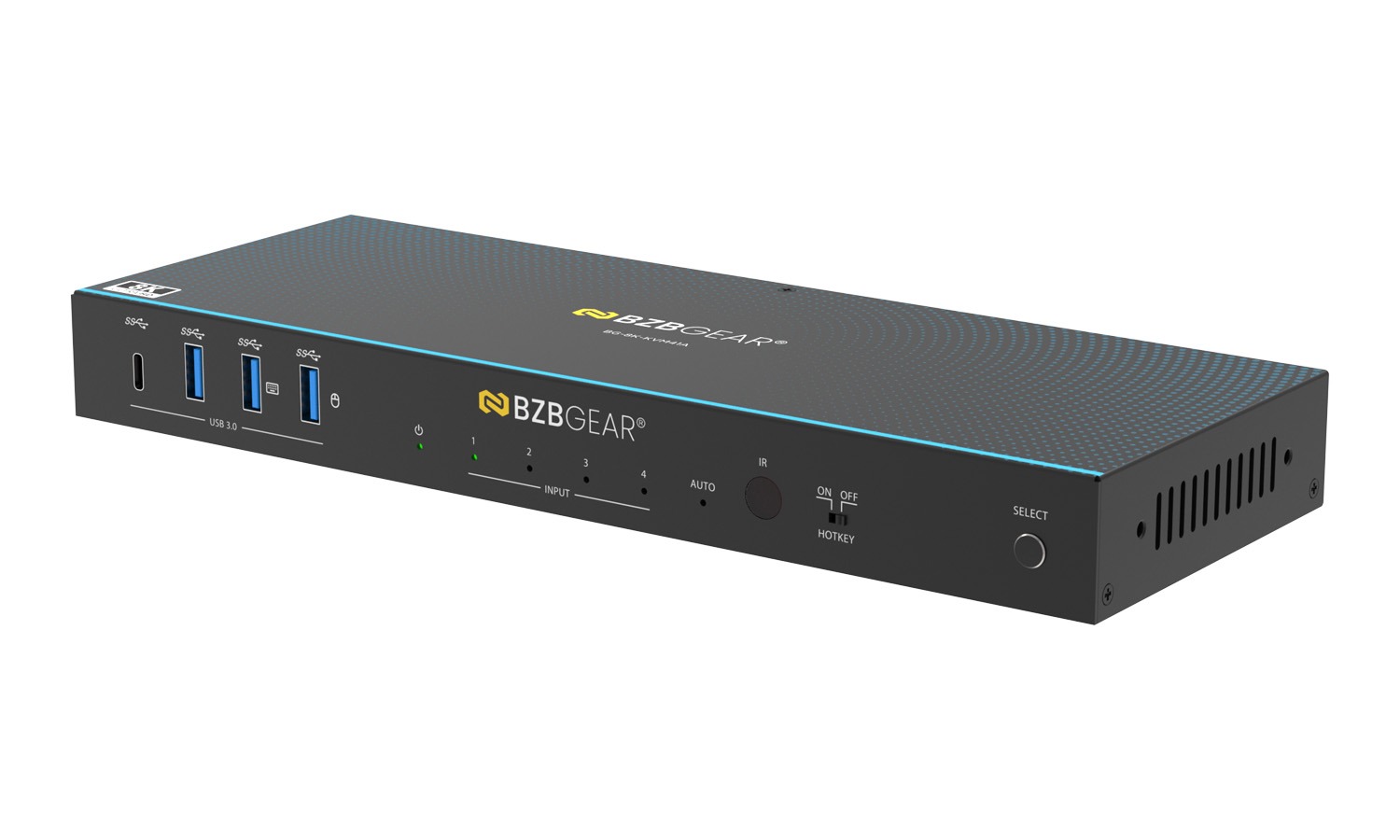
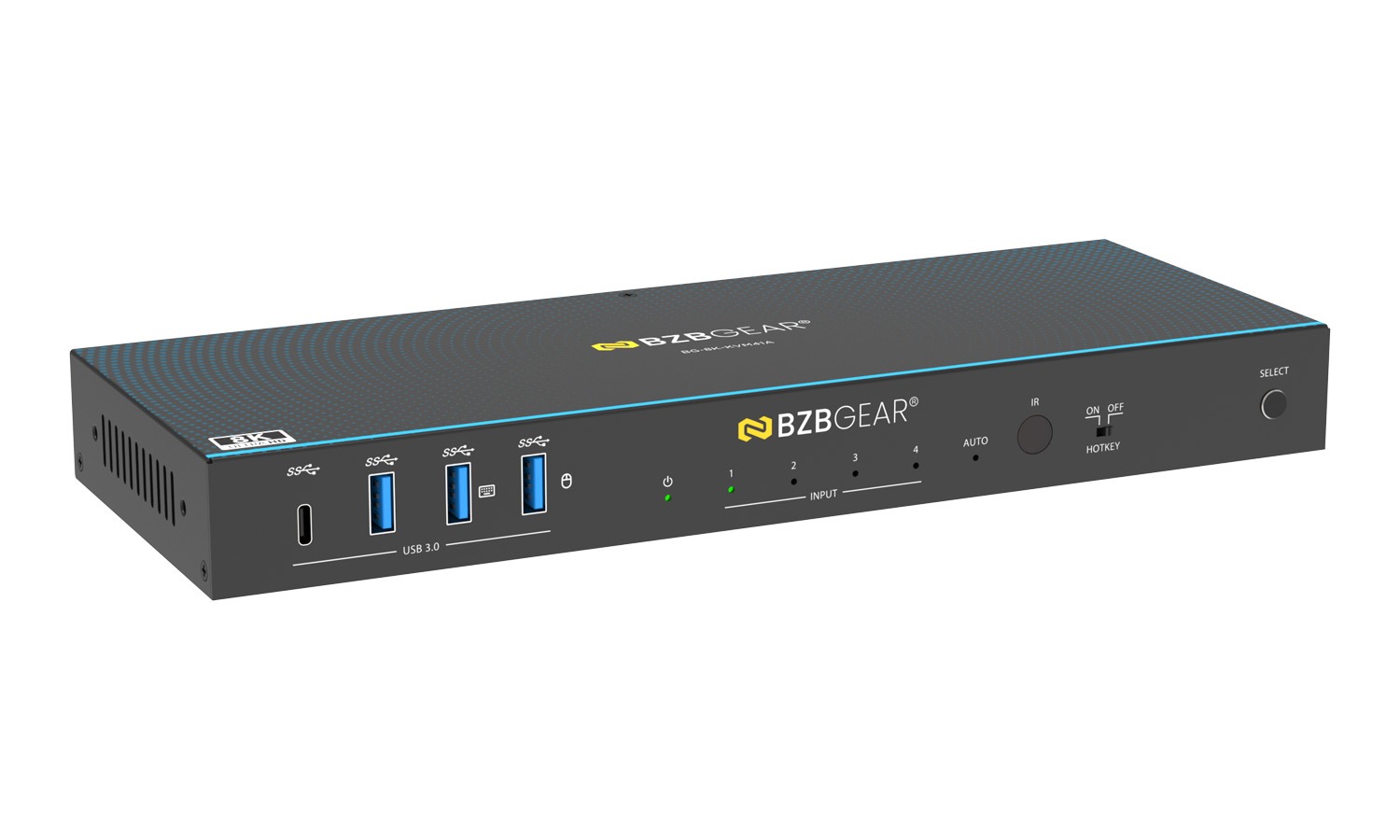
- USB 3.0 Ports: USB 3.2 Gen 1 device ports, connect to USB flash drives, cameras, printers, etc.
- USB 3.0 Ports (with Hotkey Mode): When Hotkey switch is OFF, these ports support USB 3.2 Gen 1 devices. When Hotkey switch is ON, they support USB 1.1 keyboard and mouse only.
- Power LED: Lights green when the product is working, red when on standby.
- Input Channel LED 1/2/3/4: Corresponding LED lights green when HDMI input port 1/2/3/4 is selected.
- AUTO LED: Lights green when auto-switching function is enabled; off when disabled.
- IR Window: Receives IR signals from the remote control.
- HOTKEY Switch: Enable or disable hotkey switching mode. ON: keyboard/mouse support hotkey mode. OFF: hotkey mode disabled.
- SELECT Button: Press to manually switch the input channel.
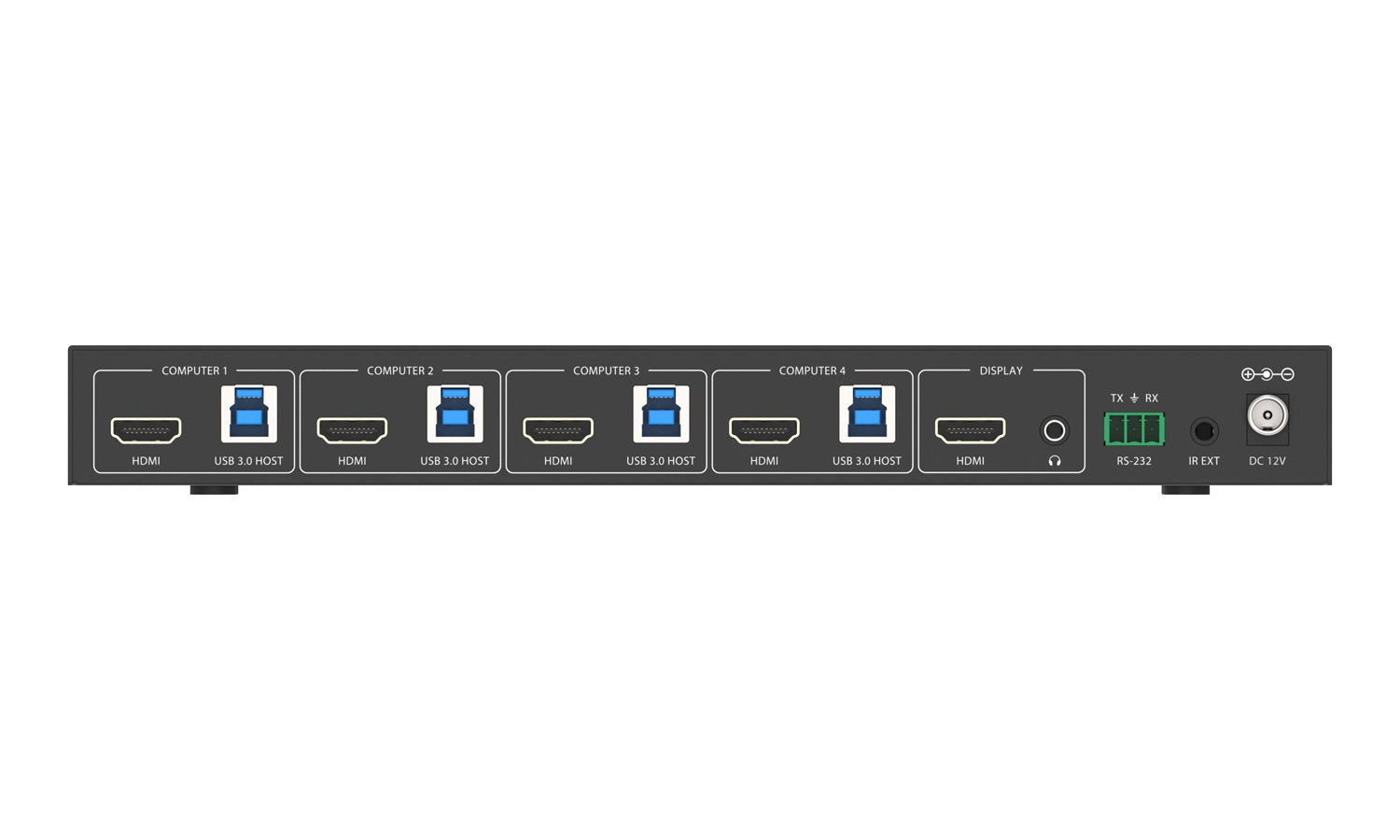
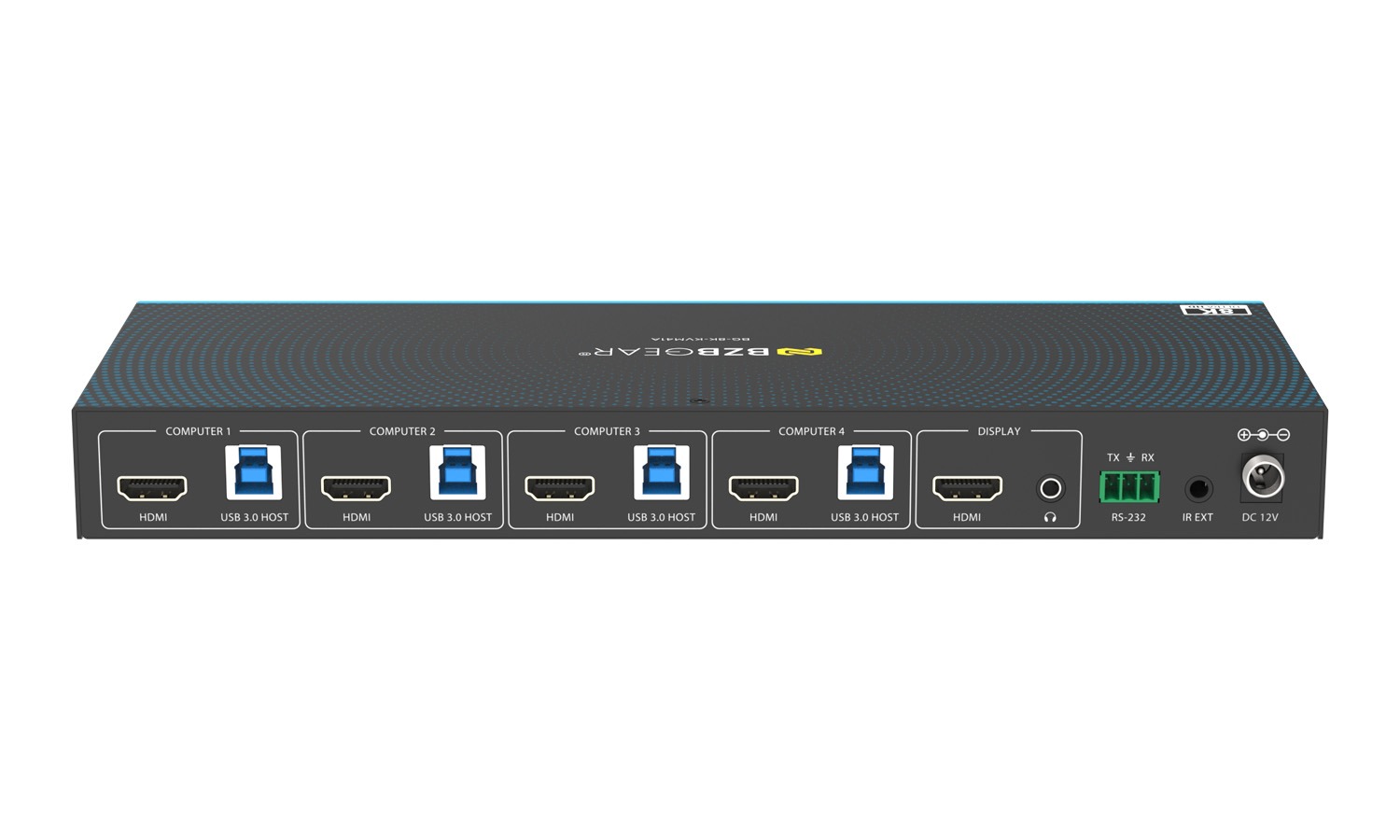
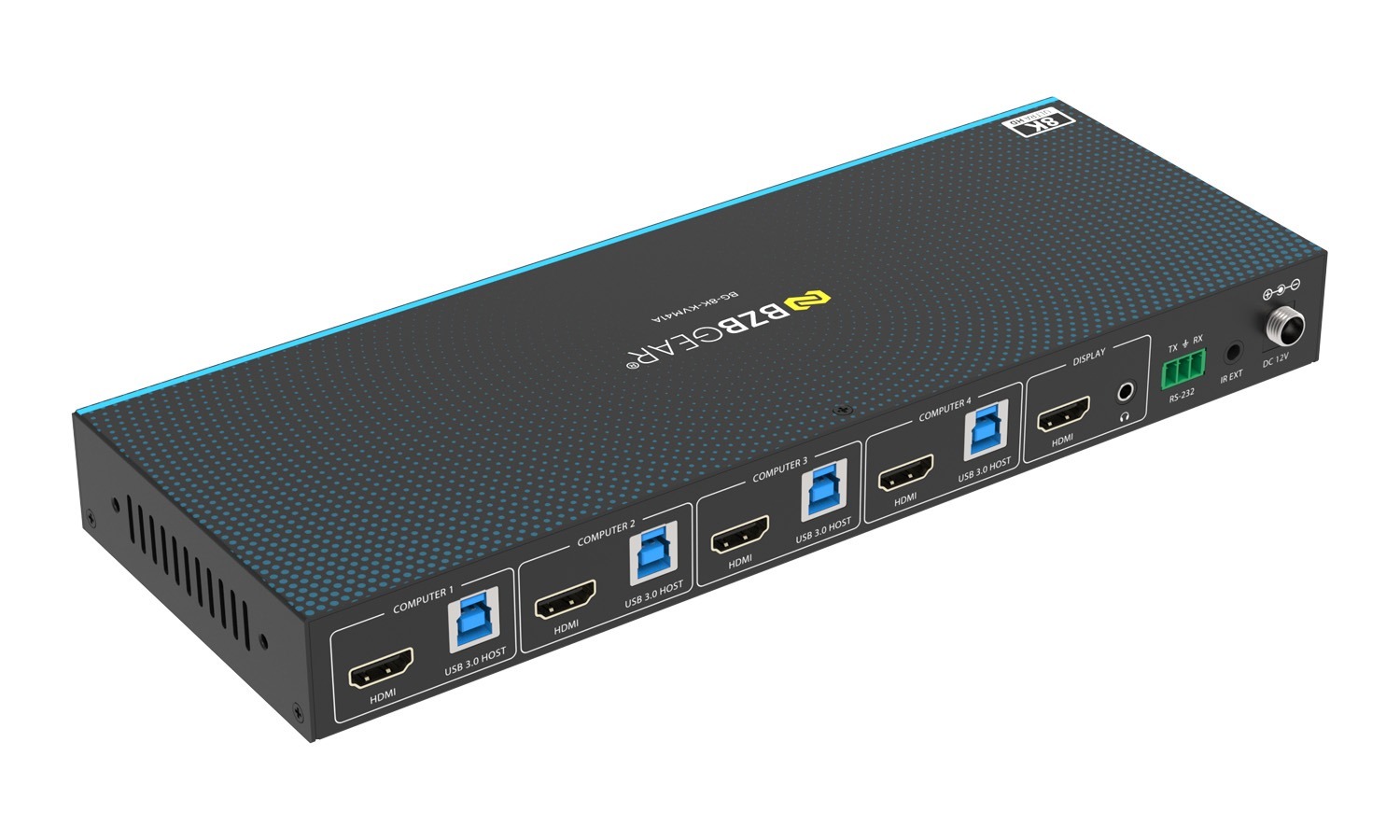
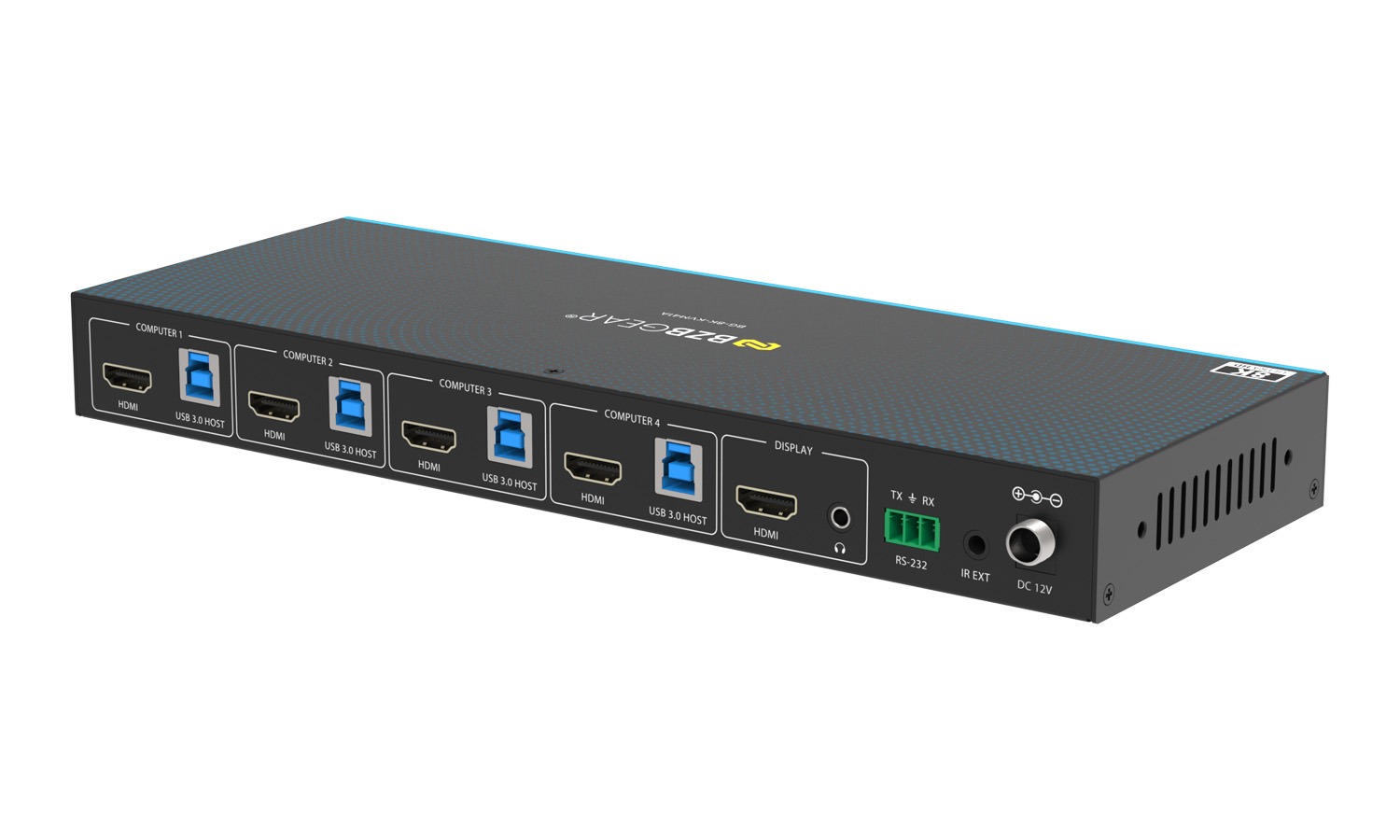
- PC 1/2/3/4 Ports: HDMI: HDMI signal input port, connected to HDMI source devices such as PCs using an HDMI cable.
USB HOST: USB Host port, connected to the same PC along with HDMI. (Note: PC 1 USB HOST port can be used for firmware upgrade.) - DISPLAY HDMI Port: HDMI signal output port, connected to HDMI display devices such as TV or monitor using an HDMI cable.
- L/R Audio Port: 3.5mm analog audio output port.
- RS-232 Port: 3-pin phoenix connector, connected to a PC or control system for serial port communication or firmware upgrade.
- IR EXT Port: IR signal receiving port, connected with the 38KHz IR Receiver cable. Use if the IR window is blocked or unit is installed out of line of sight.
- DC 12V: DC 12V/1A power input port.



