


8K UHD HDMI 2.1 Dual Monitor 2x1 HDMI KVM Switch with USB 3.0/Hotkey Switching/IR Control


and engineering support


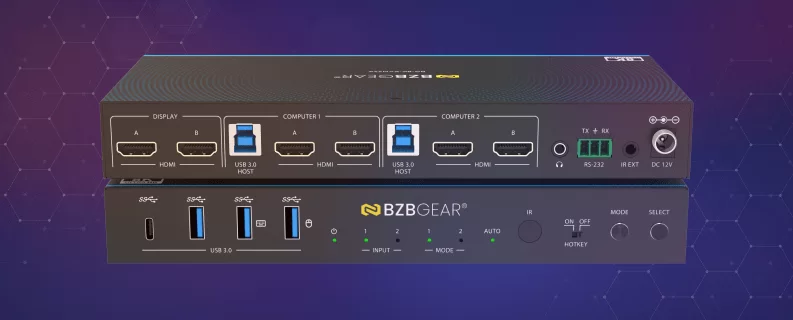
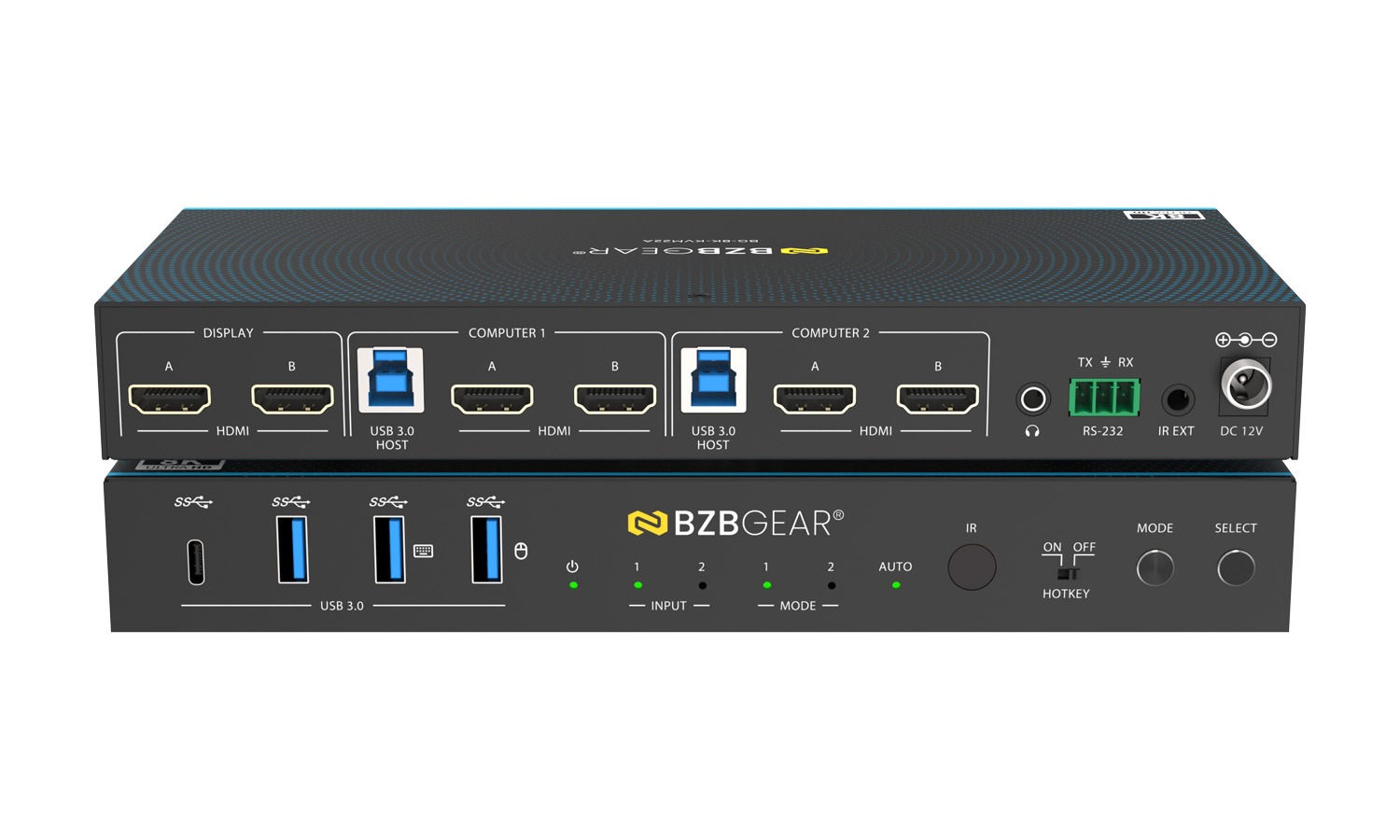
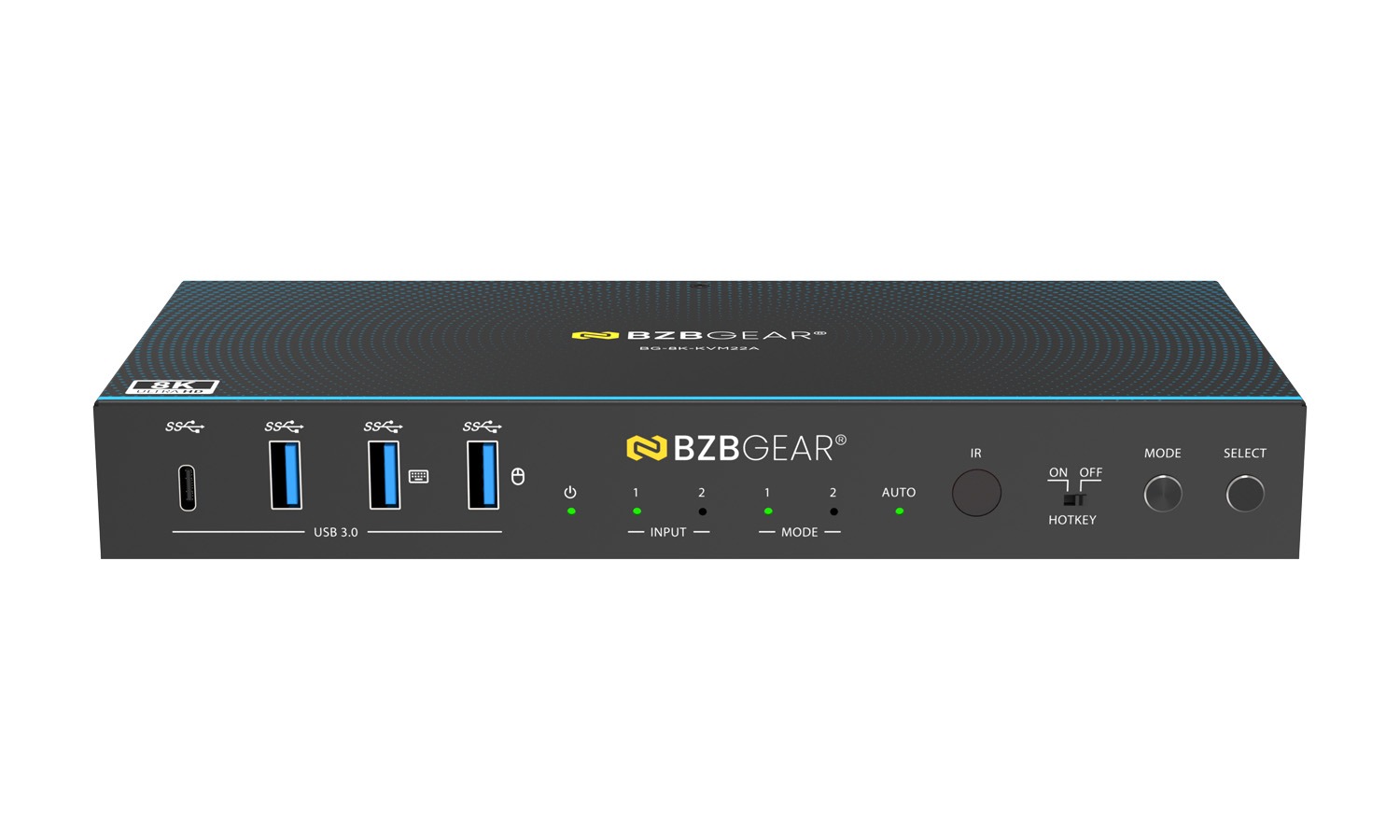
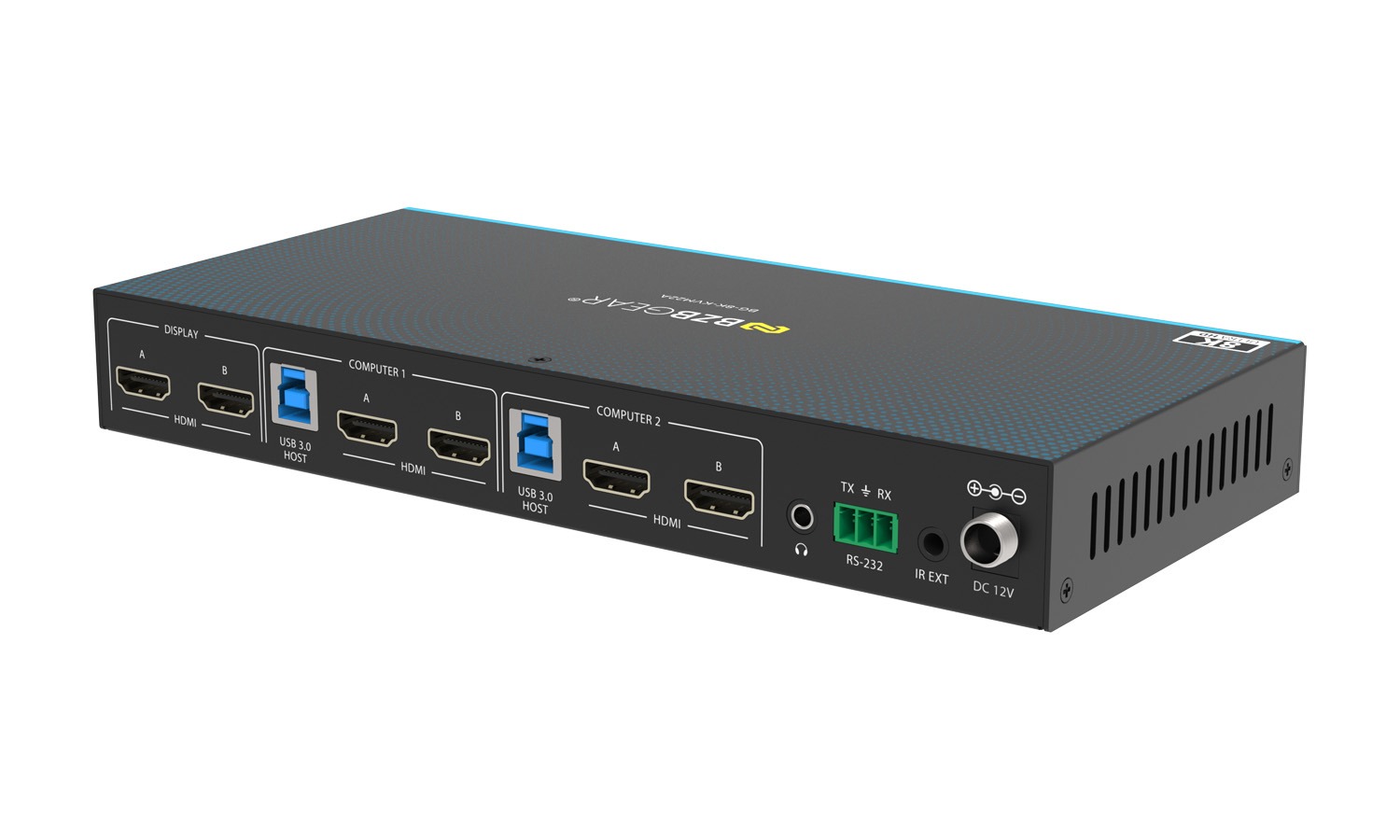
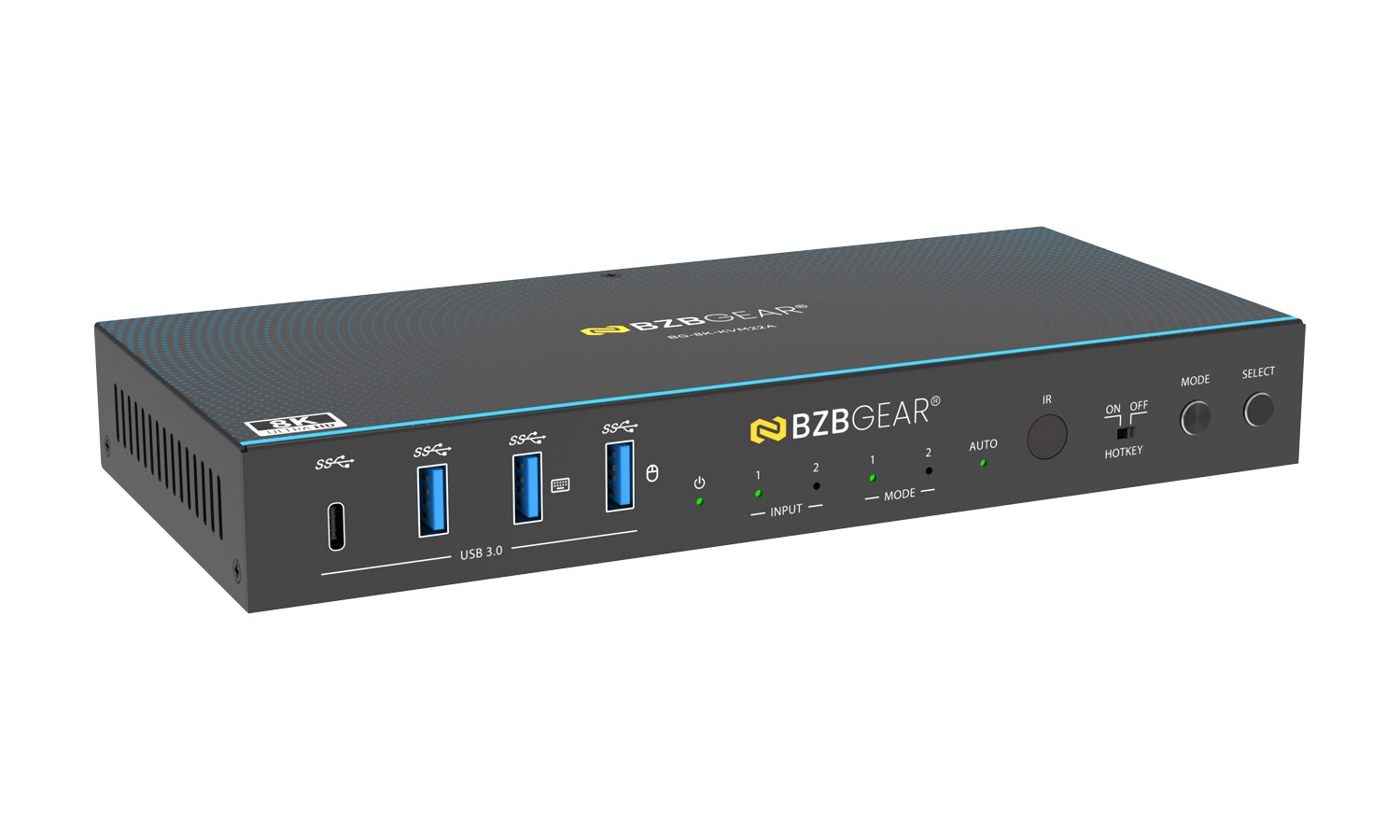
The BG-8K-KVM22A is a high-performance 8K60 2x1 dual-monitor HDMI KVM switch, designed to share two displays and USB peripherals between two computers seamlessly. Built on HDMI 2.1 technology with support for ultra-high resolutions up to 8K@60Hz and 4K@120/144Hz, it delivers zero-latency video and USB switching for professional workstations, creative studios, and advanced gaming setups.
With flexible control via front-panel buttons, IR remote, keyboard and mouse hotkeys, and RS-232, the BG-8K-KVM22A enables fast, reliable switching without drivers or software. Its dual-mode operation supports both single-PC dual-monitor workflows and simultaneous dual-PC display configurations, making it a powerful and versatile KVM solution.
Features In-Depth
The BG-8K-KVM22A is fully compliant with HDMI 2.1 and HDCP 2.3, supporting up to 40Gbps bandwidth for uncompressed high-resolution video. It supports advanced HDMI features including VRR, ALLM, QMS, QFT, and SBTM, as well as HDR formats such as HDR10, HDR10+, Dolby Vision, and HLG, ensuring optimal image quality across professional and entertainment applications. Integrated EDID emulation on each input guarantees proper resolution negotiation and stable video output for both connected displays.
This KVM switch offers two distinct operating modes. MODE 1 (Single PC Mode) allows both monitors and all USB devices to follow the selected computer, ideal for dual-screen productivity setups. MODE 2 (Dual PC Mode) enables each monitor to display a different computer simultaneously, while USB control can be switched independently, providing a true multi-system workflow. Switching can be performed instantly using front-panel controls, IR remote, or configurable keyboard and mouse hotkeys.
For USB connectivity, the BG-8K-KVM22A features integrated USB 3.0 (USB 3.2 Gen 1) ports supporting data transfer speeds up to 5Gbps, allowing users to share peripherals such as webcams, printers, and external storage devices. A dedicated hotkey mode ensures reliable keyboard and mouse control when hotkey switching is enabled. The metal enclosure, compact form factor, and low power consumption make it ideal for both desktop and rack-mounted environments.
Features
-
![bi_badge-8k]() 8K60 Dual-Monitor KVM SwitchingShare two HDMI displays and USB peripherals between two computers with zero latency
8K60 Dual-Monitor KVM SwitchingShare two HDMI displays and USB peripherals between two computers with zero latency -
![Compliant]() HDMI 2.1 & HDCP 2.3 SupportDelivers up to 40Gbps bandwidth for ultra-high-resolution video and protected content
HDMI 2.1 & HDCP 2.3 SupportDelivers up to 40Gbps bandwidth for ultra-high-resolution video and protected content -
![fluent_dual-screen-span-20-regular]() Dual Operating ModesSupports Single PC dual-monitor mode and Dual PC simultaneous display mode
Dual Operating ModesSupports Single PC dual-monitor mode and Dual PC simultaneous display mode -
![bi_usb-symbol]() USB 3.0 Peripheral SharingIntegrated USB 3.2 Gen 1 ports support up to 5Gbps for high-speed devices
USB 3.0 Peripheral SharingIntegrated USB 3.2 Gen 1 ports support up to 5Gbps for high-speed devices -
![HDR]() Advanced HDMI Features & HDRSupports VRR, ALLM, QMS, QFT, SBTM, HDR10, HDR10+, Dolby Vision, and HLG
Advanced HDMI Features & HDRSupports VRR, ALLM, QMS, QFT, SBTM, HDR10, HDR10+, Dolby Vision, and HLG -
![Four Control Modes]() Multiple Control MethodsSwitch via front panel buttons, IR remote, keyboard/mouse hotkeys, or RS-232 commands
Multiple Control MethodsSwitch via front panel buttons, IR remote, keyboard/mouse hotkeys, or RS-232 commands


- Ultra-low video and audio latency design
- Independent EDID emulation for each HDMI input
- Hotkey-enabled or standard USB operation via front-panel switch
- Auto-switching based on source connection status
- Virtual interaction function to wake PCs from standby
- Wide OS compatibility (Windows, macOS, Linux) with no drivers required
- Compact metal enclosure for durability and flexible installation
- Low power consumption with standby mode support
Tech Specifications
| Technical | |||
| HDMI Compliance | HDMI 2.1 | ||
| HDCP Compliance | HDCP 2.3 | ||
| Video Bandwidth | 40Gbps | ||
| Audio Latency | No Latency | ||
| Video Latency | No Latency | ||
| Video Resolution | Up to 8K@60Hz, 4K@120Hz/144Hz, 1080P@240Hz | ||
| IR Level | 5Vp-p | ||
| IR Frequency | Fixed frequency 38KHz | ||
| Color Space | RGB, YCbCr 4:4:4, YCbCr 4:2:2, YCbCr 4:2:0 | ||
| Color Depth | 8/10/12bit | ||
| HDR | HDR, HDR10, HDR10+, Dolby Vision, HLG | ||
| CEC | Support | ||
| Audio Formats | HDMI IN/OUT: LPCM, Dolby Digital/Plus/EX, Dolby True HD, Dolby Atmos, DTS, DTS-EX, DTS-96/24, DTS High Res, DTS-HD Master Audio, DTS:X, DSD L/R OUT: PCM 2.0CH |
||
| ESD Protection | IEC61000-4-2: ±8kV (Air-gap discharge), ±4kV (Contact discharge) |
||
| Connection | |||
| Input Ports | 4 x HDMI input [Type A, 19-pin female] | ||
| Output Ports | 2 x HDMI output [Type A, 19-pin female] 1 x L/R audio output [3.5mm Stereo Mini-jack] |
||
| Control ports | 1 x RS-232 [3pin-3.81mm phoenix connector] 1 x IR EXT [3.5mm Stereo Mini-jack] 2 x USB HOST [USB Type B] 4 x USB DEVICES [USB Type A] |
||
| Mechanical | |||
| Housing | Metal Enclosure | ||
| Color | Black | ||
| Dimensions (W x D x H) | 8.7in x 3.9in x 1.2in [220mm x 100mm x 30mm] | ||
| Weight | 1.4 lbs [626g] | ||
| Power Supply | Input: AC 100 - 240V 50/60Hz Output: DC 12V/1A (US/EU standard, CE/FCC/UL certified) |
||
| Power Consumption | Typical value: 7.2W Standby mode: 0.72W |
||
| Operating Temperature | 32 - 104°F / 0 - 40°C | ||
| Storage Temperature | -4 - 140°F / -20 - 60°C | ||
| Relative Humidity | 20 - 90% RH (no-condensing) | ||
| Recommended HDMI Cable | |||
| Video Resolution | 8K60/8K30/4K120 | 4K60 | 1080P |
| HDMI Cable Type | Ultra HDMI 2.1 cable | HDMI cable | HDMI cable |
| HDMI Cable Length (HDMI IN / OUT) |
3m/10ft | 5m/16ft | 10m/33ft |
| The use of “Premium High Speed HDMI” cable is highly recommended. | |||
Resources

PACKAGE CONTENTS
- 1 x 8K60 2x1 Dual Monitor HDMI KVM Switcher
- 1 x IR Remote
- 1 x 3pin-3.81mm Phoenix Connector (male)
- 1 x Fixed Frequency 38KHz IR Receiver Cable (1.5 meters)
- 2 x USB Cable (USB 3.0, AM to BM, 1.8 meters)
- 4 x HDMI Cable (male to male, 1.5 meters)
- 2 x Mounting Ears
- 4 x Machine Screws (KM3*4)
- 1 x 12V/1A Multinational Locking Power Supply
- 1 x User Manual
Interfaces
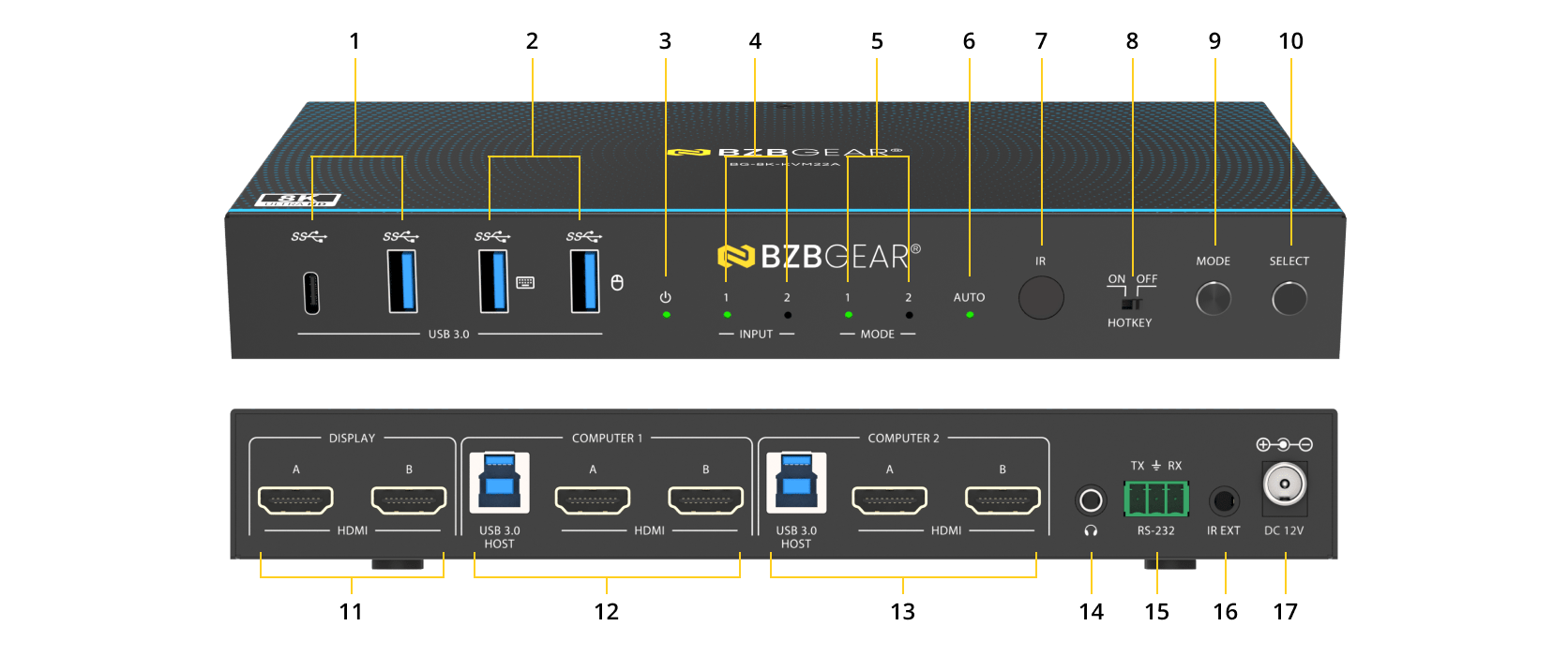
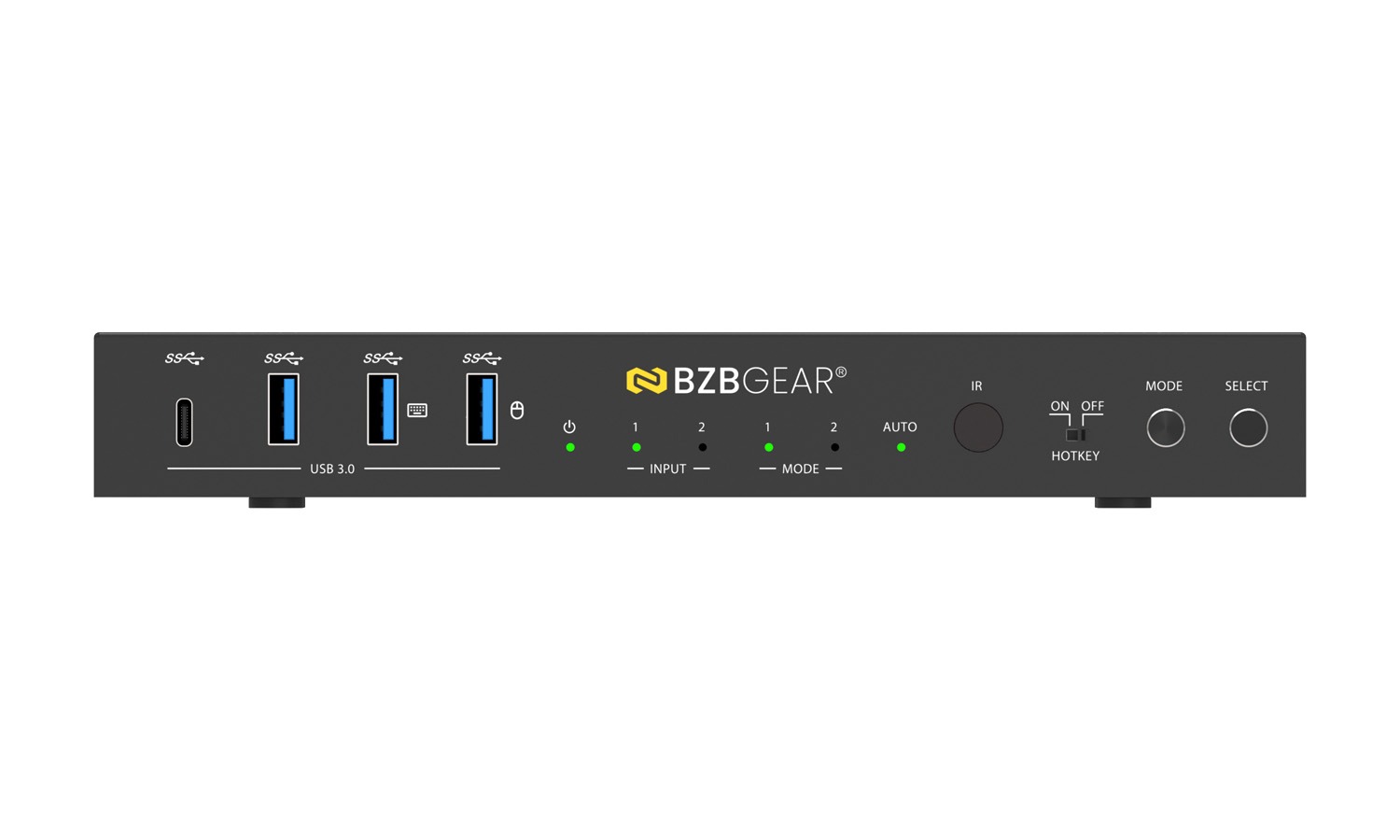
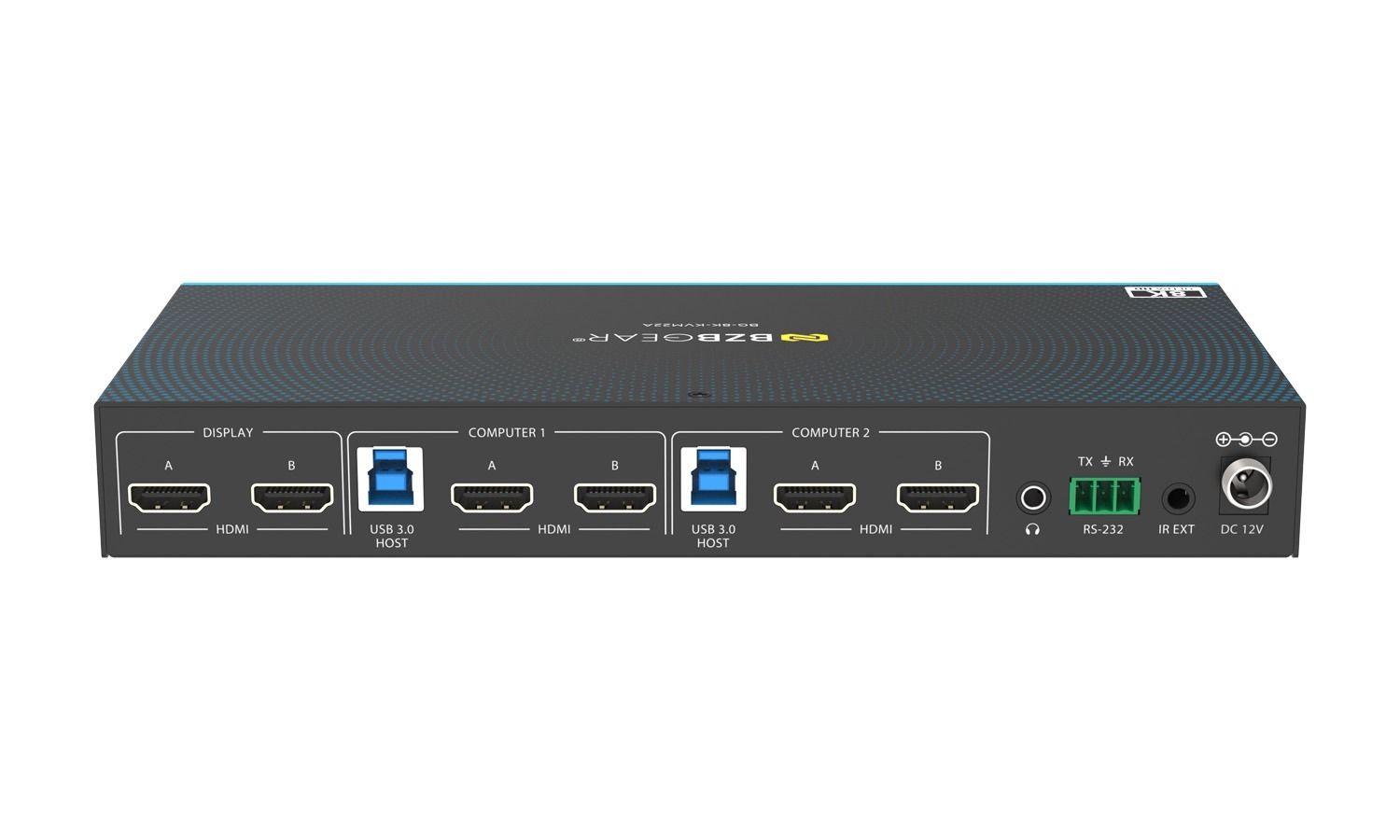
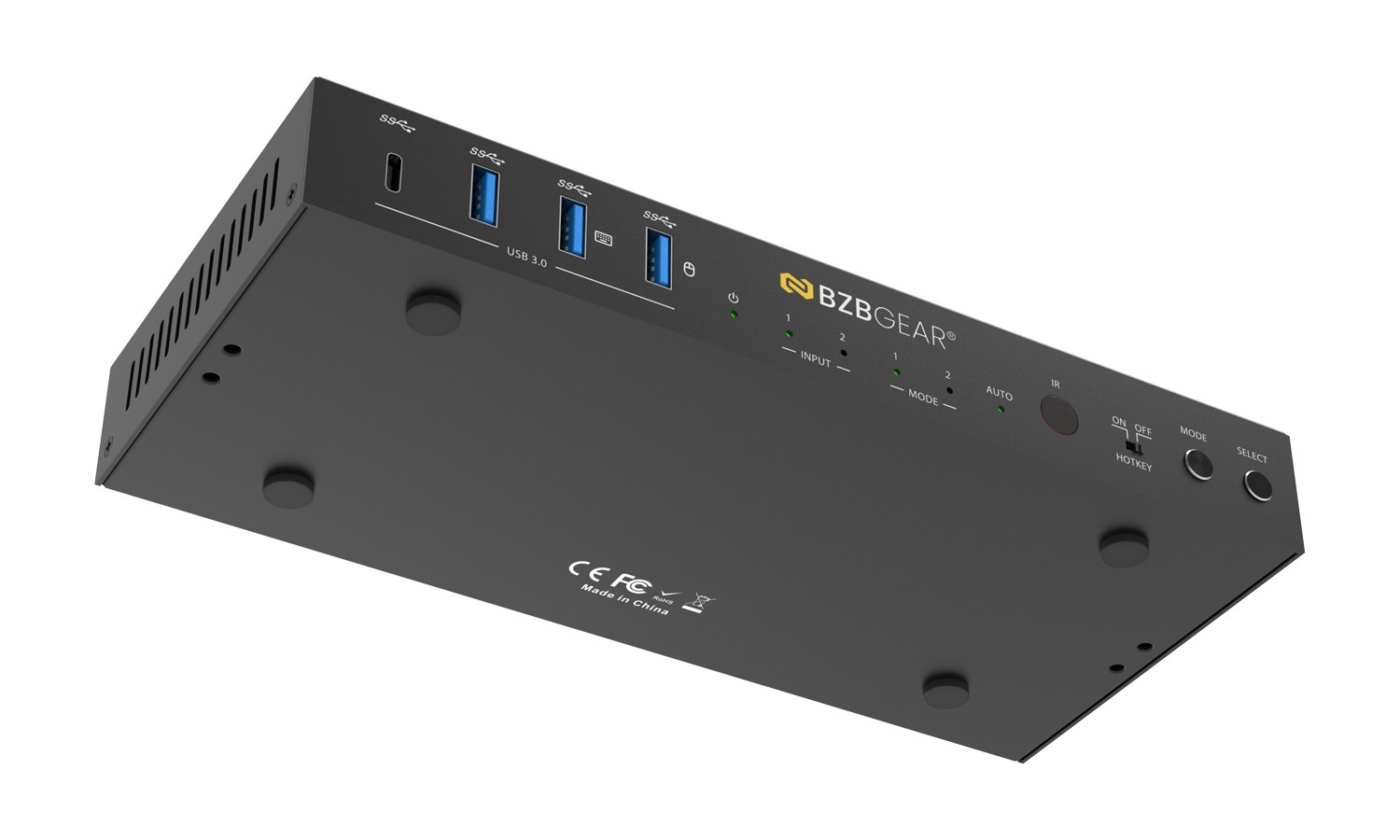
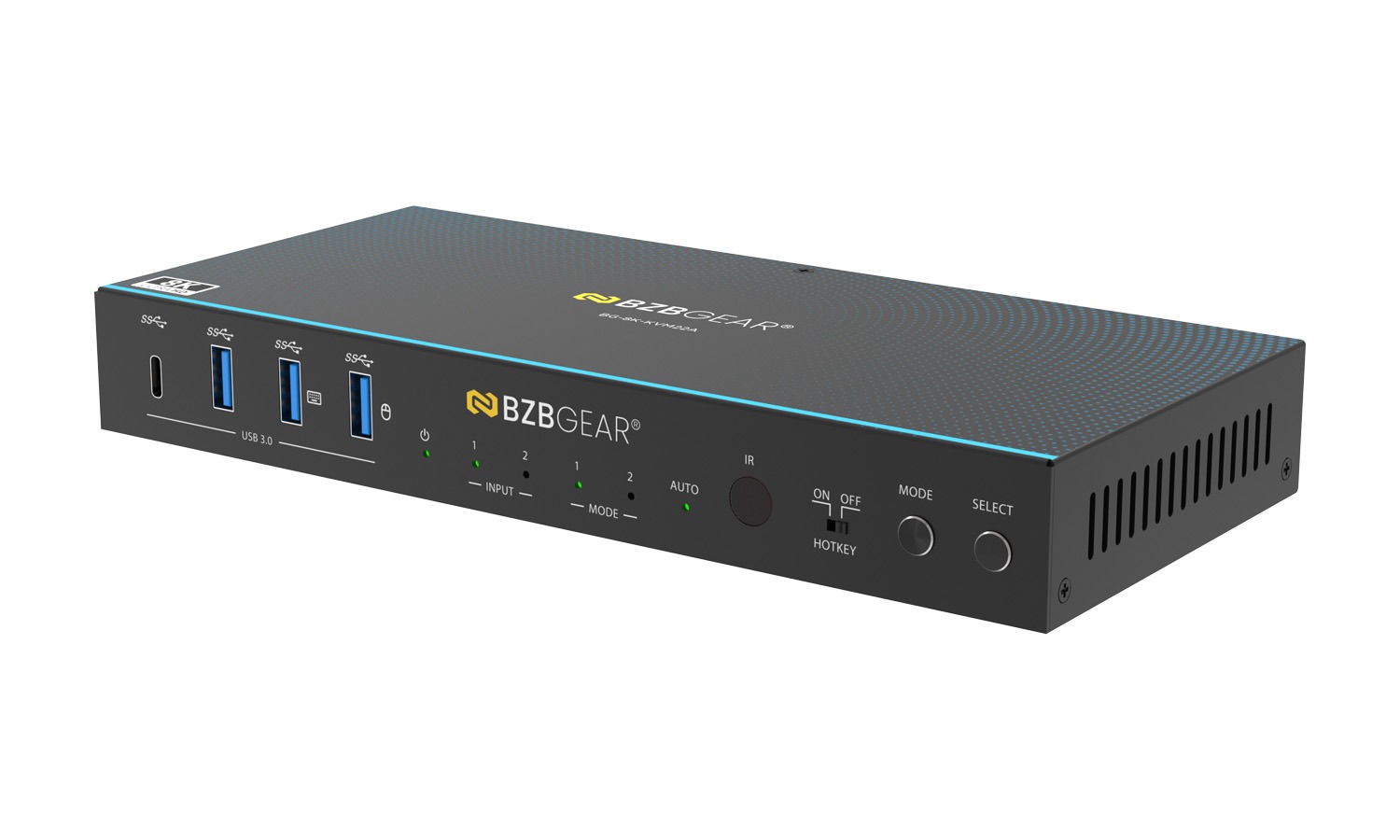
- USB 3.0 Ports: USB 3.2 Gen 1 device ports for connecting peripherals such as USB flash drives, cameras, printers, and other USB devices.
- USB 3.0 Ports (Hotkey Mode): When the Hotkey switch is set to OFF, these ports support USB 3.2 Gen 1 devices. When the Hotkey switch is set to ON, these ports support USB 1.1 keyboard and mouse only for hotkey switching.
- Power LED: Lights green when the unit is operating normally and red when the unit is in standby mode.
- Input Channel LED 1 / 2: The corresponding LED lights green when HDMI input port 1 or 2 is selected as the active input source.
- MODE 1 / 2 LED: Lights when MODE 1 or MODE 2 is selected via the front panel MODE button or the M1/M2 button on the IR remote. Refer to
Dual-Mode Function section for details. - AUTO LED: Lights green when auto-switching is enabled. The input channel automatically switches when an input source is connected or
disconnected. - IR Window: Receives IR control signals from the included IR remote control.
- HOTKEY Switch: Enables or disables hotkey switching mode.
ON: Connected keyboard and mouse support hotkey switching.
OFF: Hotkey switching is disabled. - MODE Button: Press to toggle between MODE 1 and MODE 2.
- SELECT Button: Press to manually switch between HDMI input channels.
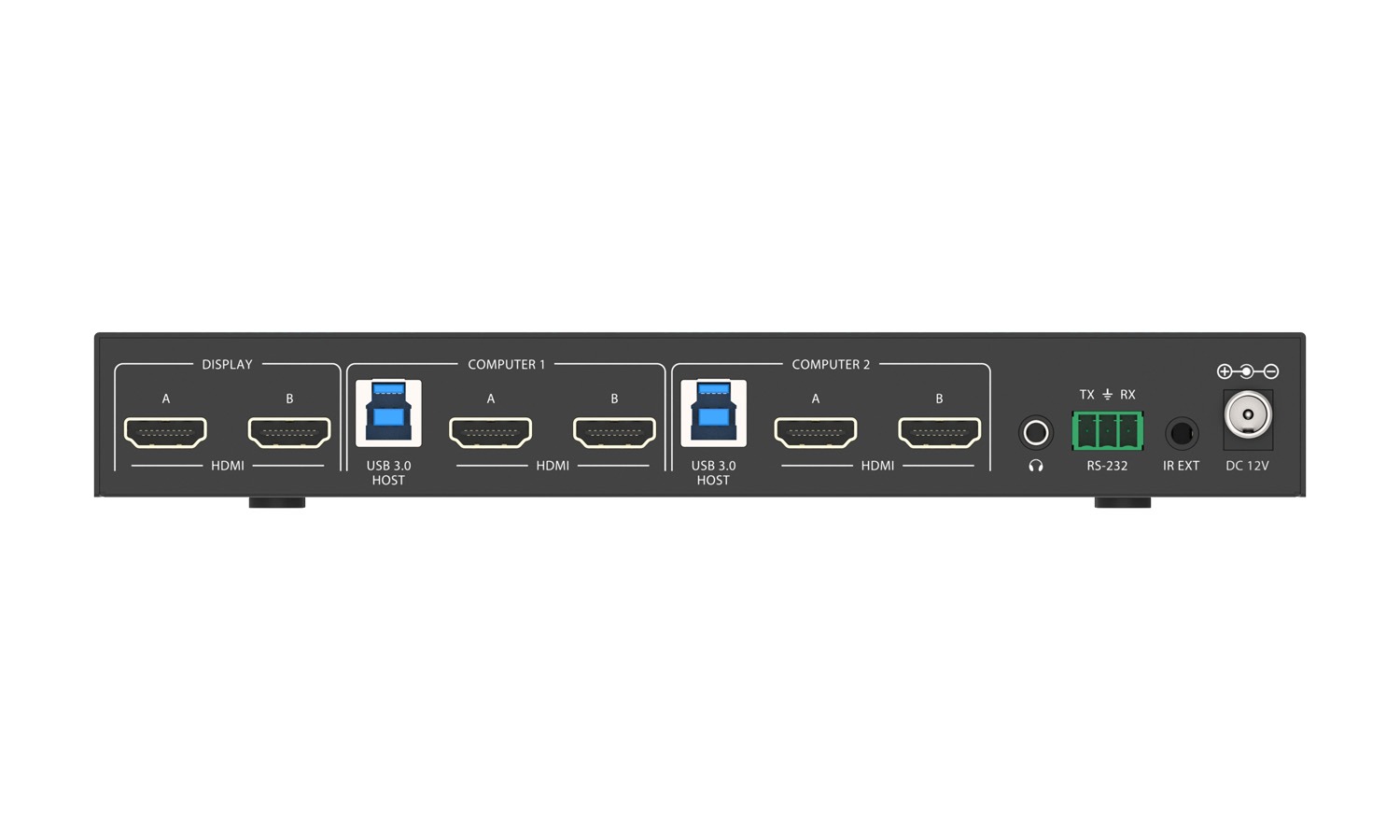
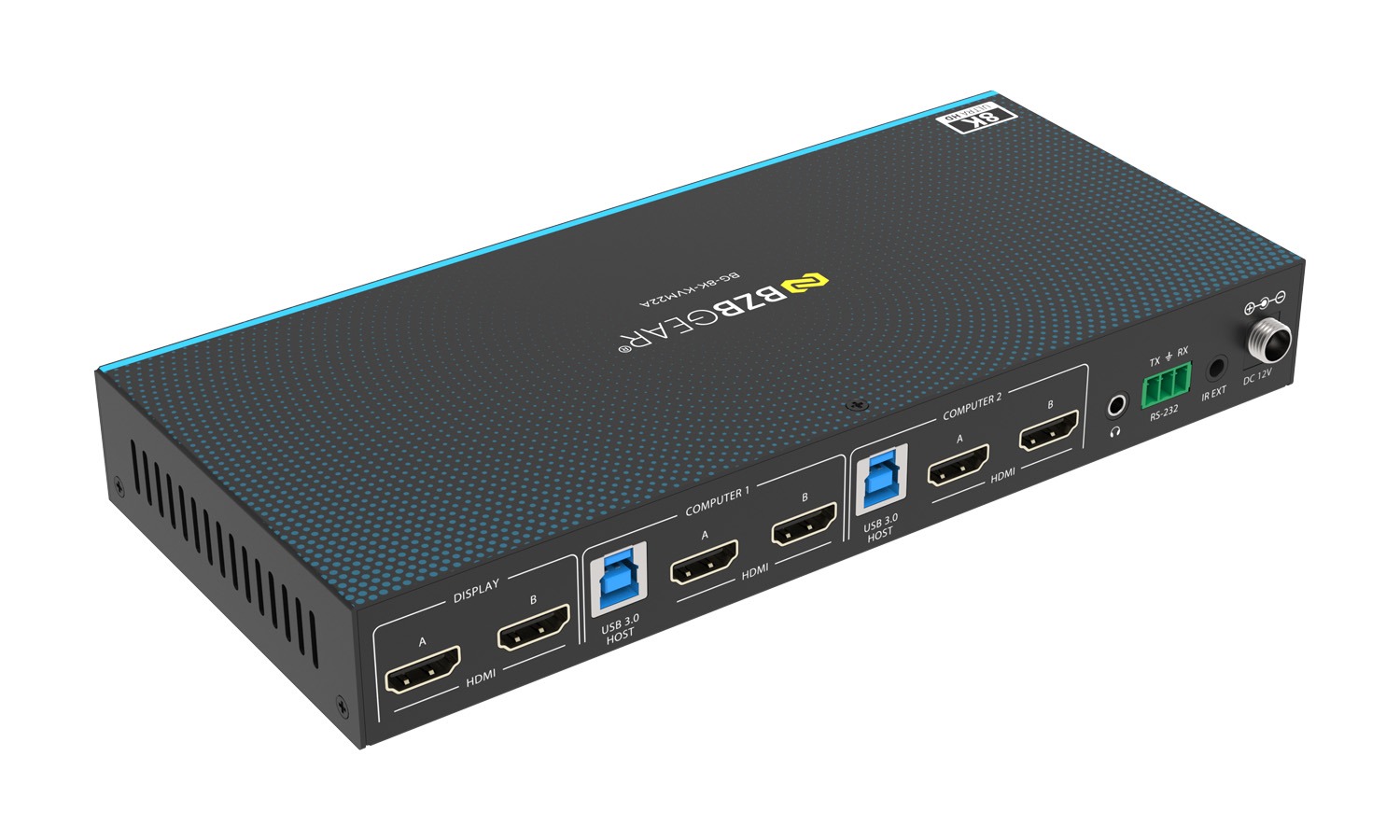
- DISPLAY HDMI A/B Ports: HDMI output ports for connecting HDMI display devices such as TVs or monitors using HDMI cables.
- PC 1 Ports: USB HOST: USB host port for connection to PC 1; also supports MCU firmware upgrades.
HDMI A/B: HDMI input ports for connecting PC 1 or other HDMI source devices. - PC 2 Ports: USB HOST: USB host port for connection to PC 2.
HDMI A/B: HDMI input ports for connecting PC 2 or other HDMI source devices. - L/R Audio Port: 3.5 mm analog stereo audio output port.
- RS-232 Port: 3-pin Phoenix connector for connection to a PC or control system for serial control and firmware upgrades.
- IR EXT Port: External IR input port for connecting the included 38 kHz IR receiver cable. Use this port when the front IR window is blocked or the unit is installed out of IR line-of-sight.
- DC 12V: DC 12 V / 1 A power input port.



