







Wireless HDMI Extenders: Which One Do You Actually Need?
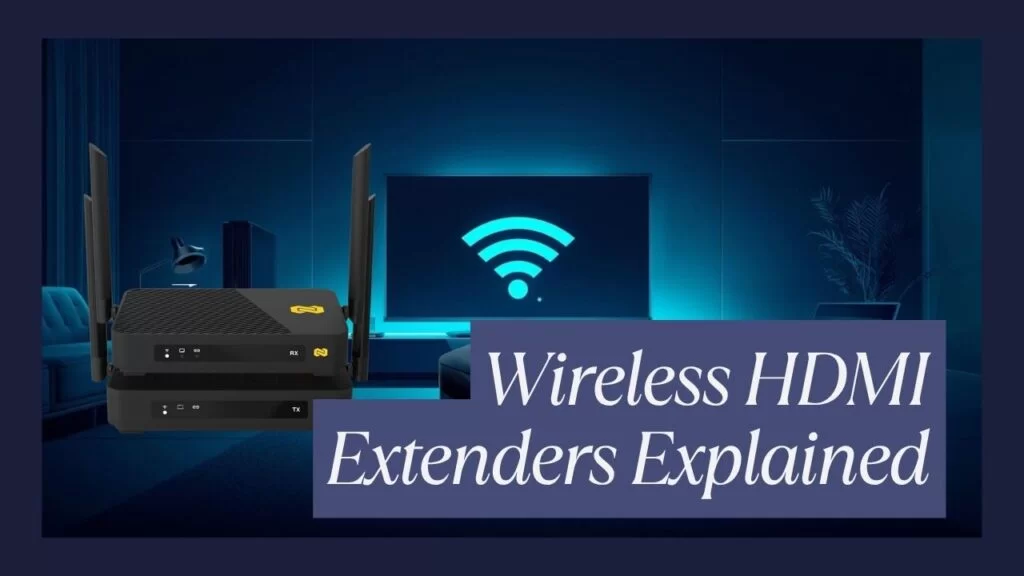
Wireless HDMI extenders are one of those product categories where the marketing is way ahead of the physics. Every box promises "ultra-low latency," "rock-solid signal," and "4K without compromise." Buy two kits that use the exact same chipset and one will look gorgeous while the other drops sync every time someone opens the microwave. The hardware matters, but how you're using it matters more.
So let's skip the glossy language and have an honest conversation about the three questions that actually decide which wireless HDMI extender you should buy: where is it going, how much latency can you tolerate, and what's the RF environment around it?
Office vs. Event vs. Home — Three Very Different Jobs

People lump "wireless HDMI" into one category, but the use cases behind it have almost nothing in common. A conference room and a live event and a home theater are all asking a different question of the same radio.
The office. The point of wireless HDMI in a conference room is convenience, not performance. You don't want a cable running across the ceiling to a huddle-room display, and you don't want to re-cable every time the layout changes. The signal is usually a static slide deck, a spreadsheet, or a video call where nobody is going to notice 100ms of latency because the audio is already 200ms behind on the call bridge. Range is modest (same room, 20 to 50 feet), resolution is almost always 4K or 1080p at 60Hz, and reliability matters more than speed. You want something you can mount once and forget.
The live event. Events break everything. Lighting rigs pumping EMI, hundreds of phones lighting up the 2.4 and 5 GHz bands, LED walls with their own switched-mode power supplies, cameras and IEMs and comms already crowding the spectrum. The HDMI signal might have to travel from a FOH tech position to a projector at the back of a ballroom or to a stage monitor 80 feet away. You also often need the same signal on multiple displays — a main screen, confidence monitors for the presenter, maybe a side stage. Range, multi-display, and RF robustness are the three things that matter. Latency matters too, but mostly so that the presenter's mouth matches their slide on the screen behind them.
The home. Home theater and gaming are where latency gets exposed. A 120ms lag is invisible in a meeting and unusable for a Call of Duty match. Cinema fans want HDR10, Dolby Atmos passthrough, and 4K60 without compression artifacts. Gamers want low latency and full input back-channels so keyboard, mouse, or controller don't feel like they're fighting the screen. The physical range is usually short — a source cabinet to a wall-mounted TV across a living room — but the quality bar is the highest of the three.
Here's the short version: the office needs reliable and easy. The event needs range and multi-display. The home needs latency and fidelity. Any extender that tries to be excellent at all three is either lying or expensive enough to make you wish it was.
Latency Realities — What the Numbers Actually Mean

Every wireless HDMI spec sheet lists a latency number, and almost none of them tell you what conditions that number was measured in. Here's what you actually need to know.
Anything under 50ms feels instant. Your brain can't perceive video-to-source lag below roughly two frames at 30fps, or about 60ms. Gaming is the exception — competitive gamers start to feel input lag at 30ms and definitely complain at 50ms. For everything else in the AV world, anything under 50ms is functionally invisible.
50 to 120ms is fine for presentation and playback. This is the sweet spot for conference rooms, classrooms, houses of worship, and most event use. You'll never notice it watching a video, and a presenter advancing slides won't feel disconnected from their clicker.
120 to 200ms starts to show. If you're doing live interaction — someone presenting with video of themselves on the screen behind them, a musician watching their own camera feed, a gamer reacting to what's on the display — this is where the lag becomes visible. It's still usable for one-way video, but it stops feeling "tight."
Over 200ms is a problem. Lip-sync breaks. Gestures don't match the screen. This is usually a symptom of an overloaded RF environment more than a spec sheet number — most extenders will degrade their latency quietly when the link is marginal, which is why the number on the box is the floor, not the ceiling.
One more thing worth saying plainly: latency is resolution-dependent. Nearly every wireless extender has higher latency at 4K60 than at 1080p60, because there's more data to encode, transmit, and decode. If your spec sheet says "ultra-low latency" without clarifying the resolution it was measured at, assume it was measured at the resolution that made the number look best.
Interference Myths — The 2.4 vs. 5 vs. 60 GHz Story
Wireless HDMI extenders live on three different RF bands, and the marketing around each is mostly wrong. Here's what's actually true.
The 2.4 GHz band is a disaster for video. It's the oldest Wi-Fi band, it's shared with Bluetooth, baby monitors, microwaves, cordless phones, wireless keyboards, and every cheap IoT device ever made. It has three non-overlapping channels in most regions. Good modern wireless HDMI extenders don't use it. If a cheap kit promises 4K over 2.4 GHz, they're either heavily compressing the signal or telling you what they measured in a Faraday cage.
5 GHz is where the real work happens. It has many more non-overlapping channels (13+ in most regions), the channels are wider (80 MHz or 160 MHz available), and the only other things crowding the band are other Wi-Fi networks. The tradeoff is that 5 GHz doesn't penetrate walls as well as 2.4 GHz, so range claims always assume line-of-sight or a single interior wall. The "up to 164 feet" numbers you see on good 5 GHz extenders are realistic in a clear open space and optimistic in a crowded office with solid walls.
60 GHz (WiGig) is the specialty band. It's incredibly fast and has essentially no interference because nothing else uses it, but it barely penetrates anything — including a sheet of drywall. Great for a sender and receiver in the same room with line of sight. Not great for anything past that.
Now let's kill some common myths.
"Wireless HDMI interferes with Wi-Fi." It can, but well-designed kits with proper channel selection share the band gracefully. The bigger problem is usually the other direction — a dense Wi-Fi network stealing channels from your extender. Put your extender on a quieter channel or let it auto-negotiate.
"Lead walls and metal panels kill the signal." True for 60 GHz, mostly true for 5 GHz, partially true for 2.4 GHz. In practice, a single interior drywall between sender and receiver at 5 GHz costs you maybe 15 percent of your usable range. A metal rack door blocks almost everything. Put the antennas in front of the rack, not inside it.
"More antennas mean more range." Sometimes, but mostly they mean better signal in the same range — multiple antennas let the radio use MIMO techniques to survive multipath and interference. Two well-placed 5 dBi antennas on a line-of-sight path beat four poorly placed ones behind a cabinet every time.
Which BZBGEAR Extender Fits Your Job?
BZBGEAR's wireless HDMI lineup is built around three kits that each do one of these jobs well, rather than trying to do all three at once.
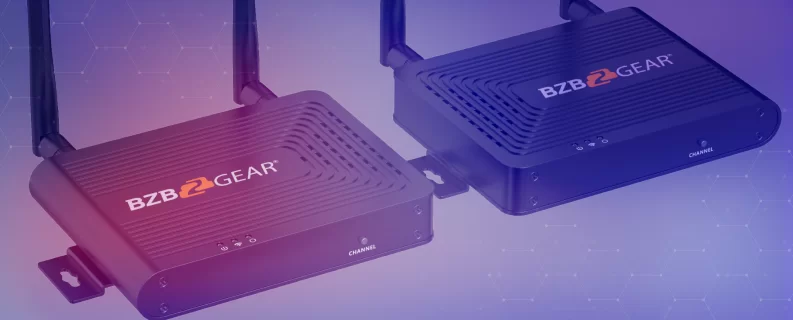
For the office or home theater where you just need it to work: the BG-Air4Kast. 4K60 over 5 GHz with a clean one-to-one pairing, up to 164 feet of line-of-sight range, IR back-channel so your remote still works through the receiver, and 130–180ms latency. This is the "mount it once, forget about it" kit. Huddle room, boardroom, kitchen-to-living-room source relay, digital signage where the source isn't next to the display. Easy setup, no tuning required.
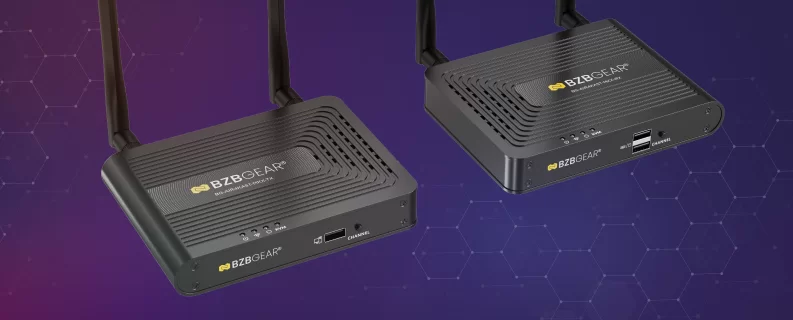
For events, training rooms, and any job that needs the same video on multiple screens: the BG-Air4Kast-MKX. Same 4K60 HDMI 2.0 foundation, but one sender pairs with up to four receivers. One transmitter at FOH feeds a main screen plus three confidence monitors, or one classroom source feeds four displays around a lecture hall, or one boardroom feeds breakout displays in adjacent rooms. Latency stays in the same 120–180ms range at 4K60 (and drops to 70–120ms at 1080p60), which is fine for presentation, training, and event use. The one-to-one range is still up to roughly 50 meters; as you add receivers, the usable range tightens (one-to-four pulls in to about 15 meters) — which is exactly what you'd expect from a radio splitting its airtime across more clients.
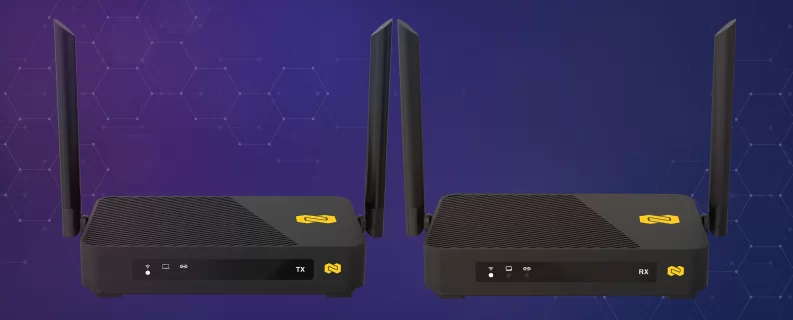
For home theater, pro gaming, and KVM work where latency and fidelity are non-negotiable: the BG-Air4Kast-Pro. This is the high-performance sibling. Latency as low as 15ms at 60fps, HDR10 10-bit support, Dolby Atmos and DTS passthrough, 7.1-channel audio, and USB KVM back-control so your keyboard and mouse work wirelessly through the receiver. The radio is a full 802.11ac implementation running on the 5 GHz band (5.15–5.85 GHz, wider than the consumer Wi-Fi slice) with WPA2-AES128 encryption, two 5 dBi high-sensitivity antennas, and up to 100 meters of clear line-of-sight range. HDMI 2.0 in, HDMI 2.0 out, 4K60 across the link, and a loop-out so you can monitor the source locally. This is the kit you reach for when 150ms of lag would ruin the experience.
Pick the Job First, Then the Kit
The temptation with wireless HDMI is to buy for the best-case spec on the box and hope the real-world install gets close. Don't. Start with the job — office, event, or home — then match it to the extender that was actually designed for that job. Trying to use an event-oriented multi-receiver kit in a competitive gaming setup is going to feel bad. Trying to run a training room on a low-latency one-to-one kit means buying four of them to cover four displays.
Match the tool to the install and wireless HDMI stops being a gamble and becomes what it should be: one cable's worth of convenience that disappears into the background. If you're staring at a floor plan and not sure which way to go, reach out. Here at BZBGEAR we'd rather help you spec the right kit the first time than ship you the wrong one and deal with a return. To see the full wireless HDMI lineup, visit BZBGEAR.


8.00 a.m. - 5.00 p.m. (PST)
10.00 a.m. - 3.00 p.m. (PST)
(by appointment only)


