







Video Wall Controllers vs Multiview Processors: Key Differences and Use Cases
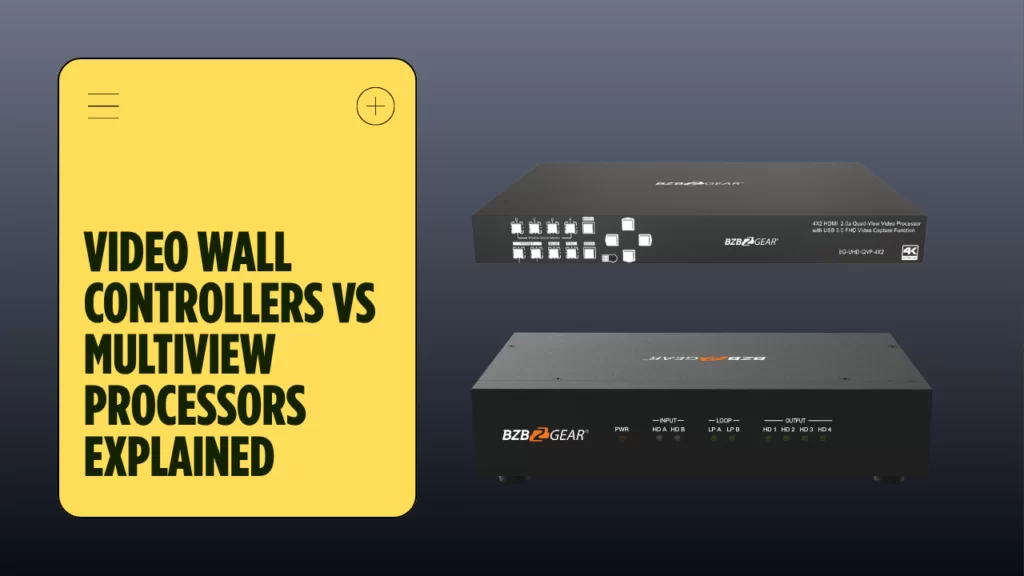
On paper, a video wall controller and a multiview unit might be easy to confuse. Both of these accept more than one source and both manage layouts. Both of them help operators organize what appears on screen and yet they solve different problems. This means that choosing the wrong device can turn a clear design into an expensive mistake, especially when uptime, flexibility, and operator workflow all matter to produce a perfect result. In one project, the goal may be a nice unified video output across a large wall. In another however, the need might be to create a compact monitoring view inside one operations space where several signals have to stay visible at once.
This guide explains the difference in practical terms. We’ll tackle what a video wall controller does, how a multiview system works, and which option fits different needs. For integrators, the right choice can depend on scale, display behavior, layout needs, and how much control the end user needs each day. That decision affects the video experience, the operator workflow, and the long-term success of the install.
What Is a Video Wall Controller?
To put it simply, a video wall controller is a device designed to take multiple displays and unify them into one complete visual canvas. That means that instead of treating each screen as a separate endpoint, it treats the entire wall as one coordinated video space. This controller takes in sources and then maps them to outputs all while keeping motion, timing, and scaling aligned across the full wall. As such it’s no wonder why they are common in public signage, lobbies, campuses, and mission-critical environments where one large video presentation must stay coherent.
However this doesn’t mean that multiviewing can’t show up in a video wall. Both video wall processing and multiviewing may appear in the same product family, but they are not interchangeable. If a buyer is looking for a true video wall they might run into some pretty big operational problems if they choose a multiview device built for source monitoring rather than unified presentation.
Video Wall Processor 4K: HDMI and LED
Most modern video wall platforms will support 4K inputs, flexible scaling, and multiple output paths. That being said, it’s important to understand that a video wall processor designed for 4K has to maintain image integrity while dividing content across an array of screens. This is absolutely paramount in an led deployment, where pixel density, brightness, and seamless alignment raise the standard for output quality or could dumpster the project entirely if done wrong. For most projects, an hdmi video wall processor is the most practical choice because HDMI sources are the most common connector.
An led video wall system goes further by supporting the needs of direct-view led surfaces. Those systems often require tighter image management, better output mapping, and more precise scaling than a small LCD wall. In these types of installs, the controller isn’t just passing video. It’s actually shaping how the video appears across the entire wall, which means it’s preserving visual consistency and helping the led canvas feel like one surface rather than the separate panels that it’s stitched together from.
Multiview Video Processor: How It Differs
A multiview video system solves a completely different task from a video wall. Instead of turning many displays into one wall, it takes multiple sources and turns one display into a way to see them all. This makes it ideal when feed monitoring, operator supervision, and comparison workflows are needed. A multiview layout is amazing because it can show several inputs all at once, or resize them independently, and even let the user switch between PiP, PoP, and other window layouts without having to rebuild the whole wall concept.
Another way to look at the difference between a video wall and a multiviewer is this: a video wall controller is designed around creating a unified presentation. A multiview setup is designed around the idea of being able to have simultaneous viewing. If the need is to create one branded video image across a lobby wall then the multiviewer is simply the wrong choice. If the need is to instead be able to monitor many signals in one operations center, a multiview layout is the right choice.
How Does a Video Wall Controller Work?
The controller begins by taking in one or more video sources, from there it identifies format and timing, and prepares each source for routing. It then segments the chosen image into different tiles to be sent to each display on the wall receives the correct portion of the larger image. Synchronization is fairly critical at this stage because even a small mismatch is immediately obvious and can break the illusion of one continuous video image.
Next comes the output management. The device goes through great lengths to align timing across every display, and it then assigns each segment to the right screen, all while maintaining stable playback across the full wall. Management software, if available, can then give the user control over presets, source selection, layout recall, and failover behavior. Most users will prefer that the controller can be accessed through LAN tools, RS-232, or a GUI interface so operators keep direct control over the video environment.
A multiview system handles the same inputs quite a bit differently. Instead of creating one image for one wall, it instead scales each source as an independent window the the display. The user typically has the ability to move windows, resize them, and place priority feeds where they matter most. This is especially useful in a monitoring hub where one screen has to be able to show many or all sources at once. The control method may look similar, but the underlying video logic is different.
Typical operating tasks include:
- source selection for a unified video wall
- window placement in a monitoring hub
- preset recall for fast control
- output checks for an led surface
- layout changes during live video operation
Video Wall Use Cases: Control Rooms and Beyond
The best way to choose between these units is to understand your needs. A command room, NOC, or EOC typically needs a full control room video wall processor or controller platform. In that setting, it’s crucial for the room team to have high uptime, clear operator control, and the ability to place mission-critical video on a shared wall that everyone can see. This wall is the common visual reference, while the room staff uses control tools to recall layouts and react to events.
Broadcast and media environments might instead be inclined to lean toward multiview designs. In a production suite, operators can benefit from the ability to see many feeds at once without turning the whole setup into one stitched wall image. Here, a multiview layout provides much more value because it can keep each source separate while still supporting flexible video arrangements. The monitoring workflow also benefits from quick control, instant source comparison, and much easier feed review.
Retail signage, corporate lobbies, and education deployments are typically best served by a classic video wall controller. These projects focus more on impact, branding, and presentation as opposed to observation of different sources at the same time. If the goal is one promotional image across a lobby wall, a unified video wall is the best choice. In an led showcase, the same logic applies, because the led audience can easily notice misalignment and expects a very clean video.
Home projects can sit between the two categories. A media zone with a modest display array may still benefit from a compact video wall approach if the owner wants one large visual field. Another home theater may benefit from multiview if the aim is sports, gaming, or feed comparison on one large display. The key is to match the device to the real behavior of the space, not just the feature list.
A short planning checklist helps:
- choose a video wall platform for unified canvases
- choose multiview when one viewing area needs many visible sources
- prioritize control features in a mission-critical room
- verify led support when the project uses direct-view led
- match the video workflow to the people running the system
In a command room, the right processor helps to keep the wall stable and doing exactly what it needs to do. In a broadcast room, another processor may serve better for being able to feed review. In a training room, planners may compare controller and processor behavior. Each room has its own pace and needs, and each room can benefit from a choice made based on needs.
Conclusion
A video wall controller and a multiview processor might sound similar or look similar, but they couldn’t be further apart in what they aim to solve. The video wall is built for and best used for a unified display made up of several smaller displays. A multiviewer on the other hand is built for being able to see and control several different sources on one display all inside one room. Knowing that split is what keeps a design efficient and prevents the wrong device from limiting the project later.
Before choosing a platform, define the goal of the space, the role of the wall, and the way users expect to manage video each day. If the project centers on one shared image across an array, then it’s best to choose a video wall. However if the project centers on being able to monitor many inputs in one place, choose a multiview unit. For buyers comparing options, the right answer always comes from the use case, and not from the fancy specs on the spec sheet. To explore options for large-scale presentation and layout management, review the Video Wall Processors category on BZBGEAR and match the device to the actual control needs of the site.


8.00 a.m. - 5.00 p.m. (PST)
10.00 a.m. - 3.00 p.m. (PST)
(by appointment only)


