







HDMI Matrix Switchers Explained: Modular vs Fixed Systems and How to Choose
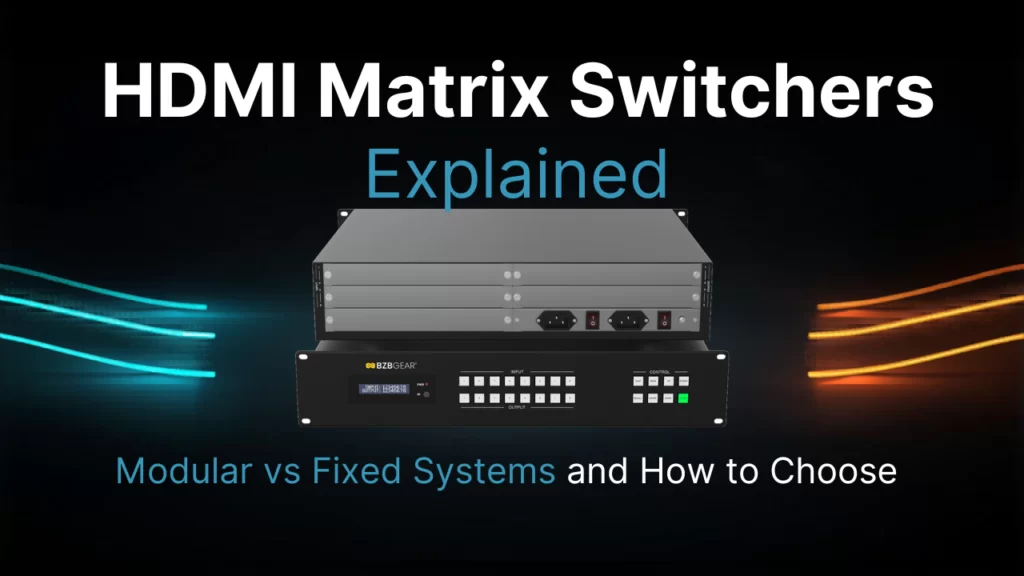
When it comes to managing several sources and displays it can easily become a daily puzzle. When one screen needs a laptop, another needs signage and the third needs a camera feed deciding how to handle this is paramount to success. If you don’t have a proper routing platform you might be forced to depend on cable swaps, extra hardware, or even a separate switch for each display leading to a nightmare headache. This is where we turn to an HDMI matrix switcher to solve that problem. It gives installers one place to route signals, helps operators switch sources quickly, and keeps the path organized as the room grows.
That’s exactly why we want to go over what is an HDMI matrix switcher, how routing works, and how to choose between a fixed unit and a modular unit. It’s important for buyers to get an HDMI solution that fits the room, supports daily control all while leaving enough room to switch layouts later.
What Is an HDMI Matrix Switcher?
To put it simply, an HDMI matrix switcher takes multiple HDMI sources and distributes them to multiple displays independently. That “independently” is important, it means each output can receive a different input, but it also means that one source can also feed several outputs at once. This design is why the routing platform is central to many AV installs. Instead of adding one switch after another, why not just use a matrix to control the signal plan?
For anyone asking what is an HDMI matrix switcher, the answer can simply be summed up as the ultimate in AV flexibility. A good matrix allows the operator to switch one display to a laptop, switch another display to signage and switch a third display to a media player without having to swap cables. This is why an HDMI matrix is so useful across many commercial spaces.
HDMI Matrix vs Switch: Key Differences
The comparison between an HDMI matrix vs switch matters because the products really are for different jobs. When looking at a standard switch it takes several HDMI inputs and sends only the selected input to one singular display. While that is enough for a single-screen setup, a matrix is for much broader use. It lets each display switch independently, and it can send one source to many displays at the same time.
In practice, the difference looks like this:
- An HDMI switch is designed for one output path
- An HDMI matrix is designed for many output paths
- A matrix lets each display switch on its own
- A matrix gives better control over the layout
Another way to look at this is if a room has one display, a switch may be enough. But if a site has several screens and changing needs then an HDMI matrix is usually the smarter choice.
How Does the HDMI Matrix Work?
To explain the question of “how does an HDMI matrix work?”, we should start with the path of the signal itself. To start, each source enters the HDMI input of the matrix. From there, inside the unit, the routing engine will map that source to the output(s). And that’s where you, the user comes in, presses a button or sends a command. The unit then tells the matrix to switch that route. The source stays connected, but it’s now being sent elsewhere.
A good matrix will also handle the details that protect stability. Take for example the HDCP handshake, it must remain clean as protected HDMI content moves through. EDID management helps as it can tell the source what the display can accept. Going without that support, a user might want to switch to a screen and suddenly they lose audio, lose resolution, or lose the image. Reliable control keeps the video path stable.
Of course you can’t have a good experience without good control options. Most products use front-panel buttons, but they can implement more complex options like IR, RS-232, web control, or IP commands. When in larger installs, automation can be invaluable so that users can store presets that switch the room from presentation mode to signage mode in seconds. The matrix is not just a box in a rack. It is the operating center for the HDMI routing plan.
A basic workflow might look like this:
- Connect each HDMI source to the input section.
- Connect each display to the output section of the matrix.
- Set EDID behavior for the connected HDMI devices.
- Use the chosen control method to switch routes.
- Confirm that the video signal remains stable after each switch.
This process shows why an HDMI routing platform is more useful and practical than adding another small switch. The room becomes far easier to manage, and the matrix makes daily changes a breeze.
HDMI Matrix Switcher: Modular vs Fixed Systems
For most buyers they might think that matrix switchers only come in a fixed solution, however there are modular options on the market. So the question becomes which to pick? Obviously both route HDMI signals well, but each one will fit a different type of project. Ultimately the decision comes down to cost, rack space, and future expansion.
A fixed frame has a set number of inputs and outputs, which is why it’s fixed! A modular frame however has the ability to grow and adapt with added cards or chassis capacity. Many projects might start with a defined plan but things can change and the need to expand can arrive. If the site may add displays, sources, or zones, the buyer should think ahead and avoid a switch strategy that will hamstring them later on.
Fixed HDMI Video Matrix Switcher
A fixed HDMI video matrix switcher often is a better fit for smaller or more well-defined installs. The most common sizes are 4x4 and 8x8 but they can be larger. In these systems, it’s clear the installer knows the input count and output count from the start. A fixed matrix ultimately accomplishes the goal and still gives the team a clean way to switch sources, support the video workflow as well as keeping the HDMI layout easy to understand.
A fixed frame often makes sense when:
- The number of HDMI sources will stay the same
- The display count is already known
- Users need a simple way to switch inputs
- The video plan is stable
- The budget favors a compact matrix
If you’re outfitting a boardroom, classroom, or small retail site then a fixed matrix will often be enough. Staff are able to easily switch sources without swapping cables, and the installer can build a nice tidy HDMI system without needing to add a separate switch for each display.
Modular HDMI Matrix: 16x16 and Beyond
A modular HDMI matrix on the other hand is built for larger installs that want to have the ability for growth. This is where we start getting into 16x16 HDMI matrix switchers and beyond (of course you can also have a fixed 16x16). A modular frame brings the joy of being able to expand the routing design later. Instead of replacing the whole platform, a team now has the option to add capacity and keep the same central matrix idea. This makes it much easier to switch routes across many spaces and keep the video workflow consistent.
A modular format is often better when:
- The project may grow in stages
- The client wants a long-term HDMI backbone
- Operators need more ways to switch routes
- The video workflow may become more complex
- Serviceability matters as much as price
A modular matrix helps the site stay organized as new rooms go live. It also reduces the risk that the original switch plan will feel too small after a short time.
How to Choose the Right HDMI Matrix
Like most things, we recommend looking at your needs and not just the brochure! You should count the sources needed as well as your displays. From there you should decide how often users need to switch. Finally, check to see if it has the resolution, control options, audio handling, and compatibility tools that you need. The right HDMI platform should match the way the room will operate every day instead of what just sounds nice on a piece of paper!
You might find this checklist helpful:
- Count every current and planned HDMI source
- Count every output the matrix must support
- Note how often staff will switch routes
- Confirm the required video format
- Compare a fixed matrix with a modular matrix
- Review how the control method will switch into daily use
Ease of use also matters. Some teams want a simple switch layout that requires minimal setup, while others will want presets, automation, and remote access. Ultimately, the product should fit the people who will use it, it does no good if you have to fight with it. That is the best way to keep the HDMI environment stable.
Conclusion
An HDMI matrix switcher is one of the most practical answers to a very common AV problem: too many sources, too many displays, and too much faffing about with cables! A fixed matrix is usually right for smaller, stable installs. A modular matrix is better for larger or growing deployments where teams expect to switch layouts over time. The system should simplify HDMI routing, protect the video path, and reduce the clutter that comes from depending on a separate switch for every task.
Before choosing a product, map the source count, the display count, and the control style the room will need. Then compare those needs with the HDMI Matrix Switchers category on BZBGEAR. A careful review will help you choose an HDMI platform that is easy to run, easy to expand, and easy to switch when the room changes.
Quick planning points help the final decision:
- Choose the right HDMI input count
- Choose the right matrix output count
- Choose the right switch control style
- Choose the right matrix size for growth
- Choose the right HDMI support features
When teams test a room, they often switch sources, switch displays, switch presets, and switch again. That is why the best matrix is not only about size. The best matrix helps operators switch smoothly, keeps the HDMI design clear, and supports reliable video performance.
For buyers, the final check is simple: confirm HDMI compatibility, confirm HDMI scaling, confirm HDMI control, confirm the right matrix size, and confirm that staff can switch, switch, switch, switch, and switch with confidence.
A reliable HDMI room lets staff switch fast, switch safely, switch between presets, switch between zones, and switch without touching each HDMI source or each HDMI display in the HDMI chain.


8.00 a.m. - 5.00 p.m. (PST)
10.00 a.m. - 3.00 p.m. (PST)
(by appointment only)


