







HDMI Cables Explained: Copper vs. Fiber
There can be a lot of nonsense floating around about HDMI cables. Lot’s of marketing fluff like gold-plated this, oxygen-free that, or "premium" stickers slapped on a cable. Most of it doesn't matter. Some of it actually does. The trick is knowing which is which.
So let's skip the marketing language and have an honest conversation about the only two questions that really determine which HDMI cable you should buy: how far does the signal need to travel, and how much data does it need to carry?
The Distance vs. Bandwidth Truth
Here's the thing that the back of a retail box might not tell you. HDMI bandwidth and HDMI distance fight each other. The higher the bandwidth you're pushing, the shorter the distance copper can reliably carry it.
A 1080p signal at 60Hz is roughly 4.5 Gbps of data. That's easy. A passive copper HDMI cable can carry it 25 to 50 feet without much issue.
A 4K60 HDR signal at HDMI 2.0 spec is 18 Gbps. Reliable copper distance drops to roughly 15 to 25 feet before you start seeing artifacts, dropouts, or full-on black screens.
A 4K120 or 8K60 signal at HDMI 2.1 spec is up to 48 Gbps. With a properly certified HDMI 2.1 copper cable, you can typically get about 10 feet (3 meters) of reliable passive copper at full bandwidth, and a handful of certified cables push that out to roughly 5 meters (about 16 feet) at the edge of what's reliable. That's the real ceiling, not a marketing number. Push past it and things get weird fast.
Notice the pattern. Every time the resolution or refresh rate climbs, copper's usable distance shrinks. This isn't a quality problem you can fix by spending more on fancier copper. It's physics. Higher frequencies attenuate faster over copper conductors, and HDMI 2.1 runs at much higher frequencies than 2.0.
So if a salesperson tells you their "premium" 50-foot copper HDMI 2.1 cable will pass 8K60 reliably, ask them to show you.
Where Copper Actually Fails
When an HDMI cable fails, it almost never fails politely. Here's what to actually watch for and what causes it.
Sparkles and snow. Tiny flickering pixels across the screen. Classic sign of a weak signal — usually a copper run that's too long for the bandwidth you're pushing. The receiver is getting the data but with too many bit errors to clean up.
Intermittent black screens. The display loses sync entirely, comes back, loses it again. Often caused by HDCP handshake failures over a marginal cable. The video data might be okay, but the encrypted handshake at the start of every key cycle doesn't survive the noise.
No image at all on a fresh install. The connectors look fine but nothing comes through. Usually a bent or recessed pin inside the HDMI head, or a cable that physically passed QA but has a broken twisted pair inside the jacket. HDMI connectors are notoriously fragile compared to almost anything else in your AV rack.
Image works but no audio. Usually a damaged conductor pair specific to the audio channel. Same physical cause as the broken video pair, just in a different slot.
It worked yesterday and doesn't today. Look at the cable bend at the connector. HDMI heads aren't designed for repeated stress, and a cable that gets tugged or wrapped tightly will eventually open a solder joint inside the connector hood.
The takeaway is simple. Copper HDMI is fine when you respect the distance limits and treat the connectors gently. When you push past either of those limits, copper fails — and it fails in ways that look like a problem with everything else in your rack first.
When Fiber Is Actually Required

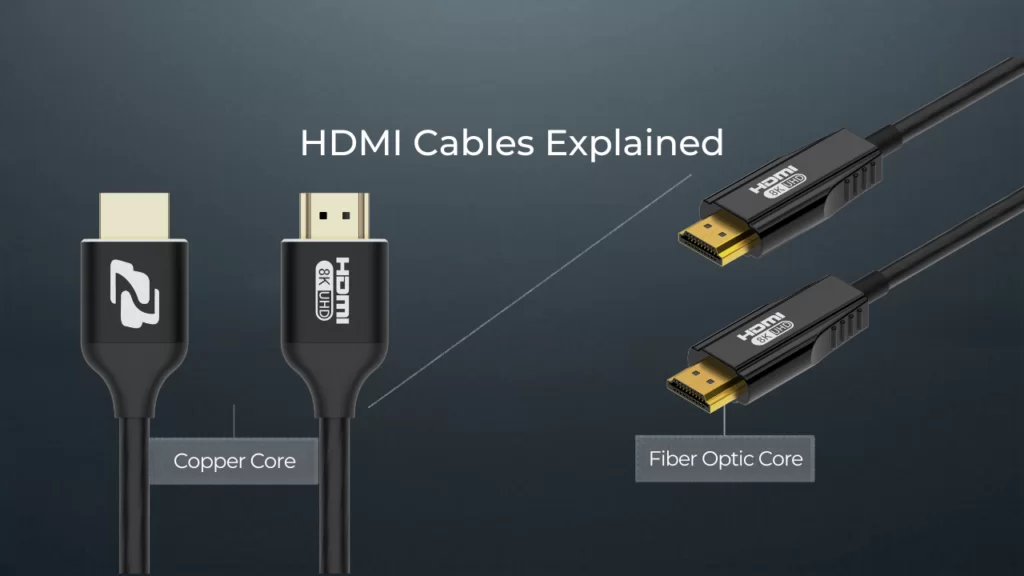
Active Optical Cables (AOCs) replace the copper signal conductors with optical fibers and tiny transceivers built into the connector heads. The HDMI ends still look the same, but inside the cable, your signal is light, not electricity.
The honest answer to "when do I need fiber HDMI?" comes down to one rule: when copper can't physically carry the bandwidth you need across the distance you need.
Use copper when:
- The run is under 25 feet and you're at 4K60 or below
- The run is under 50 feet and you're at 1080p
- The run is under about 15 feet and you need full 4K120 or 8K60 over a certified HDMI 2.1 cable
- You're connecting a source to a switcher or extender that's right next to it in the rack
Use fiber (AOC) when:
- The run is longer than 25 feet and you need 4K60 with HDR
- The run is longer than about 15 feet and you need 4K120 or 8K
- You need to pull the cable through conduit where you can't go back and re-pull later
- You're future-proofing for a higher resolution on the same cable run
- You need EMI immunity in an environment full of motors, lighting dimmers, or RF gear
Fiber HDMI also has a quiet advantage that doesn't show up on spec sheets: it's lighter, thinner, and bends in tighter radii than thick copper. For long runs through walls or ceilings, the install itself becomes faster and cleaner.
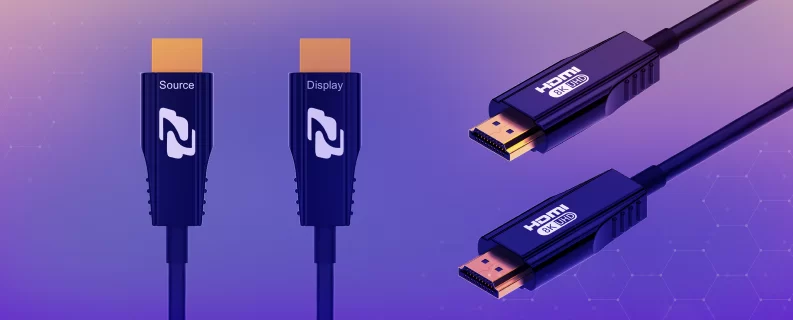
The one thing to know about AOCs is that they're directional. There's a "source" end and a "display" end, marked on the connector. Plug them in backwards and you'll get nothing. Mark your runs before you fish them through the wall.
So What Should You Actually Buy?
Here's the honest cheat sheet. The good news is that BZBGEAR's HDMI lineup is built around two cables — one copper, one fiber — and both are HDMI 2.1 48Gbps. Because HDMI 2.1 is fully backward-compatible with everything below it, you don't need a separate cable for 1080p, 4K60, 4K120, or 8K. You just need to pick the one that matches your run length.
For short runs in the rack and behind the display: BG-CAB-H21C. This is an HDMI 2.1 48Gbps Certified copper cable — the kind of cable that has actually passed the HDMI Forum's Ultra High Speed certification, not just had a sticker put on it. Use it for source-to-switcher jumpers, source-to-display patches, and any run where copper still has the headroom to handle the bandwidth. Because it's full HDMI 2.1, the same cable that runs 8K60 to your video wall also runs 1080p to your conference room TV.
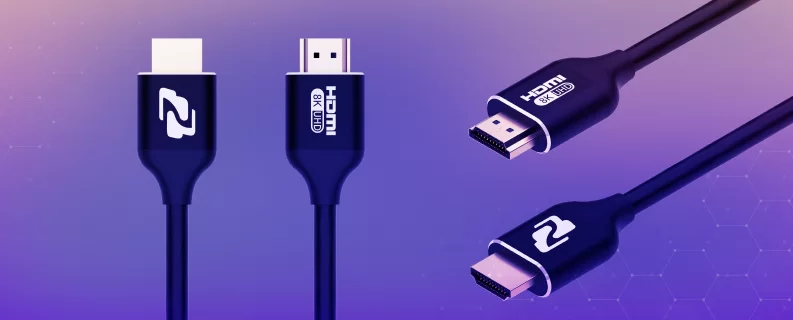
For long runs across the room or through the wall: BG-CAB-H21A. This is the 8K UHD HDMI 2.1 48Gbps Active Optical Cable — light is the carrier, copper is gone, and the distance limits that haunt long copper runs go with it. Use it for the next-gen video wall, the gaming lounge with a console connected to a projector across the room, the conference room where the source is in a closet 40 feet away, or the studio runs you don't want to redo in two years. Same backward compatibility advantage applies: one cable handles every HDMI resolution from 1080p up to 8K, so you can future-proof a run today without paying for a swap later. Just remember the AOC directionality — mark your source and display ends before you fish the cable through.
Match the cable to the job. Don't overpay for fiber when copper would work, and don't try to save twenty bucks on copper when the install is begging for fiber. Two SKUs cover almost every scenario you'll hit.
Closing Thoughts
HDMI cables are one of the few places in an AV install where buying the right thing for the actual conditions matters more than buying the most expensive thing on the shelf. Bandwidth, distance, environment — those three things tell you everything you need to know.
If you've got a tricky run and you're not sure whether copper or fiber is the right call, reach out. Here at BZBGEAR, we'd rather help you spec the right cable the first time than sell you a fancy one you don't need.


8.00 a.m. - 5.00 p.m. (PST)
10.00 a.m. - 3.00 p.m. (PST)
(by appointment only)


