







Complete Guide: Modular Matrix Switching with the BG-MC Series
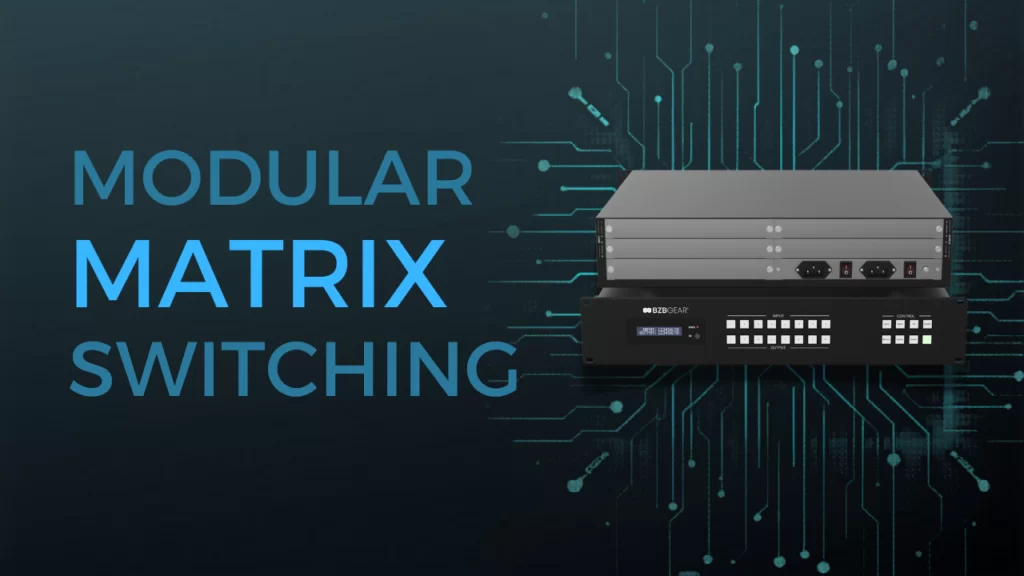
A question I get a lot from integrators sounds something like this: "I'm spec'ing a matrix switcher for a multi-room install, and I have no idea what the client is going to ask for in two years. What do I do?"
It's a fair question. Pro AV systems are rarely static. Rooms get added. Signal types change. A facility that needed eight HDMI inputs today might need sixteen mixed inputs across HDMI, HDBaseT, and fiber the moment they expand into the building next door. And the worst feeling in this business is pulling out a perfectly good matrix switcher because the I/O configuration no longer fits the install — not because the box failed.
That's the exact problem modular matrix switching was built to solve. Let's break it down.
Why A Fixed Matrix Made Sense — Until It Didn't
For years, fixed matrix switchers were the default. They were simple to spec, simple to install, and they did their job. You picked your I/O count, picked your signal type, and lived with that decision for the lifetime of the system.
The problem is that the lifetime of a Pro AV system has gotten longer, and the lifetime of a configuration has gotten shorter. New display technologies, evolving HDMI specs, the shift from copper to fiber for long-run signals, the growing demand for video walls in places they never used to live — all of it has made the "set it and forget it" matrix increasingly hard to justify.
So, what's the alternative?
How Modular Changes the Math

A modular matrix switcher replaces the fixed back panel with a chassis full of empty slots. You then populate those slots with interchangeable input and output cards in whatever combination your project needs.
Think of it like the difference between a sealed-box laptop and a tower PC. The laptop is fine until you outgrow it — and then you replace the whole thing. The tower? You pop the side panel and upgrade the parts that matter.
That's the core idea. Same chassis, different cards, totally different system.
Why Modular Wins Long Term
The headline feature of modular switching is flexibility. The real wins, though, are the ones that show up two, three, and five years after the install.
You future-proof the install. Standards evolve. When the industry moves from HDMI 2.0 to 2.1, or from 4K to 8K, or pushes a long-haul connection from copper to fiber, a modular chassis lets you swap a card instead of swapping the whole system.
You stop paying for ports you don't use. On a fixed matrix, every input and output is in the price whether you need it or not. Modular lets you populate only what your project actually requires today, and leave the rest of the slots open for tomorrow.
You shrink downtime. When a single port fails on a fixed matrix, the whole unit usually has to come out for repair, and the install goes dark. On a modular chassis, you pull the affected card, slot in a spare, and you're back up in minutes.
You consolidate signal types. Running HDMI, HDBaseT, and fiber through three separate switchers is a maintenance and control nightmare. One modular chassis handles them all through the right combination of cards — managed by a single control system.
Show, Don't Tell — Expandability in Action
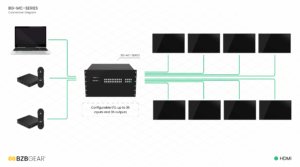
Here's where modular planning gets really powerful, and it's also where it most often gets misunderstood. The BG-MC chassis comes in three fixed sizes — 8x8, 16x16, and 36x36 — and each is a different physical unit. An 8x8 chassis doesn't grow into a 16x16 by adding cards. What does grow is the population of cards inside the chassis you bought.
That distinction is the whole game. You pick the chassis size that matches your future maximum, then populate only the cards you need today.
Picture a house of worship planning a multi-year AV refresh. They only need four inputs and four outputs to start — the main sanctuary, a stream feed, a couple of confidence monitors, and a lobby display. They could buy a fixed 4x4 matrix today, but they know a second worship space and a kids' wing are coming. Instead, they spec the 16x16 chassis, populate just one HDMI input card and one HDMI output card on day one, and leave the rest of the slots empty.
Six months in, the second sanctuary opens — slide in another input card and another output card. Two years in, they roll a video wall into the lobby and add an HDBaseT card for the long run to the kids' wing. Same chassis. Same control system. Same rack space. They're now running 12x12 inside a 16x16 chassis, with room left for whatever comes next.
That's what "expandable" actually means in practice — buy once for your envelope, grow into it without rip-and-replace.
If their needs eventually outgrow even the 16x16, the cards themselves often carry forward into a larger chassis. The card-level investment doesn't get thrown away.
Talking ROI, Not Just Features

Features sell the first conversation. ROI wins the project.
Here's what the lifetime math actually looks like. With a fixed matrix, every meaningful change to the install — more inputs, a new signal type, a video wall — eventually triggers a rip-and-replace cycle. New box, new cabling, new control programming, new commissioning labor. That cost shows up on the books as a step function — three or four big spikes across the life of the system.
With a modular system, those same change events become incremental. Add a card. Add another card. Activate video wall mode on the outputs you already have. The line stays roughly flat. Same chassis, same control system, same rack space.
For an integrator, that means happier clients and fewer "we need to start over" conversations. For a facility manager, it means a capital investment that survives the budget cycle instead of getting written off every few years. Either way, the math works out the same way: you pay once for the chassis, then you pay only for the growth you actually use.
BZBGEAR Highlight: The BG-MC Series
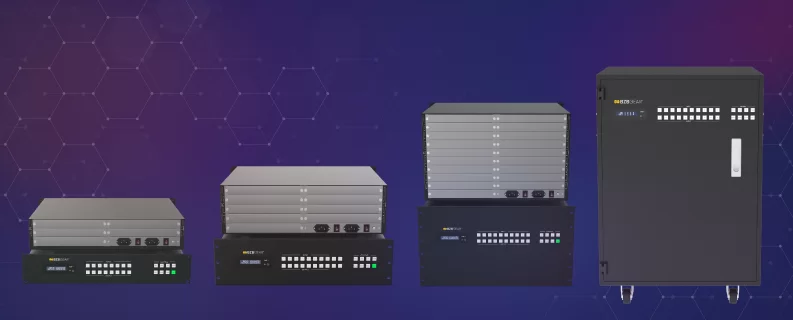
The BG-MC Series is BZBGEAR's modular, fully configurable seamless matrix platform. It's available in three chassis sizes — BG-MC-88M (8x8, 2U), BG-MC-1616M (16x16, 3U), and BG-MC-3636M (36x36, 6U) — and within each chassis, you populate interchangeable input and output cards for HDMI, DVI-U, VGA, SDI, HDBaseT, and fiber. Each card carries four channels, so a 16x16 chassis fully populated holds four input cards and four output cards.
Cards come in two performance tiers. The 4K series (HDMI 2.0b, HDCP 2.2, 4K60 4:4:4 over 18Gbps) is the right call for any modern HDR install. The 2K series (HDMI 1.4, HDCP 1.4, up to 1920x1200@60Hz) is a budget-friendly option for legacy displays and rooms where 4K isn't required. Same chassis, your call on the cards.
The right move at spec time is to size the chassis to your future max and populate only what you need today. A 16x16 chassis running 4x4 worth of cards on day one will happily grow to 12x12, then 16x16, as your project scales — without ever opening up a planning conversation about replacing the box.
Long-distance integrators get extra flexibility from the HDBaseT cards, which ship in 70m, 100m, and 150m variants (the model number refers to the 1080p60 distance over Cat6). The BG-MC-IN-HDBT150-4K, for example, runs 1080p60 and 4K30 signals up to 150 meters and 4K60 up to 120 meters — a real win on campus and stadium installs where signals have to leave the rack and travel. Toss in the fiber modules as well and you're getting up to 10Km of distance!
Seamless switching means transitions happen with no flicker, no tearing, and no black frames, and the integrated Gen-Lock keeps sub-0.1ms latency between outputs for clean video wall splicing. Video wall functionality is built into the chassis itself, not bolted on. The control system is included via a dedicated master control card slot. Two options exist there: BG-MC-CONTROL gives you a full third-party-control toolkit (RS-232, four programmable COM ports, IR-serial, two relay outputs, two-channel GPIO, and three LAN ports), while BG-MC-CONTROL-RS232 is a simpler RS-232-and-LAN-only variant for lighter deployments. Day-to-day management runs through front-panel LCD, IR remote, RS-232, TCP/IP, web GUI, or PC software, and 64 scene presets let you store and recall full system configurations on demand.
Whether you're an integrator planning a scalable deployment for a long-term client, or a facilities lead trying to protect a multi-year capital investment, the BG-MC Series gives you the room to start small and grow without starting over.
Where to Go From Here
Modular matrix switching isn't the right call for every project. If your I/O count is fixed forever and your signal types will never change, a traditional matrix is still a perfectly good option. But if there's any chance your install will evolve — and in Pro AV, it almost always does — modular is the smarter long-term play.
If you're weighing options for your next installation and want a hand figuring out what card configuration fits your project, reach out. Here at BZBGEAR, we'd rather help you spec it right the first time than sell you a box you'll outgrow next year. To explore the full BG-MC Series lineup, visit BZBGEAR.com.


8.00 a.m. - 5.00 p.m. (PST)
10.00 a.m. - 3.00 p.m. (PST)
(by appointment only)


