


Cloud-Based Camera Control: Benefits, Risks, and Best Practices
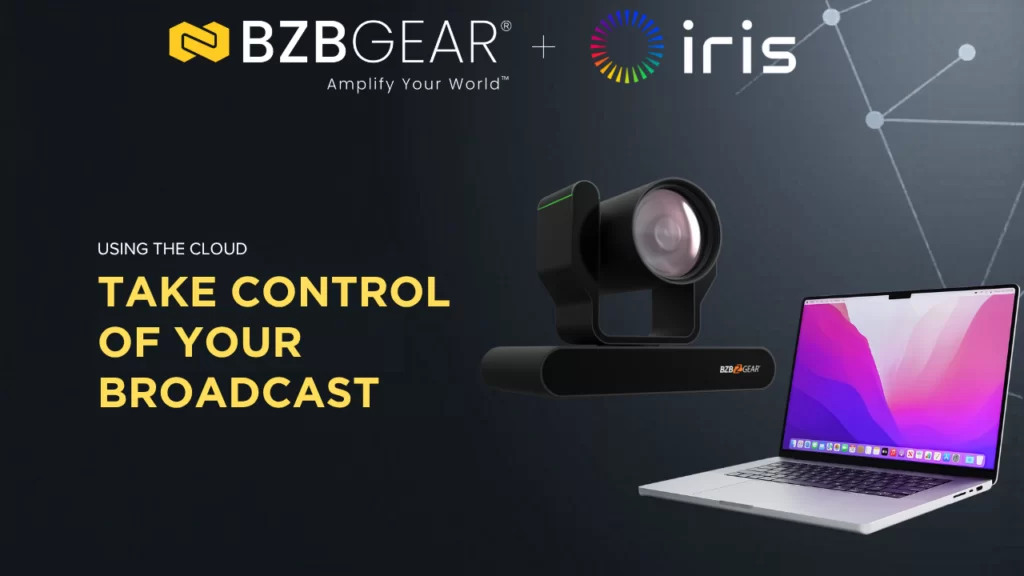
A question that keeps coming up in conversations with AV teams lately is: "Can I manage my cameras without being in the building?" And honestly, the answer has changed a lot in the last couple of years.
Camera control used to mean one thing — an operator, a joystick, a control room, all in the same physical space. But as more organizations run distributed operations across campuses, offices, worship spaces, and production venues, the idea of managing PTZ cameras from a browser window is no longer futuristic. It's practical. And in many cases, it's exactly what teams need.
But here's the thing. Cloud-based camera control is not just a convenience upgrade. It changes how your systems are accessed, secured, and maintained. So let's break down what it actually offers, where the risks are, and how to make it work the right way.
What Cloud-Based Camera Control Actually Means

At its simplest, cloud-based camera control lets authorized users manage supported cameras remotely through an internet-connected platform — not just through a local network connection or a remote desktop into an on-site PC.
That might include pan, tilt, zoom, preset recall, image adjustments, monitoring, or full fleet management across multiple sites. In more advanced setups, it also enables centralized oversight, real-time alerts, and collaborative access for distributed production teams.
The key distinction is that true cloud-based control is built around a centralized platform with direct visibility over connected devices. That's different from simply remoting into a local machine. And that distinction matters, because both the advantages and the risks scale up when control becomes more centralized and more accessible.
Why More Teams Are Looking at This
The shift toward hybrid and remote operations has changed expectations across the AV industry. What used to require someone physically walking into a room is now expected to be manageable from anywhere.
A university might need to support cameras across dozens of lecture halls. A corporate team wants oversight across offices in multiple cities. A house of worship runs three campuses with one tech crew. A production team needs to configure cameras at a remote venue without sending someone on a plane.
In all of these cases, the appeal isn't just convenience — it's scale. And for many organizations, a cloud-based approach is the first time that kind of centralized control becomes realistic.
The Benefits Are Real
The biggest advantage is centralized management. Instead of treating every room as its own island, teams can oversee camera fleets from a single interface. That alone reduces complexity as your deployment grows.
Responsiveness improves too. When a camera needs a tweak, a troubleshoot, or a configuration change, the right person can step in remotely instead of waiting for an on-site visit. That cuts downtime and lowers support costs.
There's also operational flexibility. Skilled operators can assist multiple sites, technical staff can validate system health from afar, and organizations can extend their support coverage without duplicating personnel at every location.
And for growing deployments, scalability is a major plus. Adding rooms or sites becomes much easier when the control model is already designed for distributed oversight.
BZBGEAR and Iris: What Cloud Control Looks Like in Practice
This is where it gets exciting for BZBGEAR camera owners. Through our partnership with Iris — a cloud-based intelligent camera control platform — BZBGEAR PTZ cameras can now be managed directly from any web browser with sub-200ms control latency. No extra hardware required. Just a firmware update and an Ethernet connection.
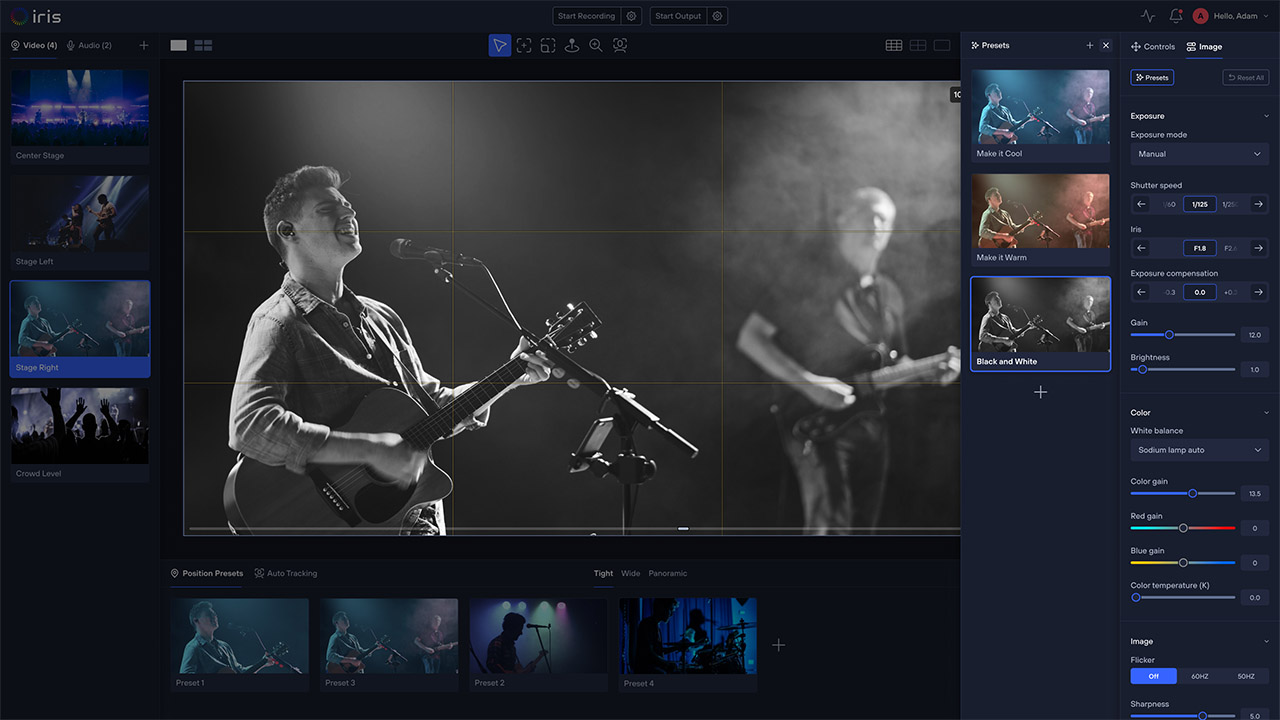
Iris transforms your BZBGEAR camera into a cloud-connected, remotely managed device. You get AI-powered auto-tracking, automatic framing, a virtual joystick, unlimited presets with real-time previews, image adjustment tools, and real-time equipment monitoring with alerts — all accessible from wherever you happen to be.
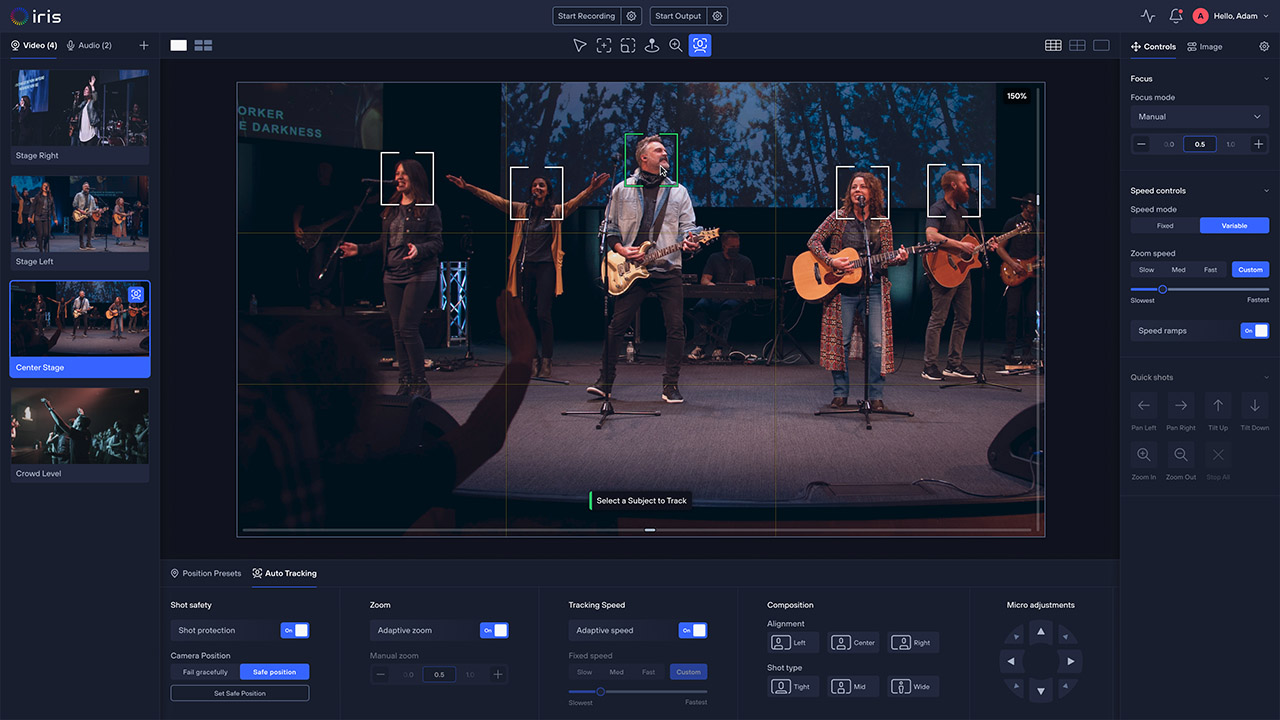
The ADAMO series is a great example of what this looks like in practice. The BG-ADAMO-4K is a 4K UHD auto-tracking PTZ camera with up to 25X optical zoom (40X coming soon!), HDMI, 12G-SDI, USB 3.0, and IP streaming outputs. With the Iris-enabled firmware, that camera gains cloud control, AI tracking, remote image adjustments, and fleet monitoring — capabilities that would normally require separate hardware or software licenses from other vendors.
The BG-ADAMO-JR brings similar Iris integration to a 1080p form factor with up to 30X optical zoom and full connectivity including HDMI, 3G-SDI, USB 3.0, and PoE+ network support. For teams that need great performance at a more accessible price point, the ADAMO-JR with Iris is a compelling combination.
Iris support is also coming soon for the BG-UPTZ and BG-VPTZ series as well as the BG-MAESTRO — so the list of Iris-enabled BZBGEAR cameras will keep growing.
One detail worth noting: your first camera is free to use with Iris. If you want to add more, BZBGEAR customers can use the promo code BZBFREE3 for three free months on additional cameras.
The Risks Are Just as Real
Moving camera control to the cloud changes your risk profile, and that deserves honest attention.
Internet dependency is the first concern. Local control systems keep working even if your building's internet goes down. Cloud-reliant workflows may not. That can create problems at exactly the wrong moment — say, five minutes before a live event.
Security is critical. Any system that allows remote access needs to be designed carefully. Weak authentication, shared credentials, excessive permissions, or poor network segmentation can expose your AV infrastructure unnecessarily.
Latency matters for some workflows. While platforms like Iris deliver sub-200ms response times — which is excellent for most use cases — highly latency-sensitive live production environments may still prefer a local control path for the most critical operations.
Access governance gets more complex as systems scale. More users means more permission levels, and without a clear structure, it's easy to grant broader access than anyone intended.
And service continuity should be part of the conversation from day one. What happens if the cloud platform has an outage? What about long-term pricing or support changes? These are fair questions to ask any vendor.
Where Cloud Control Makes the Most Sense

Cloud-based camera control delivers the most value in environments where multiple locations, distributed teams, or recurring remote support needs are already part of daily operations.
Education is a natural fit. Managing lecture capture cameras across a campus becomes far more efficient with centralized cloud oversight. Houses of worship benefit when one tech team supports multiple campuses. Corporate organizations can standardize camera support across regional offices. And broadcast and production teams can manage camera resources without requiring every operator to be physically present at every site.
In these deployments, the cloud isn't replacing a perfectly good local setup for the sake of novelty. It's solving a coordination problem that local-only control can't address.
Local Control Still Has Its Place
For mission-critical spaces, high-security facilities, and the most latency-sensitive production workflows, local control should remain primary.
The smartest approach is usually a hybrid strategy. Use cloud access for visibility, fleet management, support, and convenience — while keeping local control available for immediate, high-priority operation. This gives you flexibility without forcing the entire workflow to depend on one access model.
This is one of the things that makes the BZBGEAR and Iris approach particularly practical. Your cameras still work locally with traditional joystick controllers like the BG-Commander-G2 — which supports VISCA over IP, ONVIF, NDI, and serial protocols. Iris adds the cloud layer on top without removing local capabilities.
Best Practices for Getting It Right
The most successful cloud-based camera control deployments plan for complexity up front. Here's what that looks like:
Use strong authentication. Access should be protected by modern security practices. Don't share credentials across staff.
Define roles clearly. Not everyone needs full administrative control. Some users need monitoring-only visibility, while others need operational access. Role-based permissions reduce risk.
Maintain local fallback. If cloud connectivity drops, you should still be able to operate locally. Platforms like Iris support full local-mode operation even without an internet connection — an important detail.
Plan your network. Understand how bandwidth, latency, and your IT infrastructure affect the cloud control experience. Monitor control traffic and protect it accordingly.
Test failure scenarios early. What happens when internet drops? When a credential is compromised? When a user loses access during a live event? Answer these questions before they become real problems.
Document everything. Distributed systems scale best when access methods, user roles, device assignments, and escalation procedures are clearly written down.
The Best Cloud Strategy Is a Realistic One
Cloud-based camera control can genuinely transform how teams manage PTZ cameras — improving flexibility, simplifying support, and making it possible to oversee more cameras across more locations with less friction.
But the strongest deployments aren't built on convenience alone. They're built on secure access, clear permissions, network awareness, and reliable local fallback.
The conversation shouldn't be "cloud versus local." In most cases, the best answer is both. And with BZBGEAR cameras and Iris working together, that hybrid approach is easier to build than ever.
Ready to try it out? Head over to bzbgear.com/partnerships/iris to get started with the free Iris-enabled firmware for your BZBGEAR cameras. And if you need help planning a cloud-managed camera deployment, our team is here to help you build it right.


8.00 a.m. - 5.00 p.m. (PST)
10.00 a.m. - 3.00 p.m. (PST)
(by appointment only)



