





Beyond PTZ Cameras: The House of Worship Tech Nobody Talks About
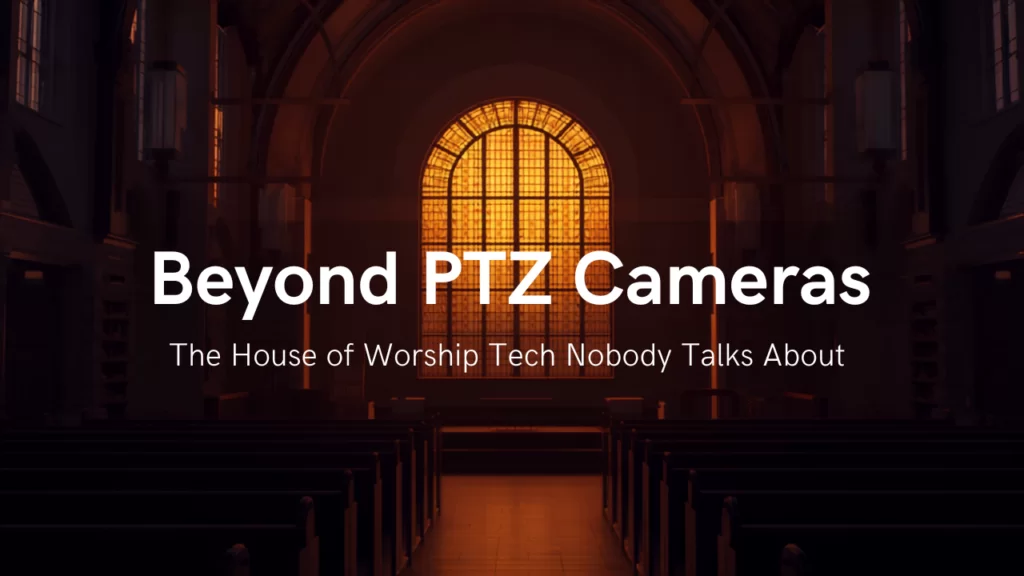
Ask a church what they need to improve their service, and the answer is almost always "another camera." Sometimes that's right. But we've walked into a lot of sanctuaries where the cameras were the best thing in the room, and the stream still felt flat, the back rows still couldn't hear, and the volunteer at the switcher still looked like they were defusing something.
PTZ cameras, joystick controllers, and production switchers get all the attention — they're the visible part of the system, and the easiest part to shop for. But there's a whole layer underneath them that determines whether all that camera money actually shows up on Sunday.
Let's break it down.
Start With What Your Stream Sounds Like, Not What It Looks Like
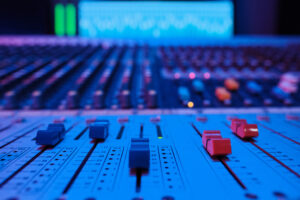
Here's the thing about a worship livestream: people forgive a soft-focus shot. They don't forgive audio that makes an 800-person room sound like a podcast recorded in a closet.
The number one audio mistake in church streaming is sending the front-of-house mix straight to the encoder. It makes total sense — it's right there, it's mixed, it sounds great in the room. But a FOH mix is built to supplement a room. It assumes the congregation's own singing, the acoustic drums, the natural reverb of the space. Strip all that away and feed it to someone on a phone in their kitchen, and you get a thin, close-mic'd mix under a picture of hundreds of people worshipping. The eyes and ears disagree, and viewers feel it even if they can't name it.
The fix is two-part. First, build a separate broadcast mix. A networked audio backbone makes that practical instead of painful — Dante, AES67, or AVB/Milan let you pull a second set of sends off the stage without a single analog split. (One note for integrators: Dante and AES67 run on standard managed gigabit switches, while AVB/Milan requires switches supporting the IEEE 802.1BA AVB/TSN profile. That requirement is usually why churches land on Dante.)
Second — and almost nobody does this well — add room mics. Not one mono mic at the back pointed at the stage; that mic mostly hears the PA. Use a stereo pair of condensers or shotguns near the front facing the congregation, or mounted just under and behind the main arrays. Then mix them actively: up during congregational singing and applause, down under the sermon.
How do you know the level is right? Mute them. If the mix suddenly sounds smaller, dryer, and less alive, you had it right. If listeners notice the room mics, they're too loud. And never route them to the house PA.
The Lighting Decision That Gets Blamed on the Camera
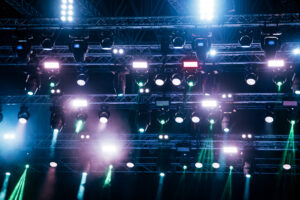
A church calls about banding in their stream — rolling horizontal bars, worse on tight shots. They're convinced the camera is defective.
It's almost never the camera. It's the LED fixtures.
LED lights dim using pulse-width modulation — they blink faster than your eye can follow. Your eye doesn't see it. A camera shutter absolutely does. Low PWM frequencies produce visible banding, and even a 500 Hz mid-range dimmer isn't enough for professional capture. For flicker-free video at high frame rates and fast shutter speeds, you want fixtures and DMX dimmers running PWM at 25,000 Hz or above.
The catch is that this decision usually gets made by the electrical contractor, months before anyone thinks about cameras, on architectural house lights nobody considered "production" gear. Any fixture that appears in frame needs to be spec'd for camera. Put PWM frequency on the submittal.
Two more lighting details worth knowing:
Color rendering. CRI is the number everyone quotes, but the EBU developed TLCI (Television Lighting Consistency Index, EBU Tech 3355) specifically because CRI is the wrong metric for television — TLCI simulates a full camera-and-display chain. The EBU calls 50 the watershed: below it, a fixture generally can't be corrected for television use. For a multi-camera church stream with no color grading afterward, we'd spec TLCI of 85 or higher, and 90+ if you can.
House levels. Your camera's dynamic range is far narrower than your eye's. A sanctuary that feels perfectly moody in person renders as a lit stage floating in a black void — which reads to a viewer as an empty room. Bring house levels up 10 to 20% above what feels right, and match color temperature between stage key and house so skin tones don't shift as the camera pans.
Your Network Is a Production Tool Now
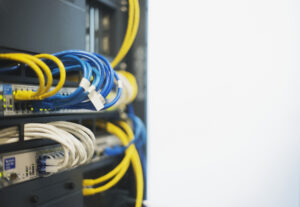
The moment a church adds NDI cameras, AV-over-IP encoders, or Dante audio, the network stops being an IT asset and becomes production infrastructure. Most churches learn this the hard way.
Here's what a flat network does to NDI. Discovery uses mDNS, which crosses the entire broadcast domain — so your cameras show up on office workstations. Streams default to unicast, so bandwidth multiplies with every receiver: a 100 Mbps stream becomes 300 Mbps when three devices request it. And full-bandwidth NDI at 1080p60 runs up to 150 Mbps on its own. A gigabit link is about five full NDI streams. Not fifty.
The design moves that prevent all of this are boring and cheap:
- Segment with VLANs. At minimum: guest Wi-Fi, staff/office, audio (Dante/AES67), video (NDI/AV-over-IP), lighting (sACN/Art-Net), and building systems. NDI's own documentation recommends NDI and Dante each get their own VLAN.
- Turn on IGMP snooping, with a querier on every VLAN. Without it, multicast floods every port — including the one your fire panel is on. Just don't filter so aggressively that you block PTP; when clock sync dies, the symptom looks like an audio problem, not a network problem.
- Put 10G on the uplinks, not the edge. Gigabit to each camera and encoder is fine. Gigabit access switches daisy-chained with gigabit uplinks is the most common church AV network mistake there is.
- Check PoE at the device, not the switch. 802.3af budgets 15.4 W at the switch but guarantees only 12.95 W at the powered device; 802.3at budgets 30 W and guarantees 25.5 W. That gap is the allowance for cable loss over a worst-case 100 m run. Most 4K and NDI PTZ cameras land in the 802.3at band — check the spec sheet rather than assuming.
- Reach for fiber past 100 meters, or between buildings. Copper's hard limit is 100 m, which a church campus blows through constantly. The better argument is that fiber is dielectric: no ground loops, no lightning path between buildings on separate electrical services. That's the one integrators find persuasive and churches never think about.
One counterintuitive item worth flagging: NDI's official switch guidance says to disable QoS and jumbo frames, while Dante's model depends on DSCP tagging. Those recommendations conflict — which is itself the best argument for separate VLANs instead of trying to tune one switch to serve both.
Assistive Listening: The Benchmark Worth Using Anyway
Here's something most church tech directors don't know: religious entities are exempt from ADA Title III. The exemption is broad — it covers facilities, programs, and activities, religious or secular, even when open to the public. And that's exactly why the ADA's assistive listening table is worth using as a design benchmark anyway.
The scoping in Table 219.3 is straightforward. A 300-seat sanctuary works out to 12 receivers with 3 hearing-aid compatible; an 800-seat room needs 30 with 8 HAC; a 1,500-seat room, 45 and 12. The technical side (§706) calls for a 1/8" mono jack, neckloop compatibility for telecoil users, and 110–118 dB SPL capability.
A few caveats still bite despite the exemption: state and local codes apply regardless (California's are notably stricter), Title I employment rules apply at 15+ employees, Section 504 applies if you take federal funds, and a non-religious tenant renting your space is bound on their own.
On technology: hearing loops remain the only option that satisfies 219.3's hearing-aid-compatible exemption and works with zero action from the user — they walk in, their telecoil picks it up. Infrared is the choice when confidentiality matters, because IR doesn't pass through walls. Wi-Fi app systems eliminate receiver inventory entirely and are excellent for translation and overflow, but their latency makes them a poor fit for someone sitting in the room watching lips move.
And Auracast? It's real, it's shipping, and it's the long-term direction — Ampetronic and Listen Technologies' Auri and Williams AV's Infinium line are both on the market now. But IEC 60118-17, the standard that will govern Auracast-based assistive listening performance, isn't expected until late 2027, and hearing-aid-side adoption is the real bottleneck, with replacement cycles running roughly four to seven years. The honest 2026 position: spec Auracast in new construction alongside existing technology, not instead of it. Vendors are now shipping combined FM + Wi-Fi + Auracast products precisely because nobody wants to bet on one horse.
Captions and Translation Reach People Receivers Never Will
Platform auto-captions are free and better than nothing, but they fall apart on exactly the vocabulary a church uses most — book names, transliterated Hebrew and Greek, and the names of everyone on staff. Cloud services (Verbit, SyncWords, Rev, Aberdeen) let you upload a custom glossary before the service, which is the single feature that makes ASR usable in a sanctuary. On-premise captioners like ENCO's enCaption sit downstream of the switcher in the SDI path, embed captions in the video, and keep working when the internet doesn't.
The non-obvious move is open captioning on a side screen in the room. It serves far more people than closed captions on the stream — hard-of-hearing attendees who won't wear a receiver, ESL attendees, and anyone in the back of a reverberant room. It's an accessibility win that reads as a production upgrade.
For multilingual congregations, Wi-Fi app-based interpretation has quietly become the default, because receiver cost drops to zero: the interpreter feeds a channel, and congregants listen on their own phones. AI real-time translation is being marketed hard to churches right now — improving fast, but a mistranslated doctrinal statement is a different category of problem than a mistranslated sales deck. Proceed carefully. And if you have an ASL interpreter, give them a dedicated camera and a plan for getting them into the stream — it's the accessibility investment churches most often make in the room and then fail to carry online.
The Cheapest Upgrades Are the Ones Your Volunteers Can See
If you want more production value per dollar than anything else here, stop shopping for gear and start reducing what your volunteers have to hold in their heads.
Tally lights are the cheapest confidence upgrade in the building. An operator who can see they're live stops re-framing on air — the single most common church video error. If your switcher and cameras don't talk natively, Tally Arbiter is a free, MIT-licensed project that aggregates tally from multiple switchers and pushes it to phones, Raspberry Pis, ESP32 boards, or relay contacts.
A multiview turns "what's camera 3 doing?" into a glance. Plenty of churches already own a switcher with multiview output over HDMI and have never plugged it in.
Labeled presets and macros turn shot composition into shot selection. Build presets for wide, podium, worship wide, drums, keys, baptistry, and communion table — then build macros that recall the preset, wait for the move to finish, and take the source. That wait is the part everyone forgets, and it's why volunteer-run PTZ churches put moving cameras on program.
Intercom matters more than people expect, and one band choice is worth getting right: 1.9 GHz DECT lives in clean, license-free spectrum, while 2.4 GHz comms fight your Wi-Fi and 1,200 phones every Sunday morning.
Auto-tracking works — but it eliminates the operator, not the director. It handles a pastor pacing a platform beautifully and a worship set with six moving people badly. The realistic deployment is auto-tracking on the pastor camera, presets or humans on everything else.
Overflow Is the Cheapest Seat You'll Ever Add
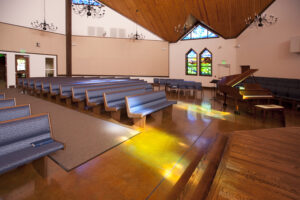
Growing churches think in buildings and service times. But a lobby, fellowship hall, nursery, cry room, or dedicated video café adds seats without adding a foundation — and AV-over-IP turns that from an HDMI run into a Cat6 drop.
This is where an encoder/decoder earns its keep. The BZBGEAR BG-STREAM-DE takes HDMI or SDI in, does 1080p60, comes in NDI|HX3 or Dante AV-H models, and records to USB storage while it streams — so the overflow feed and your archive copy come out of the same box. Rolling Hills Community Church used one to feed a video café seating an additional 300 people, and central production manager Shaun Miller's comment is the part worth repeating: "The interface is simple enough that volunteers can run it with confidence."
The same fabric feeds lobby digital signage the other six days a week. And where you genuinely can't pull cable — a temporary Christmas overflow room, a rented space — wireless HDMI like the BG-AIR4KAST is a reasonable answer, with one caveat: at 130–180 ms of latency, it's fine driving a display and wrong for a camera feed going into a switcher.
Plan for the Sunday Something Breaks
Every church eventually has the Sunday the stream drops. Worth thinking about in this order, because that's roughly the order things actually fail:
Internet. Do the math honestly. YouTube recommends 12 Mbps for 1080p60 H.264 — and you want roughly double that in sustained, dedicated upload, because encoder peaks exceed the average and Sunday-morning cable upload is a shared, asymmetric medium. (That's also the argument against streaming in 4K: 35 Mbps sustained for content most people watch on a phone, versus spending the same money on lighting and a second camera.) Options run from a dual-WAN router with failover, to bonded SD-WAN across WAN and cellular, to store-and-forward protocols that buffer locally and resume when the ISP comes back. For a service — where nobody is chatting live — trading real-time for guaranteed delivery is exactly the right trade.
Multi-destination. Streaming to three platforms from a local encoder triples your upload; a cloud relay turns that into a 1× bandwidth problem plus a subscription.
The presentation computer. A second machine with a synced ProPresenter library is a modest insurance policy against the most visible failure a church can have.
Your archive. Platform VOD is not an archive — an automated copyright claim on a worship song can take it down. Record locally, and record an isolated, unprocessed audio multitrack so the sermon can be remixed properly for the podcast later.
Where to Start
The gap between a good worship stream and a great one is usually not in the camera aisle. It's in the broadcast mix, the lighting spec, the network design, and the handful of small things that make a volunteer feel confident at 9:45 on a Sunday morning.
So start with whatever your congregation actually experiences as broken. If the back rows can't hear, that's assistive listening. If the stream looks fine and feels lifeless, that's room mics and house lighting. If your volunteers dread serving, that's tally, multiview, and presets. If you're turning people away at the door, that's overflow.
Here at BZBGEAR, we spend a lot of time on the phone with church tech directors and the integrators who serve them, and we'd rather help you get the design right than sell you a box you don't need. Planning a sanctuary refresh, a campus expansion, or just trying to work out why your stream doesn't look like it should? Reach out and let's talk it through.
To see the full lineup of cameras, encoders, switchers, and distribution gear built for worship spaces, visit BZBGEAR.com.


8.00 a.m. - 5.00 p.m. (PST)
10.00 a.m. - 3.00 p.m. (PST)
(by appointment only)