


“Can One Unit Do It All?” – Matrix, Multiview & Video Wall in One Platform
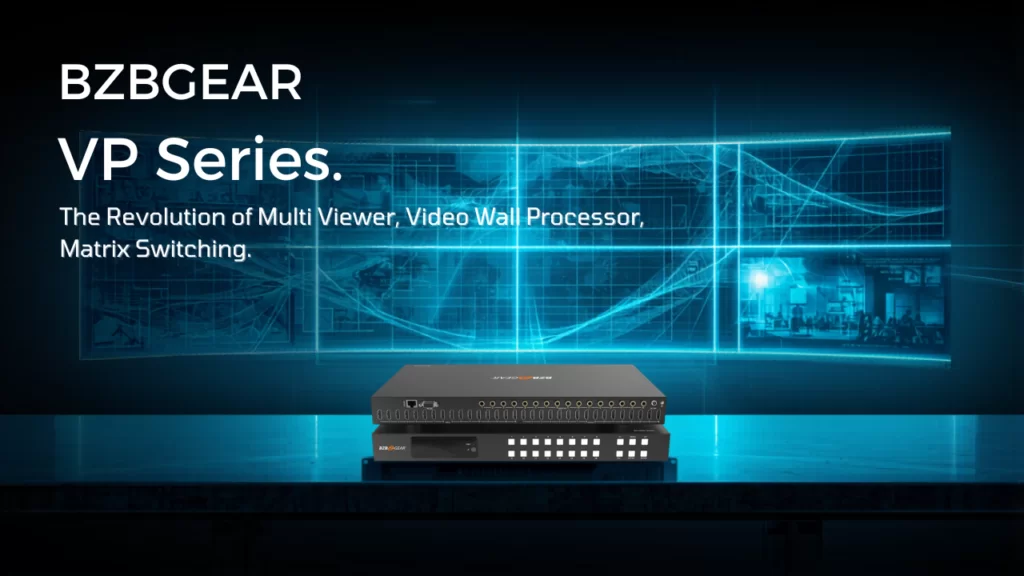
"Can One Unit Do It All?"
Streamlining Your Rack with the BZBGEAR VP Series
In the Pro AV integration world, you'll often come across what's known as the "Frankenstein Rack". It's a familiar setup: a matrix switcher for routing, a separate multiviewer for keeping an eye on things, and a video wall processor squeezed in at the bottom. All these components are tied together with a tangled mess of HDMI cables, held in place more by hope than anything else.
This makeshift solution might get the job done, but it's not exactly the most elegant or reliable way to manage your AV equipment. The "Frankenstein Rack" is a common sight, but it's not necessarily the best approach. It's really pricey, it takes up a lot of space, and when something goes wrong, it's a huge pain to fix.
BZBGEAR asked a simple question: "Can one unit do it all?" With the VP Series (VP-44, VP-88, and VP-PRO series), the answer is a definitive yes.
The Triple Threat: Matrix, Multiviewer, and Video Wall
Normally, you would need three different devices to do these three things. But the VP Series combines them into one unit that's only 1U in size.
Seamless Matrix Switching: Route any input to any output with zero-second latency. No black screens, no "handshaking" delays—just instant transitions.
You can show lots of things on one screen with Advanced Multiviewing. It's like having a 2x2 grid or a special picture inside another picture. The VP series can handle making everything the right size, so you don't have to worry about it. This makes it easy to see multiple sources at the same time, all on one screen.
When you want to show a single 4K image on multiple screens, like a 2x2 or 1x4 grid, you usually need a special device to make it work. But the VP series has this feature built right in, so you don't need any extra equipment.
Choosing Your Weapon: VP-44 vs. VP-88 vs. VP-PRO
Depending on the scale of your project, there is a specific VP model designed to replace your current multi-device stack.
|
Feature |
VP-44 |
VP-88 |
VP-PRO Series |
|
I/O Configuration |
4 Inputs / 4 Outputs |
8 Inputs / 8 Outputs |
4x4, 9x9 and 16x16 available |
|
Best For |
Huddle rooms, small bars |
Sports bars, large boardrooms |
Mission-critical broadcast/Command & Control and long cable runs. |
|
Resolution |
Up to 4K@60Hz |
Up to 4K@60Hz |
4K@60Hz 4:4:4 / Low Latency |
|
Form Factor |
1U Rack Mount |
1U Rack Mount |
Depends on which unit. |
The VP-44 & VP-88: The "Workhorses"
Most of the time, when it comes to commercial installations, people tend to use the VP-44 and VP-88. If you look at the manuals and demo setups from BZBGEAR, you'll see that these units are often used to replace three separate devices that each take up 1U of space. By switching to a single VP-88, you can free up 2U of rack space and get rid of at least eight cables that could potentially cause problems. This makes things a lot simpler and more reliable.
The VP-PRO: The Professional Standard
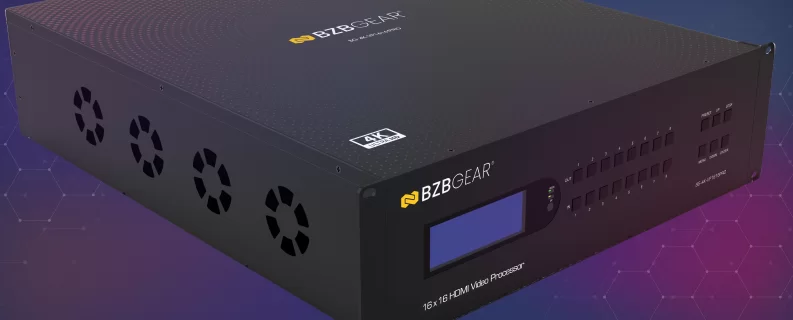
When a project requires extremely accurate colors and even more control, the VP-PRO series takes over. It's designed for situations where stopping work isn't an option and the video wall's image quality must stay perfect, even when it's really big. Boasting some extra features like being a long-range system from the start, these are the cream of the crop for professional users.
Real-World Impact: Cost and Space Savings
Let’s look at a typical Sports Bar use case:
- The Old Way: An 8x8 Matrix ($2,500) + a 4-Channel Multiviewer ($1,200) + a Video Wall Processor ($1,500) = $5,200+ and 3U of space.
The VP-88 Way is a simple and cost-effective solution. It only needs one unit, one power cable, and it takes up just 1U of space. Plus, it has a significantly lower total price tag, making it a more affordable option.
People who set up systems have said that the simple interface in the VP series makes it much faster to get everything working. It used to take hours to configure, but now it only takes a few minutes. This is because you don't have to deal with three separate sets of instructions to communicate with the control system - you only need to handle one. This makes the whole process a lot easier and saves a lot of time.
Want to see the "Seamless Switch" feature in action? Take a look at the demo videos from BZBGEAR. What sets their VP series apart from more affordable switchers is that it keeps a steady sync signal going to the display. This means that when you're switching between sources, your video wall won't flicker - it's a much smoother experience.
The Verdict
The BZBGEAR VP Series isn't just a "switcher"—it’s a central nervous system for your AV setup. By consolidating the matrix, multiviewer, and video wall processor into one platform, you aren't just saving money; you're building a more reliable, cooler-running, and professional-looking system.


8.00 a.m. - 5.00 p.m. (PST)
10.00 a.m. - 3.00 p.m. (PST)
(by appointment only)



